An online catalogue works when a buyer holding a part number finds that part in seconds, sees the current price, and can send the page to whoever signs off.
Everything else about catalogue design is secondary to that one sequence.
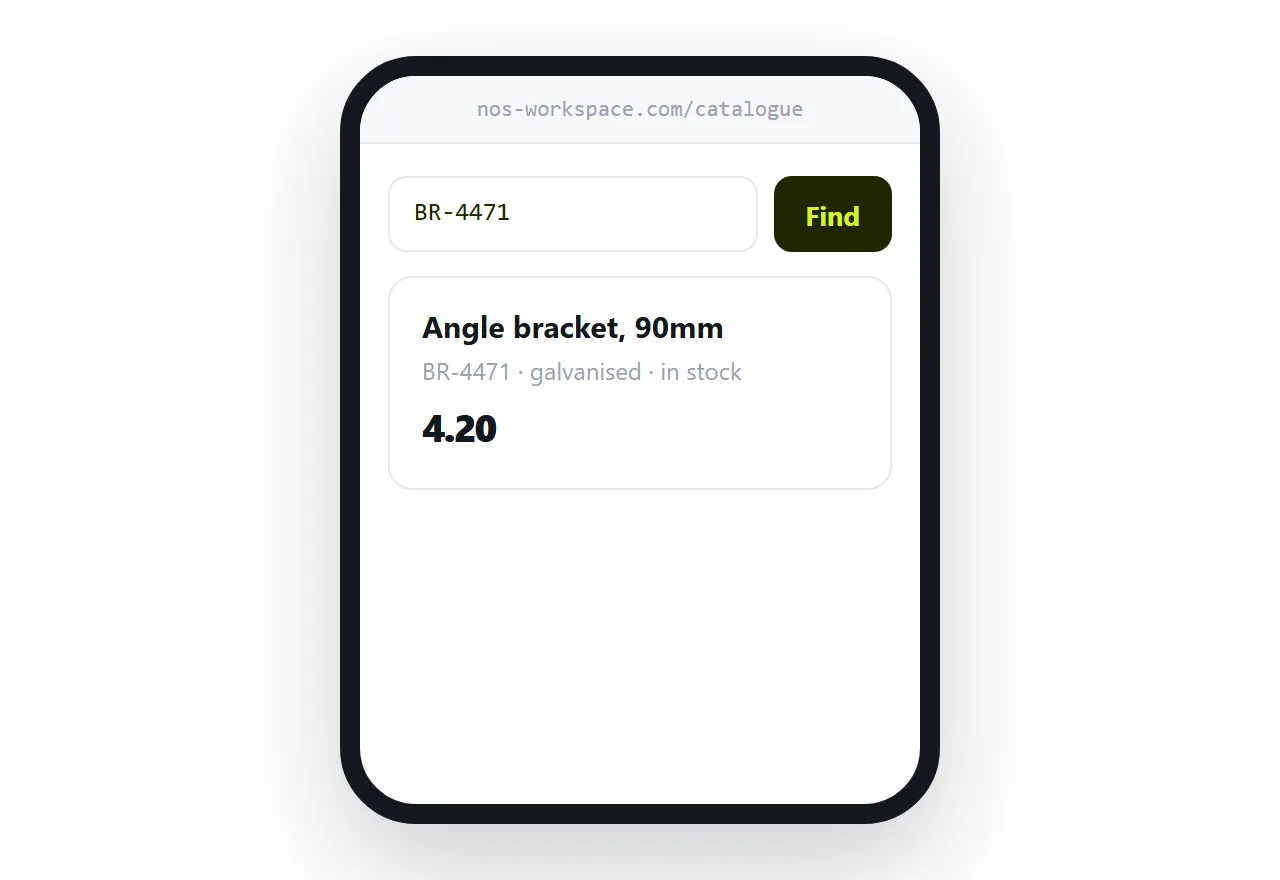
This guide covers why flipbooks lose trade enquiries, the page-per-product decision, and what to do with discontinued lines.
The buyer is searching, not browsing
Consumer catalogues get browsed. Trade catalogues get searched.
The buyer arrives with a code, a specification or a replacement to find. They are not looking for inspiration; they are confirming something exists and finding what it costs.
A flipbook catalogue defeats that entirely, because the text is a picture. There is nothing to search. The buyer pages through, gives up, and calls a supplier whose catalogue answered in five seconds.
Real text in a real page is searchable both on the page and by search engines, which means a buyer searching a part number can arrive at your catalogue without knowing you exist.
One page per product
For anything with a stock code, give it a page.
That page can be found in search on its own terms. It can be sent to the person who approves the purchase, without instructions about page numbers. It can carry the specification, the variants, the lead time and the price in a form that does not force the reader to hold three things in their head.
The catalogue then becomes the index rather than the object. Categories, a search, and a way to browse for people who want to.
| Catalogue as one file | Page per product | |
|---|---|---|
| Search a part number | Not possible | Instant |
| Found in search engines | Rarely | Per product |
| Send one item to a colleague | Page number | An address |
| Price correction | Republish everything | Edit one page |
| Discontinued items | Reprint | Mark and redirect |
Prices that move
If prices change more than once a year, do not bake them into the catalogue.
Put the current price at an address linked from each product, so a price change is one edit rather than a republish and a scramble to tell everyone the old file is wrong.
If prices are stable enough to include, keep the catalogue address permanent so that when a price does change, correcting it reaches everyone holding the link, including customers you have lost track of.
Discontinued lines are not deletions
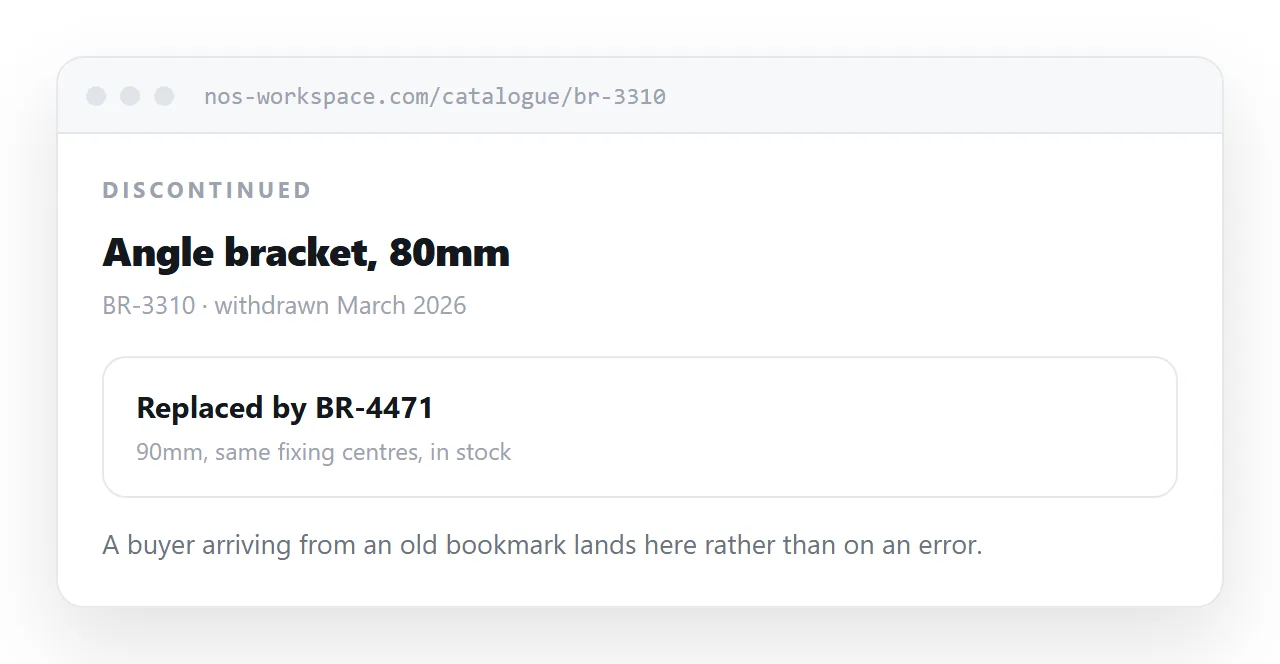
A buyer bookmarked a product page two years ago. Today they want to reorder.
If the page is gone, they get an error and no information: not whether it was replaced, not what by, not who to ask. That buyer was as close to ordering as a buyer gets, and the dead link is where they stopped.
Leave the page up. Mark it discontinued at the top, say when, and link to the item that replaces it. The bookmark now does a better job than it did before.
Keep the printed catalogue useful
Printed catalogues still work at trade shows and with long-standing customers who keep one on a shelf.
The problem is that the shelf copy goes out of date and keeps being quoted from. Printing the address on the cover and on each section turns the paper copy into a route to the current information rather than a record of old prices.
For the surrounding ground, see How to share a catalogue as a link and How to share a price list as a link. How to make an online menu is also close.
Put it at an address
Make the text searchable, give every stock code a page, keep prices where they can be corrected, leave discontinued items up with a pointer to the replacement, and put the address on the printed copy.
Then the buyer with a part number finds it before they call someone else.