A menu link is a menu published at a web address so a QR code on the table opens it directly, it fits the phone reading it, and prices can change without reprinting anything.
Most restaurant QR codes point at a PDF, and that single decision creates every complaint diners have about digital menus.
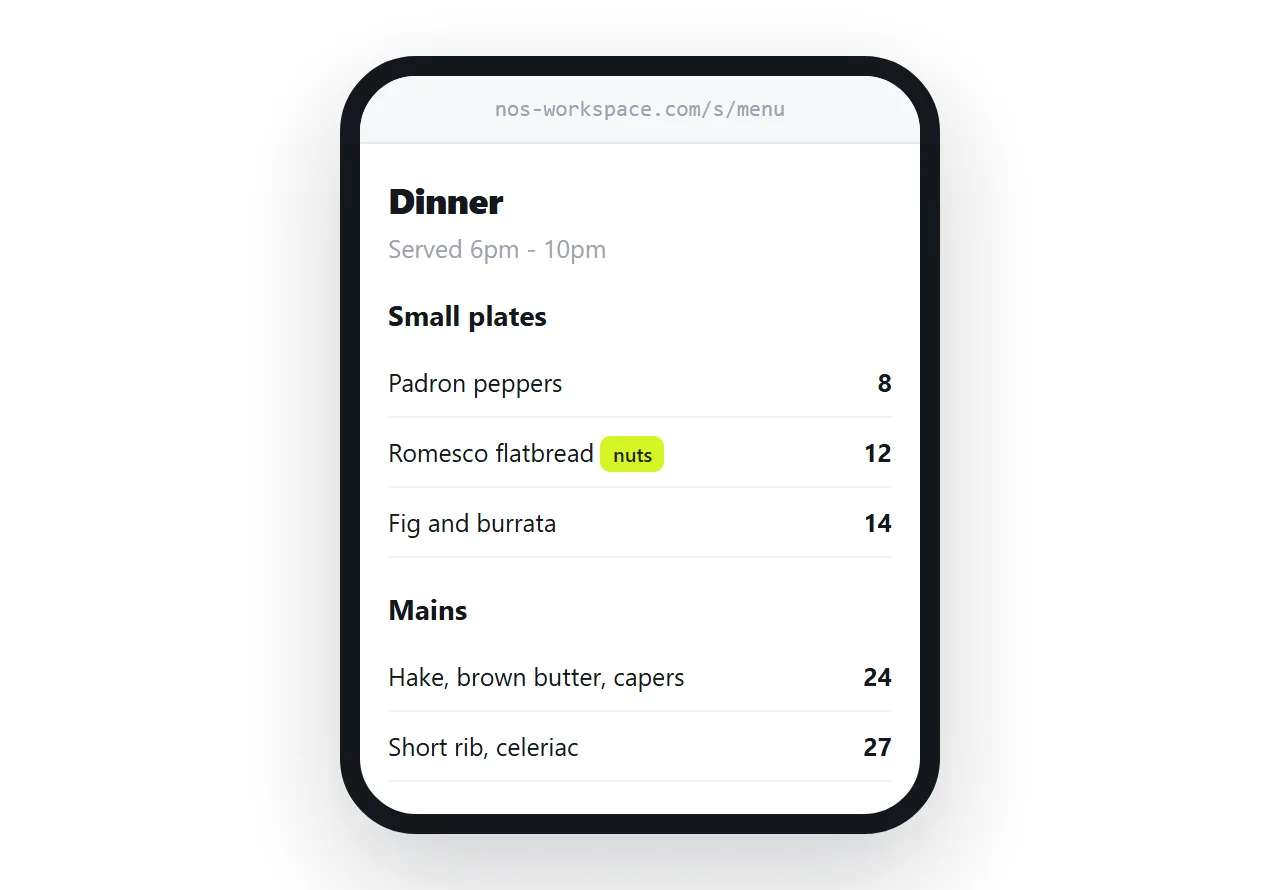
This guide covers why the PDF fails, how to set the page so it reads in a dim room, how specials and allergens should work, and why the printed codes never need replacing again.
What goes wrong with a menu PDF
The failure is not aesthetic. It is mechanical, and it happens on every table.
| Menu as PDF | Menu as a page | |
|---|---|---|
| First action after scanning | Download, then open a viewer | It is already on screen |
| Size on arrival | Sized for A4, so tiny | Sized for the phone |
| Reading | Pinch and drag | Scroll |
| Price change | New file, often new QR codes | Edit the page |
| Allergen search | Not searchable in a scan | Searchable text |
| On weak wifi | Waits for the whole file | Loads immediately |
The first row is the one that loses people. A diner who scans a code expects the menu, not a download. The half second where nothing appears is enough for them to look up and ask for a paper one.
Set the type for a phone held low
Restaurant lighting is dim and the phone is at waist height. Type that looks generous on your laptop is small at the table.
body { font-size: 17px; line-height: 1.6; }
.dish { display: flex; justify-content: space-between; gap: 1rem; padding: 0.55rem 0; }
.dish .name { font-weight: 600; }
.dish .price { font-variant-numeric: tabular-nums; }
Tabular numbers keep the prices in a straight column so the eye can run down them. Put the price on the same line as the dish rather than in a separate column that collapses awkwardly on narrow screens.
Resist dot leaders between the name and the price. They are a paper convention and on a phone they turn into visual noise.
Specials belong on the same page
The common failure is a QR code pointing at a fixed main menu while the specials live on a board by the door. Diners scan, see no specials, and the board does its job for maybe one table in five.
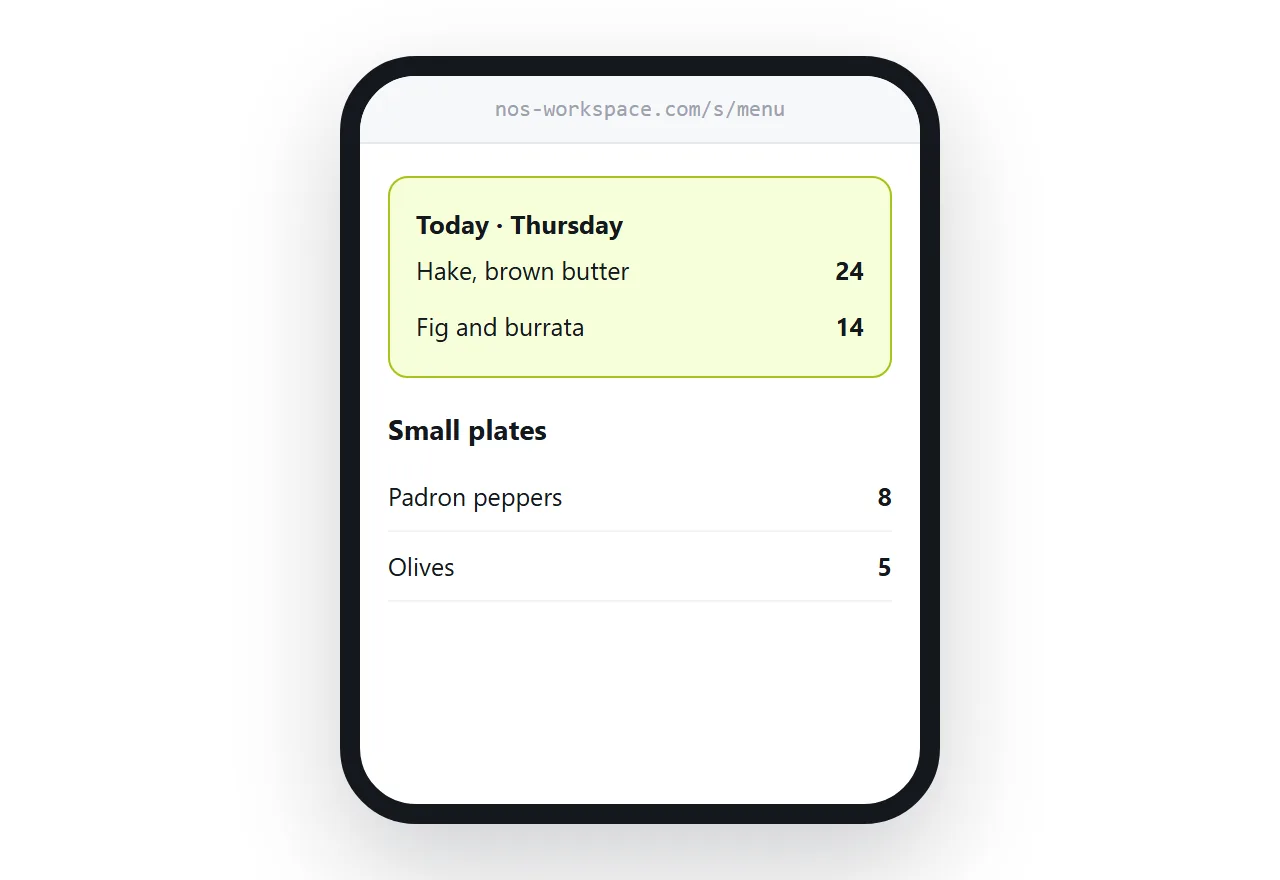
Put a specials section at the top of the same page and edit it each morning. It takes less time than writing the board.
<section class="specials">
  <h2>Today · Thursday</h2>
  <div class="dish"><span class="name">Hake, brown butter, capers</span><span class="price">24</span></div>
  <div class="dish"><span class="name">Fig and burrata</span><span class="price">14</span></div>
</section>
Name the day in the heading. It tells the diner the page is current, which is the thing they quietly doubt about every digital menu.
Allergens as text, not as a picture
A photographed paper menu is an image. Nothing in it can be searched, read aloud, or translated.
That is an inconvenience for most dishes and a genuine problem for allergens. A diner with a nut allergy searching the page for "nut" gets an answer in one second from text and no answer at all from a scan.
Write the labels inline and keep them short.
<div class="dish">
  <span class="name">Romesco flatbread <em class="tag">nuts</em> <em class="tag">gluten</em></span>
  <span class="price">12</span>
</div>
The same reasoning makes the menu usable by a diner reading in another language, because the phone can translate text and cannot translate a picture of text.
The QR code stops being a consumable
This is the part that changes the economics.
A QR code encodes an address. If that address holds a page you can edit, then the code is permanent. Laminate it, print it on the table, engrave it on a stand. When the supplier price of hake moves, you change a number on a page and every code in the building is correct.
If the code points at a file, changing the menu often means a new file, a new address, and a print run. Restaurants that have been through that cycle twice usually go back to paper.
Practical notes on generating the code are in HTML file to QR code.
Photographs, sparingly
Food photography sells dishes and slows pages. Both are true.
Keep images few and small, and let them be optional rather than structural, so the menu is readable before any of them arrive. A menu that needs twelve photographs to make sense is a menu with too many dishes.
If you include them, size them properly rather than shipping a camera original and scaling in the browser. Guidance in making images responsive.
Put it at an address
Write the menu as a page, paste it into a document, create a share link, and point your QR code at that address.
Diners get the menu the instant they scan. You get to change a price in the time it takes to say it. And the codes on the tables never need touching again.