Four things cause almost every rejected upload, and all four are visible before you upload anything.
One: encoding
A file saved in a regional encoding turns accented characters, currency symbols and anything non-English into nonsense on the receiving end.
Save as UTF-8. Every spreadsheet offers it at export, frequently as a separate option named something like CSV UTF-8, and choosing it removes this entire class of problem.
If you are already holding a file with mangled characters, re-exporting from the source is more reliable than trying to repair it.
Two: the delimiter
Spreadsheets in regions where the comma is the decimal separator export using semicolons instead.
The file looks correct locally and is rejected by anything expecting commas. Open it in a text editor and you will see immediately.
Changing the export setting, or the system's regional configuration, fixes it at the source.
| Symptom | Cause | Fix |
|---|---|---|
| Mangled accents | Encoding | Save as UTF-8 |
| Everything in one column | Semicolons | Export with commas |
| Error on one row | Unescaped comma or quote | Quote the value |
| Dates all wrong | Ambiguous format | Year first |
| Columns not recognised | Header mismatch | Copy the exact names |
Three: the awkward row
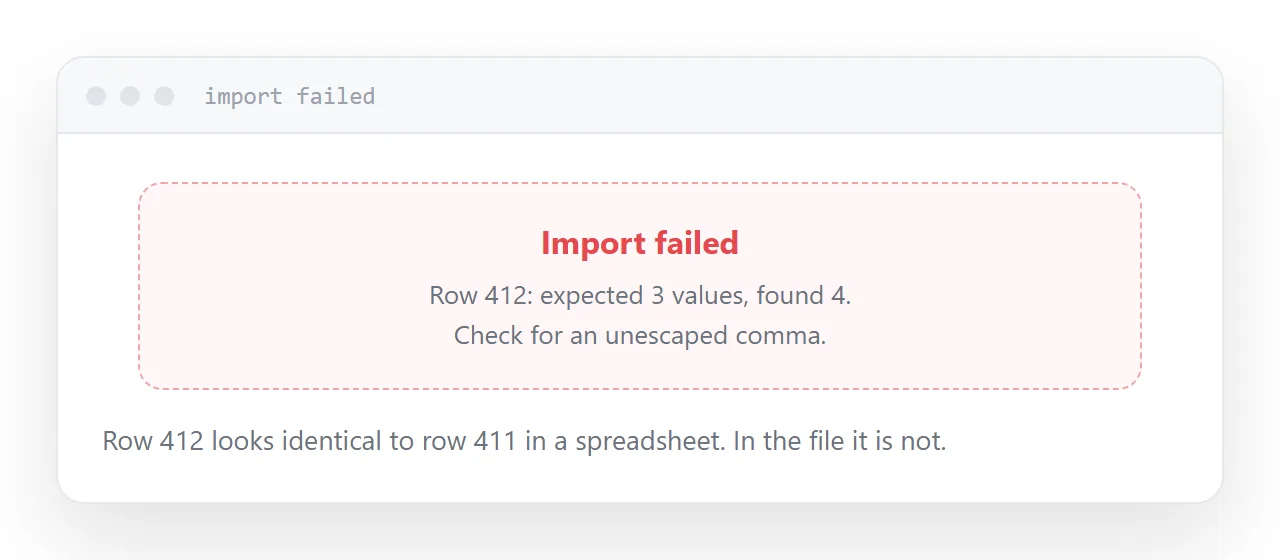
An error referring to row 412 usually means that row contains a comma or a quote inside a value without the right escaping.
00913,Fixing kit, 6mm,11.90      breaks
00913,"Fixing kit, 6mm",11.90    works
The first version has four values where the header declares three, and everything after it lands in the wrong column.
A quote inside a quoted value is written twice. That is the other half of the rule and the half people forget.
Four: the header row
Receiving systems match columns by name, and they match exactly.
Product Code is not product_code. A trailing space is a different name. A column the system requires and your file does not have fails the whole upload.
Download the system's template if one exists and copy the header row from it rather than typing it.
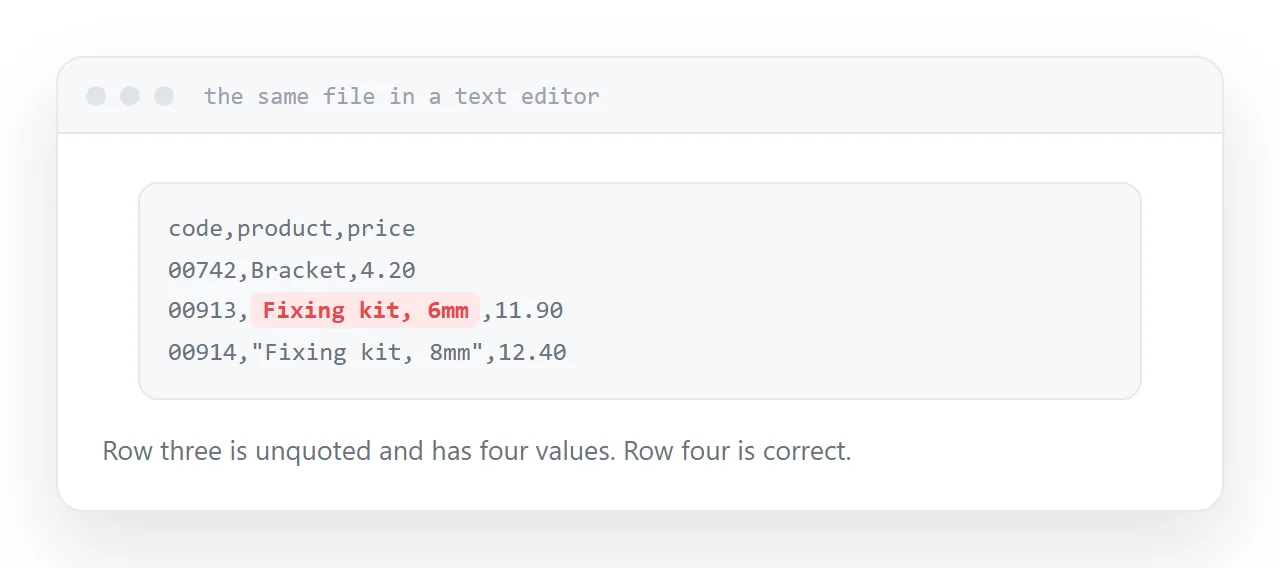
Check it in a text editor
Ten seconds, before every upload.
The header names. The delimiter. Whether accented characters look right. A couple of rows containing commas or quotes.
All four problems are visible there, and none of them are visible in a spreadsheet, which is displaying its own interpretation rather than the file.
Dates
Year first, hyphens, four-digit year.
Anything else will be interpreted by the receiving system's rules, which are not necessarily yours, and the resulting dates are plausible and wrong.
Two neighbouring cases are worth a look: What is a CSV file and How to open a CSV file correctly.
Put it at an address
Open it in a text editor, save as UTF-8, confirm the delimiter, write dates year first, and copy the header names exactly.
Then the upload succeeds the first time.