A comma-separated file is plain text. Everything that goes wrong happens when a spreadsheet application decides what each value means.
This guide covers what gets converted, how to import without conversion, and what to send other people.
What gets converted, and when
The conversion happens at the moment of opening, before you have seen anything.
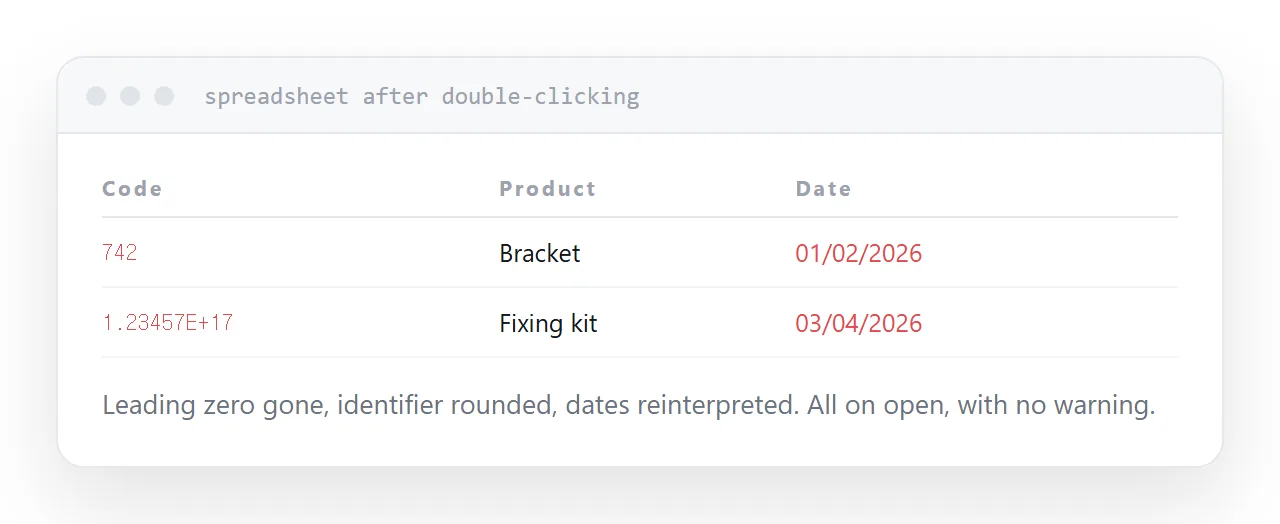
Leading zeros are removed. A postcode, a product code, an account number stored as 00742 becomes 742. This is the most common and most damaging one, because it looks fine until someone tries to match the data against something else.
Dates are reinterpreted. The same file produces different dates depending on the regional setting, and the ambiguous ones are silently resolved in whichever direction the setting implies.
Long numbers become scientific notation. Identifiers beyond fifteen digits lose precision permanently. Not displayed differently: actually lost.
Text that looks like a formula gets treated as one, which is both a data problem and a security concern with files from outside.
| What it is | What happens | What it should be |
|---|---|---|
| Postcode 00742 | 742 | Text |
| Product code 1-2 | A date | Text |
| ID 123456789012345678 | 1.23457E+17 | Text |
| Phone +44 20... | Formula error | Text |
Import, do not open
Double-clicking hands the file to the application with no opportunity to say what anything is.
Use the import route instead. Every spreadsheet has one, and it presents a step where each column can be assigned a type. Set anything that is a code, an identifier, a postcode or a phone number to text.
It is three more clicks and it is the whole difference between data that survives and data that quietly does not.
If a colleague sends you a file and the codes look wrong, this is almost always why, and it happened on their machine before they sent it.
To read rather than edit
Often you only want to see what is in the file.
A text editor shows it exactly as it is, with nothing converted. For checking a header row, confirming a delimiter or seeing how many columns there are, that is faster and completely safe.
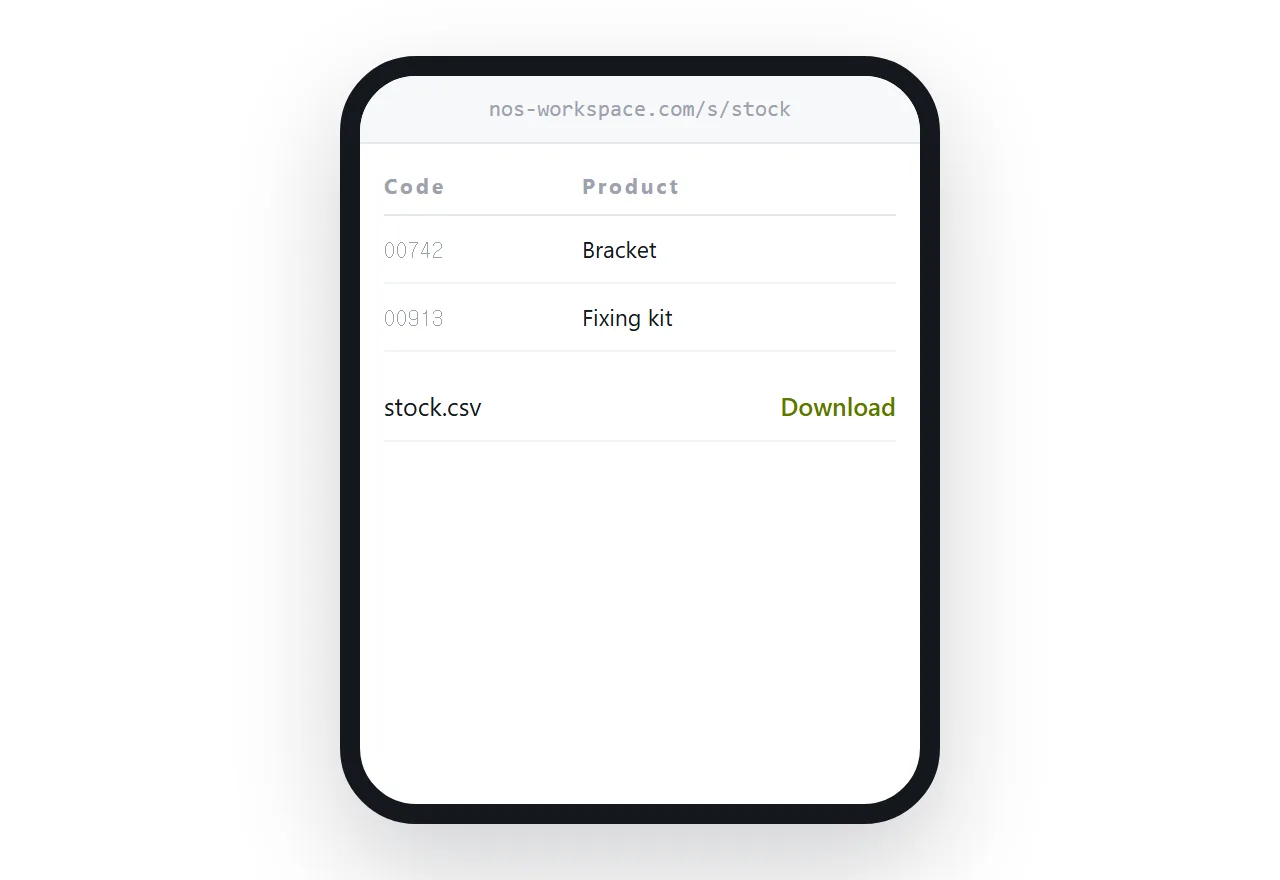
Publishing it as a table on a page does the same thing for anyone you are sharing it with, with the added benefit that it is readable on a phone.
What to send other people
Sending a raw file means the recipient's software gets to decide what the values mean, and you have no control over their regional settings or their habits.
Send a table on a page instead, with the file available underneath.
The table cannot be mangled. It reads on a phone. Anyone who wants to work with the data downloads the file and imports it properly, knowing what they are doing.
That combination removes the most common way data gets corrupted between two people, which is that one of them double-clicked.
For the surrounding ground, see How to share a spreadsheet as a link and How to import a CSV into Google Sheets. How to edit text in a PDF is also close.
Put it at an address
Import rather than open, set the awkward columns to text, check leading zeros and dates before trusting anything, use a text editor to read, and publish a table when sending it on.
Then the codes in the file are still the codes when they arrive.