A table on a page shows the exact characters you published. No import, no conversion, no regional setting deciding what a date means.
This guide covers the markup, making it work at phone width, and when a table is not enough.
The markup, with the parts that matter
<div class="scroll">
  <table>
    <thead>
      <tr><th>Code</th><th>Product</th><th>Price</th></tr>
    </thead>
    <tbody>
      <tr><td>00742</td><td>Bracket</td><td>12.50</td></tr>
    </tbody>
  </table>
</div>
The header row in a proper head section is what lets screen readers announce which column a value belongs to, and what any sorting behaviour attaches to.
And the leading zeros survive, because nothing is interpreting them. That alone solves the most common data-sharing failure there is.
Making it work at phone width
A table with six columns does not fit a phone, and the usual outcomes are both bad: either it shrinks until nothing is readable, or the whole page scrolls sideways.
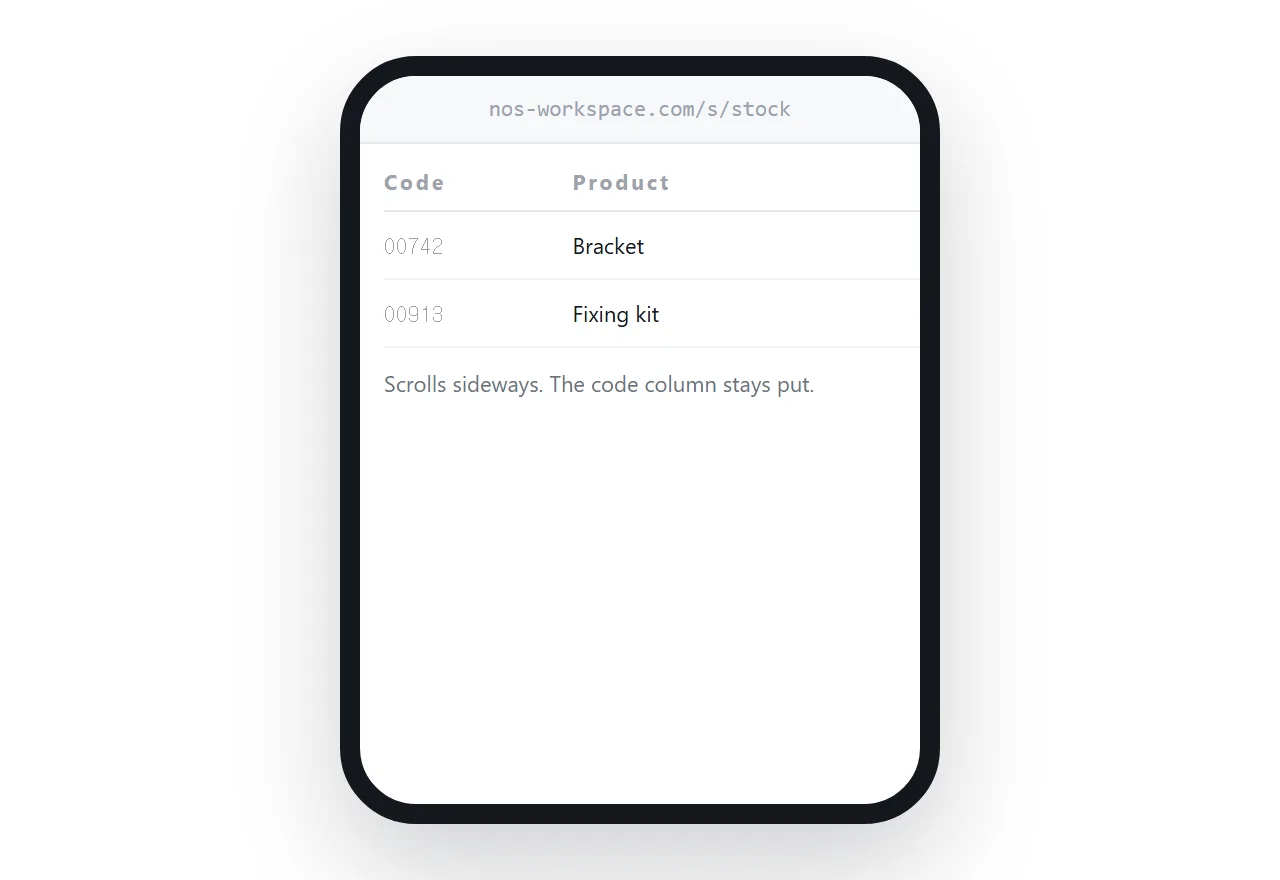
The fix is to let the table scroll inside its own container, and hold the first column still.
.scroll { overflow-x: auto; }
table { border-collapse: collapse; min-width: 40rem; }
th:first-child, td:first-child {
  position: sticky; left: 0; background: #fff;
}
The minimum width stops columns being crushed. The sticky first column means the reader scrolling to see the price can still see which product it belongs to, which is the difference between a usable table and a grid of numbers.
| Shrink to fit | Scroll with a fixed column | |
|---|---|---|
| Text readable | No | Yes |
| Reader knows the row | Yes | Yes |
| Page scrolls sideways | Sometimes | No |
| Works past four columns | No | Yes |
Numbers need aligning
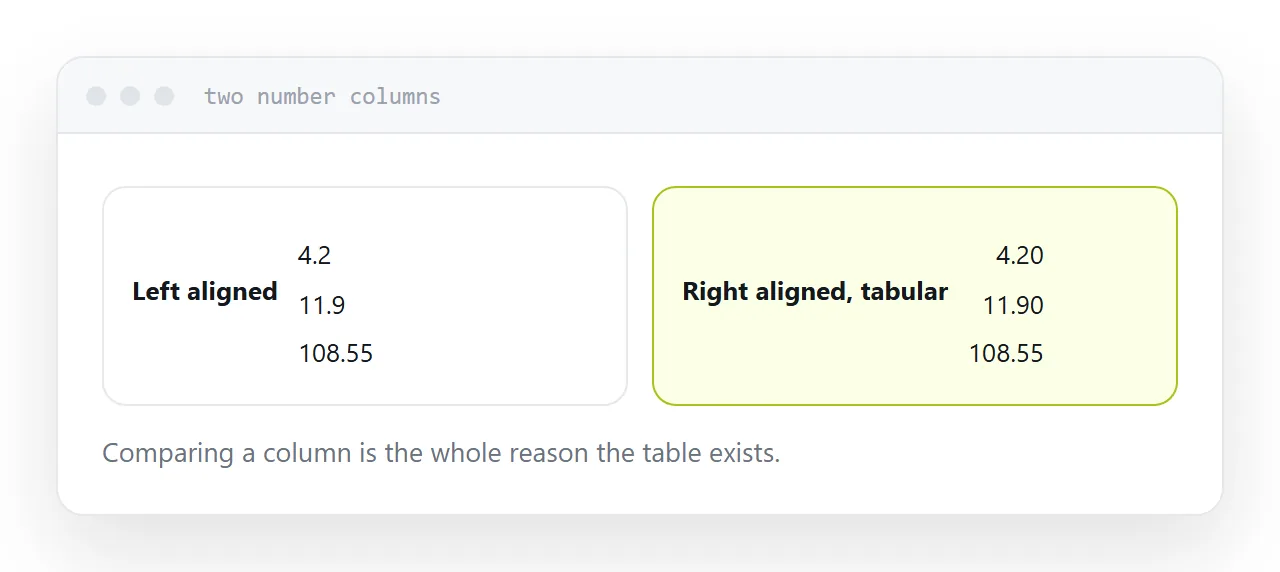
Right-align numeric columns and use a font where every digit occupies the same width.
td.num { text-align: right; font-variant-numeric: tabular-nums; }
Comparing a column of figures is usually why the table exists. Left-aligned proportional digits make that genuinely harder, and the fix is two lines.
Keep the same number of decimal places down a column, including the trailing zeros. A column mixing 12.5 and 12.50 reads as inconsistent data even when it is not.
Keep the file underneath
The table is for reading. Some readers want to do arithmetic.
A download link below the table serves them without compromising the table. They take the file, import it properly, and do their own work. Everyone else never leaves the page.
This combination is strictly better than sending the file alone, and it costs one line.
When a table is not enough
Past a few hundred rows, scrolling stops being a way to find anything and rendering starts to slow.
At that point the reader needs to search and sort, or they need a summary with the full data available separately. A thousand-row table published as a plain page is technically correct and practically unusable.
Be honest about which one you have before publishing it.
Closely related: How to open a CSV file correctly, and How to import a CSV into Google Sheets for the adjacent problem. Hosting JSON data other pages use is also close.
Put it at an address
Use proper table markup, let it scroll sideways with the first column fixed, align the numbers, offer the file underneath, and add search when the row count outgrows scrolling.
Then the data reads the same for everyone who opens it.