Self-hosting a typeface removes a request to somebody else's servers and gives you control over how it loads. It also makes the licence and the loading behaviour your problem.
This guide covers the licence, the format, and the flash.
The licence comes first
Fonts are licensed, and the licence usually distinguishes desktop use from web use.
A typeface you bought for design work frequently does not permit hosting it on a website. That is a separate licence, often priced by monthly page views.
Open-licensed fonts generally permit self-hosting explicitly, and many are excellent.
Check before hosting. This is the one part of the process with a legal consequence, and it is the part most often skipped.
One format is enough
WOFF2 is supported by every browser in current use.
Older formats exist for browsers that have essentially disappeared, and including them means serving more files and writing more rules for nobody.
@font-face {
  font-family: 'Example';
  src: url('/fonts/example.woff2') format('woff2');
  font-weight: 400;
  font-display: swap;
}
One file per weight you actually use. Two weights is usually enough; four is usually more than a page needs.
Subsetting is where the size is
A font supporting every language and every symbol is several hundred kilobytes.
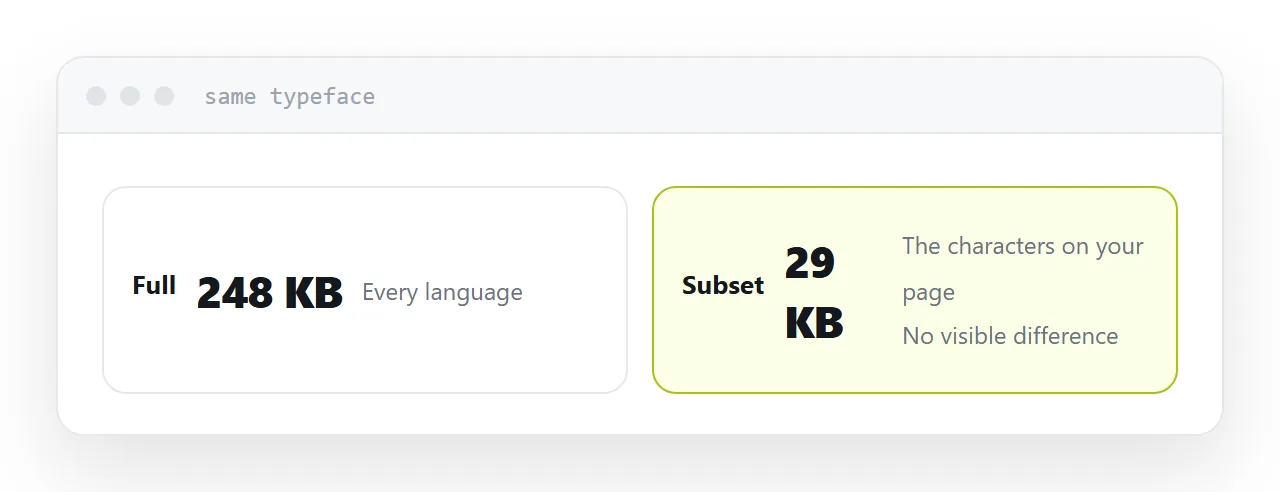
The same font subset to the characters a page actually uses is a fraction of that. For a page in one language with no unusual symbols, subsetting typically removes most of the file.
| Full font | Subset | |
|---|---|---|
| Languages covered | Many | Yours |
| Typical size | 200KB+ | 20-40KB |
| Visible difference | None |
The flash
Until the font arrives, the browser has to decide what to show.
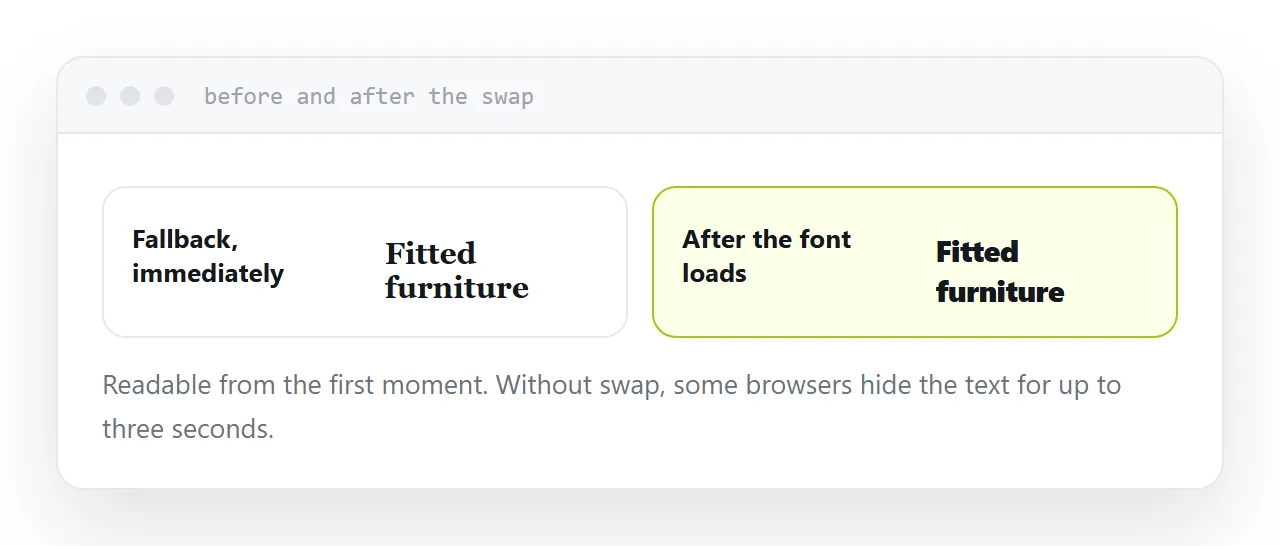
With font-display set to swap, it renders immediately in a fallback and swaps when yours loads. Text is readable from the first moment, and there is a visible change when the swap happens.
Without it, some browsers hide the text for up to three seconds, which is worse: the reader sees a blank page.
Swap is the right default. The flash is a cosmetic cost; invisible text is a functional one.
Reduce the jump with a close fallback
The jump at swap happens because the fallback and the real font have different widths and heights.
Choosing a fallback with similar metrics makes the change much less noticeable. There are also CSS properties for adjusting the fallback's size and spacing to match, which reduce it further.
Listing a specific fallback rather than a generic family is worth the minute it takes.
For a single page, consider embedding
A self-contained page can carry the font encoded inside it.
That removes the request entirely and the page renders in the right typeface immediately, offline included. The cost is a larger file, which for a subset font is often acceptable.
For anything sent as one file and opened anywhere, this is the most reliable option.
Two neighbouring cases are worth a look: Web fonts in CSS, and why a system font stack is usually better and Google Fonts not working in HTML: the four causes.
Put it at an address
Check the licence permits web use, serve WOFF2 only, subset to the characters you use, set font-display to swap, and choose a fallback with similar metrics.
Then the typeface loads quickly and nobody waits for text.