Generated pages fail in a small number of predictable ways. Four checks, in order, catch almost all of it.
This guide is that checklist, followed by what to do with the file afterwards.
Check one: search for http
Every external reference is something that can fail later.
A library from a network source. An image at an address. A font from a font service. Each one works right now and each one depends on a server you do not control continuing to serve it, to you, from wherever your page ends up.
Corporate networks block some of them. Some services stop allowing requests from other sites. Versions move.
Inline what you can. Host what you cannot inline. For a single page, ask the model to produce everything in one file and most of these disappear.
Check two: search for key, token and secret
A page is readable by anyone who opens it. There is no hiding anything inside one.
Models write example code with placeholder keys, and sometimes with strings that look real enough to be pasted over with a real one. If a key has been in a published page, treat it as compromised and rotate it.
Anything that genuinely requires a secret needs a server, which is a different project from a page.
Check three: read the console
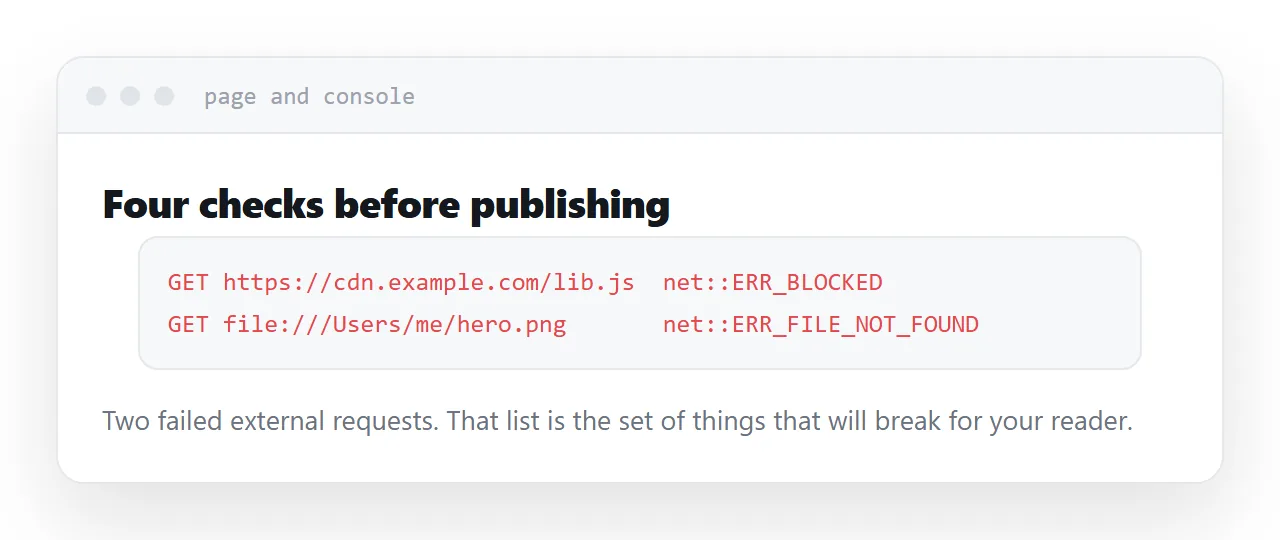
Open the page in a browser and look at the console.
The errors listed there are, in practice, a complete list of the things that will go wrong for your reader. A failed request, a missing function, a reference to something that does not exist.
Two minutes, and it converts a vague suspicion that something is off into a specific list.
| Check | What to search for | Why |
|---|---|---|
| External loads | http | They fail later, elsewhere |
| Secrets | key, token, secret, api | Pages are public |
| Errors | The console | That is the failure list |
| Mobile | Open it on a phone | Desktop is the default |
Check four: open it on a phone
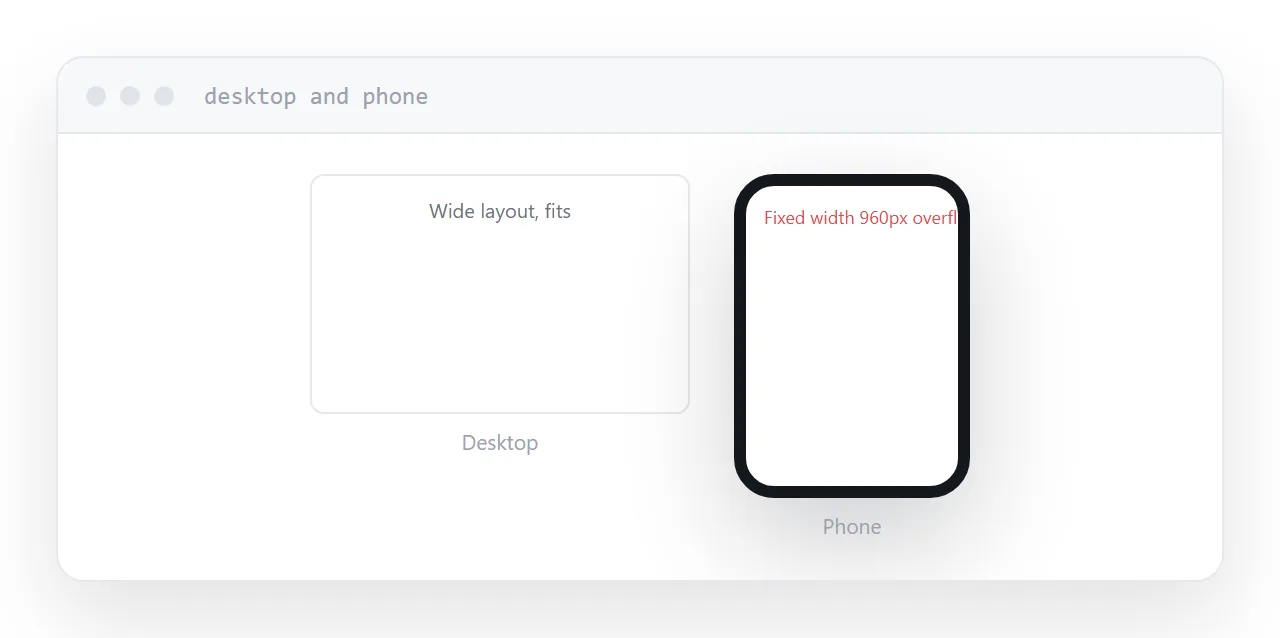
Models produce desktop layouts unless told otherwise.
The three that show up every time: a fixed width that forces horizontal scrolling, an interaction that depends on hover and therefore does not exist on touch, and buttons too small to hit with a thumb.
All three are fixable by asking for a mobile layout with touch-friendly controls. None of them are visible until you actually look on a phone.
Keep the file, publish the address
Keep the source file. It is what you regenerate from, edit, and hand to someone else later.
Publish at an address, and keep that address across versions. When you regenerate, replace what sits behind it. Everyone holding the link gets the new version without being sent anything, including people you have lost track of.
Do not email the file. HTML attachments are stripped by mail scanners often enough that it is not a reliable way to send anything.
For the surrounding ground, see How to host HTML output from ChatGPT and How to host a Claude artifact.
Put it at an address
Search for http, search for keys, read the console, open it on a phone, then publish at one permanent address.
Four checks and the page works for everyone else the way it worked for you.