Archiving a document to reduce its size is one of the most common pieces of advice in this area and it does almost nothing.
This guide covers why, what actually works, and when an archive still makes sense.
Why it does not shrink
The format compresses its own contents. Text streams are compressed, and images inside it are stored in already-compressed image formats.
Archiving works by finding repetition and encoding it more efficiently. Compressed data has had its repetition removed, which is what compression is.
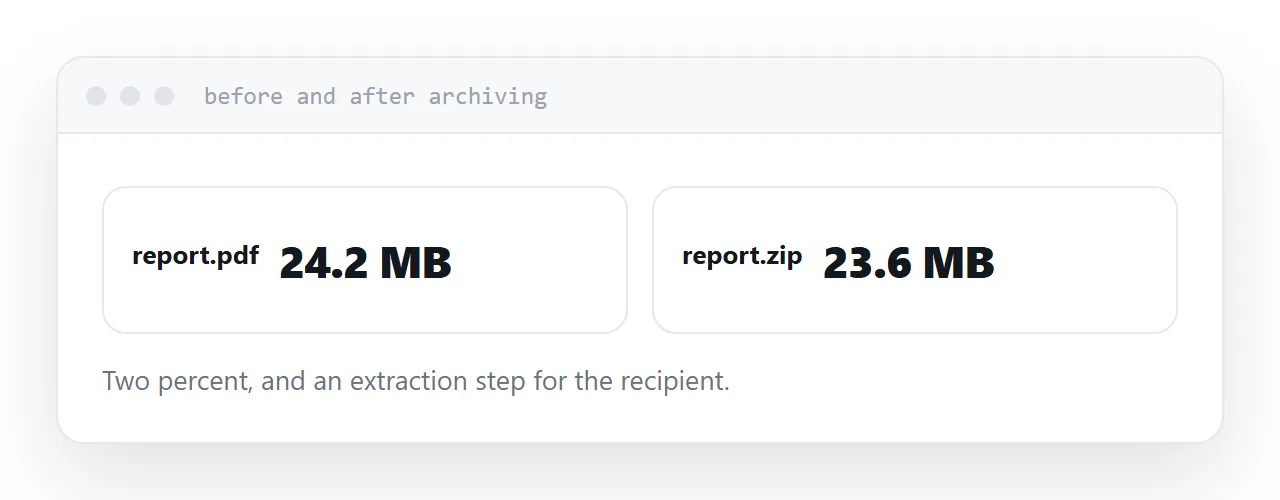
So archiving a document typically saves one to three percent. A 24MB document becomes about 23MB, which does not solve anything and adds an extraction step for the recipient.
What actually reduces the size
Images, every time.
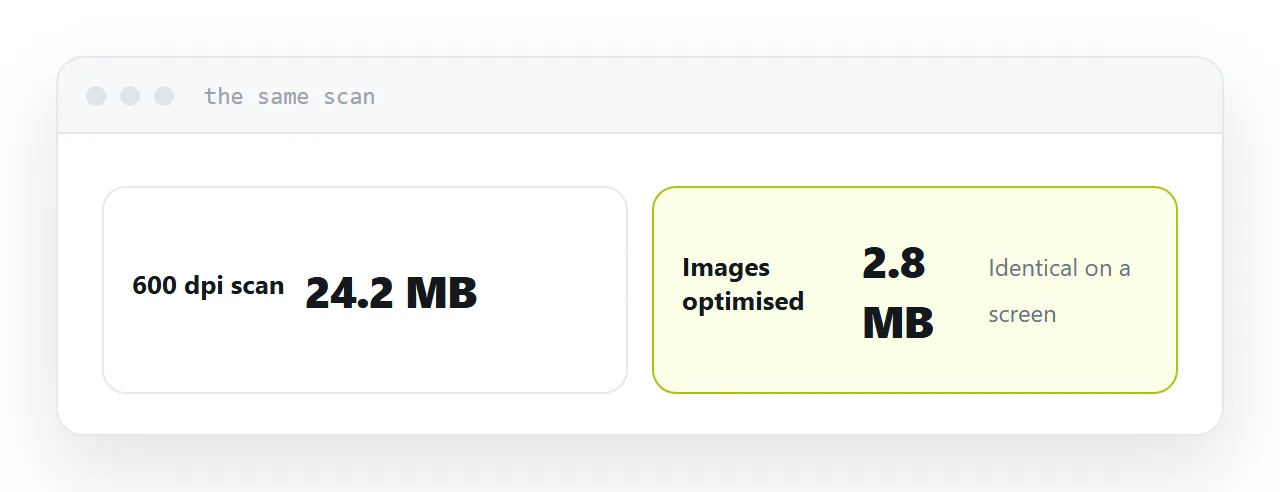
A scanned document is a stack of photographs. Scanned at 600 dots per inch, ten pages can be 40MB. Re-scanned or re-exported at 150, it is a few megabytes and looks identical on a screen.
A design-led document carries images at print resolution. Exporting for screen instead usually cuts it by most of its size.
A presentation exported to PDF carries every slide image at full resolution.
Every major tool has a reduce-file-size or optimise option that does this. It is the step people skip on the way to archiving something.
| Approach | Typical saving | Cost to recipient |
|---|---|---|
| Archive it | 1-3% | An extraction step |
| Re-export images at screen resolution | 60-90% | None visible |
| Put it at an address | Size stops mattering | None |
When an archive is right
Sending several files as one thing. A set of documents that belong together, arriving as a single item, in a known order.
A system that requires one upload. Some submission processes accept exactly one file, and an archive is the only way to send three.
Preserving a folder structure. When the arrangement of files carries meaning.
None of those are about size, and all of them are legitimate.
Archive passwords are a trap
Two problems.
The encryption used by most archive tools is old and broken quickly with freely available software. It stops a casual reader and nothing more.
More practically, mail scanners frequently block encrypted archives outright, because they cannot inspect the contents. So the message with your protected archive does not arrive, and often nobody is told.
If the document needs protection, protect the document, and send the password through a different channel.
For anything still large
Compress the images. If it is still too large for email, the problem is not the archive.
Put it at an address. No size limit, the recipient opens rather than downloading, it works on a phone, and you can correct it afterwards.
That is the answer the archiving question was reaching for.
For the surrounding ground, see Why zipping did not make the file smaller and What to do when an attachment is too large.
Put it at an address
Check the size before archiving, re-export with compressed images instead, use archives for grouping rather than for size, avoid archive passwords, and use an address for anything that is still large.
Then the recipient receives a document rather than a container.