A print layout is designed for a fixed rectangle at a known size. A screen is neither, and everything follows from that.
The measurement that decides it
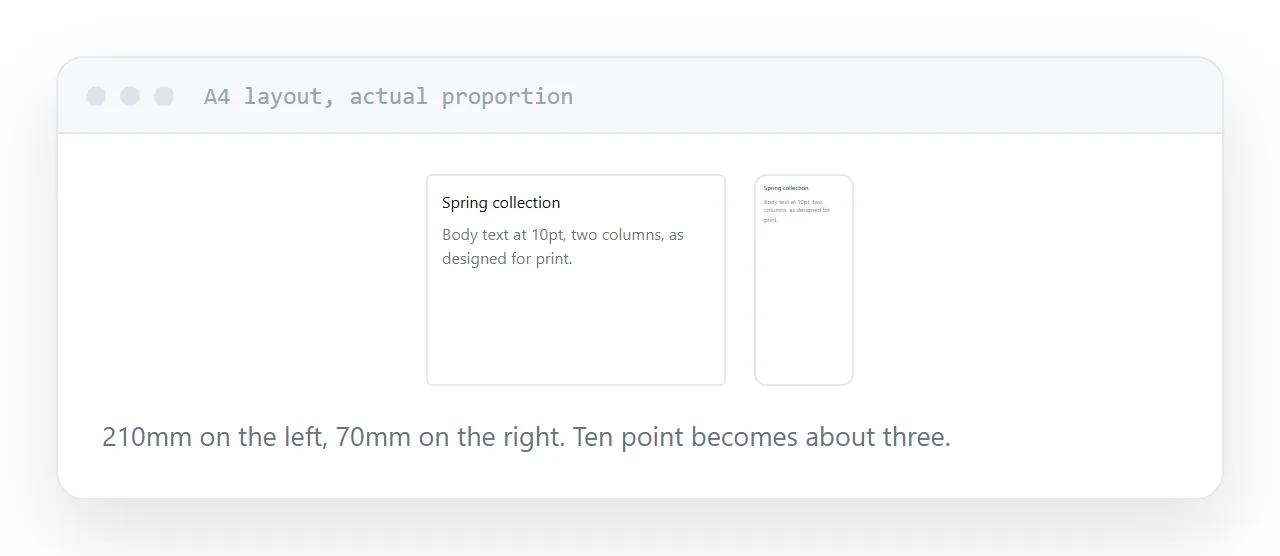
An A4 page is about 210 millimetres wide. A phone is about 70.
Displayed whole, the layout appears at one third of its designed size. Body text set at ten point becomes about three, which is unreadable. So the reader zooms and then pans left and right for every line.
For a visually led piece, a lookbook, a photographic brochure, an exhibition catalogue, that is acceptable: the images carry it and people are looking rather than reading.
For anything where the text is the point, it is not, and no viewer fixes it.
| Publication | Digital form |
|---|---|
| Photographic lookbook | Document, as designed |
| Exhibition catalogue | Document |
| Product catalogue with specifications | Page |
| Report | Page |
| Manual | Page |
| Newsletter | Page |
| Price list | Page |
Page-turning viewers
They take the same fixed layout and add an animation between pages.
The reading problem is unchanged. The text is still at a third size, still needs zooming and panning, and there is now a larger file and a viewer interface around it.
They look impressive in a demonstration and they solve nothing a reader was complaining about.
Rebuilding as a page
Text reflows to whatever width it is read at. Images resize. Headings stay readable. The whole thing can be searched, and a specific section can be linked to.
The design is different rather than worse: a single column, generous spacing, images sized for the screen. That is not a downgrade from print, it is the same content in the form the device can show.
Rebuild only what is read
Rebuilding a forty-page publication is a real project. Usually unnecessary.
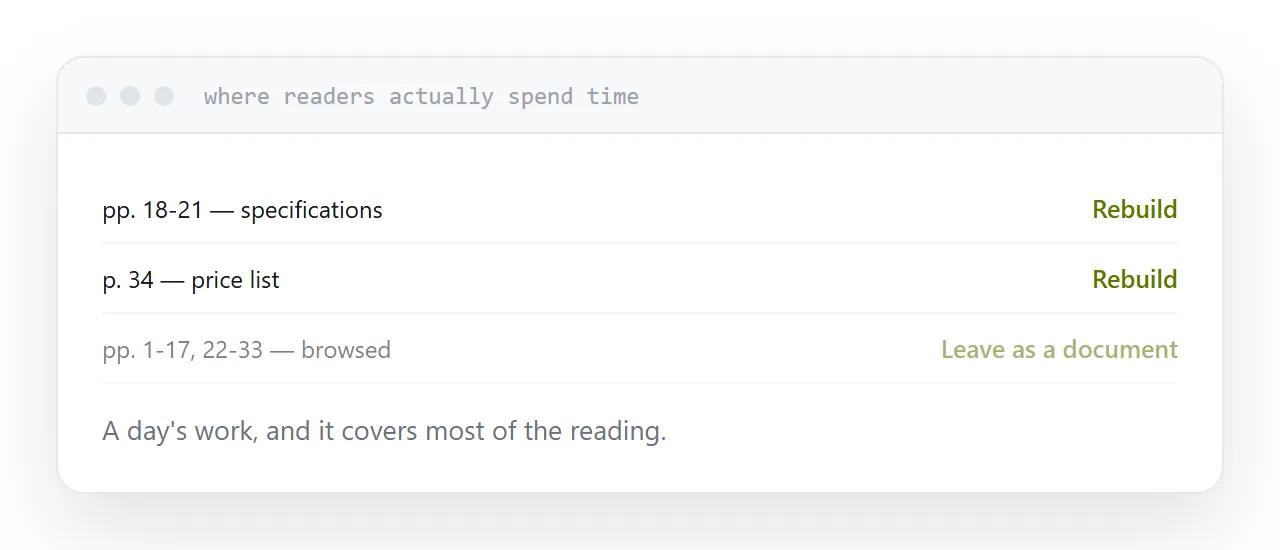
Look at where readers actually spend time. In most catalogues it is a handful of pages: the specification tables, the price list, the ordering information. Everything else is browsed.
Rebuild those as pages and publish the rest as the document. That is a day's work and it covers most of the reading.
Keep the document available
Some readers want the file: to print, to file, to send to somebody internally.
Link it clearly from the page. It costs nothing to offer and it removes the objection that the page version took something away.
Closely related: Turning a layout file into something anyone can open, and What an INDD file is for the adjacent problem.
Put it at an address
Separate the visual publications from the textual ones, keep visual pieces as documents, rebuild textual ones as pages, skip page-turn viewers, and rebuild only the sections people actually read.