Authoring tools all build courses, and after a demonstration they look interchangeable. The differences that matter appear at the export step.
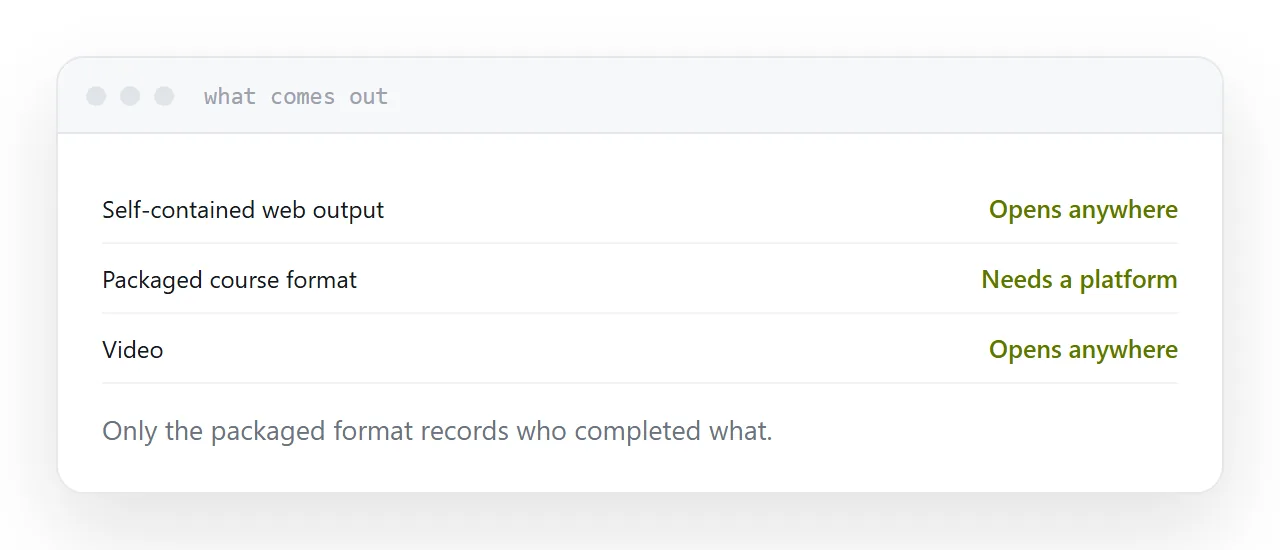
The three kinds of output
Self-contained web output. A folder of files that opens in any browser. Publish it at an address and anyone can work through it, on any device, with nothing installed and no account.
Packaged course formats. Built to be uploaded into a learning platform, which reports back who completed what. Outside a platform, the package generally will not run at all, because the platform is what launches it.
Video. Simple, universally viewable, and impossible to interact with or update without re-recording.
Most tools do at least two. Which one your situation actually needs is the decision, and it is usually made by accident.
| Output | Opens on its own | Records completion |
|---|---|---|
| Self-contained web | Yes | No |
| Packaged for a platform | No | Yes |
| Video | Yes | No |
| Page you publish | Yes | Visits only |
Do you need tracking
This is the question that doubles or halves the project.
If compliance requires proof that a named person completed a module and scored above a threshold, you need a platform and a packaged export, and the setup around it is unavoidable.
If you need people to have access to good material and work through it, you do not. Published output at an address is sufficient, opens immediately, and needs no accounts for anyone.
Plenty of organisations run a platform because it was assumed, not because anything is being audited.
Test the export, not the editor
Trials are spent inside the editor, which is where the tool is at its most persuasive.
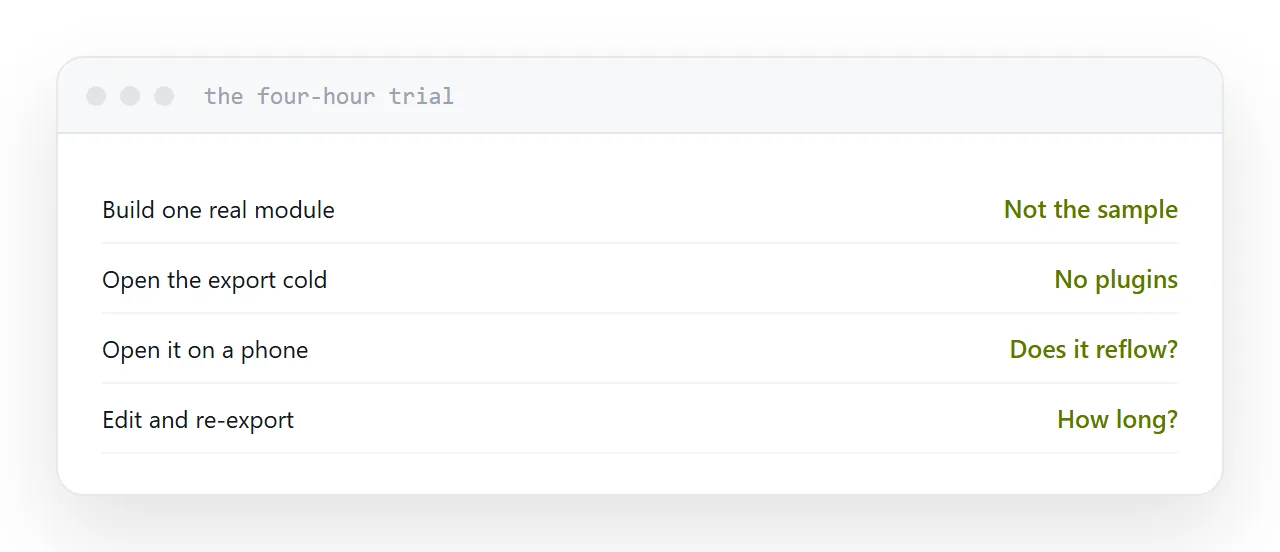
Spend the trial differently: build one small real module, export it, and open the export on a machine with nothing installed and on a phone.
Fixed-width output built for a desktop window is common and unreadable on a phone, and you will not discover that from the marketing page.
What locks you in
The source file.
If only that tool can open it, then the courses exist only while the subscription does. When the price rises or the product changes direction, the choice is to pay or to rebuild everything.
Ask directly: if we stop paying, what can we still open, and what can we still publish? A tool that exports self-contained web output leaves you with something. One that does not leaves you with a lapsed licence.
Two neighbouring cases are worth a look: Choosing an elearning authoring tool and What a content authoring tool is.
Put it at an address
Export a real module during the trial, open it with nothing installed, open it on a phone, be honest about whether tracking is required, and ask what survives if you stop paying.