Course screens converge. The same layouts, the same knowledge checks, the same completion screens. A portfolio of them tells a reviewer very little about the person who made them.
What differs is the reasoning, and it has to be written down.
This guide covers what to write, proprietary work, and the piece that matters most.
Lead with the problem, not the deliverable
Each case, in this order.
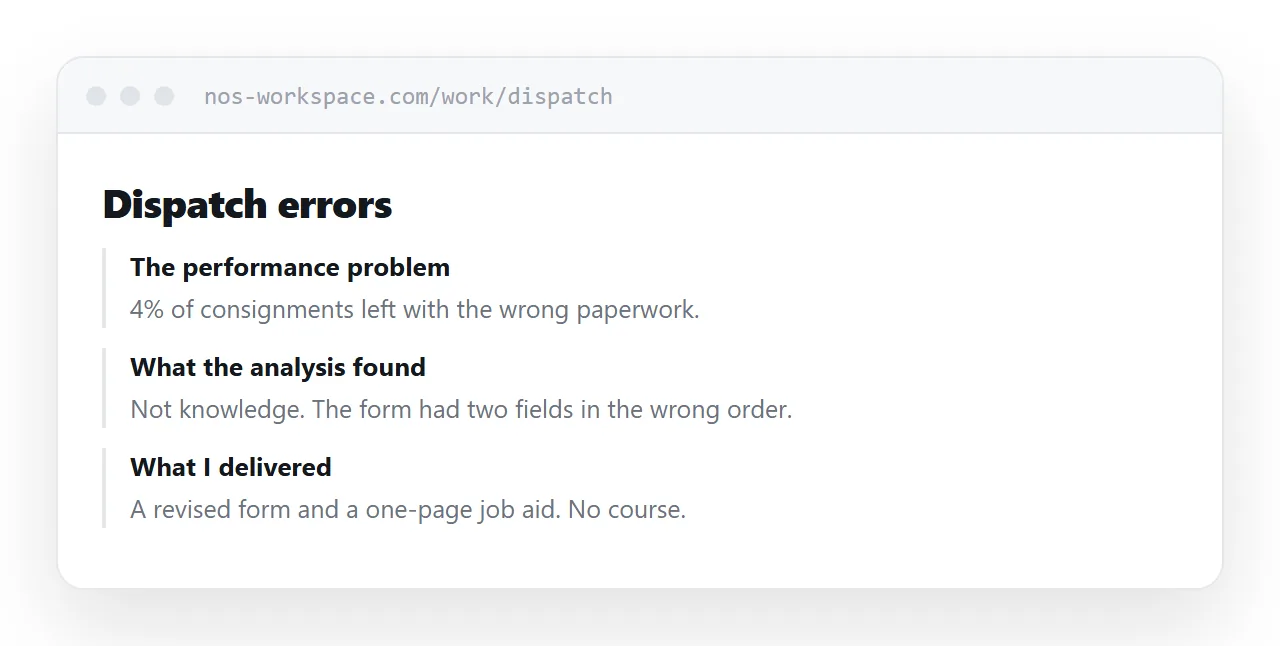
The performance problem. What people were doing, or failing to do, and what it cost.
What the analysis found. Why it was happening. Knowledge, skill, motivation, process, tooling, or something else entirely.
Why this solution. What you chose and what you rejected.
What changed. Measured where possible, described honestly where not.
The screens come last, as evidence. Putting them first invites a judgement about visual style, which is the least distinguishing thing in the field.
The strongest piece is the one that was not a course
Somewhere in your work there is a problem where the request was for training and the answer was a job aid, a process change, a checklist, or a conversation with a manager.
That case is the most valuable thing in an instructional design portfolio, because it demonstrates the thing organisations most need and most rarely get: someone who diagnoses before building.
Include it, explain the diagnosis, and be clear that you talked the stakeholder out of a course.
| Screens only | Case with reasoning | |
|---|---|---|
| Shows tool skill | Yes | Yes |
| Shows analysis | No | Yes |
| Distinguishes you | No | Yes |
| Survives comparison | No | Yes |
Proprietary work
Most of this work belongs to an employer and cannot be published.
Two honest routes.
Describe it. The problem, the constraint, the approach, the outcome, without naming the organisation or showing the material. A well-described case is close to as persuasive.
Rebuild a sanitised version. Same structure, invented context, built from scratch so nothing belongs to anyone.
Both are standard and reviewers expect them. What damages you is publishing material you do not own, which is noticed and remembered.
Make interactive pieces playable
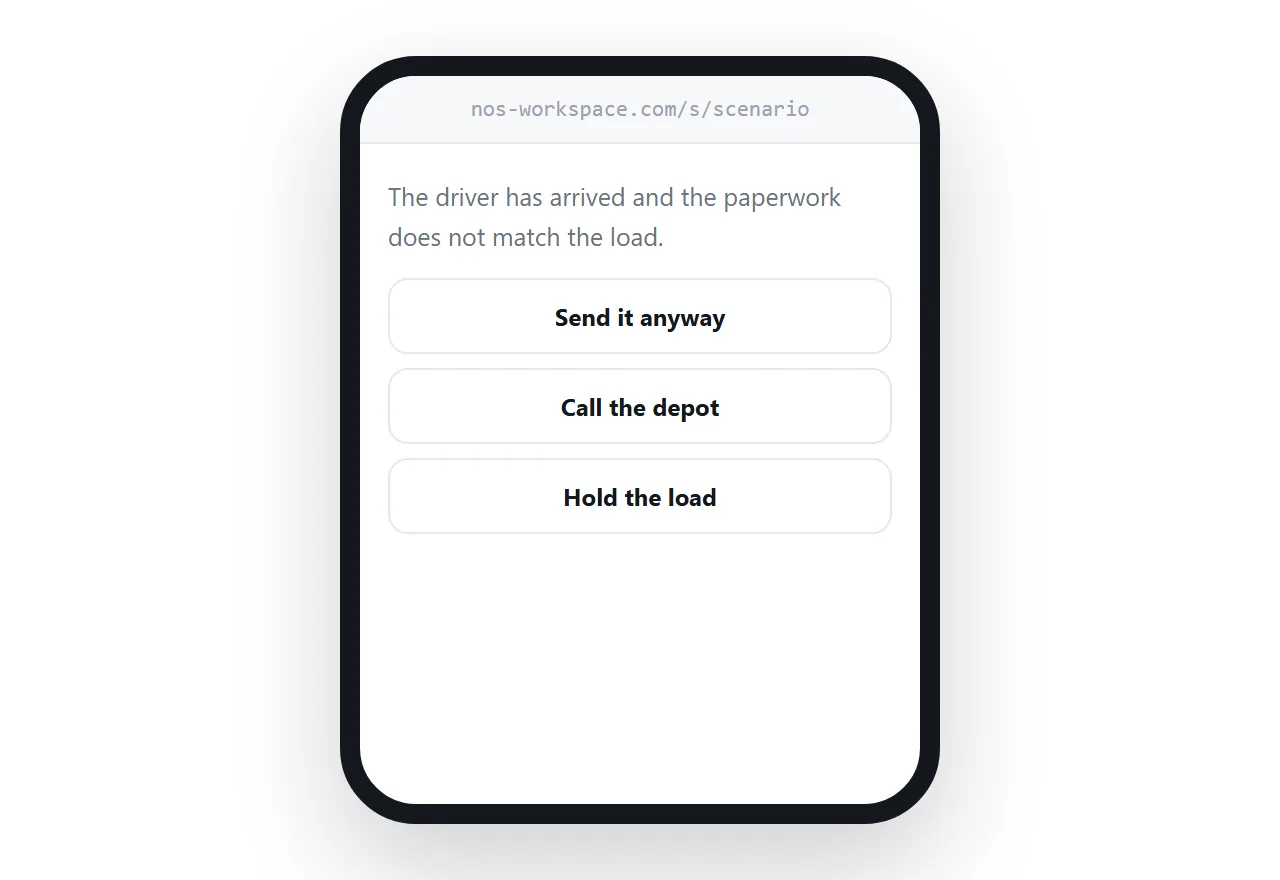
A branching scenario described in words is abstract. The same scenario clicked through for sixty seconds is understood completely.
Publish the interactive pieces at addresses that open without a login. That means hosting them outside any learning platform, because platforms strip the scripts that make them work and require an account to reach them.
Four to six, with depth
A portfolio of twenty screenshots reads as output. Four cases with real reasoning read as judgement.
The weakest piece sets the floor, as in every portfolio. Cut anything you would have to explain away.
Give each case its own address so you can send the relevant one in response to a specific role, rather than sending everything and hoping.
For the surrounding ground, see An HTML portfolio template that opens in seconds and How to host online training.
Put it at an address
Lead with the performance problem, show the analysis, make interactive pieces playable without a login, include the case where the answer was not a course, and keep it to four to six.
Then the portfolio shows the part of the job that is actually hard.