The export is not one file. It is an entry page, a script and a large tree of image tiles, and hosting it is mostly about not disturbing that tree.
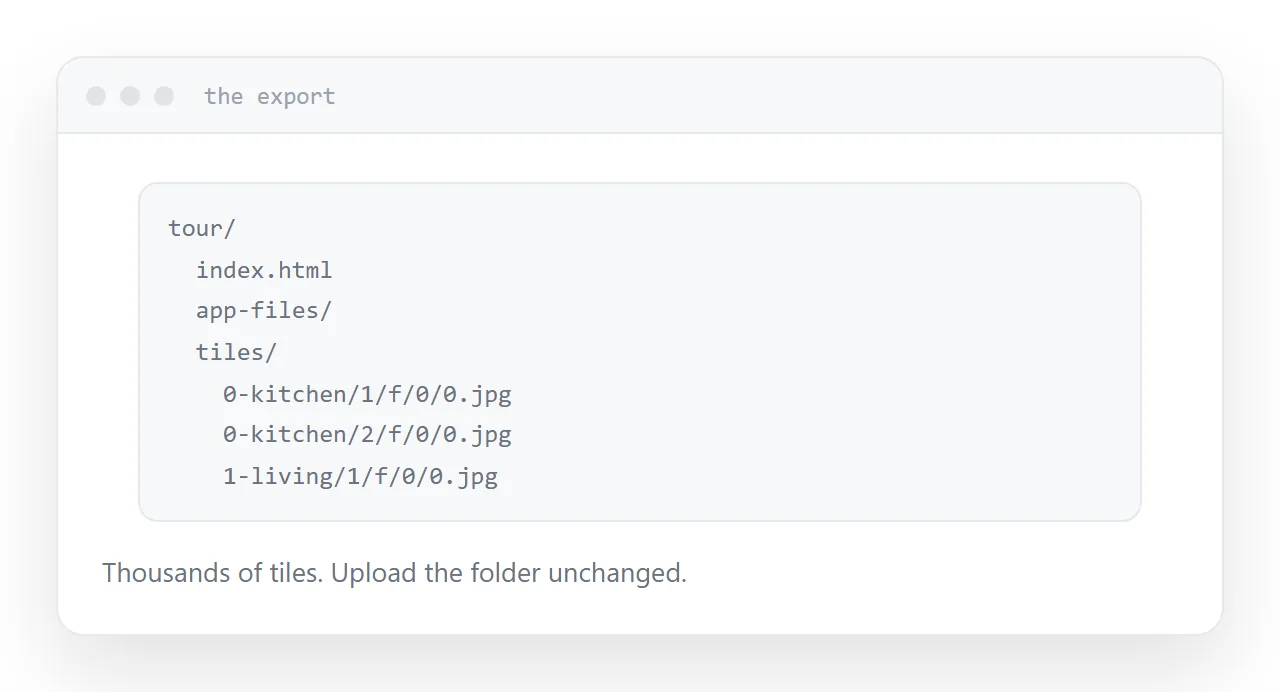
What comes out
tour/
  index.html
  app-files/
  tiles/
    0-kitchen/
      1/f/0/0.jpg
      2/f/0/0.jpg
    1-living/
Each panorama is cut into tiles at several zoom levels, so the viewer loads only the part currently visible at the resolution needed. That is why it feels responsive and why the file count is in the thousands.
Upload the whole folder unchanged. The page finds tiles by a relative path built from the viewpoint name and the zoom level, and anything that disturbs that breaks silently.
| What you do | Result |
|---|---|
| Upload the folder as exported | Works |
| Rename a tile directory | That viewpoint fails |
| Move index.html up a level | All tiles fail |
| Publish under a subfolder | Works if paths are relative |
| Open the file locally | Frequently blocked |
Serve it, do not open it
Double-clicking the entry page opens it from disk, and browsers block some requests in that context for security reasons.
The tour either does not start or shows one viewpoint and fails on the rest. That is not a fault in the export; it is the browser refusing a local request.
Publish it and open the address. The same files work.
Check the console
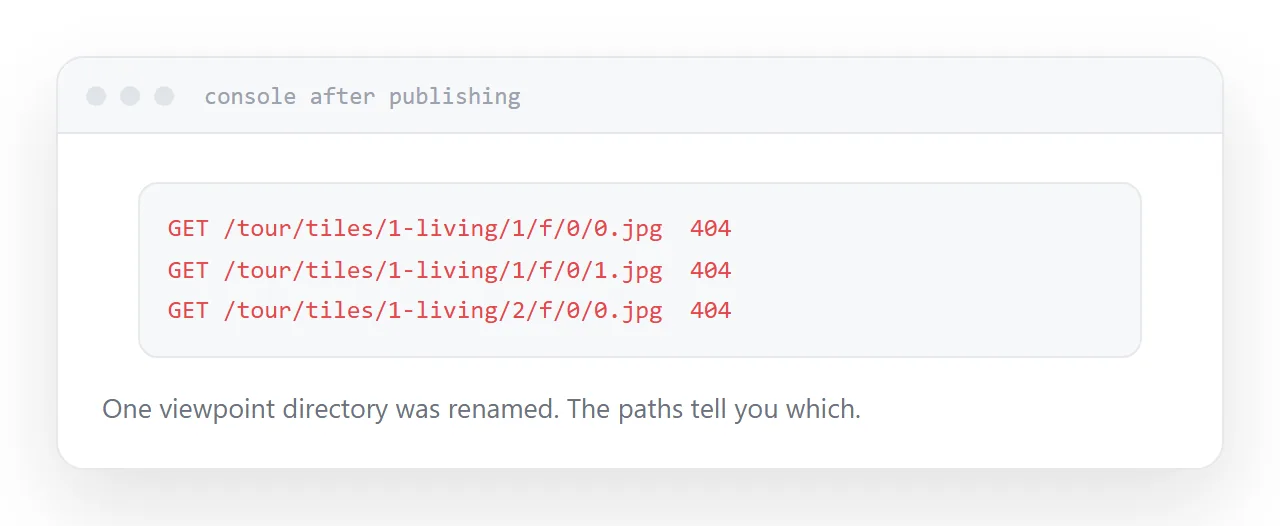
After publishing, open the tour and look at the console.
Missing tiles appear as failed requests with the exact path they tried. That list tells you immediately whether a directory was renamed or the folder was uploaded from the wrong level.
It is the fastest diagnosis available and most people never look.
Weight
The tile system already solves progressive loading. What remains is the number of viewpoints.
Ten panoramas is a large amount of image data regardless of how cleverly it is served, and the visitor arrived from a link out of mild curiosity.
Show a still photograph immediately with a control to start the tour. The page is useful in the first second and the tiles load for people who asked.
Six to nine viewpoints reads as a walkthrough. Twenty reads as a maze and costs four times the data.
Keep the source panoramas
The export contains tiles, not originals.
Re-tiling at a different quality, adding a viewpoint, or rebuilding in a different tool all need the original equirectangular images. Keep them somewhere separate from the export.
Closely related: How to share a virtual tour as a link, and How to create a virtual tour for the adjacent problem.
Put it at an address
Upload the folder unchanged, never rename tile directories, serve it rather than opening it locally, check the console for failed tiles, show a still first, and keep the source panoramas.
Then the tour loads for the person you sent it to.