A Notion alternative with no AI is straightforward to find once you decide which of three meanings you are after, because products differ sharply on each.
The three meanings are not interchangeable, and a vendor answering one while you asked another is how teams end up surprised later.
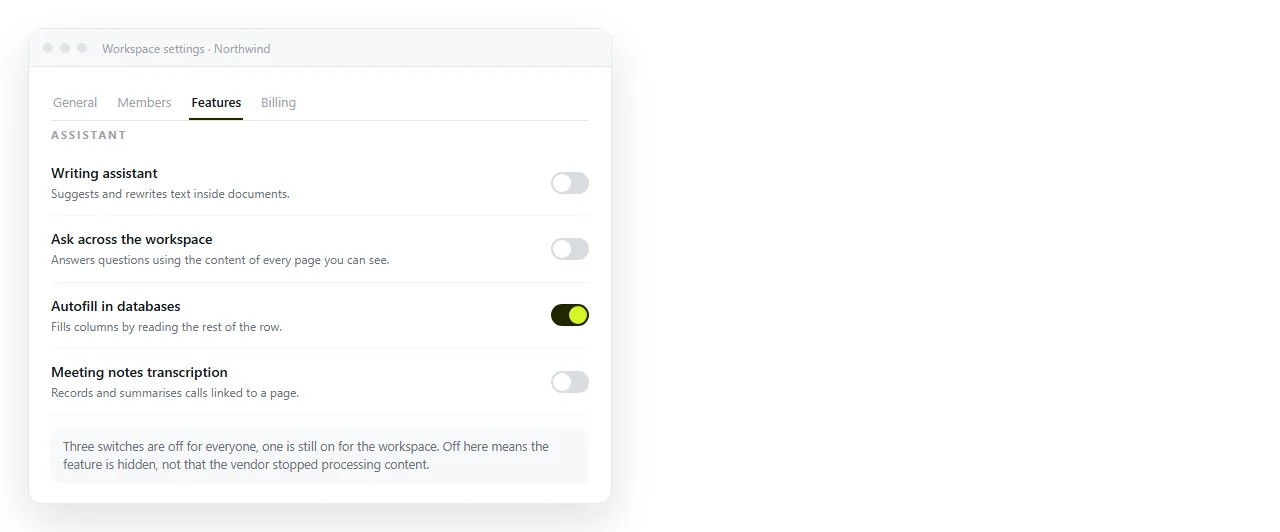
The three meanings of "no AI"
1. Out of my way. You do not want suggestions appearing as you type. This is an interface preference and usually a setting.
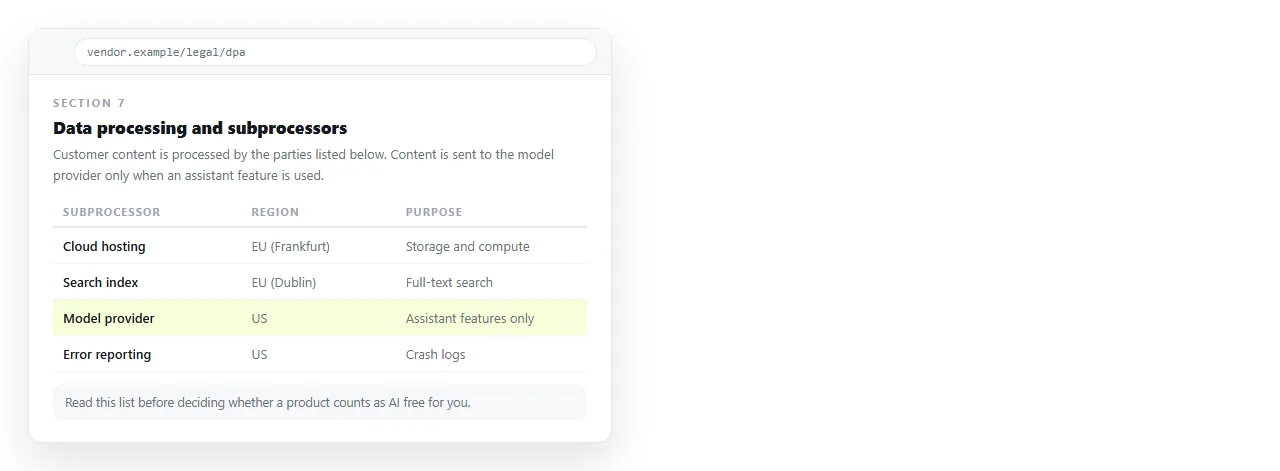
2. Nothing leaves. Document content should not be transmitted to a model provider. This is contractual, and the answer lives in the data processing terms.
3. No training. Your content must not be used to improve anyone's model. Most business tiers state this explicitly, but it is worth reading rather than assuming.
Number one is a toggle. Numbers two and three are documents you have to read.
How to check, in order
- Find the subprocessor list. It names the companies that may process your data. Model providers appear there when they are involved.
- Read the AI section of the terms. Look for whether content is retained, and for how long.
- Check whether features can be disabled workspace wide, rather than only per user. Per user settings drift.
- Ask whether disabling is enforced server side. A hidden button is not the same as a disabled feature.
- Test on a throwaway workspace before committing real documents.
Notion alternatives with no AI, by how quiet they are
| Category | Assistant present | Ease of verifying | Trade |
|---|---|---|---|
| Local first note apps | Usually optional or absent | High, files are on disk | Weak team sharing |
| Self hosted wiki servers | Often none | High, you run it | You maintain the server |
| Open source workspaces | Varies by project | Medium, read the repository | Setup effort |
| Hosted workspaces | Usually present | Depends on the terms | Convenience for control |
| HTML native documents | Publishing involves no generation | High, the page is your markup | Not a database |
Open source alternatives are the easiest to verify, because you can read what the code does rather than what the marketing says.
Why "no AI" and "no generated content" are different requirements
Some teams want the tool quiet but still work with content an assistant produced elsewhere. That is a common and reasonable position.
A page drafted in a chat and then pasted into a document involves no model inside the workspace. The generation already happened, under whatever policy you have for that.
If that is your situation, what you need from the workspace is faithful rendering and a stable address, nothing more. Editing AI generated HTML without code covers the cleanup side.
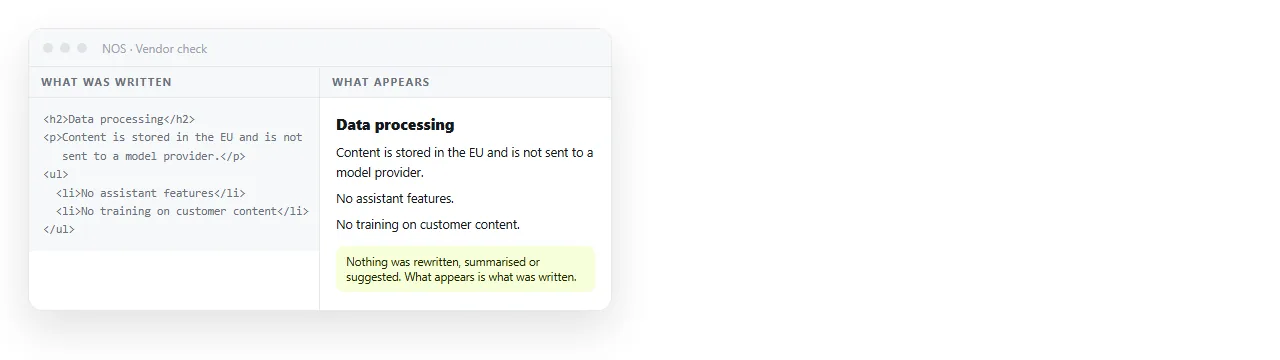
Publishing then happens with no model in the loop at all. Pasting HTML into a NOS document renders the markup as written, including dark theme, charts and scripts. Nothing is generated, rewritten or summarised.
The page gets its own address through Share, then Share link, then Create link. It stays unlisted unless you tick Public on the web.
Corrections happen by clicking the text, and the address does not move, so a link you already sent points at the current version.
Teams ask for this for several reasons, and they are worth separating, because they lead to different requirements and people often argue past each other.
Client confidentiality. A contract says customer material will not be processed by third parties you have not named. That is a subprocessor question.
Regulated content. Health, legal and financial material often carries handling rules that predate any of this and apply regardless of the tool.
Quality control. Some teams want no suggested text in documents of record, so that every sentence has an author who can be asked why.
Concentration. Others find the interruption costly and want the editor to do nothing until asked.
The first two need contractual answers. The last two are satisfied by a setting, provided it stays off.
Policy questions worth settling once
- Which document types may ever be pasted into a tool with assistant features enabled?
- Who approves turning such a feature on, and is it recorded?
- What happens to content that has already passed through one?
- Does the same rule apply to contractors and to personal accounts?
Write the answers down. Teams that leave this implicit end up enforcing it by argument, one document at a time.
A caution about absolute claims
Software changes. A product with no assistant today may add one in the next release, sometimes enabled by default.
If the requirement is durable, prefer arrangements where you control the version: self hosted, open source, or local files. Self hosting covers what that upkeep involves.
For hosted tools, put the requirement in the contract rather than relying on the current feature set, and set a calendar reminder to re read the terms once a year.
The short version
Decide which of the three meanings applies to you, then verify it in the terms rather than in the feature list.
If you only need documents to stay quiet while you write, most categories manage that with a setting.
If nothing may leave your machine, the answer narrows to local files or software you run yourself. The general comparison shows what you give up in exchange, which is mostly team convenience.