An open source Notion alternative gives you a licence to read, run and modify the code, which matters for continuity and audit rather than for features.
That is worth being precise about, because the search usually mixes three separate wishes: an open licence, data on your own servers, and a lower bill. They come apart quickly.
What the licence actually gives you
- Continuity. If the company behind it stops, the code is still there and someone can run it.
- Inspection. You can see what the software does with your data, which some audits require.
- Modification. You can change behaviour, at the price of maintaining a fork.
- No seat enforcement. Most open licences do not count users, though hosted editions may.
What it does not give you: support, a roadmap, a guarantee of maintenance, or a painless upgrade path.
Open source Notion alternative categories worth evaluating
| Category | Shape | Good fit when |
|---|---|---|
| Block editor workspaces | Closest to a page and database workspace | You want the same working style |
| Wiki servers | Deep page trees, mature permissions | Documentation is the main job |
| Local first note apps | Files on disk, sync optional | One person, or a small trusted group |
| Static site generators | Text in a repository, built to pages | Docs live beside code |
Names change and projects move, so evaluate the category first, then look at what is currently active in it. A list of product names from a year ago is not research.
Checking a project is alive
Before you put a year of documents into something, spend twenty minutes in the repository.
- Commit activity. Anything in the last three months, by more than one person.
- Release cadence. Tagged releases with notes, not just a moving main branch.
- Issue behaviour. Bugs acknowledged, not accumulating silently.
- Licence file. Read it. Some projects are source available rather than open source, with limits on commercial use.
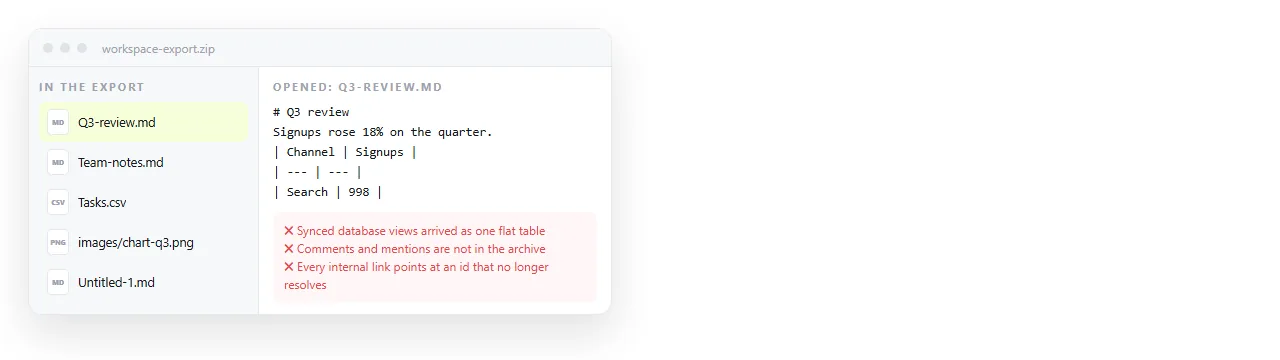
- Export format. Try the export on day one and open the result without the product.
That last point is the one that decides whether you can leave later. An export that only the product can read is not an exit.
Community size is worth a look too, though not as a popularity contest. What you are checking is whether someone other than you has already hit the problem you will hit, and written down the answer.
A forum with recent threads and a maintained upgrade guide is worth more than a high star count on a repository that nobody has touched since spring.
The cost that does not appear in the licence
Running open source software means someone owns upgrades, backups, certificates and storage. Self hosting goes through that in detail.
If nobody on the team wants that job, an open licence has bought you the right to a problem you cannot staff.
A reasonable middle path is paying for a hosted instance of an open source product. You keep the export rights and the option to move the data in house later.
Where publishing fits
Open source workspaces are generally built for internal knowledge. Pages that go to clients are a different job, and they expose a gap.
Getting a page out of an internal wiki and in front of somebody outside the company usually means either exposing the server or copying content into another tool.
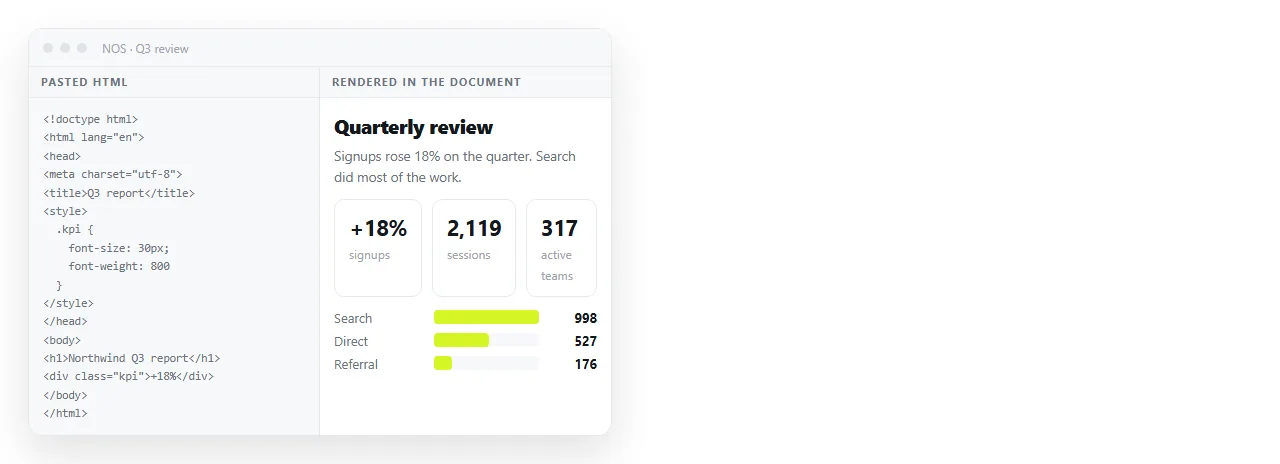
If that outbound path is most of your work, a document that renders HTML solves it directly. Paste the markup, it renders as written including dark theme, charts and scripts, and Share, then Share link, then Create link produces an address.
The reader needs no account and no access to your network. The text stays editable afterwards, and the address does not move when you revise. Turning HTML into a link is that step on one page.

Combining the two only works if the boundary is written down rather than assumed.
- Open source workspace for internal knowledge. Runbooks, policies, decisions.
- Hosted document for outbound pages. Reports, proposals, public notes.
- One written rule for which bucket a new document belongs in.
- Review the split quarterly, because it blurs if nobody looks.
A related trap is the fork you never merge back. Changing the code to fit one internal habit feels cheap on the day and becomes the reason you cannot upgrade a year later.
If you do modify, keep the changes small, documented, and separated from the upstream tree, so a future upgrade is a rebase rather than an archaeology project.
A note on AI features
Several open source projects have added assistant features, and several have deliberately not. If that is part of why you are searching, it is worth checking per product rather than assuming.
Alternatives without AI covers what to check in the settings and the privacy documentation, since "no AI" is a claim that needs verifying rather than a category.
The short version
Pick open source for continuity, inspection and the right to leave. Do not pick it expecting free, because the cost moves from a licence line to a person.
And separate the two questions before shortlisting anything. The licence decides your rights. Where it runs decides your workload, and the general comparison decides whether a workspace is the right shape at all.