A Notion alternative with AI comes in two shapes: an assistant built into the workspace, or a chat you draft in and a document that renders what it produced.
They solve different problems, and choosing between them on a feature list misses the point. The question is what you are producing.
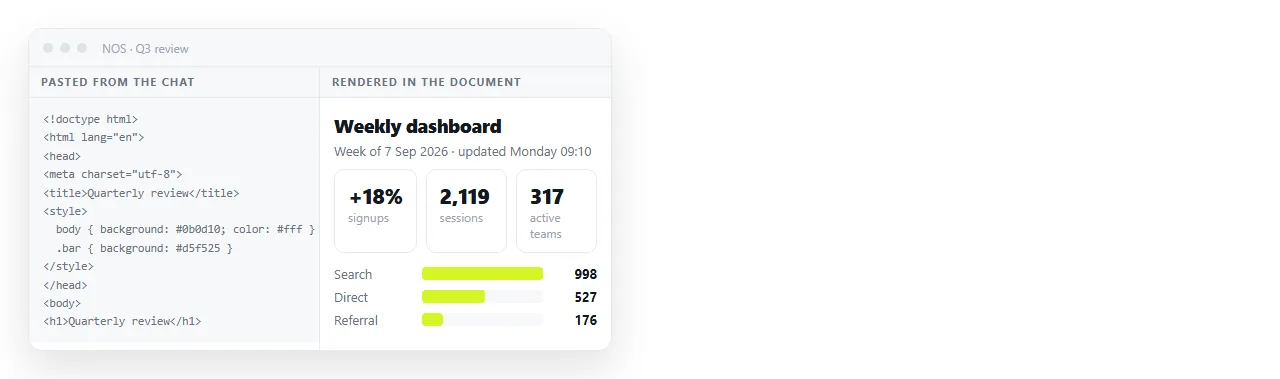
Notion alternatives with AI come in two shapes
Built in assistant. Lives in the editor, has the document as context, rewrites selections, summarises pages, answers questions about the workspace. Strong for text you are already editing.
Bring your own. You draft in ChatGPT, Claude, Gemini or Copilot, then paste the result. Strong for producing a complete artefact, because the chat can iterate on the whole thing before it lands anywhere.
Most people use both within the same week without thinking about it, which is why a tool that blocks the second route is annoying in practice.
They differ most on the tasks below, and the differences are concrete rather than a matter of preference.
| Task | Built in assistant | Draft in a chat, paste the result |
|---|---|---|
| Tighten a paragraph you wrote | Better, it has the context | Awkward, needs copying back and forth |
| Summarise a long page | Better | Fine, if you paste the page in |
| Produce a styled report with a chart | Limited by the editor's blocks | Better, you get the whole page |
| Choose a specific model | Rarely possible | Yours to choose |
| Keep the exact layout | Converted into blocks | Preserved, if the tool renders HTML |
The third and fifth rows are where most frustration comes from. You ask for a dashboard, get a complete HTML page back, and the workspace flattens it into headings and a table.
What breaks when HTML meets a block editor
A block editor stores documents as its own structures. Pasting markup means a conversion, and conversions lose whatever has no equivalent block.
Styling goes first, then layout, then anything that runs. A chart drawn by a script becomes nothing at all.
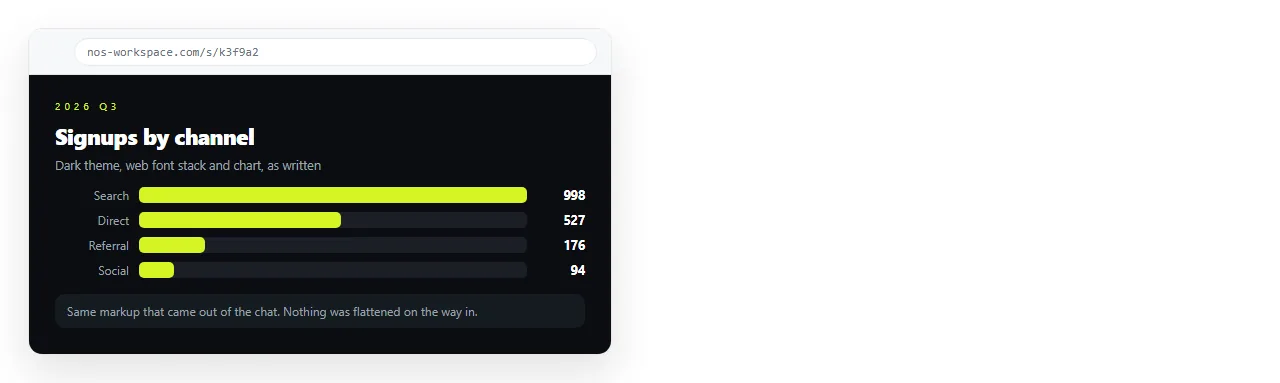
A document that renders HTML as written skips the conversion. What the model produced is what appears, including dark theme, charts and scripts.
That is the whole difference, and it only matters if your assistant output is pages rather than paragraphs. AI generated dashboards and AI generated reports are the two shapes that expose it fastest.
A workflow that holds up
- Ask for a complete, self contained page. One file, styles inline, no external files. Prompting for an HTML dashboard covers the wording that reliably produces it.
- Check it renders on its own. Open it in the HTML file opener. Missing styling there means missing styling everywhere.
- Paste it into a document. It renders as a page of its own.
- Correct it by clicking the text, rather than going back to the chat for a one word change.
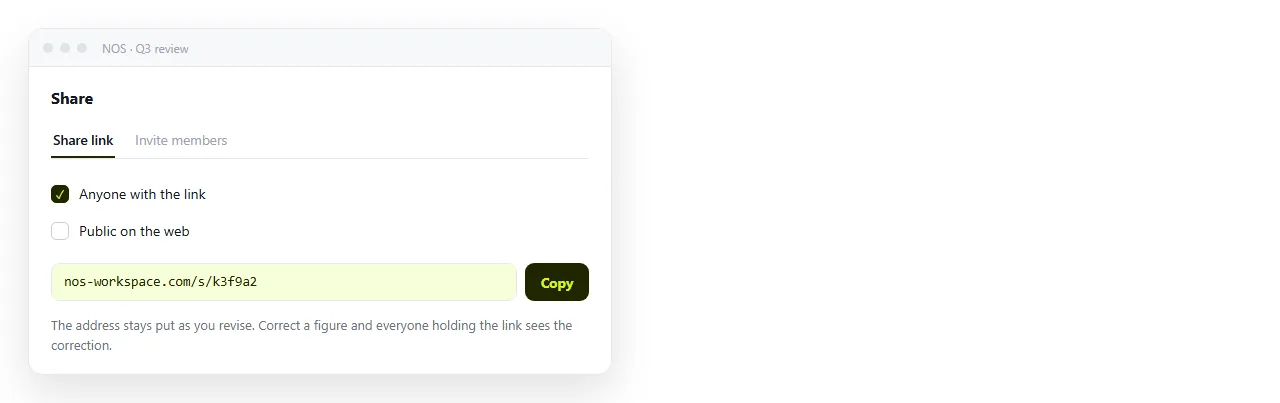
- Create the share link. Share, then Share link, then Create link. Unlisted by default.
Step four is the one that saves the most time. Regenerating a whole page to fix a date is how afternoons disappear.
Judging a built in assistant honestly
If you do want the assistant inside the tool, evaluate it on your own material rather than a demo.
- Does it see the whole workspace, or only the open page?
- Is the output editable text, or a block you cannot reshape?
- Can it be turned off for specific spaces, for the people who do not want it?
- What does it cost, and is it per seat on top of the existing seat?
- Where does the content go, and who is the model provider?
That last question matters even to enthusiasts, because the answer determines which documents you are allowed to point it at. Alternatives without AI covers how to verify it.
The failure modes of each route
Both routes have a characteristic way of wasting your afternoon, and knowing them in advance is most of the benefit.
Built in assistant. It rewrites more than you selected, or it produces a block you cannot then reshape, and the undo history is not granular enough to recover the paragraph you liked.
Drafting in a chat. The page comes back nearly right, you ask for one change, and the model rewrites the layout as well. Long pages make this worse, because each regeneration risks a different part.
The defence for the second is to stop regenerating once the structure is acceptable. Fix the remaining details by editing the text directly.
Fixing AI generated HTML covers the common breakages, and reusing a template covers keeping a page you already approved.
Sharing what the assistant produced
Chat tools have their own share options, and they show the conversation or a fixed published copy. That is fine for showing your work and wrong for sending a client a report.
Copy the complete HTML out, paste it into a document, and send the document's link. Sharing ChatGPT output and saving a Claude artefact cover the extraction step for each.
The short version
If your assistant work is mostly rewriting text in place, a built in assistant is the feature to compare on.
If it is mostly producing whole pages, the deciding feature is not the assistant at all. It is whether the document renders HTML faithfully and gives the page an address you can keep.