Converting a Word document is dependable for reading and fragile for collaboration. Knowing which you are doing decides how to open it.
Two ways to open it
Convert. Upload to Drive and open with Docs. You get an editable document in the native format, with the layout rebuilt by inference.
Edit without converting. A mode that edits the uploaded file directly and keeps it in its original format. Fewer features, and the file you download afterwards is still a Word document that has been through less.
For anything going back to the sender, the second is safer.
What the conversion does
Text, headings and lists. Survive well. This is the reliable part.
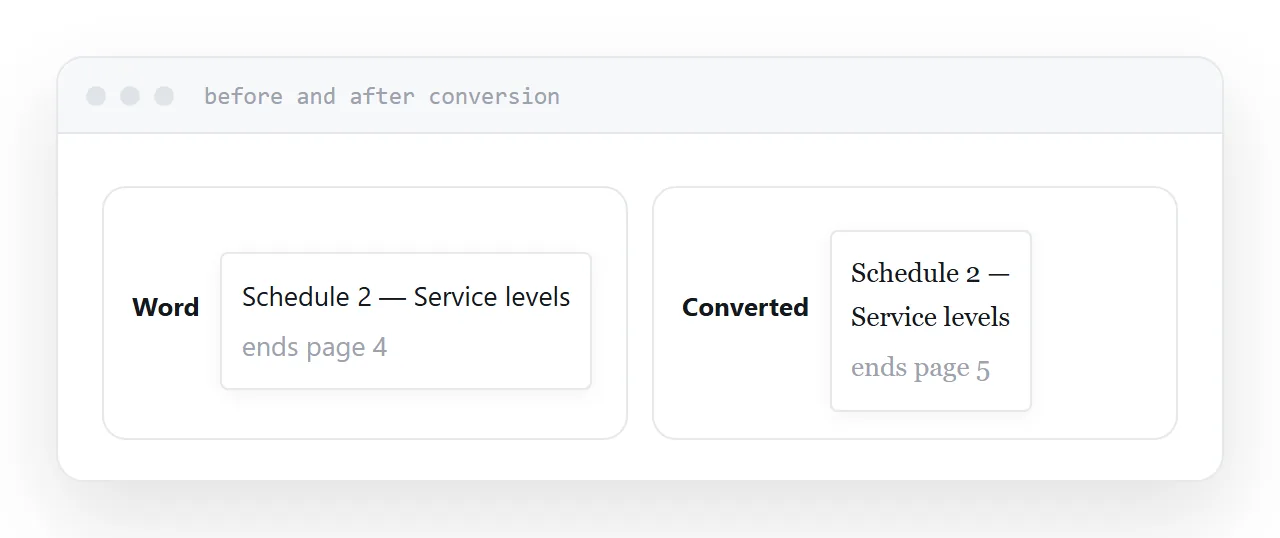
Fonts. Substituted when absent, which changes character widths, which rewraps lines, which moves page breaks.
Complex layout. Text boxes, columns, precise positioning and anything with a designed grid come through approximately.
Tables. Simple ones survive; ones with merged cells and specific widths frequently do not.
| Element | Survives | Notes |
|---|---|---|
| Body text | Well | Reliable |
| Headings and lists | Well | |
| Fonts | Substituted | Layout shifts |
| Page breaks | Move | Consequence of fonts |
| Columns, text boxes | Poorly | Rebuilt approximately |
| Tracked changes | Variably | Check before relying on them |
Tracked changes are the risk
Comments usually come through. Tracked changes convert to the native suggestion mechanism with varying fidelity.
The dangerous case is a document with a legal or contractual revision history. Converting, editing and exporting can alter or lose that history, and the person relying on it will not know until they look.
For anything where the revision record matters, use the non-converting mode or open it in Word.
Before sending it back
Export to the original format and open it in Word.
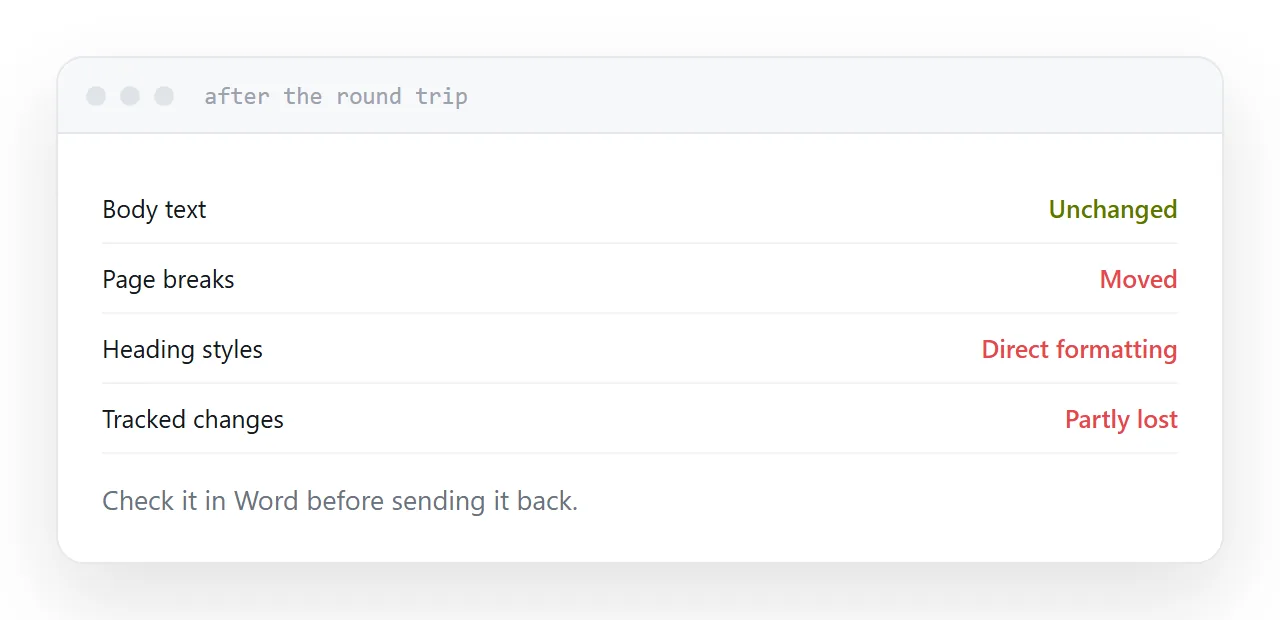
The round trip changes things. Page breaks in different places, a table that reflowed, a heading style that became direct formatting. The person who wrote the document notices all of those, and it reads as carelessness.
Two minutes of checking prevents an exchange about why the formatting moved.
If you are only reading
Ask for a PDF.
The layout is preserved, fonts are embedded, it opens almost everywhere, and there is no conversion at all. Senders attach the editable file out of habit rather than because they want you editing it, and asking once usually fixes it permanently.
For anything read on a phone, a page is better still.
For the surrounding ground, see How to open a DOCX file online and How to share a document link without access requests.
Put it at an address
Use the non-converting mode where you can, expect substituted fonts and moved page breaks, check tracked changes before relying on them, verify in Word before sending back, and ask for a PDF when you are only reading.
Then the document you return is the document they recognise.