Converting a document to an editable one extracts the text and rebuilds the layout by inference. The text is usually good. The layout is an approximation.
This guide covers what survives, scanned documents, and what the conversion is genuinely for.
How to do it
Upload the document to Drive. Then, instead of double-clicking, open it with Docs specifically.
Double-clicking gives you the viewer, which displays the document and does not convert it. Opening with Docs runs the conversion and produces an editable document.
That distinction is the thing most people miss, and it is why the feature appears not to exist.
What survives
Text. Generally well. This is the part that works.
Headings. Usually recognised, sometimes as styled paragraphs rather than real headings.
Simple tables. Sometimes, and sometimes as text separated by tabs.
Images. Extracted and placed approximately, frequently floating in a way that moves when you edit around them.
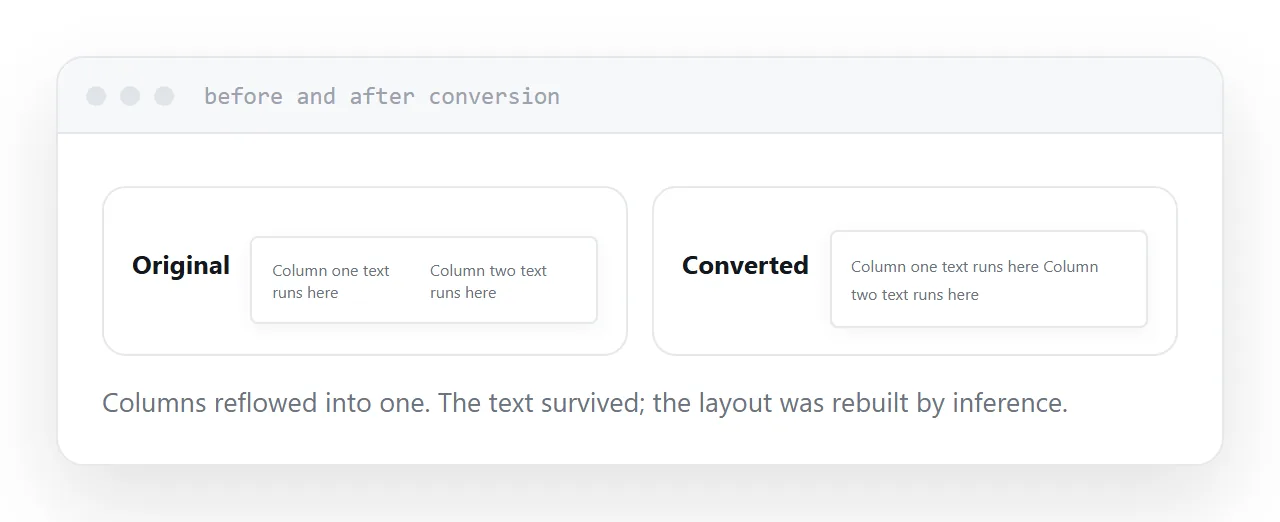
Designed layout. Poorly. Columns, text boxes, precise positioning and anything with a grid come through as a rough reconstruction.
| Element | Survives | Notes |
|---|---|---|
| Body text | Well | The reliable part |
| Headings | Usually | Sometimes as plain styling |
| Tables | Variable | Simple ones fare better |
| Images | Positioned roughly | Float unpredictably |
| Columns | Badly | Reflowed into one |
| Forms | No | Fields do not survive |
Scanned documents
The conversion runs text recognition on scans.
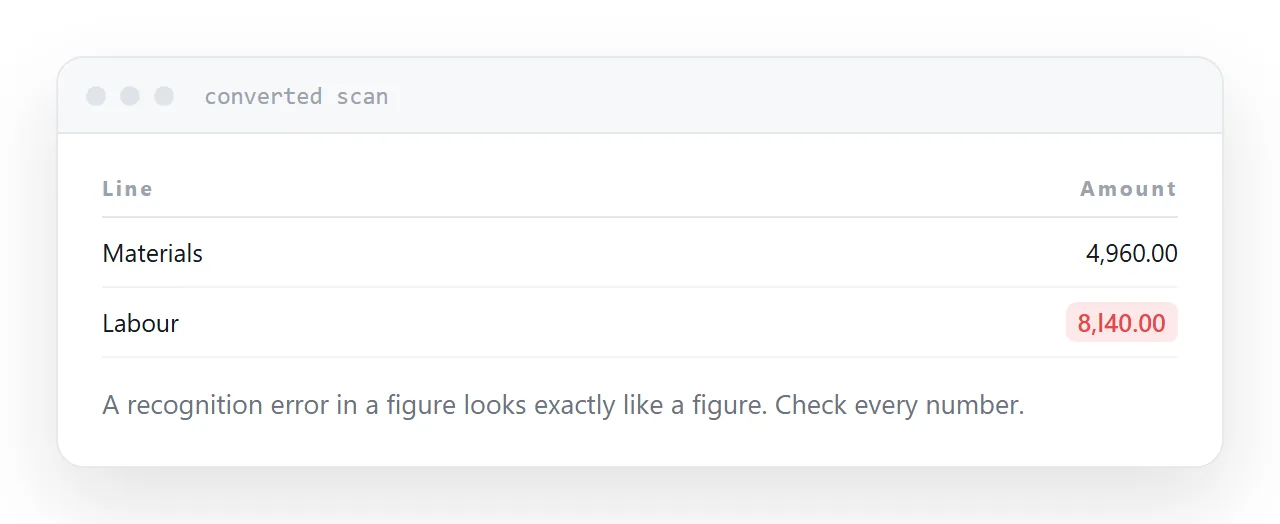
On a clean scan of printed text, the result is usable with a proofread. On a poor scan, a photograph of a page, or anything handwritten, it produces text that looks plausible and is wrong in places.
The dangerous case is numbers. A recognition error in a paragraph is visible; a recognition error in a figure looks exactly like a figure. Check every number against the original.
What it is genuinely for
Getting text out of a document so you can reuse it.
You have a report and need to quote three paragraphs. You have a document whose source you lost and need to rewrite it. You have a scan and need it searchable.
All of those are real, common, and exactly what the conversion does well. Convert, take the text, and discard the converted document.
What it is not for
Editing a document that has to keep its exact layout.
The conversion approximates. Exporting back to a document produces something visibly different from the original: different spacing, moved images, different page breaks.
For that job, find the original source file. Even if it takes twenty minutes to locate, it is faster than reconstructing a layout and the result is correct rather than nearly correct.
Two neighbouring cases are worth a look: How to share a document link without access requests and How to open a DOCX file online.
Put it at an address
Open with Docs rather than the viewer, use it to extract text, check every number after converting a scan, expect designed layouts to come through badly, and go back to the original source when the layout matters.
Then the conversion does the job it is good at and nothing else.