Open-source layout software produces genuinely press-ready output. Almost every problem people have with it happens in the export dialog.
Ask the printer first
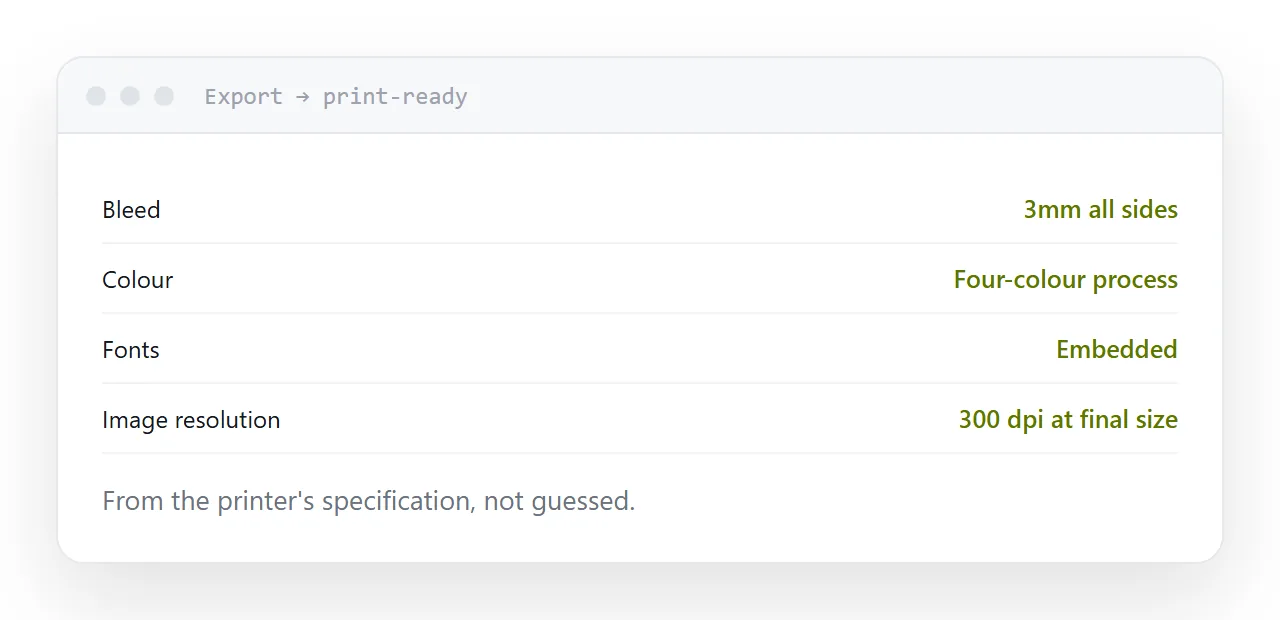
Every printer has a specification and will send it on request. It names the press standard, the bleed, the colour profile and how they want fonts handled.
Ask before the layout starts, not at the end. Bleed in particular changes the page setup, and adding it after the layout is finished means moving every element on every page.
This single step removes most of the jobs that come back.
| Setting | Typical requirement |
|---|---|
| Bleed | 3mm on all sides |
| Colour | Four-colour process profile |
| Standard | A named press standard |
| Fonts | Embedded, not subset |
| Image resolution | 300 dpi at final size |
The three faults
No bleed. Anything touching the edge has to extend past it, because cutting is never exact to the millimetre. Without bleed you get a white sliver on one side, and it is visible on every copy.
Screen-resolution images. A photograph that looks fine on a monitor is a fraction of the detail a press needs. It prints soft, and there is nothing the printer can do about it.
Screen colour. A document built in screen colour and exported to press converts on the way out, and the bright colours shift. Set up in the print profile from the beginning so what you see is what will print.
Two exports, not one
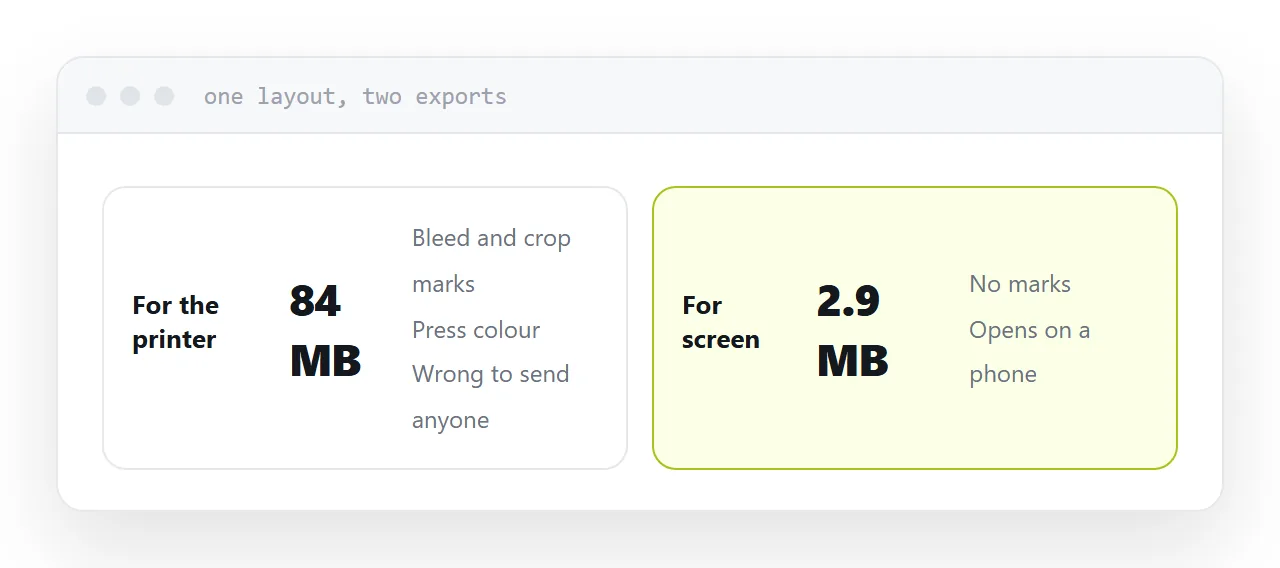
The print export is large, colour-managed for press, carries bleed and crop marks, and is the wrong thing to send to anybody who is not the printer.
Export a second time at screen settings: images downsampled, screen colour, no marks, small enough to open on a phone.
The same layout, twice, for two audiences. Sending the print file to a client is one of the most common reasons a document bounces off a mailbox.
Where the free tools give ground
The interface follows different conventions, so the first project is slower. Fine typographic control, particularly spacing between letters and complex text flow, is less refined than in the commercial equivalents.
For a brochure, a booklet, a report or a programme, neither matters. For a magazine with demanding typography set by somebody who does this daily, they do.
The screen version needs an address
The screen export still has to reach people.
Attached, it downloads on a phone and gets stripped by some mail systems. At an address, it opens in the browser on any device, and you learn it was opened.
For a brochure or a catalogue, that address is the version almost everyone will actually see, whatever the print run is.
If this is near what you are doing, What an INDD file is and Turning a layout file into something anyone can open cover the cases on either side.
Put it at an address
Get the printer specification before starting, set bleed at the beginning, place images at print resolution, export separately for press and for screen, and publish the screen version at an address.