Sending a document as a link is one action carrying five decisions. Making them deliberately takes a minute; making them by accident produces the problems people blame on links generally.
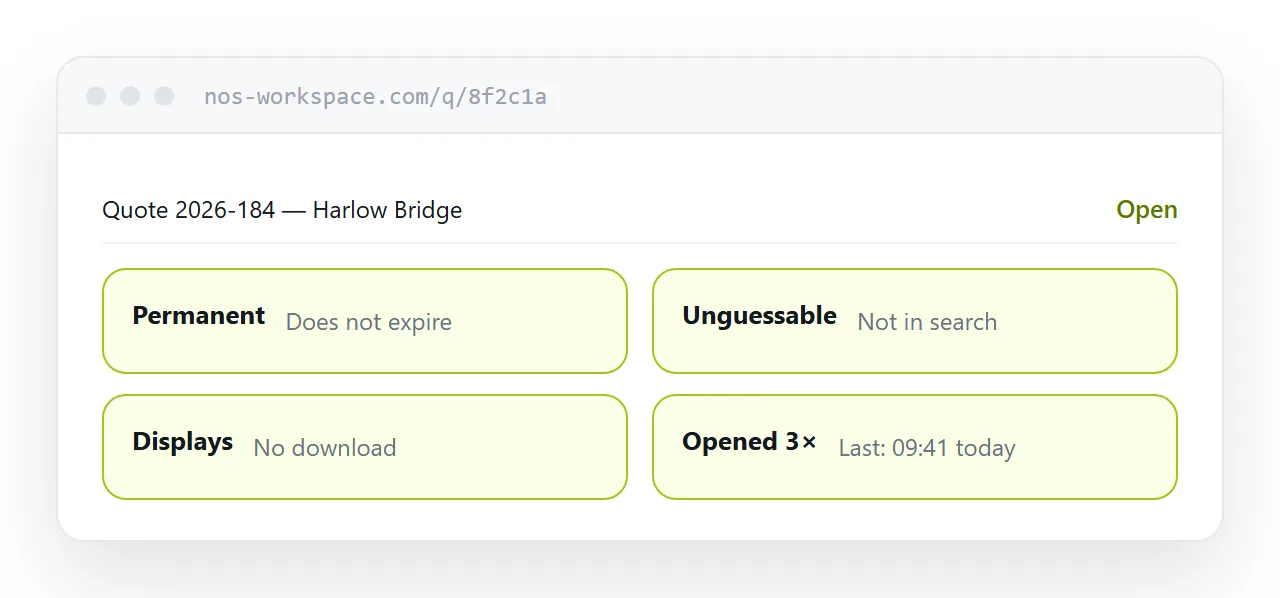
One: permanence
The most consequential and the most often ignored.
An address created for one message ends up forwarded, saved, bookmarked, printed and linked from somewhere you cannot see. You do not learn where.
If it then expires or is removed, all of those break silently and you find out from a customer months later, if at all.
Decide at the moment of publishing. Anything that might be printed, published widely or returned to is permanent, and that is most things.
Two: findable or not
Public means search engines can index it and anyone can arrive. Correct for a brochure, a menu, a price list you want found.
Unguessable means it is not in search results and cannot be reached by anyone who was not given the address. Correct for a quote, a report, a candidate profile.
Password on top of that for personal data or anything genuinely sensitive.
Most business documents want the middle option, and most people choose by accident.
| Decision | Options | Usual right answer |
|---|---|---|
| Permanence | Expires or forever | Forever |
| Findability | Public or unguessable | Unguessable |
| Display | Show or download | Show |
| Editable | Fixed or replaceable | Replaceable |
| Tracking | Silent or open count | Open count |
Three: display or download
Tapping a link either shows the content or starts a file transfer, and that is decided by how it is served rather than by the reader.
For anything a person reads, display. On a phone, downloading means a folder and an application, and a share of recipients stop there.
Keep a download option underneath for the people who want the file.
Four: correctable
This is what an address has and a file does not.
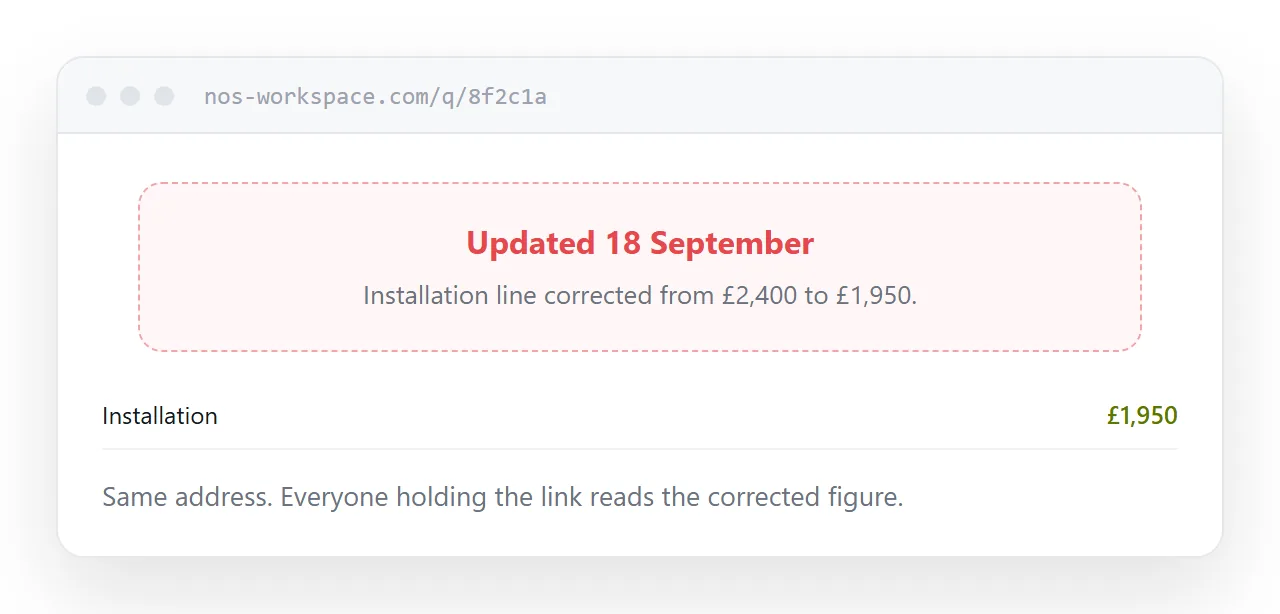
A price that changes, a date that moves, a figure that was wrong. If the content sits behind the address and can be replaced, the correction reaches everyone holding the link, including people the document was forwarded to.
If a new version produces a new address, you have two documents and no way to reach the people holding the old one.
Five: whether you learn it was opened
An attachment is silent after it leaves. An address reports that it was opened and when.
That single fact changes following up from a guess into a decision. Unopened means send a reminder. Opened three times with no reply means something else is happening.
For anything with a deadline attached, this is the reason to use an address at all.
Two neighbouring cases are worth a look: How to share a PDF as a link and How to create a URL for a PDF.
Put it at an address
Decide permanence before publishing, use an unguessable address for commercial documents, default to displaying, keep the content replaceable, and check whether it was opened before following up.
Then one address does the job you actually wanted from it.