Sharing a file online has four routes, and choosing between them comes down to one question: is the recipient going to read this, or work on it?
Most people answer that question by habit rather than by asking it, which is why so much sharing ends in a chase.
This guide covers what each route asks of the recipient, where each one fails, and why reading and working on something want different answers.
The four routes
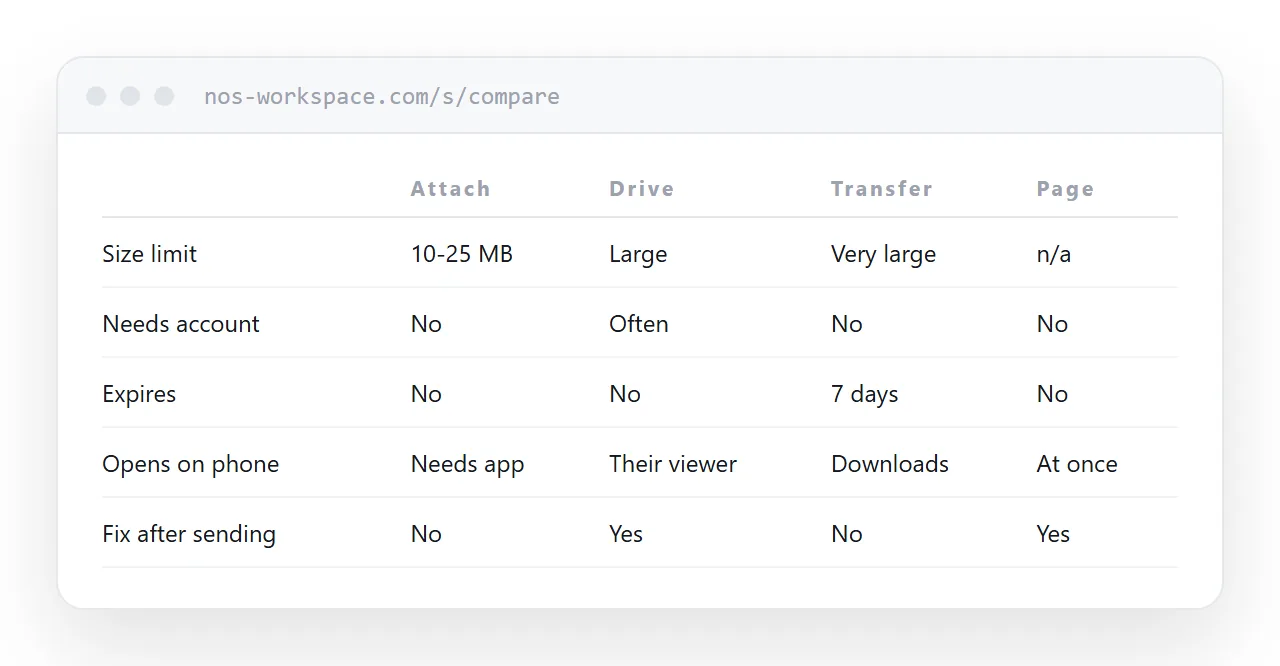
| Email attachment | Drive link | Transfer service | A page | |
|---|---|---|---|---|
| Size limit | 10-25 MB, both ends | Large | Very large | Not a file |
| Recipient needs an account | No | Often | No | No |
| Expires | No | No | Usually 7 days | No |
| Opens on a phone | Needs an app | In their viewer | Downloads | Immediately |
| Blocked by filters | Frequently | Rarely | Sometimes | Rarely |
| Can be corrected after sending | No | Yes | No | Yes |
| Recipient gets the actual file | Yes | Yes | Yes | Only if offered |
No row is best at everything. The last row is the one that decides.
The question that decides it
Ask what happens after they open it.
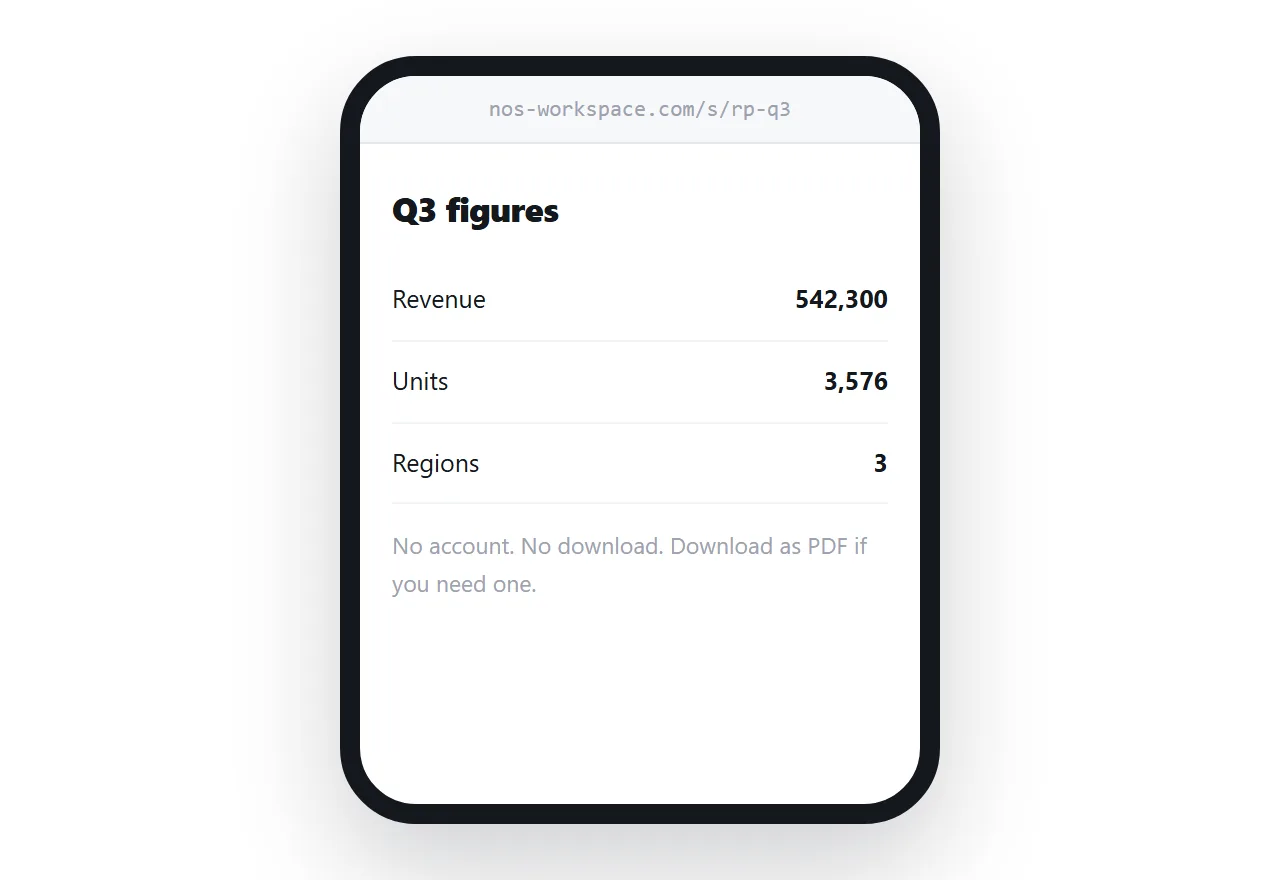
They read it and act. A proposal, a report, an invoice, notes, a set of figures. The file is a container you chose; what you are sending is the content. A page delivers that without a download, without an account, and at the size of whatever screen opens it.
They work on it. A spreadsheet they will extend, a draft they will edit, a design file, source data for an analysis. They need the artefact, and a page cannot substitute.
The mistake is treating the first case as if it were the second, which is what sending a PDF of a report does. You have wrapped information in a container the recipient has to unwrap before they can use it.
Where each route actually fails
Attachments fail on size and on filters. Both ends apply a limit and the smaller wins, so the same file reaches one person and bounces from another. Corporate mail systems also quarantine attachments far more readily than links, and some strip them silently so neither of you is told. Details in attachment too large.
Drive links fail on permissions. A link shared to your organisation is a sign-in wall for everyone outside it, and the access request lands in your inbox at an awkward hour. Opening it to anyone with the link removes the wall and still puts the recipient in that service's viewer. More in sharing without login.
Transfer services fail on time. They delete after a week by design, which is correct for moving a file once and wrong for anything someone will come back to. A client returning in a month finds nothing and does not always tell you.
Pages fail when the recipient genuinely needed the file, and when the content needs real access control. An unguessable address is a deterrent, not a permission system.
Offering both costs nothing
When you are unsure, publish the page and put a download on it.
The common case becomes fast, because most recipients only want to read it. The specific case is still served, because anyone who needs the file can take it in one click. And you maintain one source rather than two artefacts that drift apart.
This is also the right answer when you know some recipients need a file for a process. Send the link in the body of the email; let the page carry the download.
For genuinely large binaries
Raw video, print-resolution artwork, a database export. These are files, they are large, and no amount of reframing changes that.
Use storage with a link and check two things before you send it: whether the link expires, and whether the recipient needs an account to fetch it. Those are the two failures that happen after you have stopped paying attention.
Put it at an address
Ask what the recipient will do with it. For reading, publish the content as a page and send the address, with a download alongside for anyone who wants the file.
The message stays small, nothing expires, nobody signs in, and it opens on the phone in their hand.