You cannot password protect an HTML page with HTML. The protection has to come from the server that hands the page over, or from encrypting the content before it leaves you.
Everything else, including every script that asks for a password before revealing a div, is theatre.
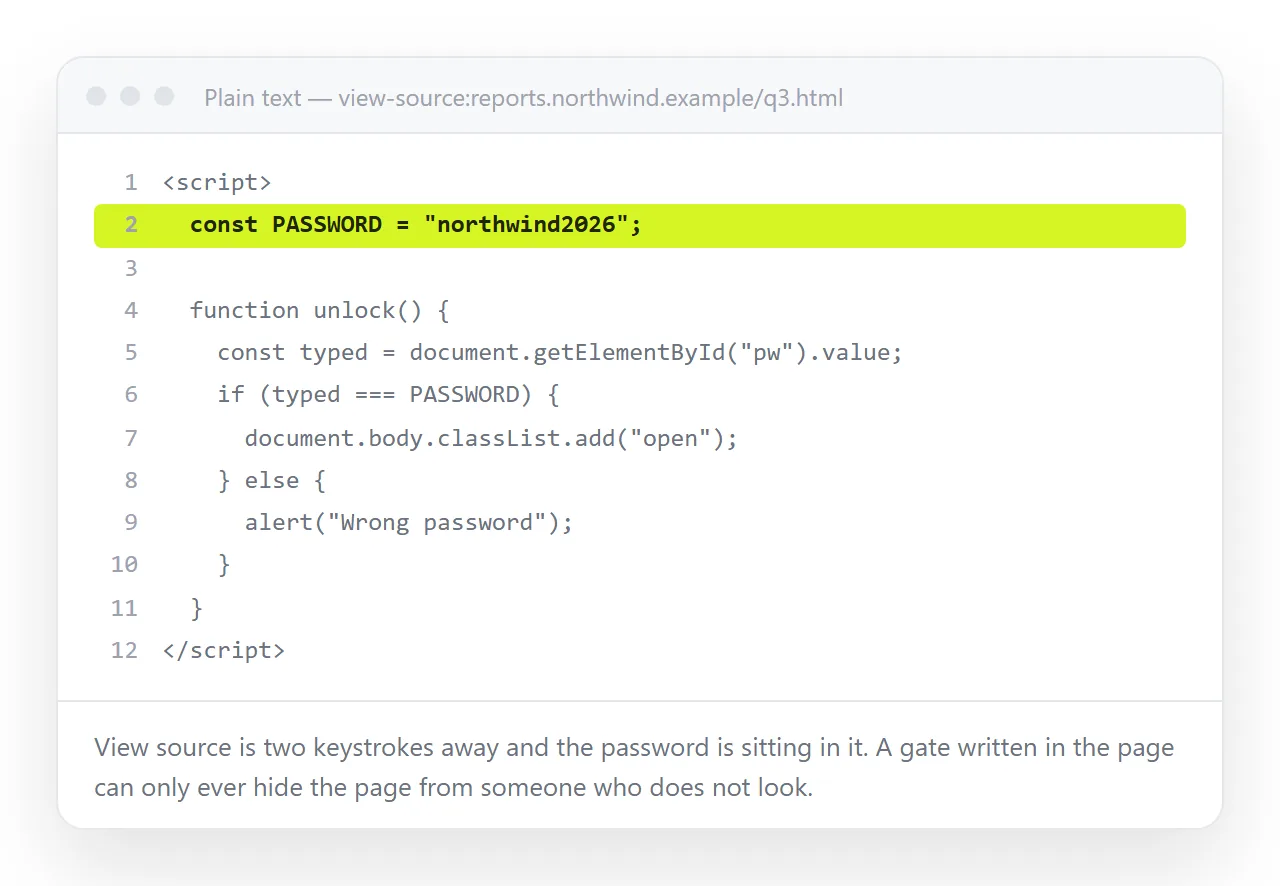
That screenshot is the whole argument. The browser downloaded the file first and ran the check second, so the check is running on the reader's machine with the answer already in hand.
The routes, ranked by what they actually stop
| Route | Stops a determined reader | Setup cost | Editable afterwards |
|---|---|---|---|
| Named-person access on a document | Yes | Minutes | Yes |
| Server authentication | Yes | Server config | Depends on host |
| Host-level password on a deployment | Yes | A setting | Redeploy to edit |
| Encrypting the file contents | Yes | A build step | No, re-encrypt each time |
| Unlisted address | No, but not discoverable | Seconds | Yes |
| JavaScript prompt | No | Minutes | Yes |
| Obfuscated or minified source | No | Minutes | No |
The bottom two rows are the ones searched for most often and the only two that provide nothing.
Why the JavaScript gate fails
Walk through what happens when someone opens the page.
- The browser requests the file and receives all of it, gate and content together.
- Your script runs and hides the content.
- The reader opens the developer tools, or view-source, and reads it.
There is no step where the content was withheld. Hiding with CSS, obfuscating the script, or comparing against a hash all leave the content itself in the download.
Hashing the password is a small improvement on one axis only. It stops the password being read directly, which matters if it is reused elsewhere. It does not stop the content being read, because the content is not what was hashed.
Encryption, which does work
The honest version of a self-contained protected file encrypts the content and ships only the ciphertext. The passphrase derives a key in the browser and decrypts it on entry.
This is a real barrier: without the passphrase there is nothing readable in the file.
What you give up is substantial:
- Search engines see nothing, which may be the point or may be a problem.
- Preview cards in chat and mail show nothing.
- Every edit means re-encrypting and redistributing the file.
- Losing the passphrase means losing the content.
- The passphrase has to travel to the reader somehow, usually in a less secure channel than the file.
Worth it for a document that must survive offline on a laptop. Overbuilt for a report that three colleagues need to read this week.
Server-side protection
If the page is served from something you control, the protection belongs there.
# .htaccess, Apache
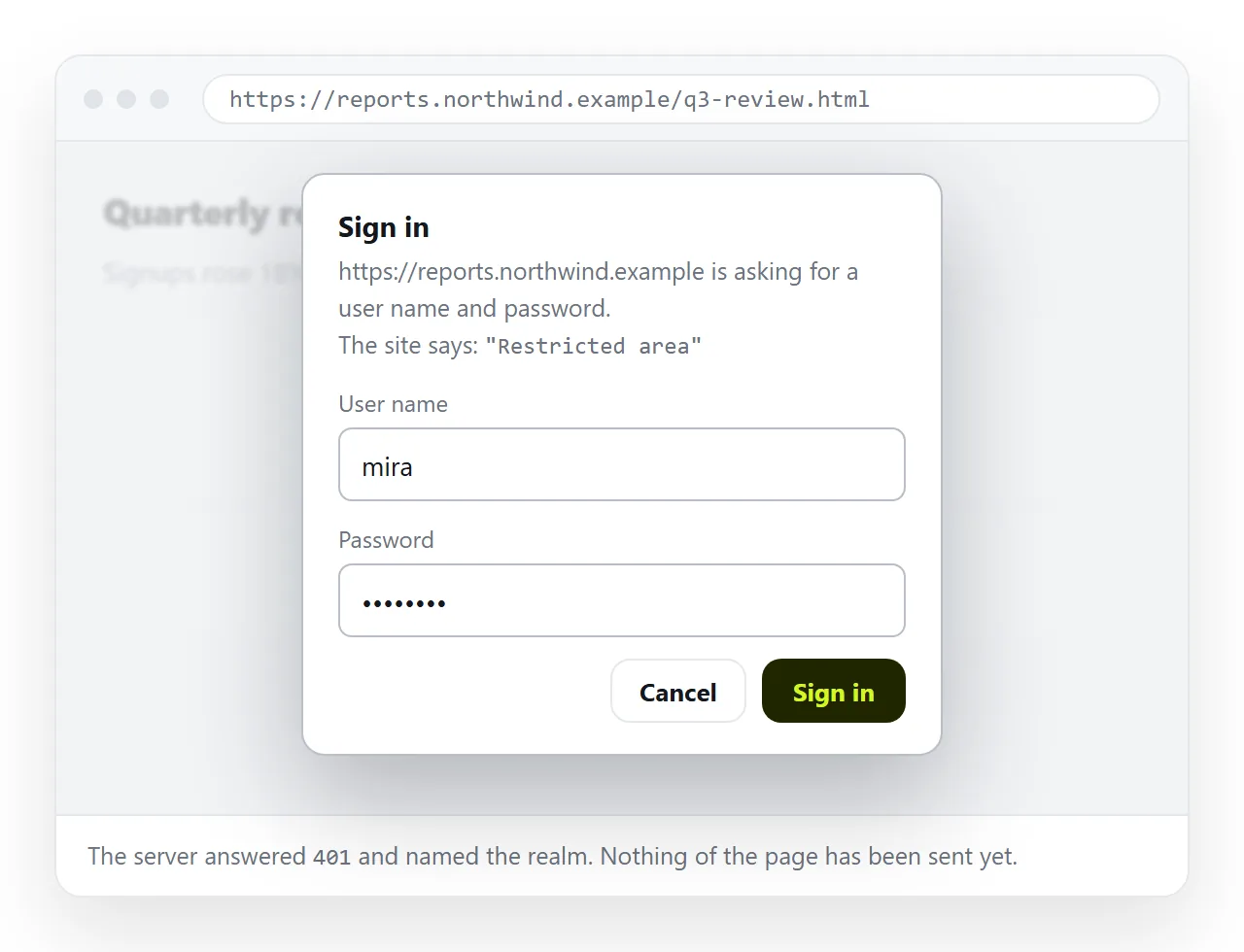
AuthType Basic
AuthName "Restricted"
AuthUserFile /path/to/.htpasswd
Require valid-user
Basic authentication is old and adequate, provided the page is served over HTTPS. Over plain HTTP the credentials travel in clear text.
Most static hosting platforms offer a password setting on a deployment, which achieves the same thing without a config file.
The limitation is that the unit of work stays the file. A typo means editing locally and deploying again, as static hosting versus a document sets out.
Unlisted links, and being clear about them
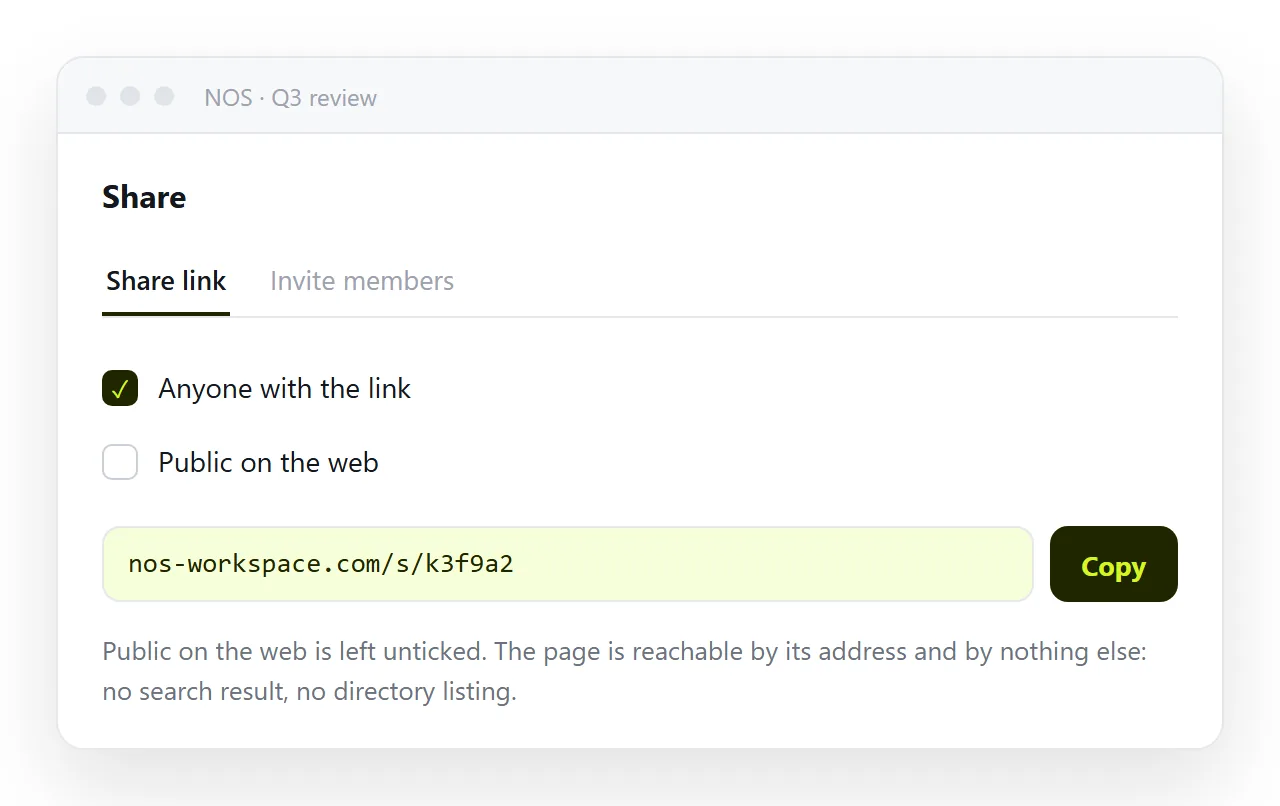
An unlisted address is not a password and is genuinely useful anyway. The page is reachable by anyone holding the link and is listed nowhere, indexed nowhere, and guessable by nobody.
In NOS that is the default. Share, then Share link, then Create link produces an unlisted address, and the Public on the web checkbox is what opts the page into search results.
Use it when the consequence of a forward is mild: a draft, an internal update, a client report that is confidential by convention rather than by contract.
Do not use it for personal data, credentials, or anything with a legal duty attached. A link in a chat thread is one paste away from anywhere.
Working out what you are actually protecting against
Before choosing, name the threat. The answer changes the route more than the technology does.
Accidental discovery. Someone stumbling on the page through search or a directory listing. An unlisted address closes this completely.
Casual forwarding. The link ending up in a thread it was not meant for. Named-person access closes this; an unlisted link does not.
A former colleague or client. Someone who legitimately had the link and should no longer have it. Only account-based access lets you revoke without reissuing the address.
A determined outsider. Someone willing to open the developer tools or read the source. Only real authentication or genuine encryption is relevant here.
A legal or contractual duty. Then the requirement is usually an audit trail, not just a barrier, and the decision belongs with whoever owns that obligation.
Most requests that arrive as "how do I password protect this HTML" turn out to be the first two. Those are minutes of work, not a project.
Choosing for your case
- Draft for two colleagues. Unlisted link. Done in seconds.
- Client report with commercial numbers. Invite the named people so access follows accounts, not the address.
- Handbook that must not be indexed. Unlisted link, and leave the public checkbox alone.
- File that must stay protected offline. Encrypt it, and accept the editing cost.
- Anything regulated. Real authentication, logged, on infrastructure your organisation already accepts.
For most working documents the second option is the one that fits. Access is tied to people rather than to a string, the address stays stable when the content changes, and removing someone later does not require reissuing anything.
The page itself stays editable by clicking the text, so a correction never turns into a second round of distribution. How to share an HTML file covers the delivery side once you have decided who is allowed in.