A free meeting minutes template can be one web page: decisions, action items with an owner and a due date, a short note on the discussion, and the next meeting. Fill it in, then send a link instead of a file.
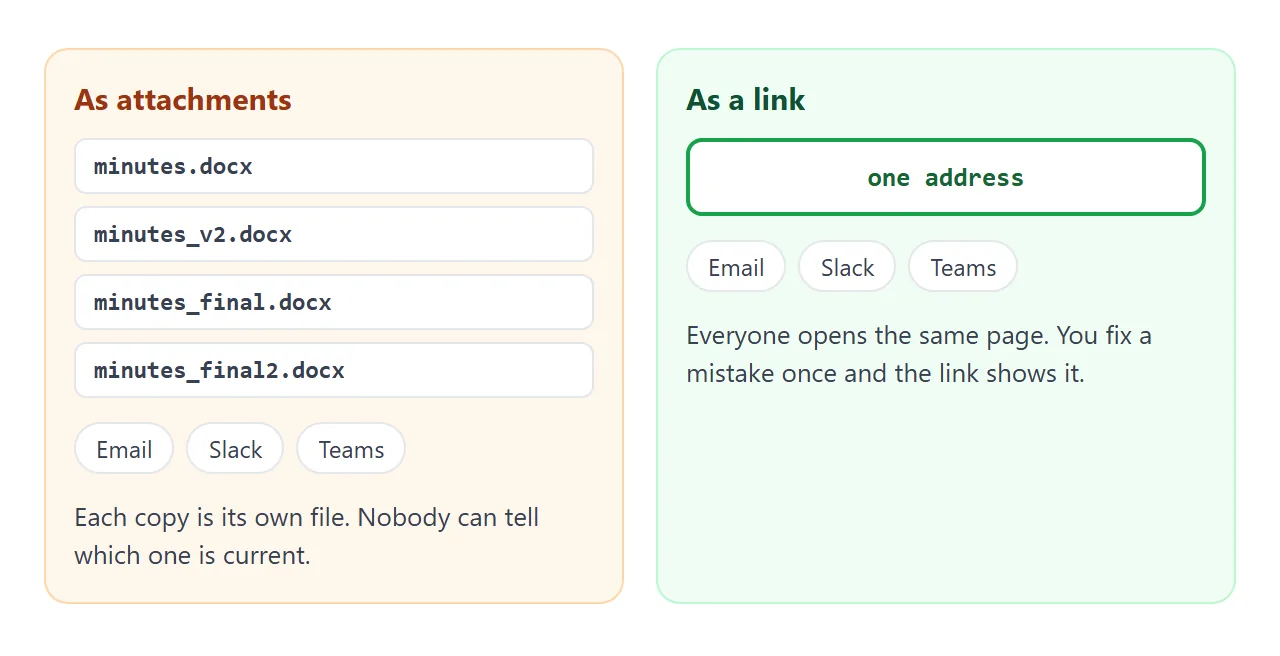
The link matters because minutes sent as files tend to multiply. One write-up on sharing HTML files describes it plainly: by presentation day there were four versions of the file floating around Slack, and no one could say which was final.
Here is a page you can copy. Tick an action item to see how it behaves.
<!doctype html>
<html lang="en">
<head>
<meta charset="utf-8">
<meta name="viewport" content="width=device-width, initial-scale=1">
<title>Meeting minutes</title>
<style>
* { box-sizing: border-box; }
body { margin: 0; font-family: system-ui, sans-serif; background: #f4f5f7; color: #1d2330; line-height: 1.5; }
.page { max-width: 720px; margin: 0 auto; padding: 20px 16px 28px; }
h1 { font-size: 22px; margin: 0 0 4px; }
.meta { color: #5b6472; font-size: 14px; margin: 0 0 16px; }
.card { background: #fff; border-radius: 12px; padding: 14px 16px; margin-bottom: 14px; box-shadow: 0 2px 8px rgba(0, 0, 0, .06); }
h2 { font-size: 13px; letter-spacing: .06em; text-transform: uppercase; color: #0f5132; margin: 0 0 8px; }
ul { margin: 0; padding-left: 20px; }
li { margin-bottom: 4px; }
.why { color: #5b6472; font-size: 14px; }
.progress { font-size: 14px; color: #5b6472; margin: 0 0 8px; }
.progress b { color: #0f5132; }
.action { display: grid; grid-template-columns: 24px 1fr; gap: 6px 10px; padding: 8px 0; border-top: 1px solid #eceef2; cursor: pointer; }
.action:first-of-type { border-top: 0; }
.action input { width: 20px; height: 20px; margin: 2px 0 0; }
.action .who { display: inline-block; font-size: 13px; color: #5b6472; }
.action .who b { color: #1d2330; }
.action.done .task { text-decoration: line-through; color: #8a93a2; }
</style>
</head>
<body>
<div class="page">
<h1>Pricing review, minutes</h1>
<p class="meta">Tue 29 Sep 2026 · 40 minutes · Present: Mina, Jae, Sam, Ravi · Notes by Mina</p>
<div class="card">
<h2>Decisions</h2>
<ul>
<li>Annual plan launches with a 20% discount.<br><span class="why">Why: churn is highest in the first two months.</span></li>
<li>The seat limit stays at 10 on the starter plan.</li>
</ul>
</div>
<div class="card">
<h2>Action items</h2>
<p class="progress"><b id="count">1 of 4</b> done. Tick a box when it is finished.</p>
<label class="action done"><input type="checkbox" checked><span class="task">Draft the annual plan copy<br><span class="who"><b>Mina</b> · due Fri 2 Oct</span></span></label>
<label class="action"><input type="checkbox"><span class="task">Check that billing can prorate upgrades<br><span class="who"><b>Sam</b> · due Wed 7 Oct</span></span></label>
<label class="action"><input type="checkbox"><span class="task">Send the new price sheet to the sales team<br><span class="who"><b>Jae</b> · due Fri 9 Oct</span></span></label>
<label class="action"><input type="checkbox"><span class="task">Book a 20-minute check-in<br><span class="who"><b>Ravi</b> · due Mon 5 Oct</span></span></label>
</div>
<div class="card">
<h2>Discussion, short</h2>
<p style="margin:0">Three options were compared: no discount, 10%, 20%. Finance asked for a review after one quarter.</p>
</div>
<div class="card">
<h2>Next meeting</h2>
<p style="margin:0">Tue 13 Oct, 10:00. Agenda: billing proration result, price sheet feedback.</p>
</div>
</div>
<script>
const boxes = document.querySelectorAll('.action input');
const count = document.getElementById('count');
function update() {
let done = 0;
boxes.forEach((box) => {
box.closest('.action').classList.toggle('done', box.checked); // strike through finished items
if (box.checked) done++;
});
count.textContent = done + ' of ' + boxes.length;
}
boxes.forEach((box) => box.addEventListener('change', update));
update();
</script>
</body>
</html>
The owner of the page can tick items as they get done, and those ticks are saved. Someone who only opens the link can tick a box, but their change is not saved.
What goes in the template
People open minutes for one reason: to find out what was decided and who has to do what. So the page puts those two things first and the discussion last.
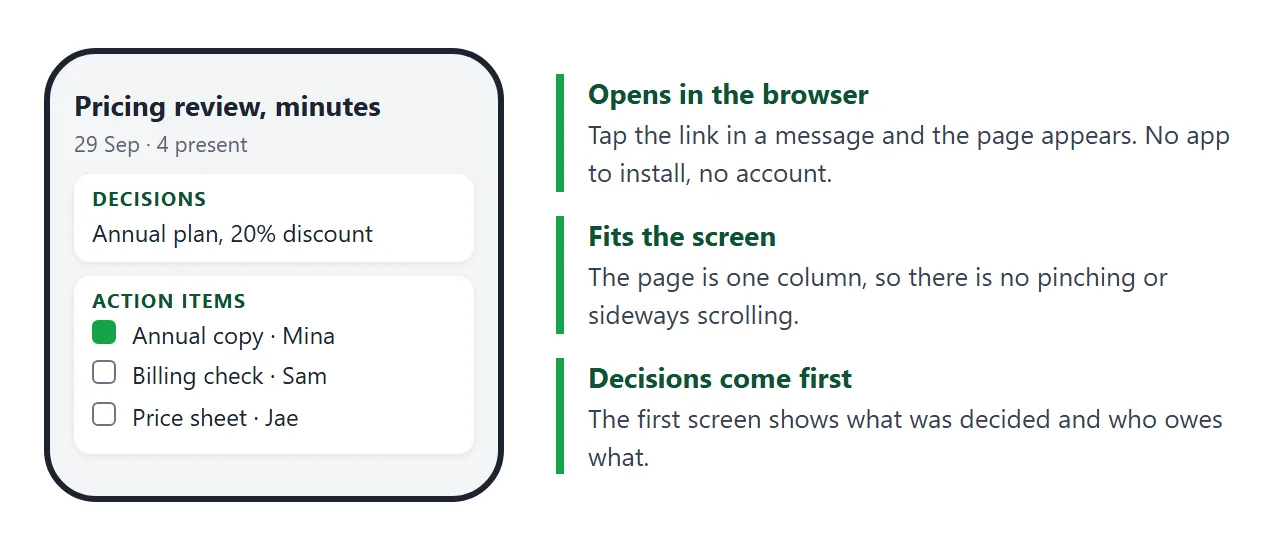
- Header: meeting name, date, length, who was present, who took the notes.
- Decisions: one line each, with a short reason if the decision was contested.
- Action items: one task, one owner, one due date. A task with no owner is a wish.
- Discussion: two or three lines. This is context, not a transcript.
- Next meeting: date, time and what is on the agenda.
If your meeting is a regular one, see meeting notes online for the three-section version, and how to host meeting notes for keeping a series findable.
Make it with AI
You do not have to type the page. Paste the prompt below into ChatGPT, Claude or Gemini, then paste your rough notes under it.
Turn my meeting notes into ONE self-contained HTML page for
meeting minutes. No external files, no images, no localStorage.

Sections, in this order:
1. Title, date, who was present, who took notes
2. Decisions (one line each, with the reason if I gave one)
3. Action items: a checkbox, the task, ONE owner, a due date
4. Discussion, at most three lines
5. Next meeting

Rules: use only names and dates that appear in my notes. If an
owner or date is missing, write "owner needed" or "date needed".
Make it a single column that reads well on a phone.

My notes:
(paste here)
Before you send anything, check four things in the result:
- Every name and date matches your notes. AI chats sometimes fill gaps with plausible guesses.
- Each action item has exactly one owner and one date.
- Nothing from the discussion was turned into a decision that nobody made.
- The page is readable at phone width.
Send it as a link
Copy the HTML the chat gave you. Paste it into a NOS document, then choose Create share link. HTML to link walks through it.
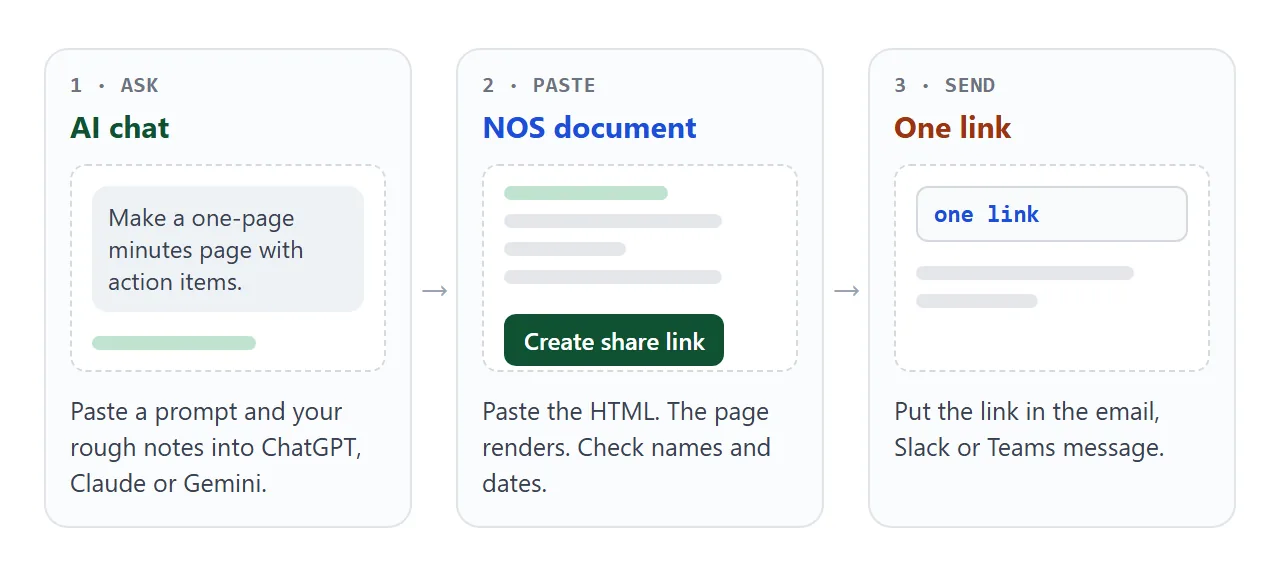
The page renders as written and its scripts run, so the tick boxes work. The people you send the link to open it in a browser, on a computer or a phone, with no account. They can read it but cannot edit it.
If you spot a wrong date after sending, edit the code. The link stays the same, so you do not resend anything.
Then paste the link into the message where you would have attached the file. Put the decisions in two lines above it, so people learn the outcome even before they click. The same works in Slack and Teams chats, since a link is just text.
Email has a size limit on attachments. As of October 2026, Google says the limit for personal Gmail accounts is 25 MB, and work or school accounts can differ. A short link avoids the question.
Attachment, link or pasted text
| What people get | After you fix a date | |
|---|---|---|
| Word or PDF attachment | A copy per person, saved wherever they like | You send a new file and hope they use it |
| HTML file attachment | A file that is hard to open from a phone mail app | Same, a new file |
| Text pasted into chat | Text that scrolls away | A new message |
| Link to a NOS page | One page, opens in a browser | Edit once, same link |
For more on why this difference matters, see why links beat attachments.
Keep the action items alive
Minutes help most in the week after the meeting, when people look for their own tasks. A filter by owner makes that quick. This second page lets anyone tap their name to see only their items.
<!doctype html>
<html lang="en">
<head>
<meta charset="utf-8">
<meta name="viewport" content="width=device-width, initial-scale=1">
<title>Action items by owner</title>
<style>
* { box-sizing: border-box; }
body { margin: 0; font-family: system-ui, sans-serif; background: #f4f5f7; color: #1d2330; line-height: 1.45; }
.page { max-width: 720px; margin: 0 auto; padding: 18px 16px 24px; }
h1 { font-size: 20px; margin: 0 0 4px; }
.meta { color: #5b6472; font-size: 14px; margin: 0 0 12px; }
.filters { display: flex; flex-wrap: wrap; gap: 8px; margin-bottom: 12px; }
.filters button { font: inherit; font-size: 14px; padding: 6px 14px; border-radius: 999px; border: 1px solid #cdd2da; background: #fff; cursor: pointer; }
.filters button[aria-pressed="true"] { background: #0f5132; border-color: #0f5132; color: #fff; }
.row { background: #fff; border-radius: 10px; padding: 10px 14px; margin-bottom: 8px; box-shadow: 0 2px 8px rgba(0, 0, 0, .06); display: grid; gap: 2px; }
.row b { font-size: 15px; }
.row span { font-size: 13px; color: #5b6472; }
.row[hidden] { display: none; }
.note { font-size: 13px; color: #5b6472; margin: 10px 0 0; }
</style>
</head>
<body>
<div class="page">
<h1>Weekly sync, action items</h1>
<p class="meta">Mon 28 Sep 2026 · Open items only</p>
<div class="filters" id="filters">
<button type="button" data-owner="all" aria-pressed="true">Everyone</button>
<button type="button" data-owner="Nina" aria-pressed="false">Nina</button>
<button type="button" data-owner="Omar" aria-pressed="false">Omar</button>
<button type="button" data-owner="Lee" aria-pressed="false">Lee</button>
</div>
<div id="list">
<div class="row" data-owner="Nina"><b>Update the onboarding checklist</b><span>Nina · due Thu 1 Oct</span></div>
<div class="row" data-owner="Omar"><b>Collect room bookings for the offsite</b><span>Omar · due Fri 2 Oct</span></div>
<div class="row" data-owner="Lee"><b>Share the Q4 budget draft</b><span>Lee · due Tue 6 Oct</span></div>
<div class="row" data-owner="Nina"><b>Reply to the vendor about the contract date</b><span>Nina · due Wed 7 Oct</span></div>
<div class="row" data-owner="Omar"><b>Test the new expense form</b><span>Omar · due Fri 9 Oct</span></div>
</div>
<p class="note" id="shown"></p>
</div>
<script>
const buttons = document.querySelectorAll('#filters button');
const rows = document.querySelectorAll('#list .row');
const shown = document.getElementById('shown');
function show(owner) {
let n = 0;
rows.forEach((row) => {
const match = owner === 'all' || row.dataset.owner === owner;
row.hidden = !match; // hide rows that belong to someone else
if (match) n++;
});
buttons.forEach((b) => b.setAttribute('aria-pressed', String(b.dataset.owner === owner)));
shown.textContent = 'Showing ' + n + ' of ' + rows.length + ' items.';
}
buttons.forEach((b) => b.addEventListener('click', () => show(b.dataset.owner)));
show('all');
</script>
</body>
</html>
Reuse the same page next week: ask the AI to keep the open items from last time, drop the finished ones and add the new ones. Save each meeting under its own link, so the old ones stay readable.
When it does not work
| What you see | Cause | Fix |
|---|---|---|
| The AI invented a name or date | It filled a gap in your notes | Tell it to write "owner needed", then fill in yourself |
| The page looks plain in the preview | The chat returned only part of the HTML | Ask for the complete page, starting at the doctype |
| Ticks disappear when a reader reloads | Visitor changes are not saved | Tick as the owner in View mode, or note progress in the next minutes |
| Someone says the page is outdated | They opened an old file copy | Send the link, not a file |
| A reader cannot edit the page | Share links are read-only | Edit it yourself, the link stays the same |
| The page cannot send a form to a server | Sending a form to a server is blocked | Keep minutes read-only, collect replies by email or chat |