Storage and hosting are different jobs. Storage keeps a file where you can find it. Hosting puts a document at an address a stranger can open.
Most of the friction people hit with shared documents comes from using one where they needed the other.
This guide covers which one your document needs, what a drive costs a reader, and how long a published address has to last.
Storage is organised around you
A drive is built for the person who owns the files. Folders, names, versions, search. Everything about it assumes you will come back looking for something.
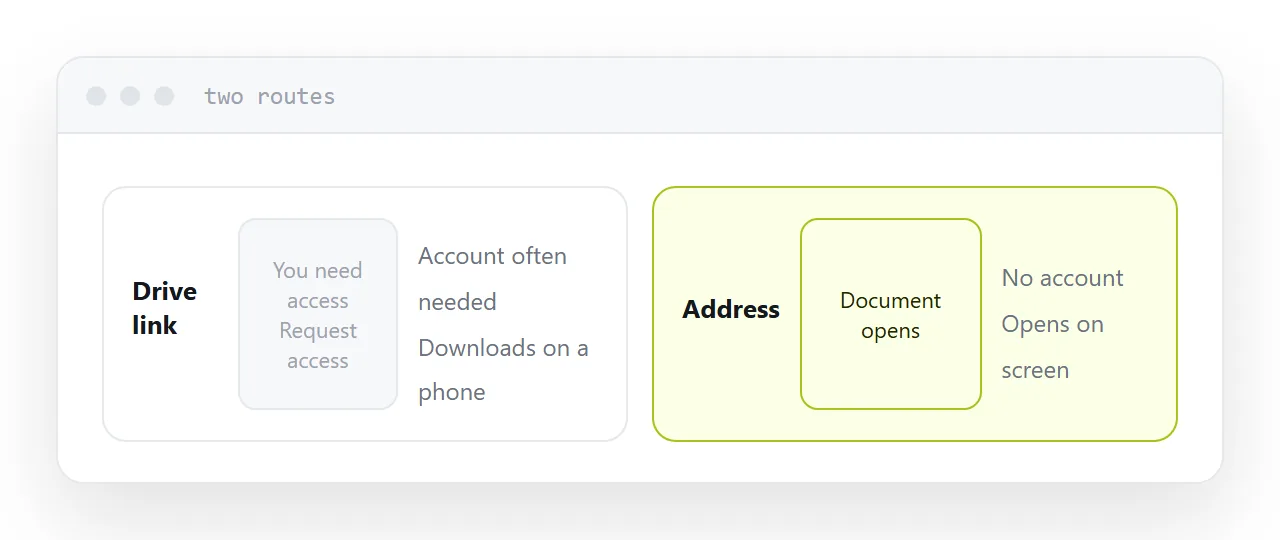
Sharing was added later, and it shows. The reader gets an address carrying your folder structure, often a permission prompt, and a download rather than a document on screen. None of that is a defect; it is simply what happens when a tool for keeping files is asked to be a tool for publishing them.
For work inside a team that is fine. Everyone has an account, everyone expects the interface, nobody is judging you on it.
Hosting is organised around the reader
Hosting starts from the other end. Someone has an address and has never seen your files. They tap it, the document appears, and that is the whole interaction.
No account, no permission, no folder, no download. On a phone it renders on screen rather than landing in a downloads folder.
That difference matters most for exactly the documents you care about: the quote, the proposal, the menu, the brochure. Anything where a reader giving up costs you something.
| Storage (a drive) | Hosting (an address) | |
|---|---|---|
| Built for | You finding files | A reader opening one |
| Account needed | Often | No |
| On a phone | Usually downloads | Opens on screen |
| Shows your folders | Often | No |
| Good for | Internal work | Anything a client sees |
How long an address has to last
This is the part people underestimate.
The moment an address goes into a message, onto a card, or into a QR code, you have lost track of where it is. Someone forwarded it. Someone saved it. Someone printed it.
Taking the document down breaks all of those at once, silently, and you find out when a customer mentions it months later.
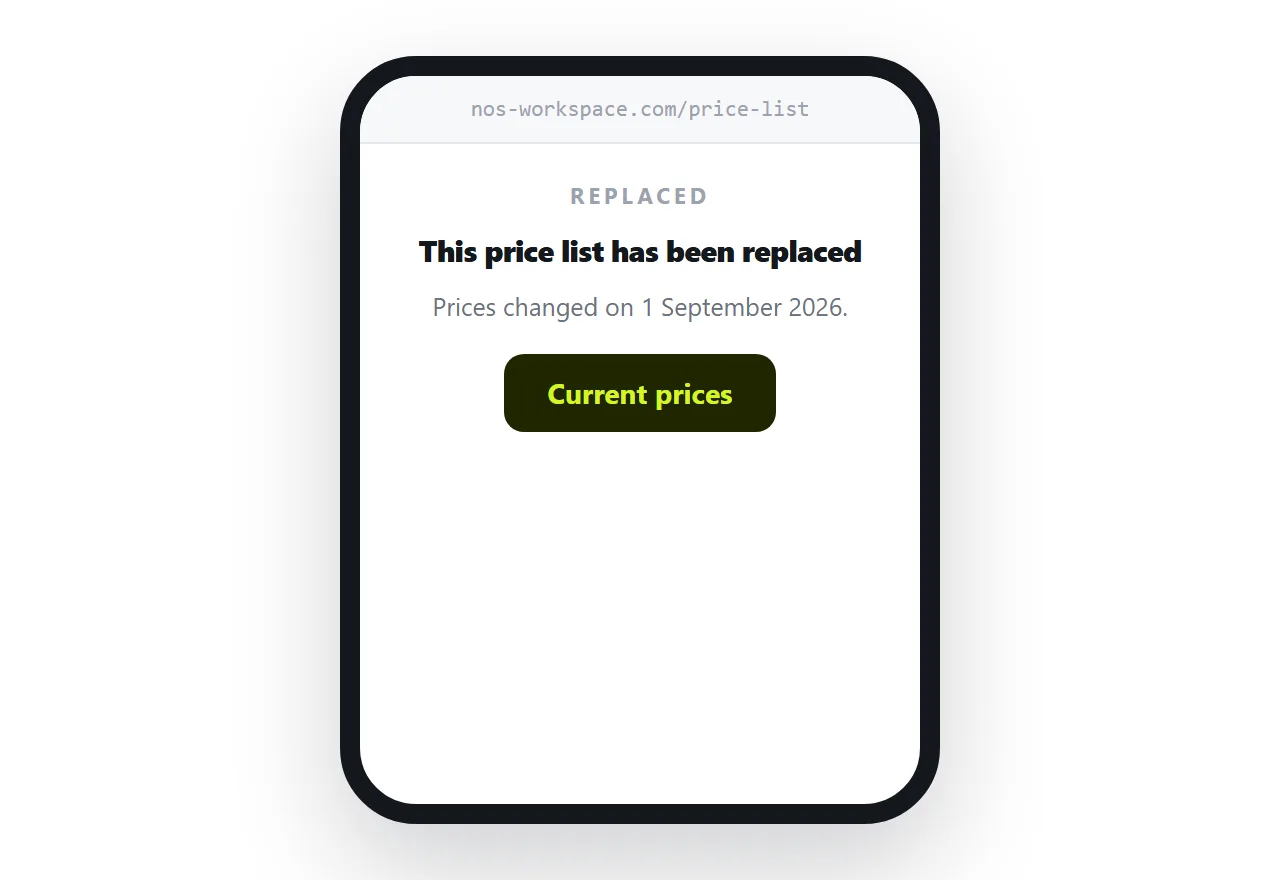
So the rule is simple. If the address was published, treat it as permanent. When the document changes, replace what sits behind the address. When it is genuinely finished, leave a short page at the address saying so rather than removing it.
Size, honestly
Hosting removes the size limit that email imposes, and replaces it with a patience limit.
A scanned document is a stack of photographs. Ten scanned pages can be larger than a hundred pages of text, and a reader on a phone connection waits for every one of them.
Compress scans before putting them at an address. It is the single change that most affects whether a document actually gets read.
Two neighbouring cases are worth a look: How to share a PDF as a link and How to create a URL for a PDF. How to host a favicon is also close.
Put it at an address
Ask who opens it. If the answer is you, a drive is correct. If the answer is anyone else, put it at an address, compress it first, and keep the address alive.