You cannot post HTML on Facebook. The composer stores plain text, so tags arrive as visible characters or are removed, and nothing in a personal profile or a Page turns a post into a rendered web page.
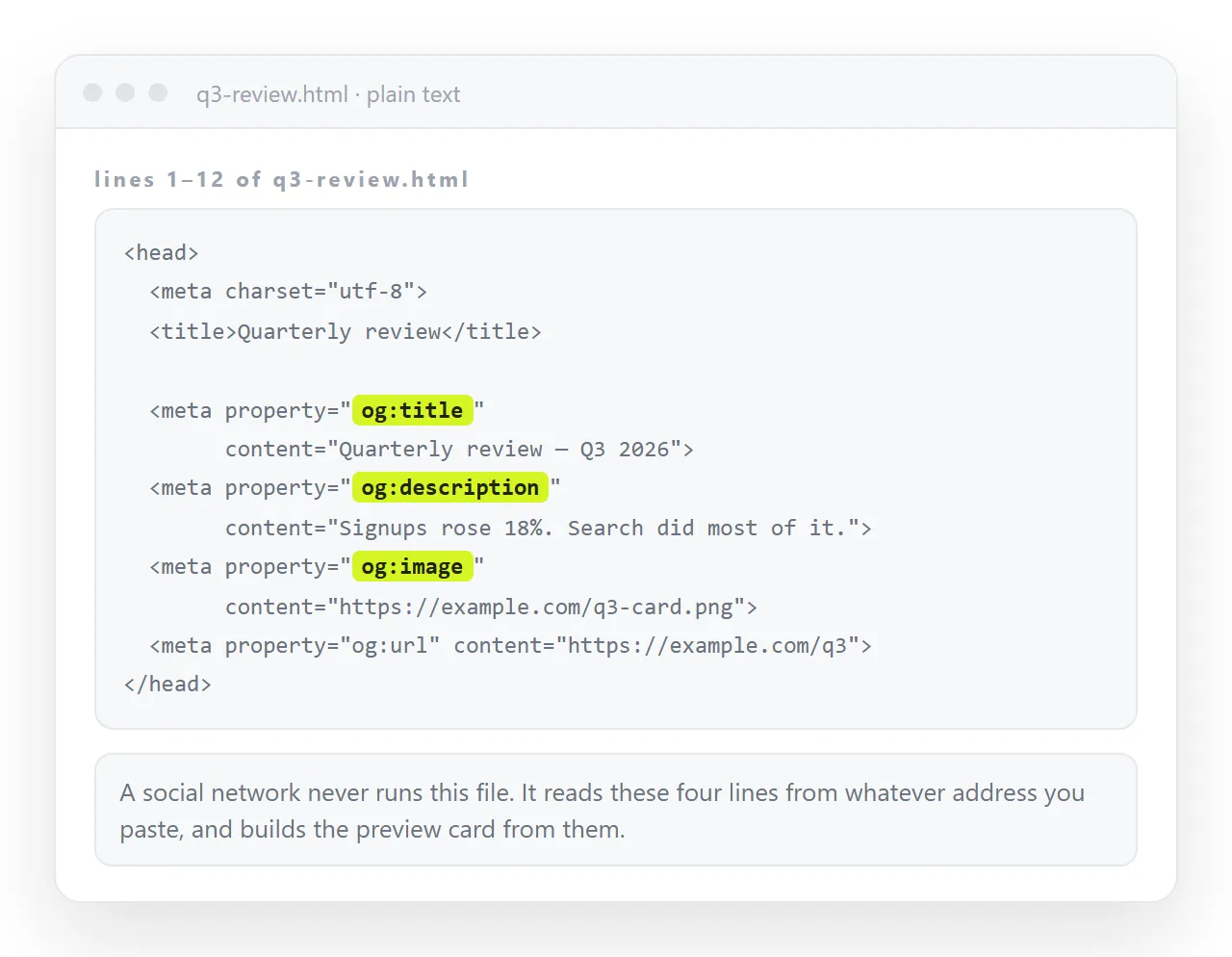
What works is the opposite direction. Put the page somewhere it is served as a page, then post the address. Facebook fetches it, reads the Open Graph tags, and renders a card with a title, a description and an image.
That card is the version of your page that most people will see, so it is worth treating as part of the page rather than as an accident.
Why you cannot post HTML on Facebook directly
| What you post | What readers get | Design survives | Numbers stay current |
|---|---|---|---|
| HTML markup in the composer | Characters or nothing | No | Not applicable |
The .html file |
No route, files are not accepted in posts | No | No |
| A screenshot | An image, cropped at the fold | Partly | No |
| A PDF | No route in a normal post | Yes, frozen | No |
| A link to the page | A card, then the real page | Yes | Yes |
The bottom row is the only one where the reader ends up looking at the page you built.
Step one: give the page an address
Paste the HTML into a NOS document. It renders exactly as written, dark theme, charts and scripts included, as a page of its own.
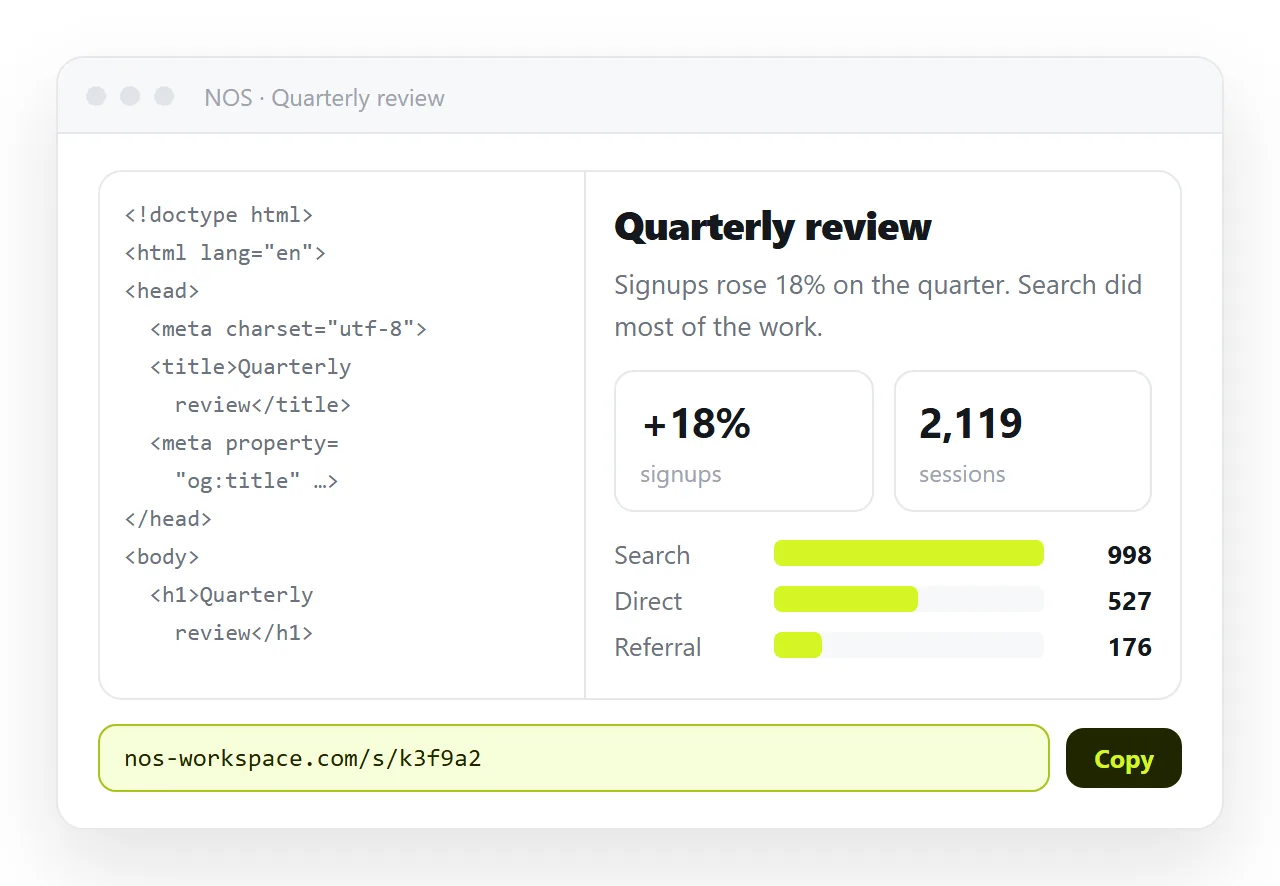
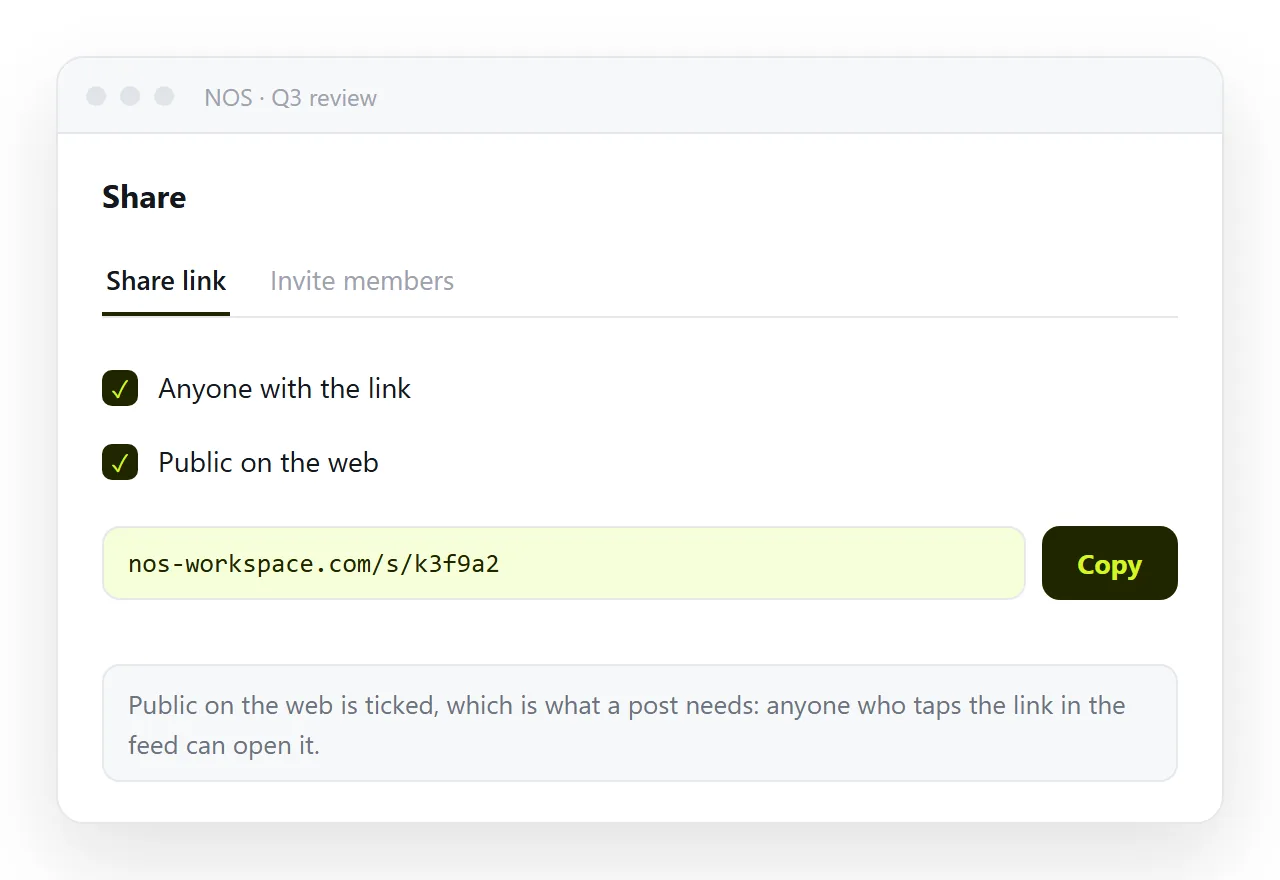
Then Share, then Share link, then Create link. For a Facebook post, tick Public on the web, because you want the page indexed and openly reachable. Facebook has to be able to fetch the page to build a card at all.
A static host gets you to the same place with a folder and an upload. Turning HTML into a link is the one-paste version of this step.
Step two: the four tags the card reads
Facebook does not guess. It reads the head of the page. Without these tags the card falls back to the bare address, which reads as spam and gets scrolled past.
<meta property="og:title" content="Q3 channel report">
<meta property="og:description" content="Where the quarter's signups came from, by channel.">
<meta property="og:image" content="https://example.com/cover.png">
<meta property="og:url" content="https://example.com/q3-report">
Three things to check on the image. Use an absolute address, not a folder path. Use a landscape image, since portrait images get cropped hard. And confirm the image itself is publicly reachable, because a protected image produces a card with an empty slot.
Open Graph tags covers the rest of the set, including the Twitter equivalents that most other platforms read.
Step three: fix a wrong or empty card
Facebook caches what it scraped the first time, so correcting the tags does not update the card on its own.
- Add or correct the tags on the page.
- Open the Facebook sharing debugger and paste the address.
- Ask it to scrape again, and read what it reports finding.
- Post the link once the preview looks right.
If the debugger reports it could not reach the page, the page is not public. That is the usual cause, and it is also the reason posting an internal link never produces a card.
Where a screenshot is the better call
A screenshot is a fair choice when the page is one visual, such as a single chart, and the post is the whole message.
It fails when the page is long, when the text matters, or when the figures change. A screenshot crops at the fold, cannot be selected or searched, and goes wrong the moment the underlying number moves.
Screenshot versus live page sets out where the line falls.
A practical middle path is to post the link and let the card carry the image, which gives you the visual and the working page in one post.
Set og:image to the part of the page worth seeing, usually the headline chart rather than a logo. That image is doing the same job a screenshot would, inside a unit that also opens the real page.
Check it on a phone before posting
Most of the audience is on a phone, and a page without a viewport line renders at desktop width there.
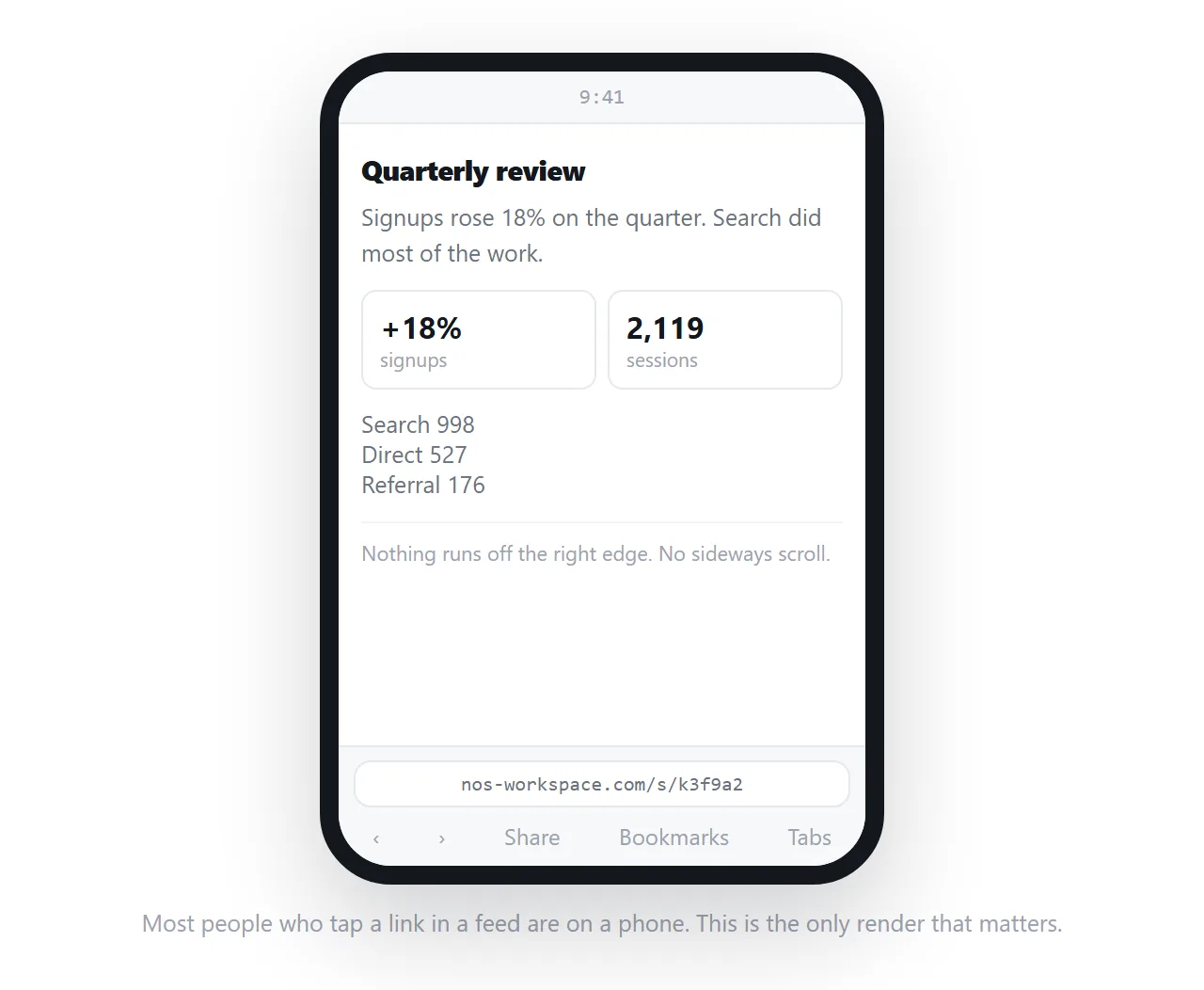
- Is
<meta name="viewport" content="width=device-width,initial-scale=1">in the head? - Is there a
<title>, since it is the fallback when og:title is absent? - Does the page load without files from your own machine? Links beat attachments explains why that matters more here than anywhere.
- Is anything on the page private? Once posted, treat the address as public forever.
After the post goes up
The advantage of the link route shows up later. The post points at an address, so correcting a figure on the page corrects what every reader sees, including people arriving from a share of a share.
In NOS that correction is made by clicking the text and typing, without generating a new file or a new address. The post you made in March still points at the current page.
Two things do not update, and it is worth knowing which. The card image and text are cached by Facebook, so an old post keeps its old card until the page is scraped again. The page behind the card is always current.
If the headline itself changed, run the sharing debugger again and post a fresh link rather than editing the old post.
One last habit worth forming: open the address in a private window before posting. That is the only reliable way to see the page as a stranger sees it, and it catches a page that is still private while you are signed in.