To preview HTML code in a browser, paste it into a viewer that renders HTML, or save it as a .html file and open that file in the browser. Which one is right depends on whether you are holding code or a file.
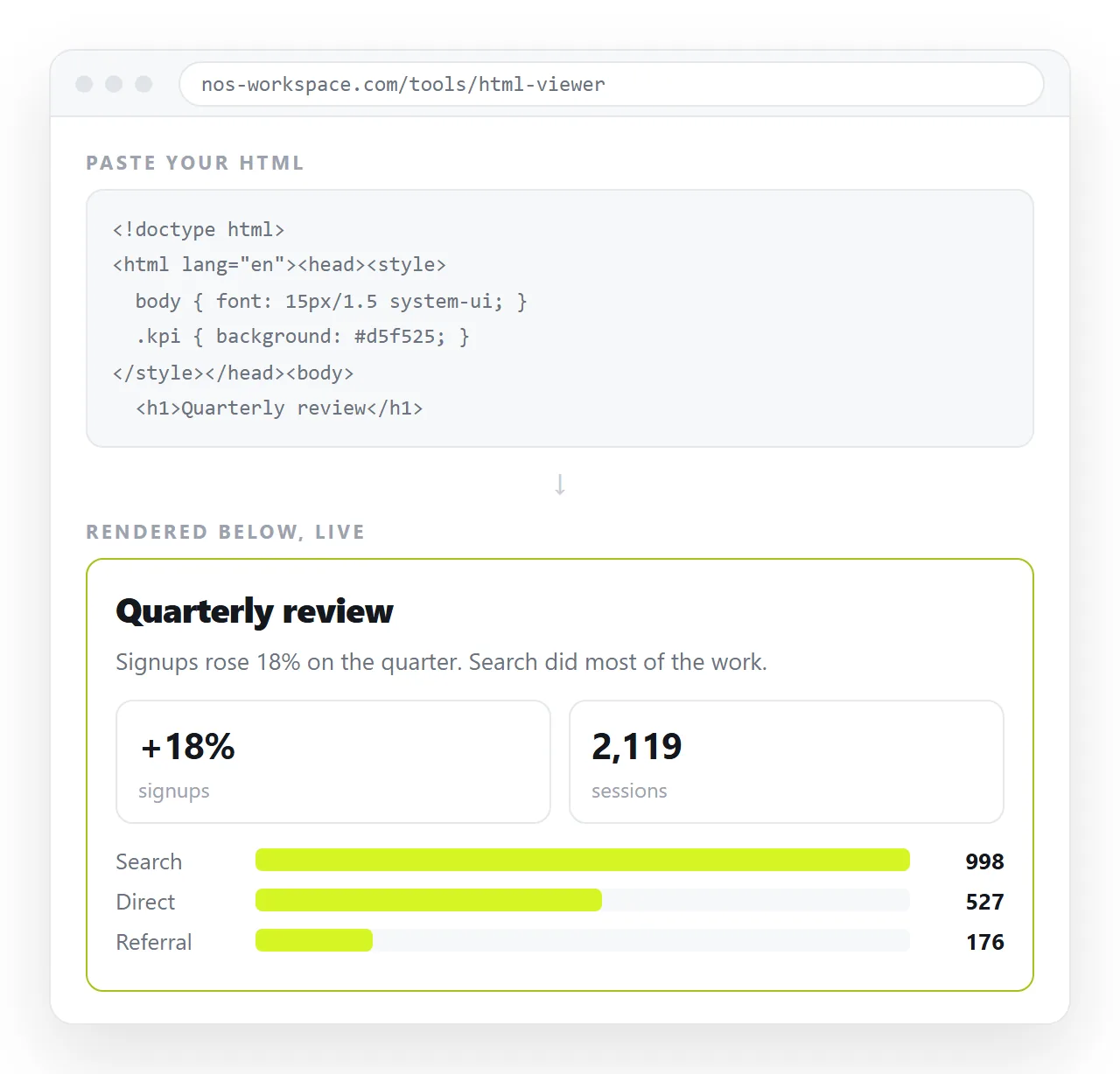
Code in the clipboard, usually from a chat or a colleague, goes into a viewer. A file already on disk goes straight to the browser.
How to preview HTML code in a browser: four routes
| Route | Good for | Limits |
|---|---|---|
| Paste into an online viewer | A snippet or a whole page you were sent | Needs the code, not a file path |
Save as .html and open it |
A page you are working on | Some features blocked under file:// |
| A data URL in the address bar | A two line test | Breaks on quotes and long code |
| A local static server | Pages that fetch data | One command, one terminal |
Most previews need one of the first two. The last one exists for the case where the first two produce a blank page.
Pasting the code
The fastest route when the code is already in your clipboard. An HTML viewer renders pasted markup in place, and an online HTML editor does the same with the source beside the result so you can change a line and watch it update.
Nothing is written to disk, there is nothing to install, and it works on a phone, which a downloaded file does not.
Paste the complete document, from <!DOCTYPE html> to the closing tag. A fragment renders, but a fragment without its <style> block will look wrong for a reason that has nothing to do with the preview.
That mistake is common with code copied out of a chat. The assistant produced one document, the message split it across several blocks, and only the last block made it to the clipboard.
Scroll back and check the opening tag is in what you copied. If the preview shows unstyled text, that is the first thing to rule out.
Saving it as a file
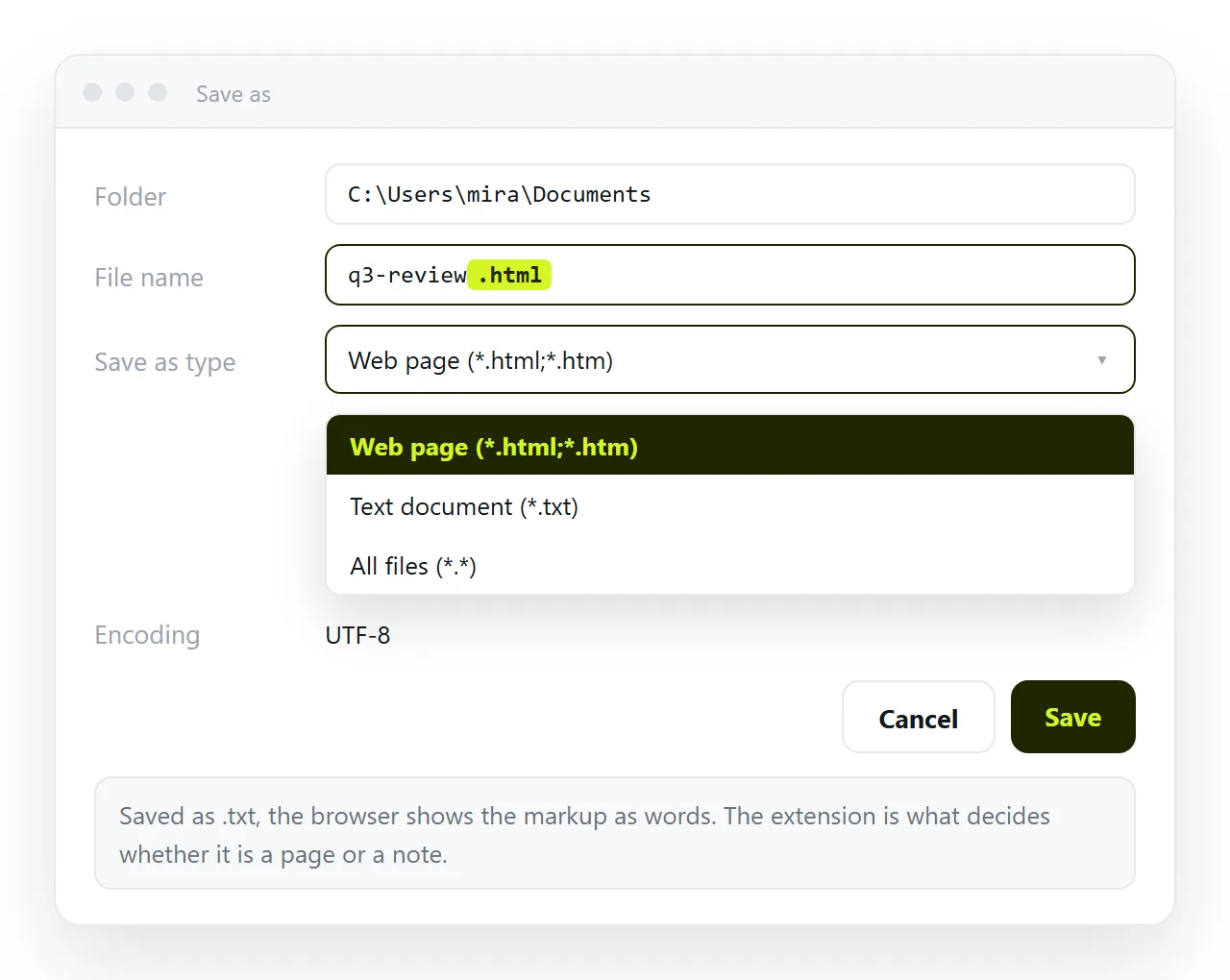
Two details cause almost all the trouble here.
The extension has to be .html and not .html.txt. Windows hides known extensions, so turn on File name extensions in File Explorer before you trust the file listing.
The encoding should be UTF-8. Saving as ANSI turns accented characters and symbols into replacement marks that look like a code problem and are not.
Then right click the file, choose Open with, and pick a browser. Opening HTML in a text editor covers the reverse trip, when the file opens rendered and you wanted the markup.
Keep the editor and a browser tab side by side. Save, reload, look. That loop is the standard way to work on a page, and it needs no tooling at all.
If a change does not appear after a reload, the browser is serving the previous copy from cache. A hard reload with Ctrl+Shift+R, or Cmd+Shift+R, forces it to read the file again.
The data URL trick
For something very short, you can skip the file. Type this into the address bar:
data:text/html,<h1>test</h1><p>it renders</p>
The browser renders it immediately. It is useful for checking one tag in isolation.
It stops being useful quickly. Quotes, hashes and spaces have to be encoded, and long code is unwieldy in an address bar. Treat it as a scratchpad, not a workflow.
When the preview looks wrong
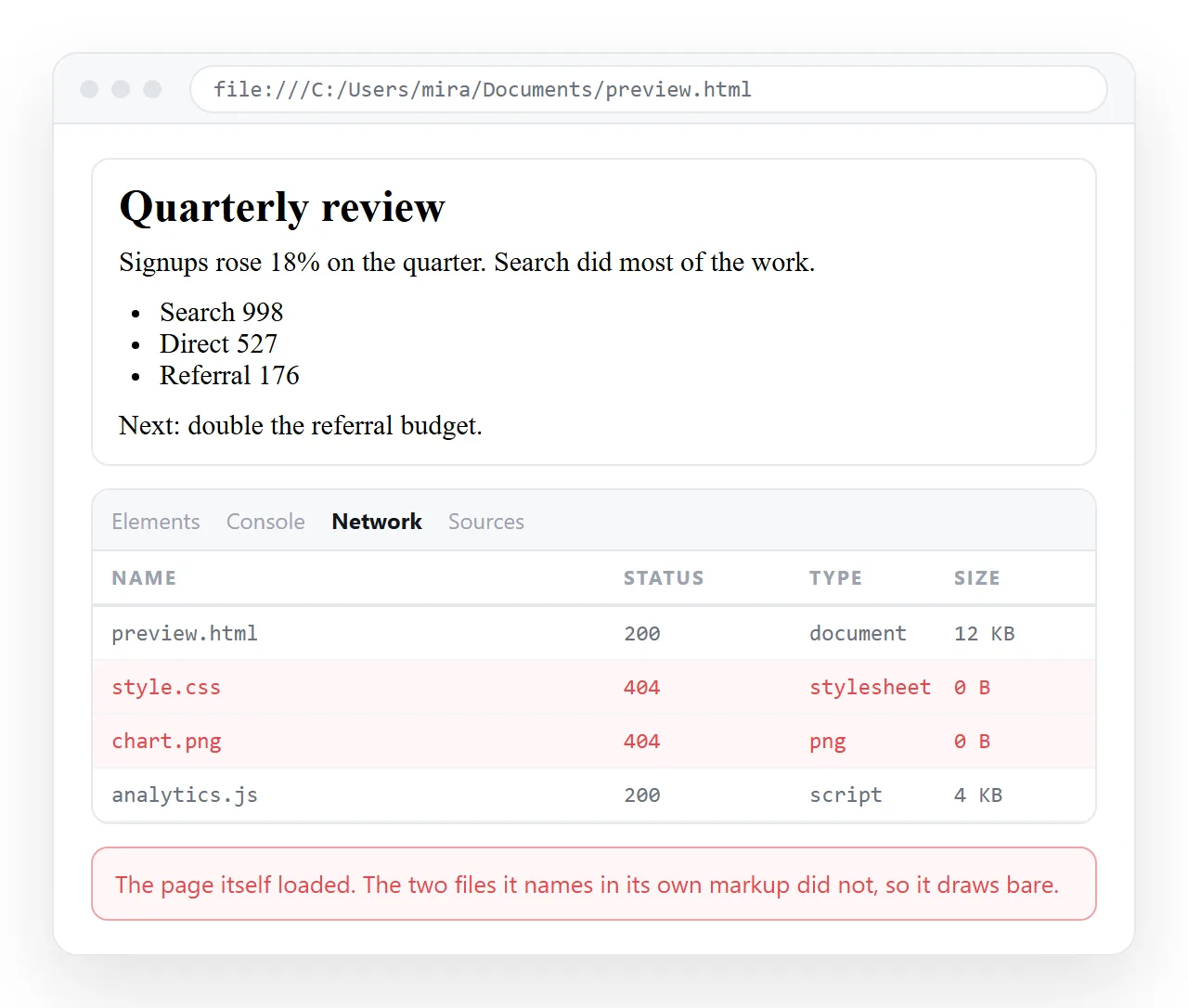
A preview that renders as plain text, or with empty image boxes, almost always means the code refers to files that are not present.
Press F12 and read the network panel. Failed requests name the exact path the page asked for.
- A
<link>to a stylesheet that sits beside the original file. Not present, so no styling. - An
<img src="images/x.png">pointing at a folder that did not come with the code. - A
<script src=...>for a charting library, which leaves the chart area empty. - A
fetchfor a data file, which a page opened underfile://is not allowed to make.
The last one is a rule rather than a mistake. The file protocol explains what a page loaded from disk is refused.
For that case, serve the folder:
python -m http.server 8000
Then open http://localhost:8000. The page now has an origin and its requests succeed.
Previewing on a phone
There is no good local route. A .html file downloaded to a phone lands in the file manager, and nothing on the device offers to render it.
Two options do work. Paste the code into an online viewer in the phone's browser, or put the page at an address and open the link.
The second is the only way to see how the page behaves on a real device. A narrowed desktop window approximates the width and nothing else.
The device emulation in browser developer tools is a reasonable middle step. It applies the right viewport width, so it catches layout that overflows, and it does not reproduce touch behaviour or the phone's own font handling.
Before either, confirm the page carries the viewport line. Without <meta name="viewport" content="width=device-width,initial-scale=1"> a phone renders the page at desktop width and shrinks it, and the viewport meta tag explains why.
Showing the preview to someone else
A preview on your machine is not evidence for anyone else. Sending the code back is worse, because they have to repeat every step you just did.
Send an address. Paste the HTML into a NOS document, where it renders as a page of its own, then Share, Share link, Create link.
The reader clicks once and sees the page on whatever device they are holding. The link stays valid after you fix something, and the text inside the document stays clickable, so a wrong figure can be corrected without going back to the code.