A visiting card link is your contact details published at an address, so someone can save them into their phone correctly instead of typing them from a piece of card.
The problem with paper is not the paper. It is the transcription step that follows it.
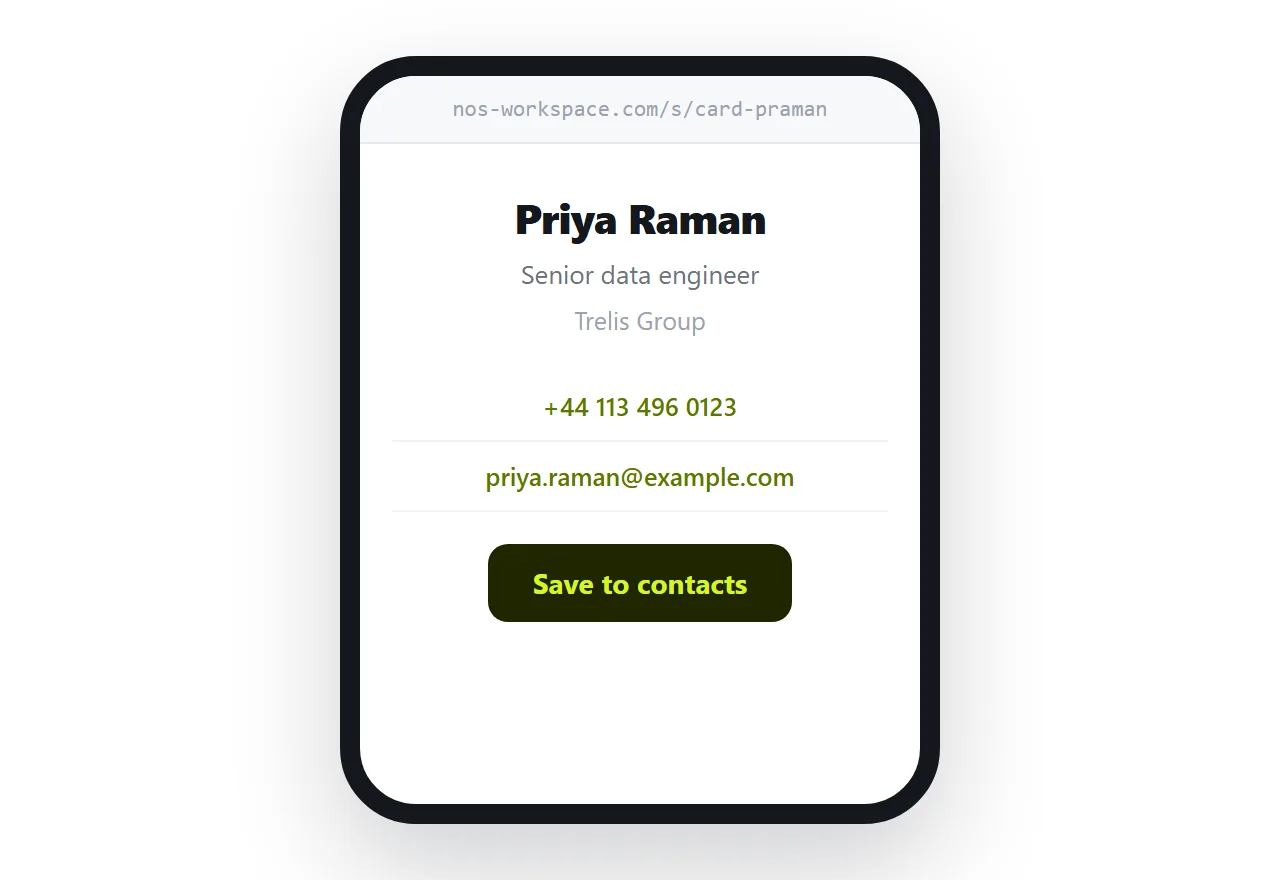
This guide covers what belongs on the card, making every detail tappable, the vCard file that saves it into contacts, and how the link gets handed over in person.
Keep it to what is needed
A visiting card is not a profile. It carries enough for someone to remember who you are and get in touch.
<div class="card">
  <h1>Priya Raman</h1>
  <p class="role">Senior data engineer</p>
  <p class="org">Trelis Group</p>
  <p><a href="tel:+441134960123">+44 113 496 0123</a></p>
  <p><a href="mailto:priya.raman@example.com">priya.raman@example.com</a></p>
  <p><a href="/vcard/priya-raman.vcf" download>Save to contacts</a></p>
</div>
Name, role, organisation, one number, one email. Anything else competes with those five and makes the card slower to read.
Every detail should be tappable
This is where a page beats a card outright.
A phone number wrapped in a tel link dials when tapped. An email address opens a compose window. An address can link to a map. None of that needs an app and all of it removes a step.
Format the number in international form so it works when someone calls from another country. Details in linking a phone number in HTML.
The vCard is the point
The save button is what makes this better than a card rather than merely different.
A vCard is a small plain text file that phones recognise. Tapping it opens the contacts app with every field filled in, and the other person taps save. Your name is spelled correctly, the number has all its digits, and the role is right.
BEGIN:VCARD
VERSION:3.0
N:Raman;Priya;;;
FN:Priya Raman
ORG:Trelis Group
TITLE:Senior data engineer
TEL;TYPE=CELL:+441134960123
EMAIL:priya.raman@example.com
URL:https://nos-workspace.com/s/card-praman
END:VCARD
Include the URL line. It means the saved contact points back at the page, so someone who saved you two years ago can check whether anything changed.
Handing it over in person
The link needs a physical route at the moment you meet someone.
A QR code on your phone screen is the simplest: they point their camera at it and the page opens. Keep it saved somewhere you can reach in two taps rather than hunting for it while someone waits.
A small printed card with only a QR code and your name also works, and it has an advantage over a conventional card: it never goes out of date. Change jobs and the card still works, because the details live on the page.
Notes on generating the code are in HTML file to QR code.
What changes when you move
A paper card in someone's drawer is a snapshot of the day you handed it over. Six months later the role is wrong and two years later the company is.
The page updates. It does not reach into a phone and correct a contact already saved, so it is not magic, but everyone who opens the link from now on gets the current details, and the URL in the saved vCard gives even old contacts a route back.
Date the page quietly, or note your current role clearly enough that someone can see it is maintained.
Deciding what to publish
The details were already on a card you handed to strangers, so the exposure is not new. The difference is that a page can be found rather than only given.
If that matters, split it. Put the office number and work email on the page and share a mobile in conversation. Keep the page out of search engines if you would rather it were reachable only by people you gave it to.
Put it at an address
Write the card as a page, make the details tappable, offer a vCard, and create a share link.
Then hand over a QR code instead of a piece of card, and let the other person's phone do the typing.