A CV link is your CV published at an address so a recruiter opens it in one tap, reads it at the size of their own screen, and always gets the current version.
It replaces the attachment in conversation. It does not replace the file in a formal application, and being clear about that boundary is what makes it work.
This guide covers what goes in the first screen, writing roles that survive a skim, where the downloadable file still belongs, and what to leave off a page anyone might reach.
Where a link wins and where it loses
The distinction is not about quality. It is about who is reading.
| Situation | Link | File |
|---|---|---|
| Email to a hiring manager | Best | Adds a download step |
| A message on a professional network | Best | Often cannot attach |
| Applicant tracking system upload | Usually dropped | Required |
| Recruiter forwarding internally | One version | Copies multiply |
| You get a new role next month | Already updated | Stale everywhere |
Keep a current file for the third row and stop worrying about it. The two artefacts do different jobs and having both costs nothing.
The first screen carries the decision
A recruiter scanning applications gives each one seconds. What they are looking for is what you do now and whether it is near what they are hiring for.
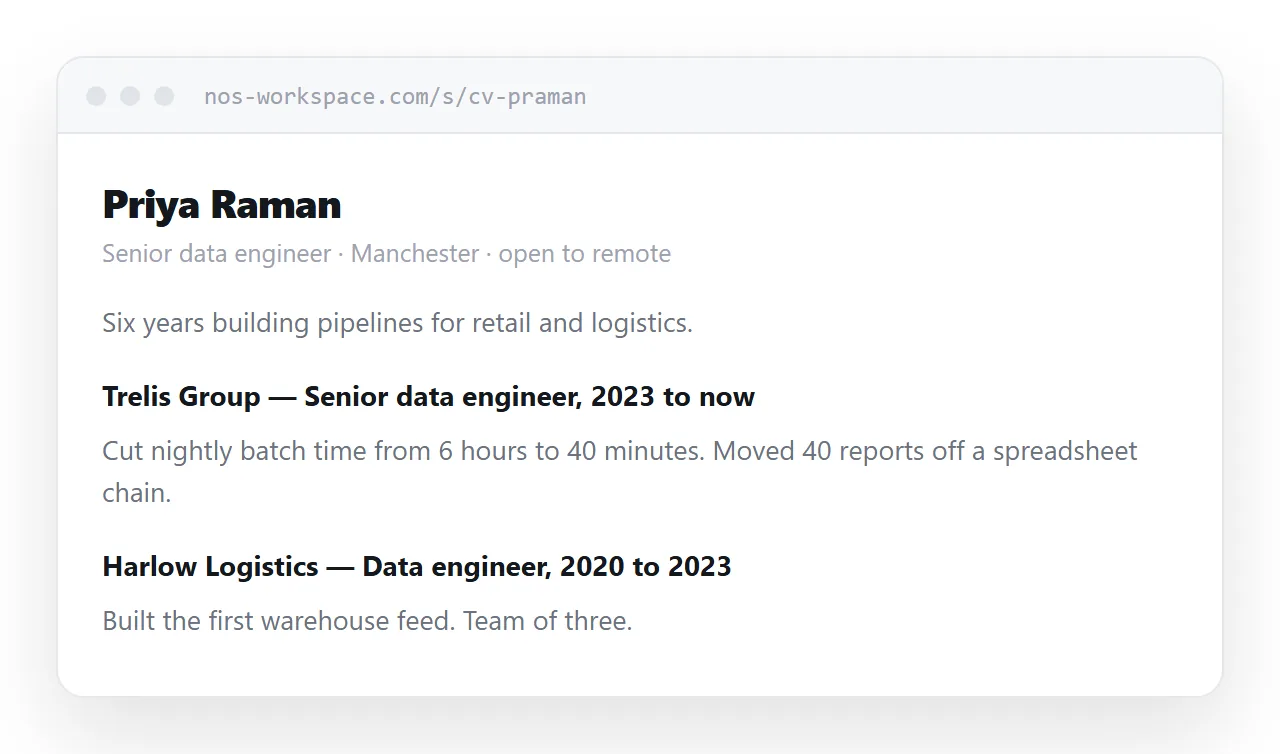
<header>
<h1>Priya Raman</h1>
<p class="now">Senior data engineer · Manchester · open to remote</p>
<p class="line">Six years building pipelines for retail and logistics.</p>
</header>
One line naming the role, one line of context. The personal statement paragraph most CVs open with is skipped almost universally, and the space is better spent on the sentence above.
Roles as outcomes
The common failure is listing duties. A duty describes the job; an outcome describes you.
Instead of "responsible for reporting pipeline", write what changed. A number, a time, a scale. Where you cannot give a figure, give the shape: what was broken, what you did, what happened.
Keep each role to three or four lines. A recruiter reading fifty CVs is not reading your fifth bullet point, and the ones that matter get diluted by the ones that do not.
Keep the file on the page
Put a download link on the CV itself. Someone who needs to attach a document to an internal system can get it without emailing you, and you only maintain one source.
Print rules control what that file looks like, because saving to PDF from a browser is printing.
@media print {
  nav, .download { display: none; }
  @page { size: A4; margin: 16mm; }
  .role { break-inside: avoid; }
  a { color: inherit; text-decoration: none; }
}
Stopping a role from splitting across pages matters more than it sounds. A CV where the last job ends on page one and its achievements start on page two reads as careless. More in export HTML to PDF.
What to leave off
A page can be reached by anyone with the address, so the calculation differs from a file you send to one person.
- Full postal address. It has no function in a modern application.
- Date of birth and marital status. Not asked for, and in many places not lawful to consider.
- Photograph, unless the industry and country expect one. In several countries it invites a discrimination claim.
- Referee contact details. Say available on request. Publishing someone else's phone number is not yours to do.
- Current employer's internal detail. Project names that are not public can be described generically.
Keep the page out of search results as well. A CV should be findable by the person you sent it to and nobody else.
Updating is the real advantage
A CV file is frozen the moment it is sent. Six months later a recruiter opens a document that does not mention your current job.
With a link, you edit the page. Everyone who ever received the address now has the current version, including the recruiter who filed it away in spring and came back in autumn, which is exactly how recruitment works.
Date the page. A CV that says "updated September 2026" answers the question a recruiter would otherwise have to ask.
Put it at an address
Write the CV as a page, paste it into a document, create a share link, and use that link in emails and messages.
Keep a current file on the page for the systems that need one. Update the page when anything changes, and every copy of your CV in circulation updates with it.