An AI html ui generator returns one screen in its default state, so the layout arrives usable and everything around it, states, keyboard access, real data, does not.
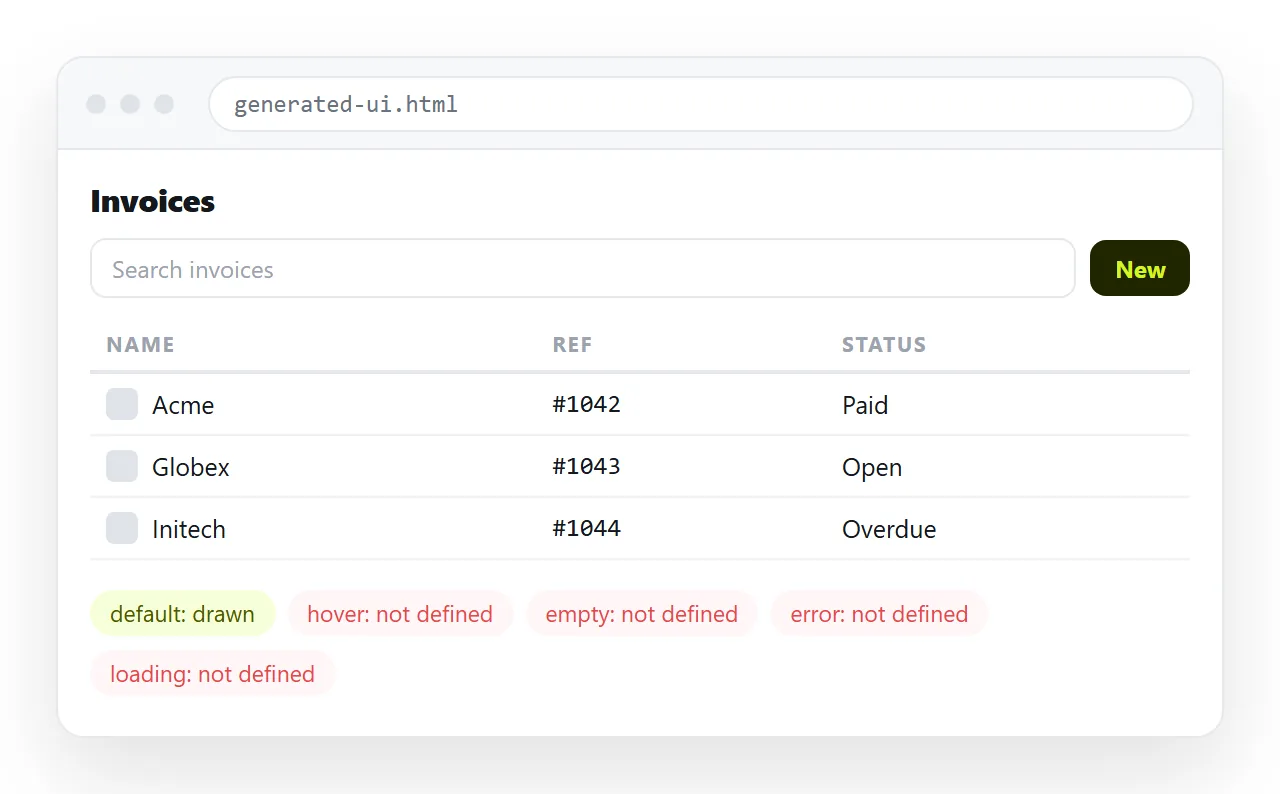
That is a fair trade when you want something to look at within a minute. It becomes a problem when the output goes straight to a reviewer or a user without the missing parts being filled in.
What an AI HTML UI generator actually returns
Three shapes come back, and the one you get changes how much work follows.
A fragment. Markup for a component with no head, no doctype and no styles of its own. It renders as unstyled text until you wrap it.
A page using a framework from the network. Complete, but dependent on a stylesheet loaded at run time. It works online and breaks offline or behind a restrictive network.
A self-contained page. Doctype, head, style block, markup, in one file. This is the one to ask for, because it is the only one that behaves the same everywhere.
If the result looks unstyled when you open it, you almost certainly have one of the first two. AI HTML missing styles goes through the symptom in detail.
What is present and what is missing
| Part of the interface | Usually returned | Usually missing |
|---|---|---|
| Layout and spacing | Yes | Fine tuning against real content |
| Default state of every control | Yes | Hover, focus, active, disabled |
| Sample content | Yes | Realistic lengths and edge cases |
| Colour and type scale | Yes | Your actual brand values |
| Empty, loading and error states | No | All three |
| Keyboard order and focus rings | Partially | Reliable focus visibility |
| Behaviour at phone width | Sometimes | Tested behaviour |
The missing column is where generated interfaces are judged. A screen that looks finished and then shows nothing when a list is empty reads as broken, not as unfinished.
Give it real content early
Sample content is the quietest source of rework. Generators write short names, round numbers and two-word labels, and real data is none of those.
Replace the samples before you review the layout. A name that wraps to two lines, a price with a currency symbol and a category label of nine words will each break something.
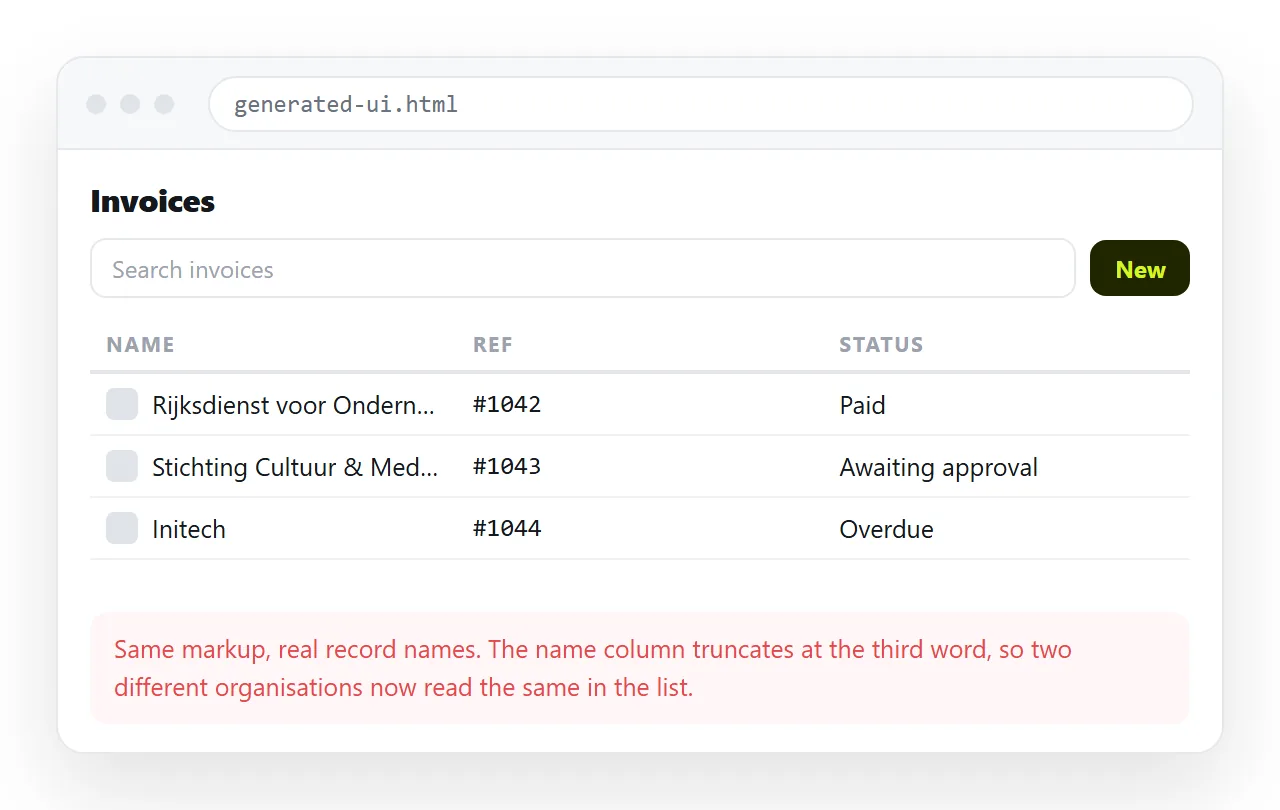
Three cases worth putting in deliberately:
- The longest label that can legitimately occur.
- A row with a missing value, so you see what the empty cell does.
- Thirty rows instead of three, so scrolling and headers get exercised.
Prompting for the parts it skips
The generator answers what it was asked. Naming the states gets most of them on the first pass.
Ask for hover, focus, active and disabled styles on every control. Ask for an empty state and an error state as separate blocks in the same file. Ask for visible focus rings, and for the tab order to follow the reading order.
Ask for one file, styles in a style block, no framework loaded from elsewhere. That single constraint prevents the most common failure once the file leaves the chat.
Check it somewhere with no help
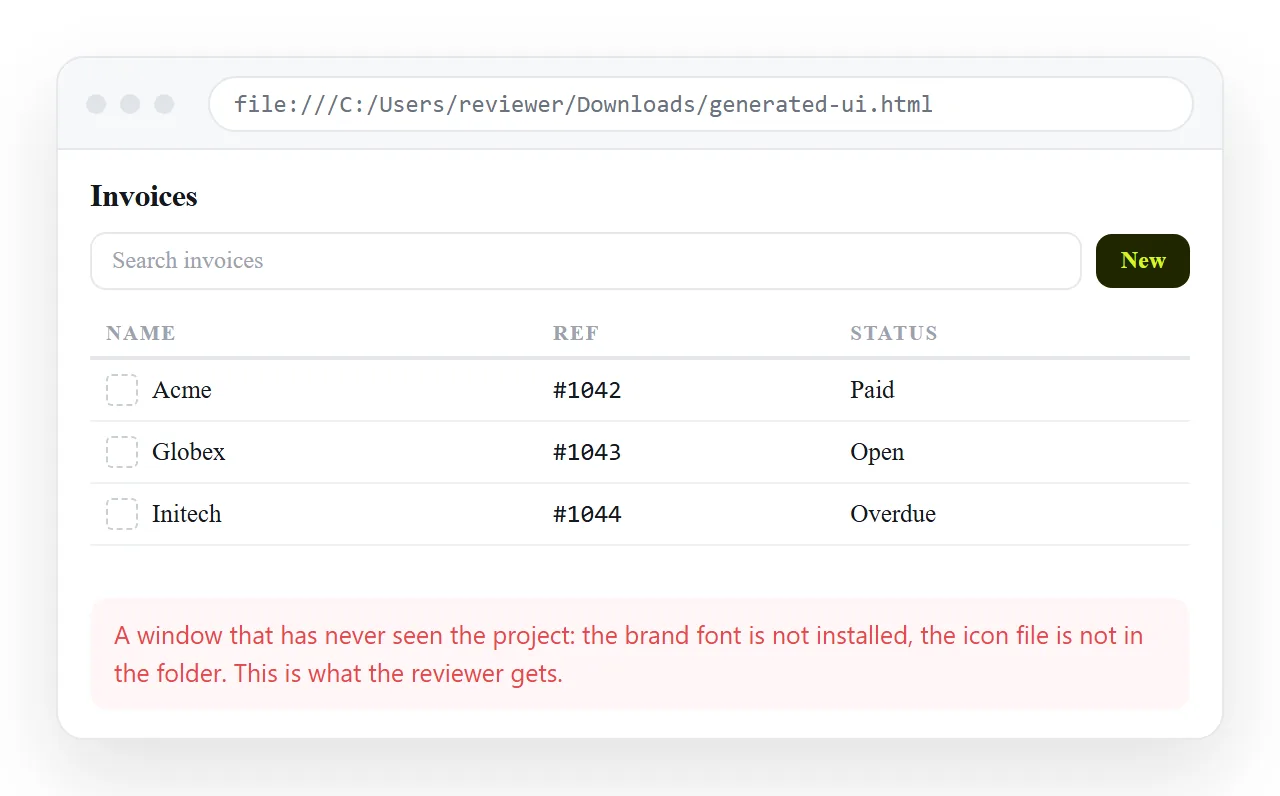
Open the file in the HTML file opener. It has no fonts of yours, no cached assets and no folder context, which is exactly the position a reviewer is in.
Look for four things: styling present, images present, sensible behaviour at phone width, and a focus ring you can see when you press tab.
Fixing all four at this stage costs minutes. Fixing them after a review round costs the review.
One further check is worth running before anyone else sees it. Open the browser console and look for errors, because a generated script that fails silently leaves a section empty rather than visibly broken.
An empty section reads as a design decision. Reviewers will comment on the gap rather than reporting a fault, and you will spend the round discussing the wrong thing.
Turning it into something reviewable
A generated interface usually exists to be looked at by other people, which makes the file the wrong unit. Files get downloaded, opened in the wrong program, and go stale the moment you change something.
Paste the markup into a NOS document instead. It renders as a page of its own, scripts and all, and Share, then Share link, then Create link gives you an address to circulate.
The address does not move when the content changes, so the link you sent before a review meeting shows the state after it. Turning HTML into a link is that step on its own.
Keep the good one as a template
The largest return from this route is not the first screen. It is the second, fifth and twentieth, made from the same base.
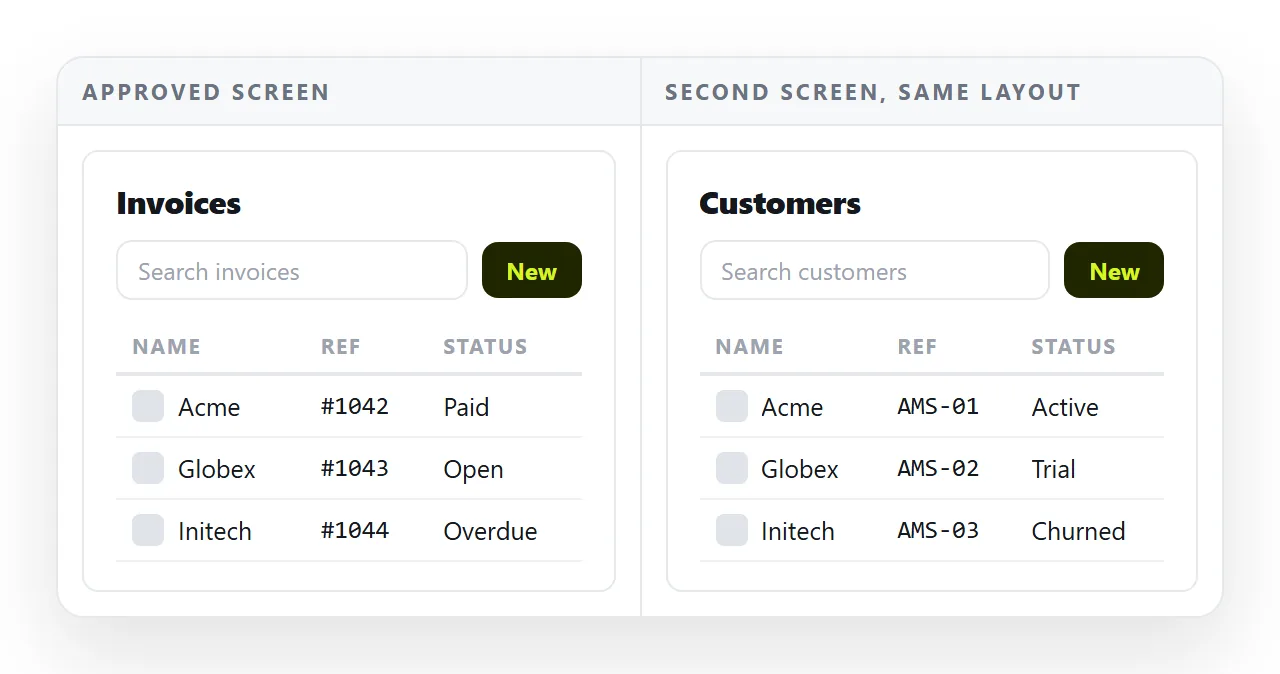
Once a generated interface has been corrected, keep it as a template and change only the content next time.
Regenerating from scratch produces a slightly different type scale and palette each round. Those small differences are what make a set of pages look assembled by accident.
Reusing an AI HTML template covers how to keep one. If the interface needs to hold data rather than display it, the limits are different, and AI HTML app builders covers those.