An AI html generator from image reads a picture and writes markup that approximates it, so the layout comes back close and the details come back invented.
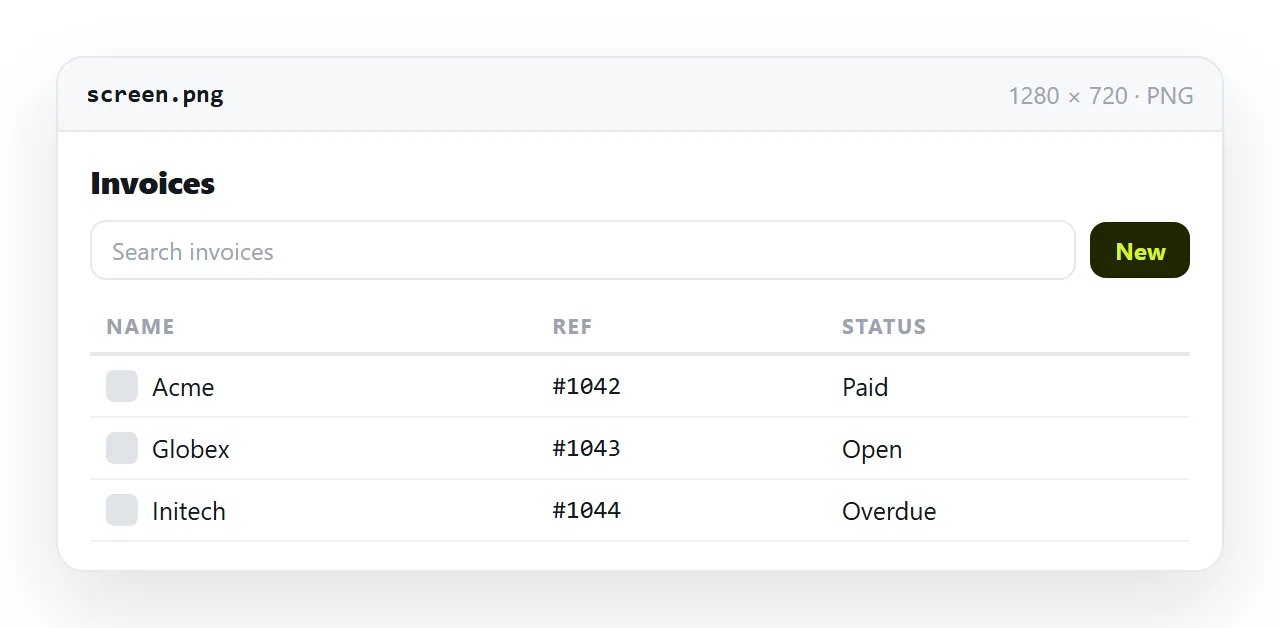
Knowing which half is which is the whole skill. Structure, ordering and rough proportions are reliable. Colour values, font choices, spacing and any text too small to read are guesses presented with the same confidence.
What an AI HTML generator from image can read
The model is reading pixels, so anything legible in the picture is available to it and anything else is not.
| In the image | How it converts |
|---|---|
| Overall layout and section order | Reliable |
| Column and card structure | Reliable |
| Readable headings and body copy | Transcribed, with occasional errors |
| Relative sizes and spacing | Approximate |
| Exact colour values | Approximate, often a near miss |
| Font family | Guessed from shape |
| Photographs and logos | Placeholders only |
| Text smaller than about ten pixels | Invented |
| Hover, focus and animation | Absent, the image cannot show them |
The last three rows are where reviewing matters. A placeholder is obvious. Invented small print is not, because it looks like transcription.
Give it a better picture
Input quality changes the output more than prompt wording does.
- One screen at a time. A long scrolling capture makes the model compress sections it can barely see.
- Flat capture, not a photo. A picture of a monitor adds glare, angle and moire, all of which read as detail.
- Full width, readable text. If you cannot read a label in the image, neither can the model, and it will write something plausible in its place.
- Light background if possible. Dark captures lose edge definition between adjacent panels.
For a design file rather than a screenshot, export a flat image at a generous size and treat it the same way.
Asking for output you can use
Three requests change what arrives:
- One self-contained HTML file with the CSS in a style block, not three files.
- Comments or obvious placeholder blocks wherever an image belongs, so the gaps are visible.
- Semantic elements for structure rather than a stack of unnamed divs, which makes later editing possible.
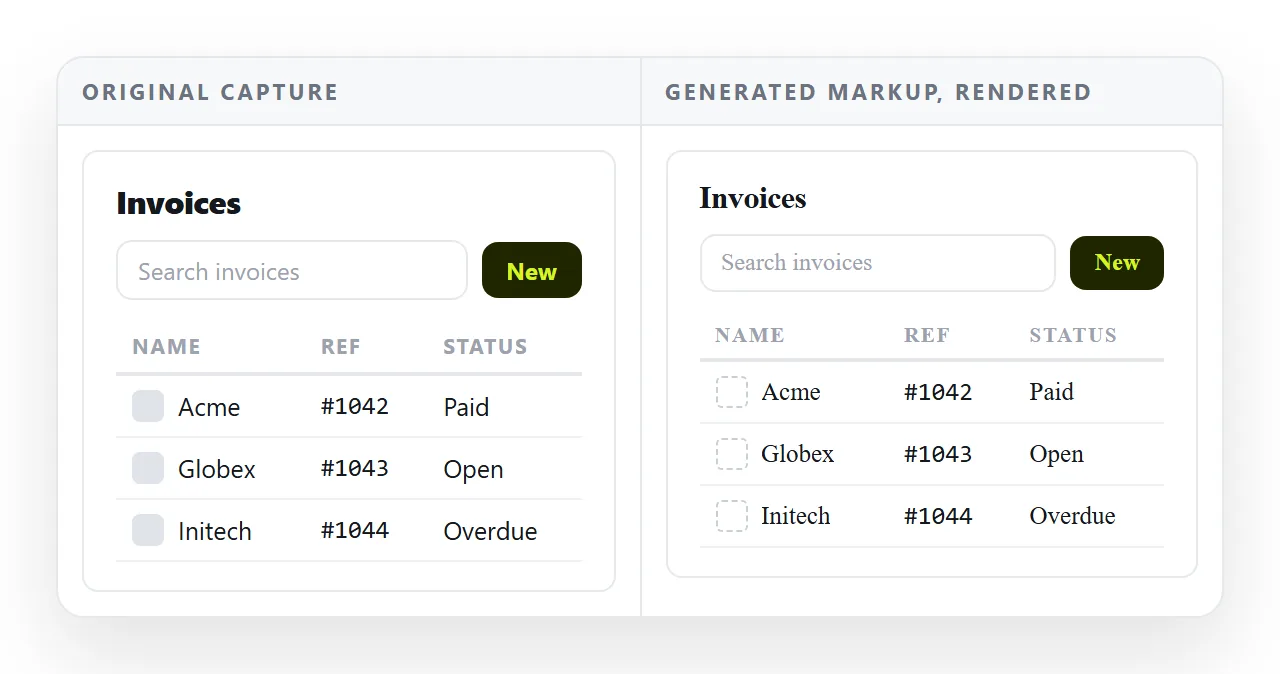
Ask for the whole file back rather than a description of the approach. A file you have to assemble by hand loses the one advantage the route has, which is speed to something you can look at.
Compare it with the original before anything else
Render the output in the HTML file opener and put it next to the picture. A neutral window matters here, because it has no fonts, no folder and no cached assets from your project.
Work through four things in order.
Copy. Read every line of transcribed text against the image. Numbers and short labels are where transcription errors concentrate.
Colour. Sample the original and compare. A near miss on a brand colour is worse than an obvious miss, because nobody catches it until the page is live. AI HTML brand colours covers replacing a palette cleanly.
Spacing. Generated spacing tends to be uniform where the original was not. This is the difference people notice without being able to name it.
Images. Every placeholder needs a real file, embedded or at a full address. Filename references break the moment the page moves, which is the whole of images not showing.
What it will not give you
An image contains one state of one screen. Several things are therefore absent by definition, and no amount of prompting recovers them.
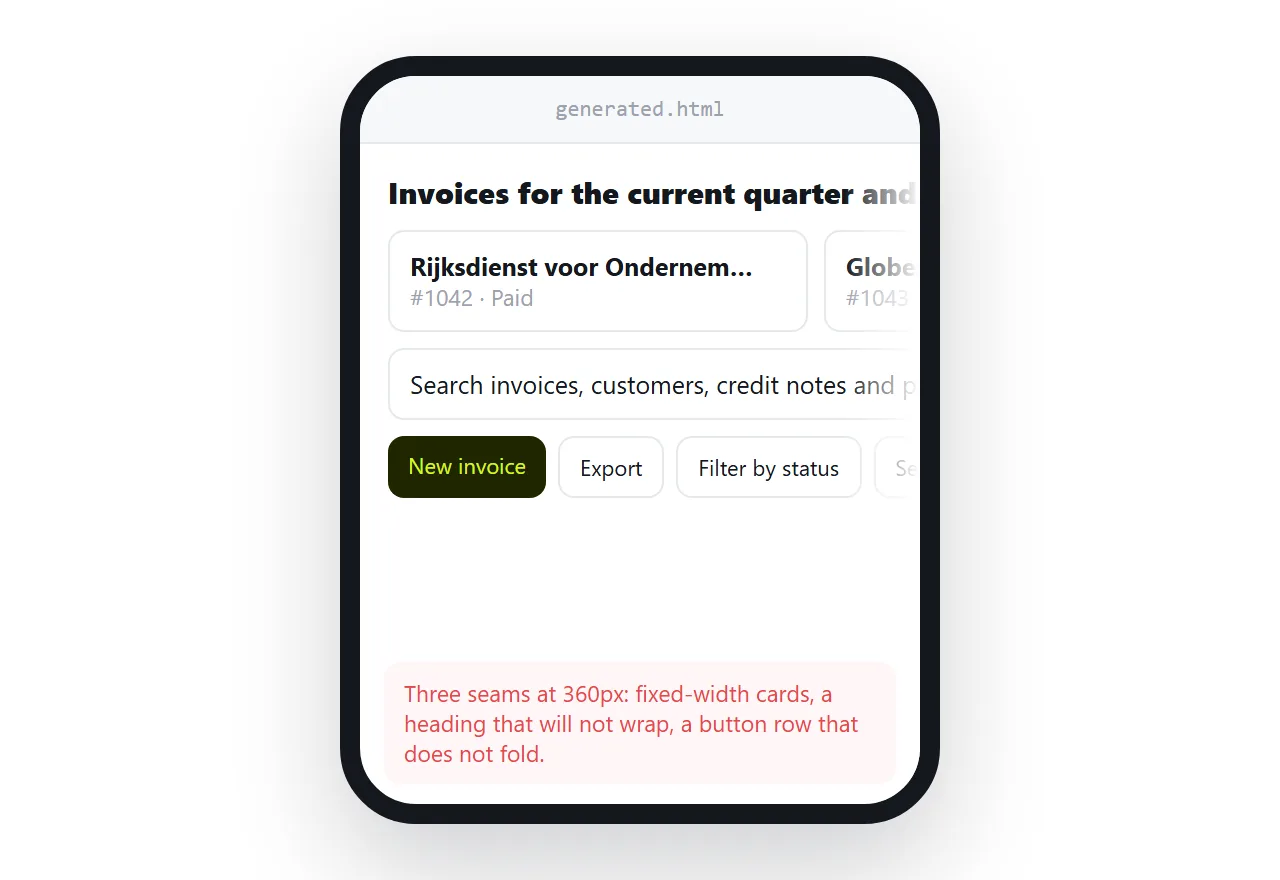
Interaction is missing: hover styles, focus rings, open and closed states, transitions. Responsive behaviour is missing, because the capture was one width, so the media queries you get are invented defaults.
Content behind the picture is missing too. A tab strip in a screenshot has one visible panel, and the others do not exist in the output.
Check the page at narrow width early. It is quicker to fix the layout before you have filled it with real content.
Where the route is worth taking
Conversion from an image earns its keep when the design already exists and retyping it is the only obstacle. An old page being rebuilt, a slide being turned into a web version, a paper form being put online.
It is a poor fit when the picture is a rough sketch. A sketch has no colour values or type scale to read, so the model supplies defaults and you get a generic page that happens to share your section order.
In that case, describe what the page is for instead. A written brief gives a generator more to work with than a low detail picture does.
Getting it in front of people
Once the copy, colours and images are real, the page is a deliverable, and the file on your desktop is not.
Paste the markup into a NOS document and it renders as a page of its own. Create the share link with Share, then Share link, then Create link, and send that. Turning HTML into a link is that step on its own.
For review rounds this shape pays off twice. Reviewers open a link rather than downloading a file, and nothing needs installing at their end.
Corrections are made by clicking the text, so the address never changes and there is no second version to keep track of. Editing AI generated HTML without code covers which changes need the source and which do not.
If the starting point is a description rather than a picture, the output and the review are similar but the failure modes differ. AI HTML UI generators covers that route.