CSS color variables turn restyling a page from a search-and-replace job into changing four lines. Generated pages have a look everyone now recognises: a purple-to-pink gradient, translucent cards, drop shadows on everything, and the same accent colour whatever the brand.
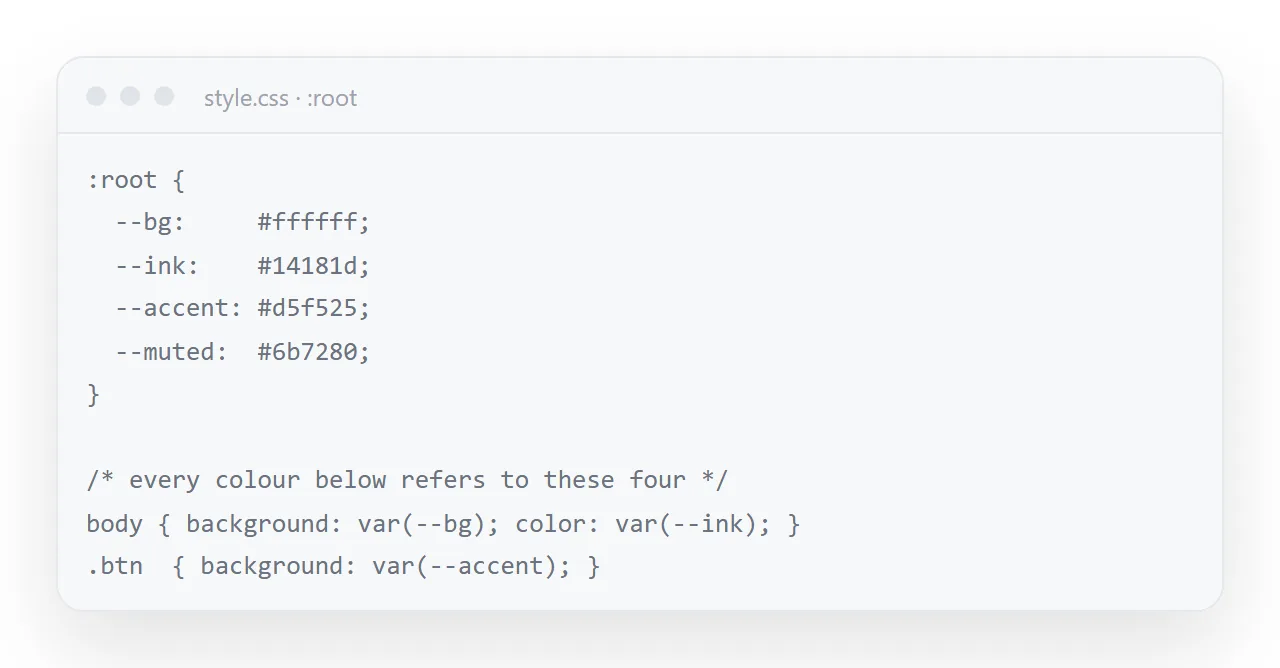
Four values in a :root block replace all of it, and a page that was asked for with variables in the first place needs nothing else.
This guide covers the four-colour palette, asking for variables up front, removing the gradient and shadows, checking contrast, and where the one accent should go.
Generated pages share a house style: a blue-to-purple gradient header, large rounded cards, heavy shadows, and a saturated accent. It looks competent and it looks generated, which matters when the page is going to a client.
CSS color variables: ask for them, then change four lines
Put all colours in CSS variables on :root. Use exactly four:
--fg (text), --fg-2 (secondary text), --line (borders), --accent.
No gradients, no drop shadows.
That gives you this, which takes a minute to retune:
:root {
  --fg: #18181b;
  --fg-2: #52525b;
  --line: #e7e7ea;
  --accent: #2a78d6;
}
Without variables the same hex code appears fourteen times in the file and you will miss two of them.
Four colours is the whole palette
| Variable | Job | Safe starting value |
|---|---|---|
--fg |
Headings and body text | #18181b |
--fg-2 |
Captions, labels, secondary lines | #52525b |
--line |
Borders and dividers | #e7e7ea |
--accent |
One highlighted thing per view | Your brand colour |
The discipline is in the last row. One accent, used for the single thing you want looked at first. A page where four things are highlighted has nothing highlighted.
Remove the gradient and the shadows
/* found */
.header { background: linear-gradient(135deg, #667eea, #764ba2); }
.card { box-shadow: 0 10px 25px rgba(0,0,0,.12); border-radius: 16px; }

/* replace */
.header { background: var(--accent); }
.card { border: 1px solid var(--line); border-radius: 12px; }
Hairline borders instead of shadows is the single change that most makes a page look deliberate rather than templated. Shadows also print as grey mud — see print stylesheets.
Fonts are part of the brand too
The same four-line change applies to type: a --font variable in :root and every font-family referring to it. Use the brand face only if it can be embedded or loaded from an address you control; otherwise a system stack that matches its weight and width is closer to the brand than a fallback serif would be.
Check the contrast
This is where brand colours cause real problems. A brand accent chosen for a logo is often too light to hold white text.
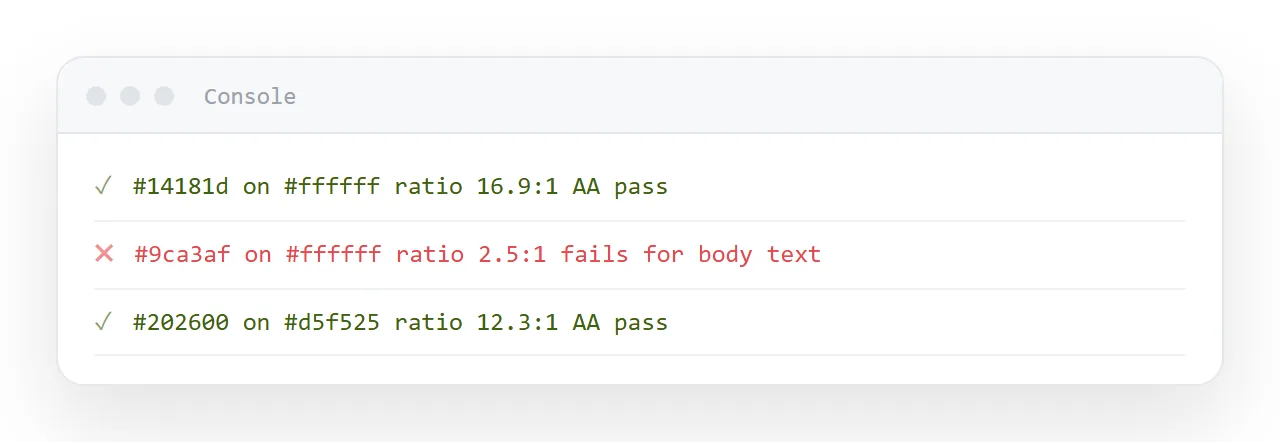
Open the inspector, select the text, and read the contrast ratio it reports. The thresholds:
| Text | Minimum ratio |
|---|---|
| Body text | 4.5 : 1 |
| Large text (24px+, or 19px bold) | 3 : 1 |
| Borders and non-text marks | 3 : 1 |
If your accent fails against white, use a darker variant for text and keep the original for fills:
:root {
  --accent: #d5f525;       /* fills, bars, buttons */
  --accent-ink: #202600;   /* text on top of the accent */
  --accent-dim: #6f850c;   /* the accent as text on white */
}
This is a normal arrangement, not a workaround. A bright accent works as a background and not as text, and pretending otherwise produces links nobody can read.
Where the accent should go
- The one figure that matters on a dashboard
- The current item in a timeline
- The primary button, and nothing else
- The highlighted series in a chart, with everything else grey
Note the last one. A chart where every bar is a different bright colour is harder to read than one where the relevant bar is coloured and the rest are grey.
While you are there: dark mode
Because everything is a variable, supporting dark mode is one block:
@media (prefers-color-scheme: dark) {
  :root { --fg: #e7e7ea; --fg-2: #a1a1aa; --line: #333; --bg: #18181b; }
}
Worth it because many readers have their phone set dark, and a page that ignores it arrives as a white rectangle at night. See dark mode CSS.
Restyle once, reuse after that
Doing this every week for a regenerated page is a waste. Retune the colours once, keep the page as a template, and edit the content thereafter.
In NOS the pasted HTML renders exactly as written — your colours are not overridden or normalised — and the text inside stays clickable, so weekly reuse is typing over the numbers rather than restyling a fresh page.
A page that was not built with variables
Older generated pages hard-code colours in every rule. The fastest route is still not to hunt them: paste the file back to the assistant with "rewrite the CSS to use :root variables for background, ink, muted and accent, change nothing else".
Check the result against the original in the viewer, side by side, before accepting it, because "change nothing else" is a request the assistant honours most of the time and not always.
Logos and images
Colour variables do not reach a logo embedded as a PNG, and a purple logo on a teal page looks like an accident.
Use the SVG version of the logo and set its fill to currentColor or to the ink variable, so it follows the page.
Photographs and screenshots stay as they are; the palette should be chosen so they sit on it, which is one more reason for a neutral background.
Checking it on a phone and in dark mode
Colours that pass on a laptop can fail on a phone in sunlight; the contrast number is the safeguard, and 7 to 1 is a better target than 4.5 to 1 for body text that will be read outdoors.
If the page follows the reader's dark mode, define the four variables a second time inside a prefers-color-scheme: dark block and check the contrast of that set too. Dark mode CSS has the pattern.
Restyling the page: 4 steps
- Ask for the page with CSS variables.
--bg,--ink,--mutedand--accentin a:rootblock, and every colour in the file referring to them. - Change the four values. Your background, your text colour, a muted grey, one accent. Delete the gradient and the shadows while you are there.
- Check the contrast. Ink on background at 4.5 to 1 or better for body text. Any contrast checker gives the number in ten seconds.
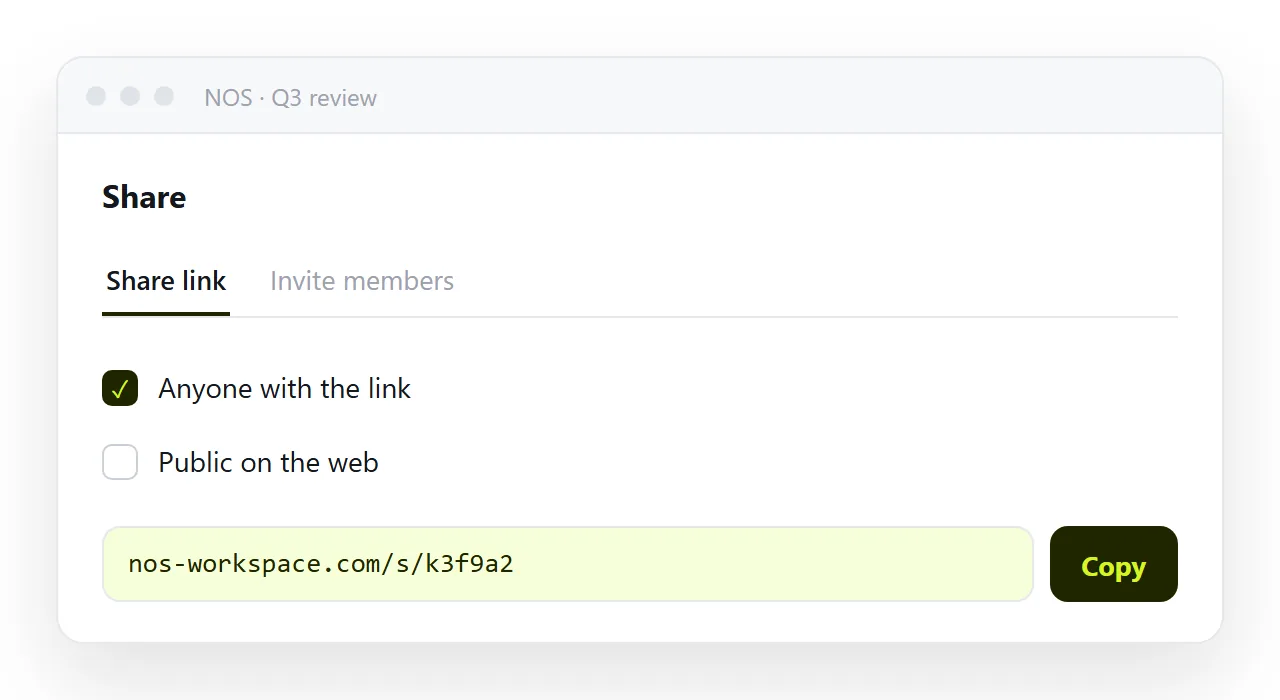
- Save the restyled page as the template. Keep it in a NOS document and share that address: Share, then Share link, then Create link. Next time, start from this page instead of the generated default.