Brython (Browser Python) is an implementation of Python 3 that runs in the browser, with an interface to the page and its events. This guide covers it as a library in a plain HTML file.
Add a script tag, call brython(), and write Python in a tag of its own.
Try it first. Click the button and watch Python count.
<!doctype html>
<html lang="en">
<head>
<meta charset="utf-8">
<meta name="viewport" content="width=device-width, initial-scale=1">
<title>Brython: a click counter written in Python</title>
<!-- 1. load Brython from a CDN, with the version pinned -->
<script src="https://cdn.jsdelivr.net/npm/brython@3.14.3/brython.min.js"></script>
<style>
  body { margin: 0; padding: 24px; font-family: system-ui, sans-serif; background: #f4f5f7; }
  button {
    font: inherit; font-weight: 600; padding: 12px 20px; border: 0; border-radius: 10px;
    background: #2563eb; color: #fff; cursor: pointer;
  }
  p { margin: 14px 0 0; color: #374151; }
</style>
</head>
<!-- 2. brython() reads every <script type="text/python"> once the page has loaded -->
<body onload="brython({debug: 1, indexedDB: false})">
<button id="btn">Click me</button>
<p id="msg">Nothing clicked yet.</p>

<!-- 3. this block is Python, not JavaScript -->
<script type="text/python">
from browser import document, bind

count = 0

@bind(document["btn"], "click")
def on_click(ev):
    global count
    count += 1
    document["msg"].text = f"Clicked {count} time(s) - counted by Python."
</script>
</body>
</html>
The three parts a Brython page needs
The Brython documentation boils the setup down to three steps. Every working page has all three.
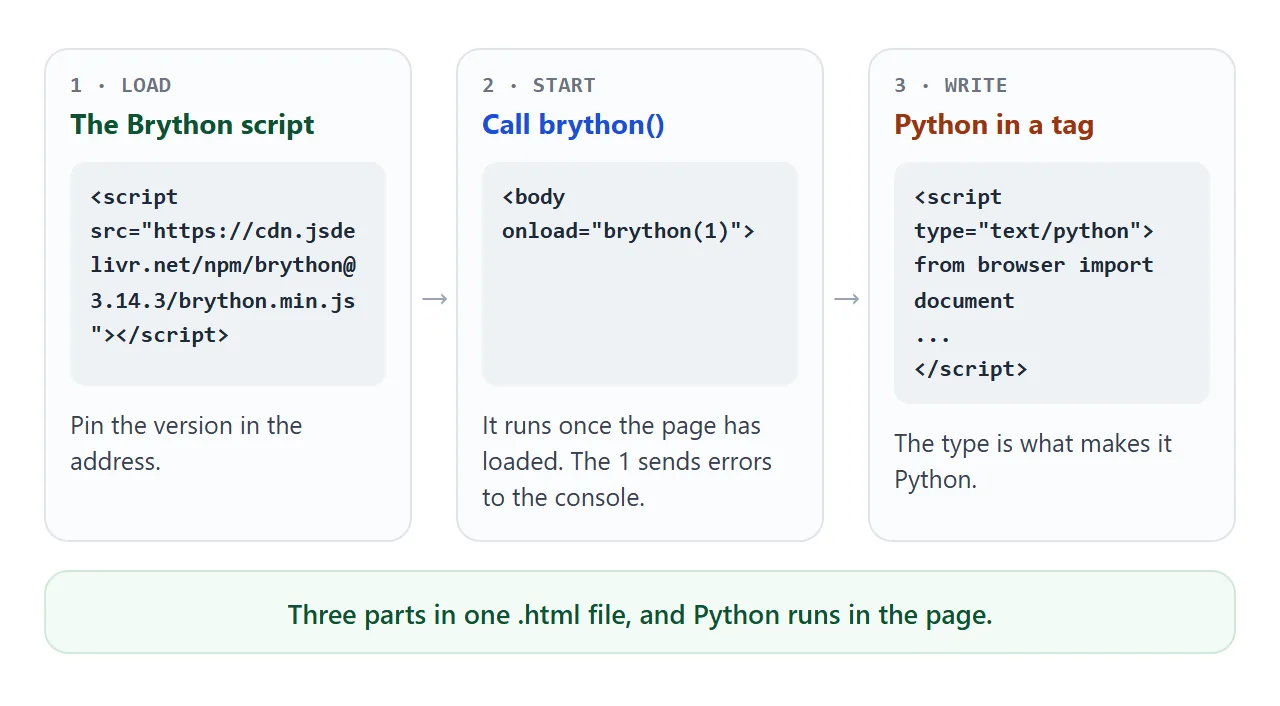
- Load the script. The README shows it from the jsDelivr CDN, with the version in the address. This guide uses version 3.14.3, the one the examples were tested with.
- Run
brython()on page load. The docs put it in theonloadattribute of the<body>tag. Passing1sends error messages to the browser console. - Write Python in a script tag whose type is
text/python.
<script src="https://cdn.jsdelivr.net/npm/brython@3.14.3/brython.min.js"></script>

<body onload="brython({debug: 1, indexedDB: false})">
  <button id="btn">Click me</button>
  <script type="text/python">
  from browser import document, bind

  @bind(document["btn"], "click")
  def on_click(ev):
      document["btn"].text = "Clicked"
  </script>
</body>
Pinning the version matters. An address without a version resolves to the latest release, so the code it serves can change later.
What happens in the browser
Nothing runs on a server. When the page loads, brython() looks for every script tag of type text/python, translates the Python to JavaScript, and runs the result.
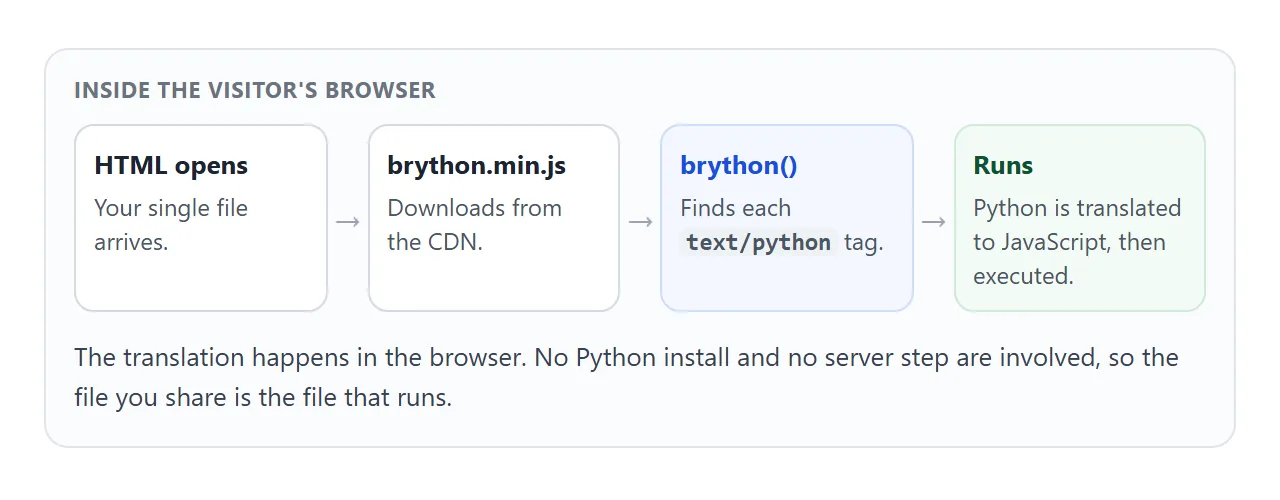
That is why one .html file is enough. The Brython FAQ says it supports all modern browsers, including on smartphones, so the same file opens on a phone.
Reading and changing the page from Python
The browser module is how Python reaches the page. document acts like a dictionary keyed by element id, and @bind attaches an event handler to an element.
To create elements, use the html module. html.LI("text") makes a list item, and the <= operator adds a child to an element. The example below uses all three.
<!doctype html>
<html lang="en">
<head>
<meta charset="utf-8">
<meta name="viewport" content="width=device-width, initial-scale=1">
<title>Brython: build page elements from Python</title>
<script src="https://cdn.jsdelivr.net/npm/brython@3.14.3/brython.min.js"></script>
<style>
  body { margin: 0; padding: 20px; font-family: system-ui, sans-serif; background: #f4f5f7; color: #1d2330; }
  form { display: flex; gap: 8px; flex-wrap: wrap; }
  input { flex: 1 1 160px; min-width: 0; font: inherit; padding: 10px 12px; border: 1px solid #cbd1da; border-radius: 8px; }
  button { font: inherit; font-weight: 600; padding: 10px 16px; border: 0; border-radius: 8px; background: #2563eb; color: #fff; cursor: pointer; }
  ul { list-style: none; margin: 14px 0 0; padding: 0; display: grid; gap: 8px; }
  li { background: #fff; border-radius: 10px; padding: 10px 14px; box-shadow: 0 2px 8px rgba(0,0,0,.08); display: flex; justify-content: space-between; align-items: center; gap: 10px; }
  li button { background: #e5e7eb; color: #374151; padding: 4px 10px; }
  #count { margin: 12px 0 0; color: #4b5563; font-size: 14px; }
</style>
</head>
<body onload="brython({debug: 1, indexedDB: false})">
<form id="form">
  <input id="task" placeholder="Add a task" autocomplete="off">
  <button>Add</button>
</form>
<ul id="list"></ul>
<p id="count"></p>

<script type="text/python">
from browser import document, html

def update_count():
    n = len(document["list"].children)
    document["count"].text = f"{n} task(s) on the list"

def remove(ev):
    ev.target.parent.remove()          # the <li> that holds the button
    update_count()

def add(ev):
    ev.preventDefault()                # handle the form inside the page
    text = document["task"].value.strip()
    if not text:
        return
    # html.LI(...) creates an element; <= appends a child to it
    li = html.LI(text)
    button = html.BUTTON("Remove")
    button.bind("click", remove)
    li <= button
    document["list"] <= li
    document["task"].value = ""
    update_count()

document["form"].bind("submit", add)
update_count()
</script>
</body>
</html>
Two details are worth copying. The add handler calls ev.preventDefault(), so the form does not reload the page. And results go into an element with .text, because print() writes to the browser console, not onto the page.
Using the standard library
Importing from the standard library needs a second file. The FAQ says that when such an import fails, the likely reason is that brython_stdlib.js is not included in the page.
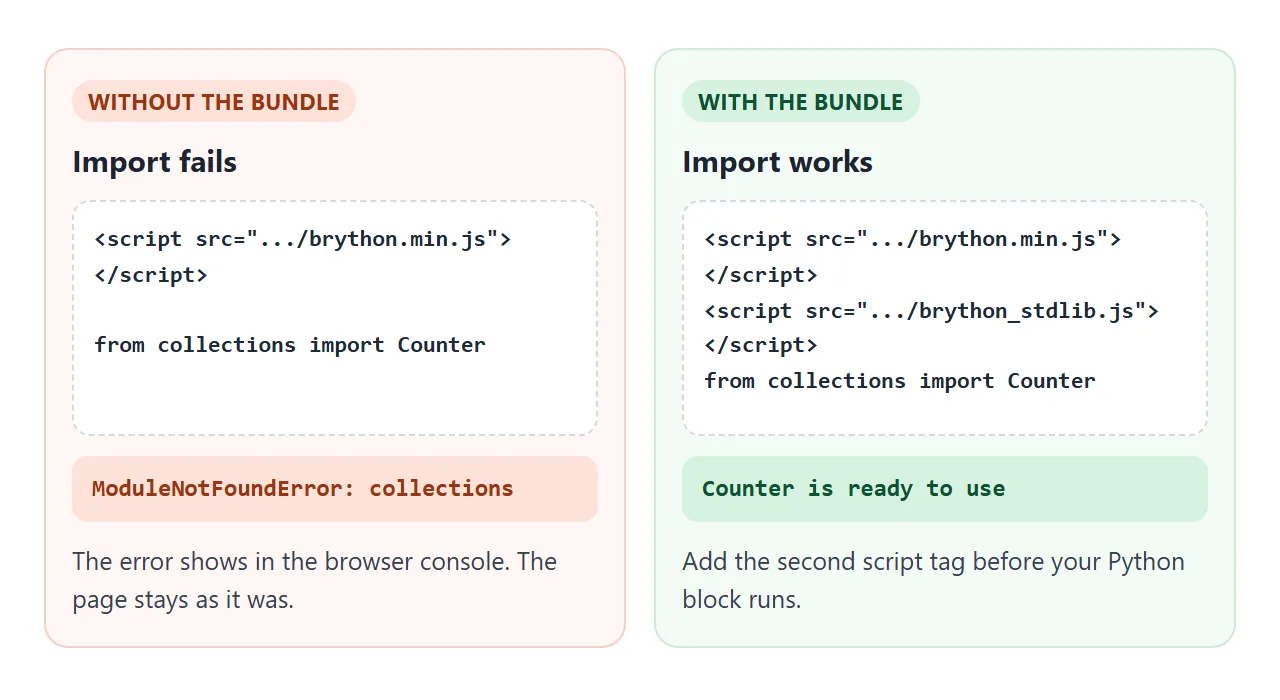
For version 3.14.3 the jsDelivr file listing shows brython.min.js at 1.29 MB and brython_stdlib.js at 4.57 MB. Add the second file when your Python imports from the standard library, and leave it out when it does not.
This finished example counts words with re and collections.Counter and draws a bar for each of the most common words. Edit the text and the bars update.
<!doctype html>
<html lang="en">
<head>
<meta charset="utf-8">
<meta name="viewport" content="width=device-width, initial-scale=1">
<title>Brython: word frequency with the standard library</title>
<script src="https://cdn.jsdelivr.net/npm/brython@3.14.3/brython.min.js"></script>
<!-- needed for "from collections import Counter" and other standard-library imports -->
<script src="https://cdn.jsdelivr.net/npm/brython@3.14.3/brython_stdlib.js"></script>
<style>
  body { margin: 0; padding: 20px; font-family: system-ui, sans-serif; background: #f4f5f7; color: #1d2330; }
  textarea { width: 100%; box-sizing: border-box; height: 110px; font: inherit; padding: 10px 12px; border: 1px solid #cbd1da; border-radius: 8px; resize: vertical; }
  #stats { margin: 12px 0; font-weight: 600; }
  .row { display: grid; grid-template-columns: 90px 1fr 28px; align-items: center; gap: 8px; margin: 5px 0; font-size: 14px; }
  .bar { height: 14px; border-radius: 7px; background: #2563eb; min-width: 4px; }
  .w { overflow: hidden; text-overflow: ellipsis; white-space: nowrap; }
</style>
</head>
<body onload="brython({debug: 1, indexedDB: false})">
<textarea id="text">the cat saw the dog and the dog saw the bird. a bird is not a cat, and a cat is not a dog.</textarea>
<p id="stats"></p>
<div id="bars"></div>

<script type="text/python">
import re
from collections import Counter
from browser import document, html

def refresh(ev=None):
    words = re.findall(r"[a-z']+", document["text"].value.lower())
    top = Counter(words).most_common(6)
    document["stats"].text = f"{len(words)} words, {len(set(words))} different"
    box = document["bars"]
    box.clear()
    biggest = top[0][1] if top else 1
    for word, n in top:
        bar = html.DIV(Class="bar", style={"width": f"{n * 100 // biggest}%"})
        row = html.DIV(Class="row")
        row <= html.SPAN(word, Class="w")
        row <= html.DIV(bar)
        row <= html.SPAN(str(n))
        box <= row

document["text"].bind("input", refresh)
refresh()
</script>
</body>
</html>
Limits to know before you start
Brython runs Python in a browser, so some Python habits do not carry over.
- Only pure-Python modules. The FAQ says only modules written entirely in Python can be imported, and modules that need operating-system features cannot work.
- External files must share the domain. A script loaded with
srcgoes through an Ajax call and must be in the same domain as the HTML page. Inline Python avoids the question. - First load downloads the engine. The visitor's browser fetches the Brython file before any of your Python runs.
For plain interaction, as in the examples above, none of these get in the way.
When it does not work
Python errors go to the browser console, so open the developer tools and read the Console tab first.
| Symptom | Cause | Fix |
|---|---|---|
| Console shows a SyntaxError on your Python | The script tag has no type="text/python" |
Add the type, so Brython handles it |
ModuleNotFoundError for a standard module |
brython_stdlib.js is not in the page |
Add the second script tag |
KeyError naming an id |
document["id"] does not match any id |
Check the spelling in the HTML |
Nothing appears when you call print() |
print() writes to the console |
Set .text on an element |
import requests fails |
The module needs features a browser does not offer | Use a pure-Python module, or do the task in the page |
A src Python file does not load |
It must be in the same domain as the page | Move the Python inline |
| You see no error at all | The console is closed | Open it, and call brython({debug: 1}) |
| SecurityError about IDBFactory, nothing runs | The page runs in a sandboxed frame that cannot open IndexedDB, and Brython caches standard-library modules there | Pass indexedDB: false to brython() |
Share it as a link
A Python page is easier to show than to describe. A screenshot cannot be clicked, and an .html attachment may open as plain code on a phone. Opening an HTML file on a phone covers why.
To send the working version, paste the page into a NOS document and choose Create share link. HTML to link walks through it.
The page renders as written, scripts from jsDelivr load, and the Python runs, so the people you send it to can click and type in it themselves. If you change the code later, the same link shows the new version.
If your Python tries to reach another site, such as with requests, NOS blocks that request. Keep the logic inside the page. For wider script problems, see HTML JavaScript not working.