To get usable Claude HTML animation, name four things in the request: which element moves, which property changes, how long it takes, and what starts it.
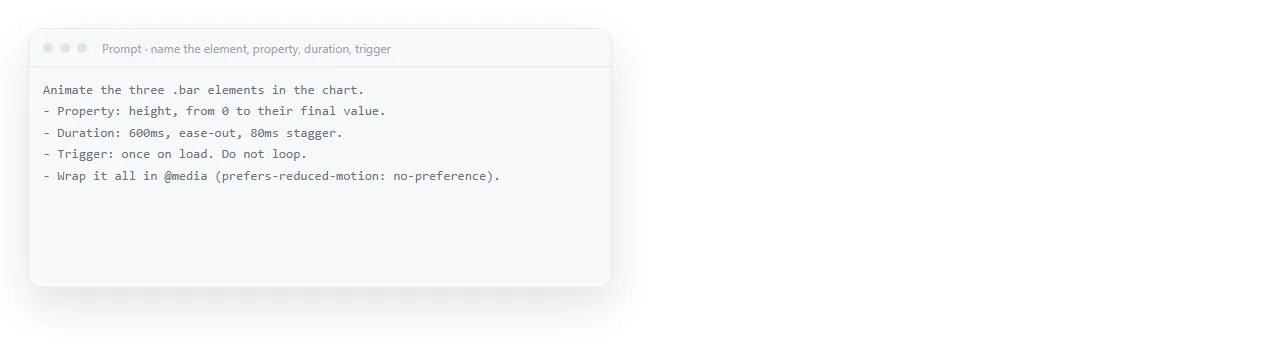
Vague requests are what produce the familiar result: a page where everything slides, pulses and fades, and the content is harder to read than before.
The four part request
Animate the four metric cards on the dashboard.
Property: opacity from 0 to 1, and translateY from 12px to 0.
Duration: 400ms each, staggered 80ms apart, ease-out.
Trigger: once, when the card scrolls into view.
Respect prefers-reduced-motion: no movement, cards visible immediately.
Each line removes a decision the model would otherwise make for you. The last line is the one most people forget and the one a reviewer will ask about.
For a loop, add the return state: say that the animation should end where it started, otherwise the second cycle jumps.
Which properties stay smooth
| Property | Smooth | Why |
|---|---|---|
opacity |
Yes | No layout recalculation |
transform (move, scale, rotate) |
Yes | Handled without reflowing the page |
width, height |
No | Every frame recalculates layout |
top, left, margin |
No | Same reason, and worse in long lists |
box-shadow, filter, blur |
Sometimes | Expensive to draw, visible on weaker machines |
If an animation stutters, this table is the first place to look. Ask for the motion to be rewritten with transforms and opacity, and the stutter usually disappears without changing how it looks.
CSS or JavaScript
Ask for CSS when the motion is fixed: an entrance, a hover state, a loading indicator, a loop. It is shorter, it runs smoothly, and it survives being pasted somewhere else.
Ask for JavaScript when the motion depends on something: a value from data, scroll position, a sequence with conditions, or a chart drawing itself.
A mixed answer is normal and fine.
What is not fine is a script animating a property frame by frame that CSS could have handled. That shape is common in generated code. Say in the request that CSS should be preferred wherever it is sufficient.
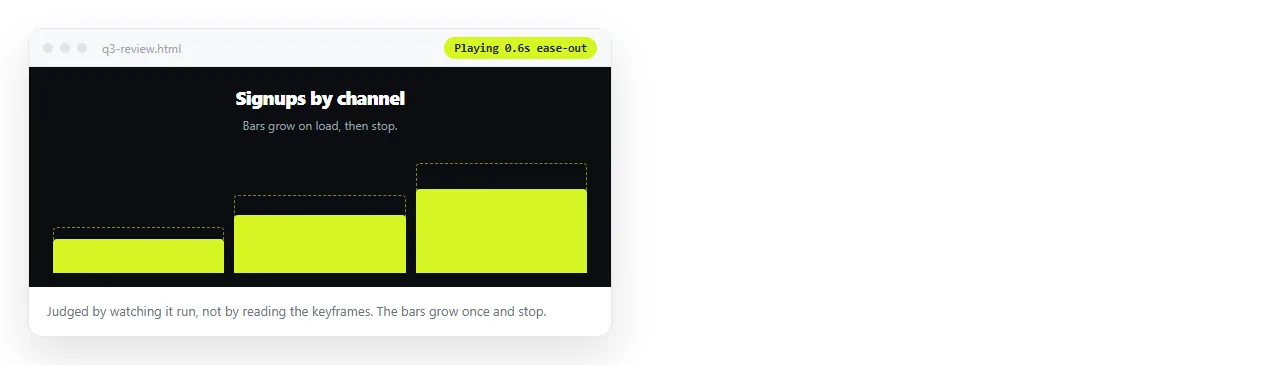
Watch it, do not read it
Animation cannot be judged from source. Timings that look reasonable in code are often twice as long as they should feel.
- Copy the complete HTML out of the chat.
- Paste it into the HTML viewer or a NOS document, where it renders exactly as written.
- Watch it three times. The third viewing is when you notice that the delay before the first movement is too long.
- Send one round of corrections with numbers in it, not adjectives.
"Make it snappier" produces a guess. "Reduce each card to 250ms and the stagger to 50ms" produces the change you meant.
Claude HTML animation that earns its place
The useful test is whether removing the animation removes meaning.
- Earns it: a sequence showing a process in order, a chart drawing so the shape registers, a state change confirming something happened.
- Does not earn it: headings sliding in, background gradients shifting, parallax on a report, anything that repeats forever near text.
Decoration is expensive twice. It costs attention, and it costs generation length that the content needed. When AI HTML is too long covers what to cut when the file arrives truncated, and unrequested animation is usually first.
Accessibility and the reduced motion setting
Some readers set their system to reduce motion, often because movement makes them unwell. A page that ignores that setting is a page they leave.
Ask for the media query explicitly, and ask that the reduced version is still complete: elements visible, nothing waiting for an animation that will not run.
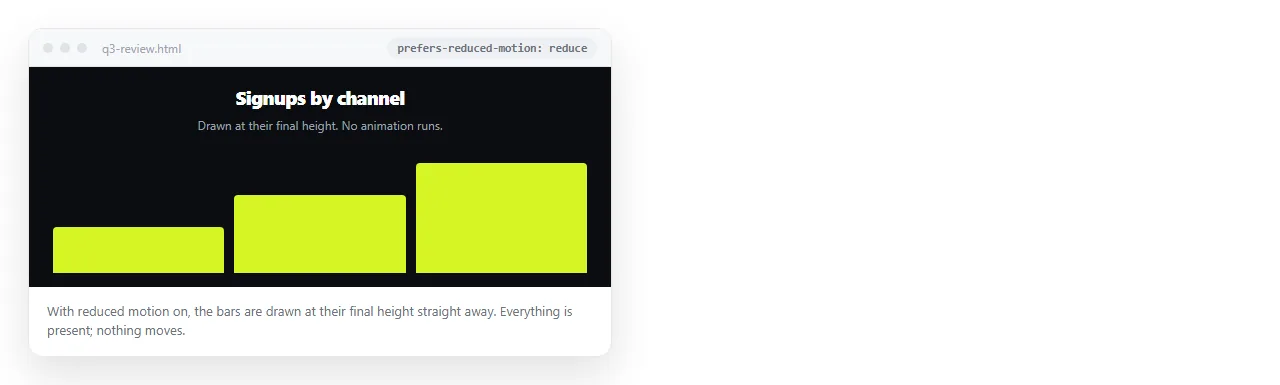
Check it by switching the setting on your own machine and reloading. This takes a moment and is the single most common thing missing from generated animated pages.
Sending an animated page
Animation only exists where the HTML runs. Every flat format kills it.
A PDF keeps one frame. A screenshot keeps one frame, usually the wrong one, since the first frame of a fade is nearly empty. A recorded video keeps the motion but loses interaction and goes stale when the numbers change.
Pasting the HTML into a NOS document keeps it as a live page. It renders exactly as written, animation, dark theme, charts and scripts included, and Share, then Share link, then Create link gives it an address.
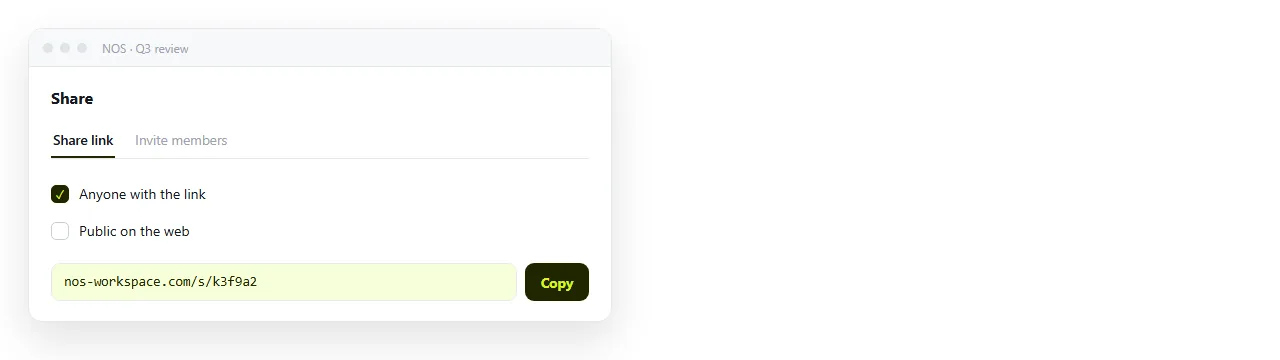
The link is unlisted by default, and the address stays the same when you edit the page, so a correction does not mean a second message. Turning HTML into a link is that step on its own.
If a video file is genuinely required, for a social platform or an offline slide, Claude HTML to video covers recording the page cleanly.
A checklist before you send it. Five questions, and the first one catches most problems.
- Does it still read with motion switched off?
- Does anything loop forever next to text people must read?
- Does the first movement start within a moment, rather than after a long pause?
- Is anything animated with width, height or position offsets?
- On a phone, does the motion still make sense at one column?
Answering those five removes the round of feedback that otherwise arrives as a single word: distracting.
Motion problems are noticed by readers long before they are named, so the checklist does work that a reviewer will not do for you.
For consistency across a set of pages rather than one at a time, keep the motion rules in a reusable instruction rather than retyping them. Claude HTML design skill covers that pattern.