To get Claude HTML instead of markdown, ask for a complete single file HTML document and say where it will be opened.
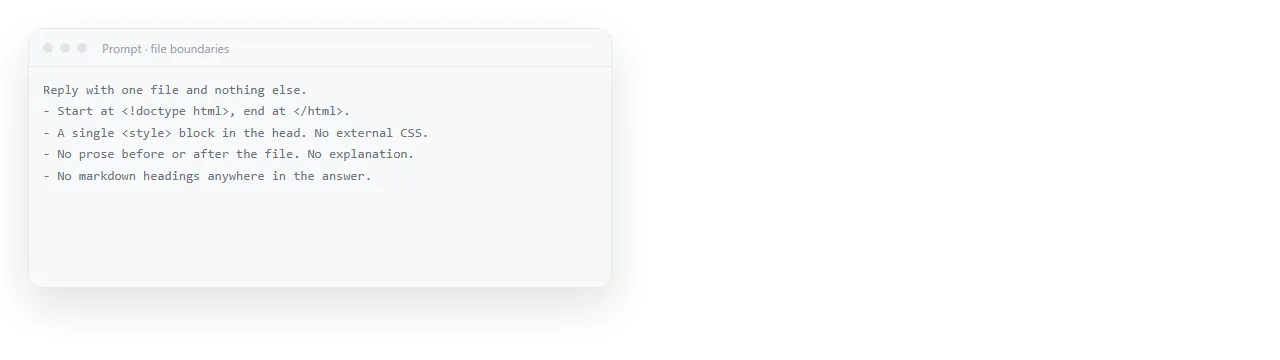
Markdown is the default shape of a chat answer, so it appears whenever the request leaves room for it. The fix is not a longer prompt. It is a request with no room in it.
Why the answer drifts back to markdown
Three common causes, in the order they occur.
The format was mentioned once. You opened with "in HTML" and then described the content for six lines. By the end the request reads as a document request, and the usual document shape returns.
The deliverable was a snippet. Asking for "the HTML for a table" produces a fragment, and fragments get wrapped in explanatory prose. Asking for a file does not.
The output was long. A long answer under pressure reverts to the cheaper format. Splitting the request into structure first and styling second avoids this.
The prompt shape that holds
State the artefact, the boundaries, the destination and the exclusion, in that order.
Produce a complete single file HTML document.
Start with <!doctype html> and end with </html>.
Put all CSS in one <style> tag in the head. No external files.
It will be opened in a browser on a laptop and on a phone.
Reply with the file only. No explanation before or after it.
The last line does most of the work. Without it you get the file plus a summary, and the summary is markdown, which is what you were trying to avoid.
For content with numbers, add one line about the data: where it comes from and whether the model may invent it. That single sentence removes most of the plausible looking figures.
HTML or markdown, decided by destination
| Destination | Ask for | Reason |
|---|---|---|
| A person reading it | HTML | Layout, tables, colour and charts survive |
| A repository or a ticket | Markdown | It is the native format there |
| Another prompt | Either | Models read both; tags carry structure |
| A slide or a report to send | HTML | It becomes a page with an address |
| A plain text field | Neither, ask for text | Converting later loses nothing you wanted |
The tool is not the deciding factor. The destination is. HTML versus markdown for AI agents covers the machine reading case, where the answer is less obvious.
Why ask for Claude HTML instead of markdown
Markdown has no styling, no colour, no chart and no layout. Every renderer decides those for itself, which is a feature when you want consistency with the surrounding system and a problem when the document is the deliverable.
HTML carries its own appearance. The table that was meant to be three columns stays three columns. The dark background stays dark. A chart drawn with SVG stays a chart.
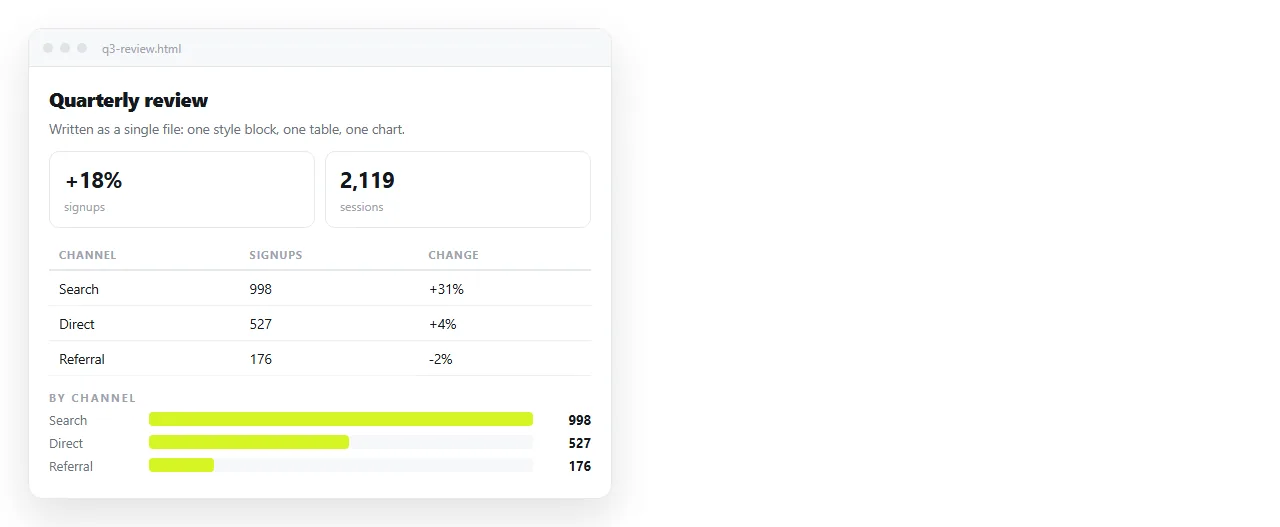
There is a second effect. A page carries its own appearance, so it looks the same to the person who opens it as it did to you.
A markdown file looks like whatever the reader's viewer decides. That is fine in a repository and unhelpful for a document you are accountable for.
That matters most for things you send: client reports, pricing sheets, one pagers, dashboards. AI generated report HTML goes into the content side of those.
Render before you judge it
Reading HTML source to decide whether the page is right is slow and unreliable. Render it first.
- Copy the whole code block, top to bottom.
- Paste it into the HTML viewer or a NOS document.
- Look at the page, not the source.
- Send back one round of corrections based on what you saw.
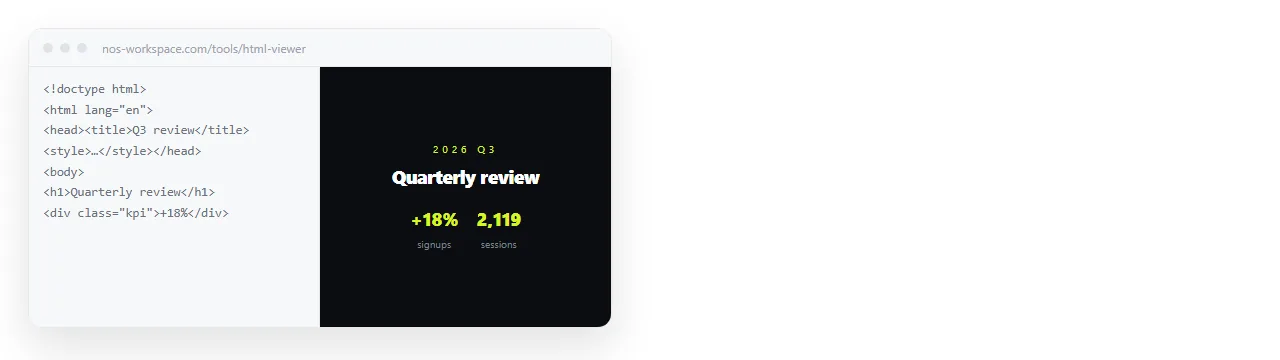
Reviewing the rendered page also changes what you ask for next. Looking at source produces requests about code. Looking at the page produces requests about the reader, which is the thing you were trying to get right.
Most corrections after the first render are small: a heading level, a column order, a number. Those do not need a new generation. Clicking the text in a document and typing over it is faster, which is what editing AI generated HTML without code describes.
When the file comes back incomplete
A truncated file ends mid tag, or the closing tag is missing. It will not render properly.
- Ask for the content first, styling second. Two shorter answers beat one cut off answer.
- Ask it to continue from the last complete tag. Say which tag, so the join is clean.
- Drop decoration you did not ask for. Long gradient backgrounds and icon sets eat length that the content needed.
When AI HTML is too long covers the splitting patterns in more detail.
Keeping the result usable
An HTML file on your disk is a file. It opens locally, and it is awkward to send, because attachments get filtered and phones do not open them.
Pasting it into a NOS document keeps it as a page instead. The HTML renders exactly as written, including dark theme, charts and scripts.
Share, then Share link, then Create link gives it an address. The link is unlisted by default, and it stays the same when you edit the page.
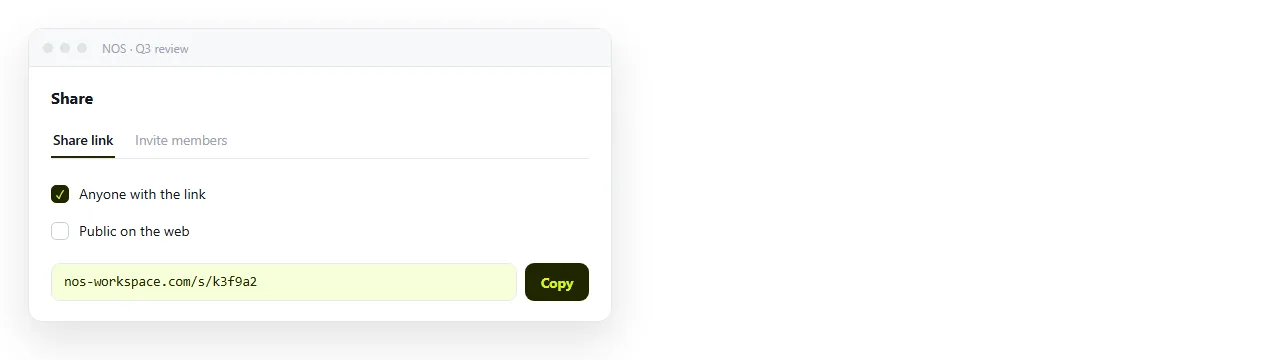
That closes the loop the markdown habit opened. You asked for HTML because a person was going to look at it. Giving the page an address is what lets that person look at it without a download.
If the same request comes round every week, keep the file as a template rather than rewriting the prompt. Reusing an AI HTML template explains what to keep and what to regenerate.