HTML vs markdown for AI agents comes down to one trade. Markdown is the cheaper default, and HTML is worth its extra length only when the document carries structure markdown cannot express.
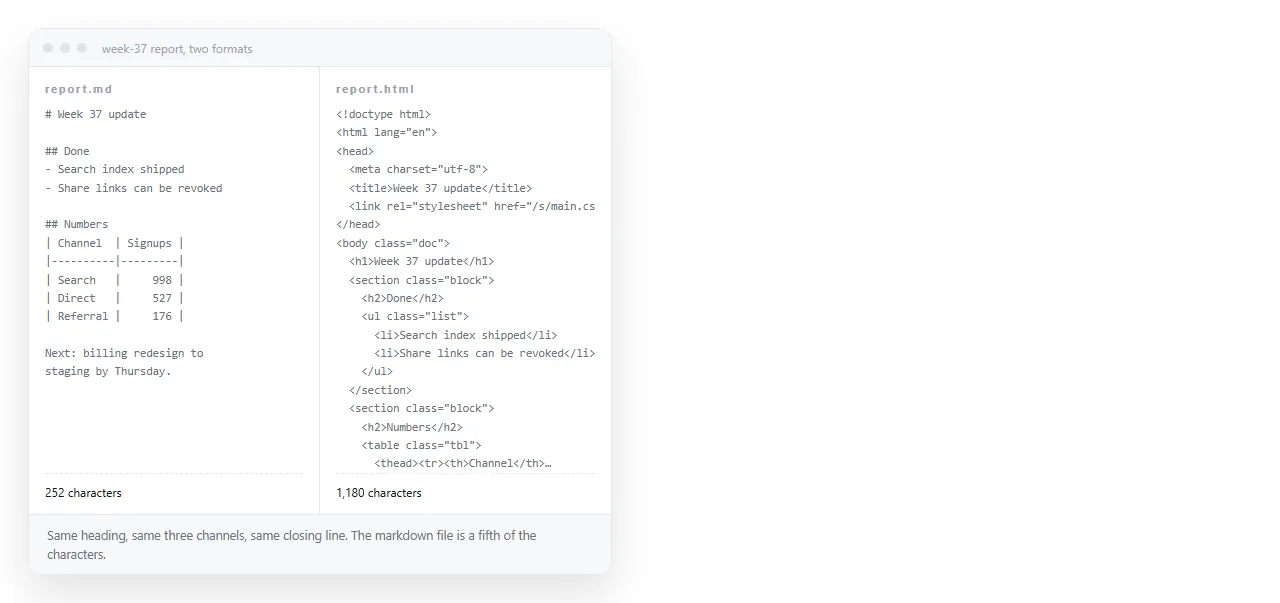
Comprehension is not the deciding factor. Current models read HTML tags without trouble. The trade is length and noise against structure and identity.
HTML vs markdown for AI agents: what each carries
| Carried | Markdown | HTML |
|---|---|---|
| Headings, lists, links | Yes | Yes |
| Simple tables | Yes | Yes |
| Merged cells, nested tables | No | Yes |
| Element identity for acting on | No | Yes, through id and class |
| Attributes such as data values | No | Yes |
| Meaning expressed by layout | No | Partly |
| Character cost for the same content | Low | Higher |
The first two rows cover the majority of documents an agent reads. That is why markdown is the sensible default rather than a compromise.
When HTML earns its length
Four situations, and they are specific.
The agent must act on an element. Clicking, filling or extracting a particular field needs an identifier. Markdown has none, so a converted page cannot be acted on, only read.
The table is not rectangular. Row spans, column spans and nested tables have no markdown equivalent. Converting flattens them, and the flattened result is often wrong rather than merely poorer.
Attributes hold data. Values on elements, timestamps, currency codes and identifiers disappear in conversion because markdown has nowhere to put them.
The content is a page with a design. If the agent is summarising a page for a person who will then look at it, keeping the HTML keeps the two views in agreement.
Outside those, the tags are cost without benefit. A page of prose wrapped in ten layers of layout divs is the worst case: long, and the length is all wrapper.
When to convert before reading
Converting HTML to markdown before the agent sees it is a strong default for prose pages, and it removes more than the tags.
- Navigation bars, footers and cookie banners go with it.
- Script and style blocks go with it, which is often most of the file.
- Tracking attributes and inline styles go with it.
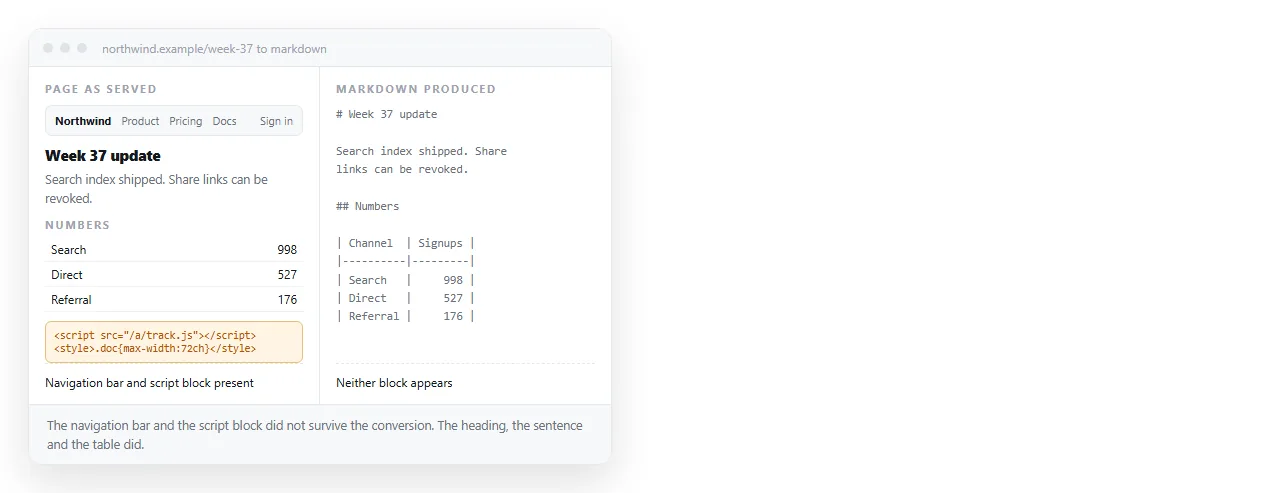
The risk is that the conversion also removes what you needed. Check for three things before trusting it: tables that lost their shape, links that lost their targets, and sections that vanished because they were behind a tab.
For pages where the agent will later act on elements, skip the conversion. You cannot click something that was discarded during a cleanup pass.
A per document type rule
- Articles and documentation: markdown. Nothing of value is lost and the saving is large.
- Financial or scientific tables: HTML if the table has merged cells, markdown if it is rectangular.
- Forms and interactive pages: HTML, because identity is the point.
- Dashboards and charts: HTML, and consider an image as well, since a chart drawn by a script has no textual form. HTML to image produces that picture.
- Agent instructions and policies: markdown, since they are hand edited too.
The point of a per type rule is that one global choice is always wrong somewhere. Formats are a property of the document, not of the pipeline.
Semantic markup is the part worth keeping
If you do feed HTML, the version with meaningful tags is worth much more than the version with generic containers.
A page built from headings, lists, tables, articles and sections tells the model where things begin and end. A page built from nested generic containers with styling classes tells it very little, at greater length.
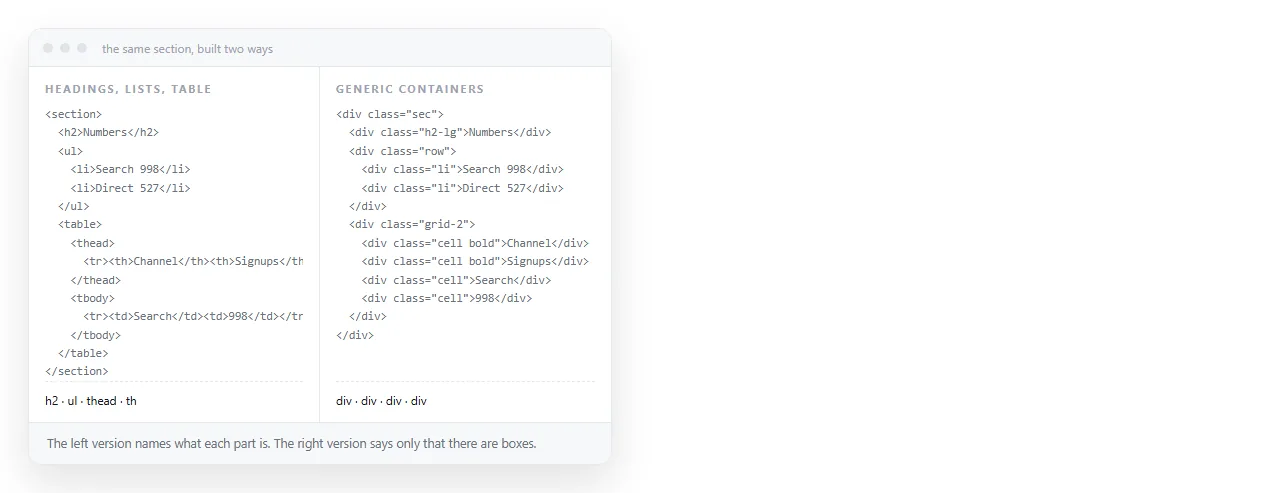
That is the same property that makes such pages accessible and indexable, and semantic HTML covers it directly. When you generate pages that agents will later read, this is the cheapest improvement available.
Output format for agents
The output side is decided by the destination, not by what was read.
| Output goes to | Format |
|---|---|
| A repository file or a ticket | Markdown |
| Another model call | Markdown, unless structure must survive |
| A person opening a page | HTML |
| A stored record with fields | Structured data, not prose |
An agent that produces a weekly report for people should emit HTML, because the layout, tables and charts are part of the result. AI generated report HTML covers what that output should contain.
Making agent output something people can open
An HTML file produced by an agent still has the delivery problem every HTML file has. Attachments get filtered, and phones do not open them.
Pasting the output into a NOS document renders it exactly as written, dark theme, charts and scripts included, and gives it an address through Share, then Share link, then Create link.
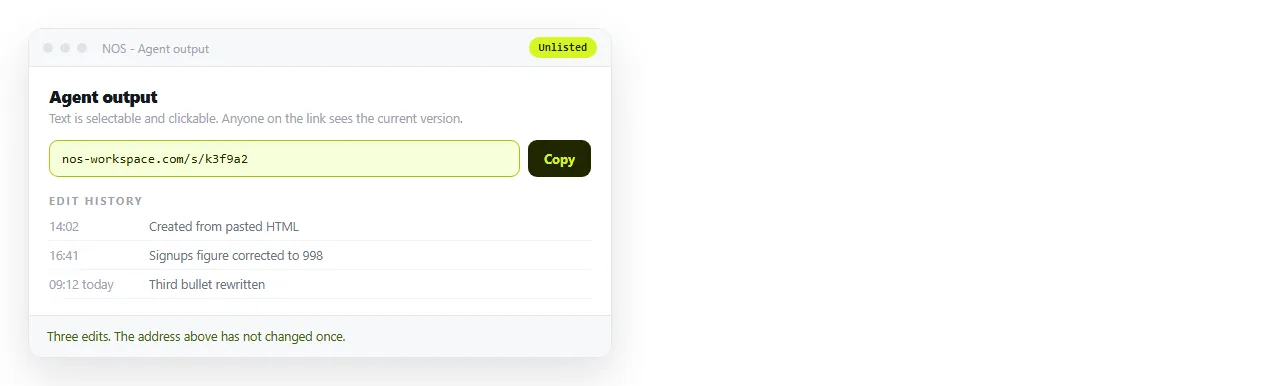
The link is unlisted by default, so only people you send it to can open it. Because the address does not change when the content does, a scheduled run can replace the contents of the same document rather than producing a new file every week.
The text also stays clickable, so a person can correct a figure without touching the agent. That is often the difference between a report people trust and one they quietly stop opening. Turning HTML into a link is the same step on its own.
If your agents are reading a document store rather than single pages, the trade is different again, and HTML versus markdown for RAG covers the chunking side of it.