Yes, Copilot can create HTML files, and the part worth planning for is where the markup ends up.
The answer to can Copilot create HTML files splits in two. In a chat window you get markup as text in the reply. In a code editor the assistant can write that markup into a file you name.
Both give you the same thing in the end, a block of HTML. Neither gives the reader a page yet. That last step is yours.
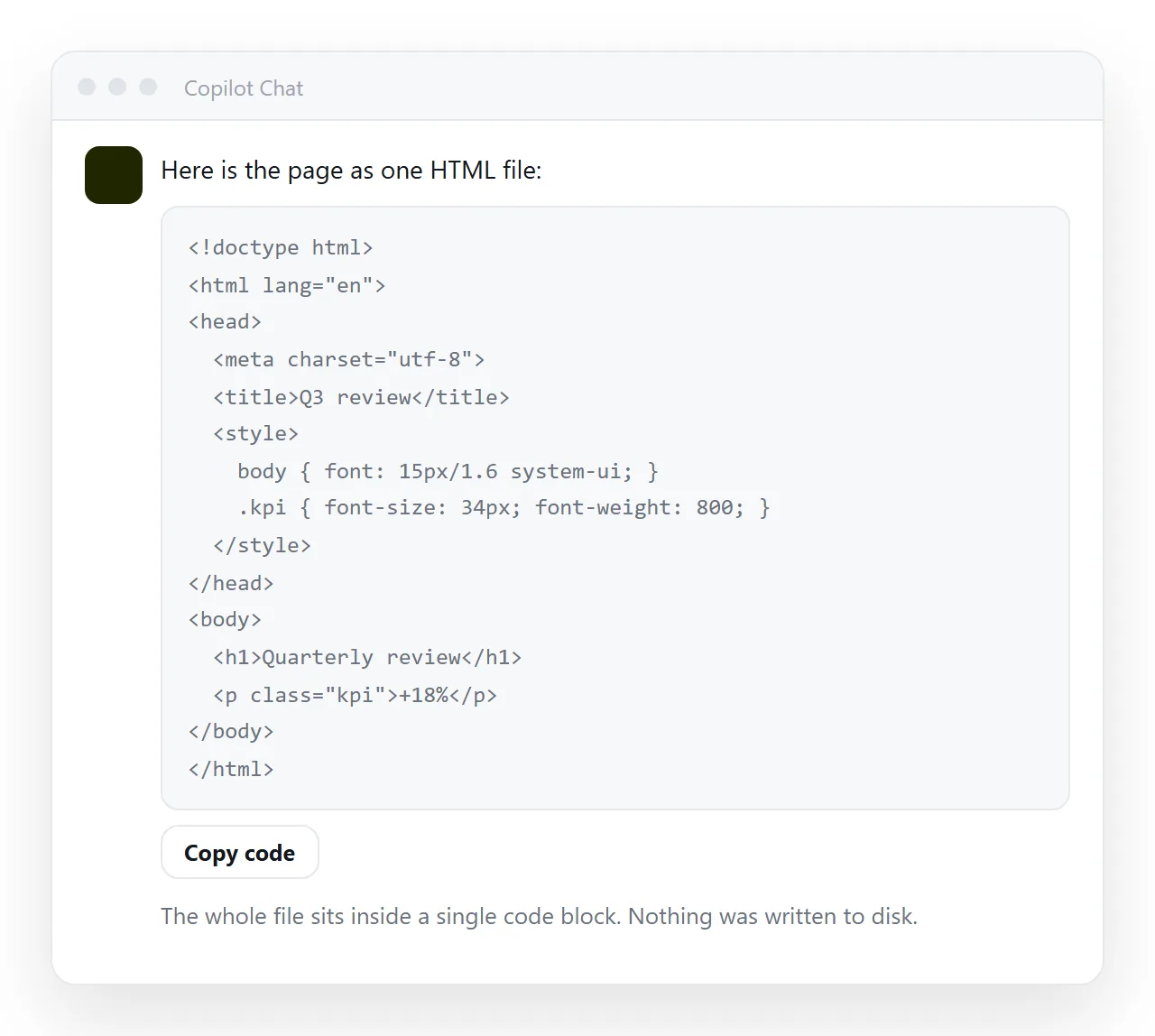
Can Copilot create HTML files, or only HTML text?
It depends where you asked, and it is worth knowing which case you are in before you go looking for a file on disk.
| Where you asked | What comes back | Where it lands |
|---|---|---|
| A chat window in a browser | Markup inside a code block | Nowhere until you copy it out |
| An assistant inside a code editor | Markup, often written into a file | The folder the editor has open |
| An assistant inside a document tool | Markup as text in the reply | The document, as characters, not as a page |
The middle row is the only one where a file appears without you doing anything, and it appears wherever that editor is pointed. If you cannot find it, look at the project folder the editor had open when you asked, not at your downloads.
Saving the HTML yourself
Five steps, and the last one is the one people skip.
- Take the whole code block. Start at
<!DOCTYPE html>and end at</html>. A fragment starting at<div>renders, but without a<head>it has no title and no viewport line. - Paste it into a plain text editor. Notepad, TextEdit in plain text mode, or your code editor. A word processor adds formatting characters that break the markup.
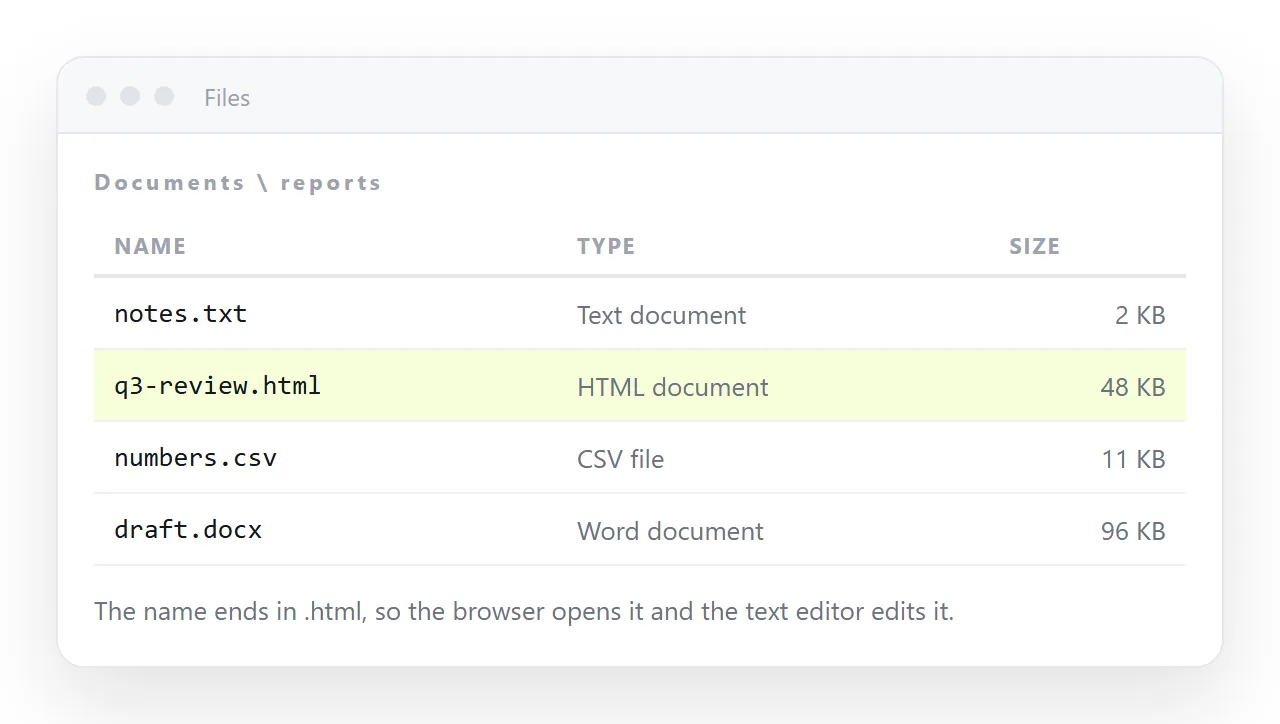
- Save it with a
.htmlending. Not.txt, not.html.txt. On Windows, turn on file name extensions first so you can see what you actually saved. - Open it in a browser. Double click it, or drag it onto a browser window. If your machine opens it in a code editor instead, that is the file association, not a fault in the markup.
- Open it again in a window that has never seen your project. The HTML file opener will do. This step catches missing styles before a reader finds them.
What usually needs fixing
Markup written by an assistant tends to assume a context you do not have. Four things account for most of the "it looked fine in the chat" reports.
- A stylesheet that is not there. A
<link rel="stylesheet">pointing at a file name means the page is reaching for a neighbour file. Ask for the CSS inside a<style>block instead, or supply the file. - Fonts that fall back. A font named in the CSS loads only if it is installed or fetched. Otherwise the browser substitutes one and the spacing shifts. Name a fallback stack so the substitution is one you chose.
- Images referenced but not supplied. A path like
images/logo.pngtravels with the file only if the folder travels too. See images not showing. - No viewport line. Without
<meta name="viewport" content="width=device-width,initial-scale=1">the page is unreadable on a phone, and most readers are on one.
One request avoids three of the four: ask for a single self-contained HTML file with the CSS inline and no external references. Self-contained HTML explains what that means and what it costs.
Getting the file to a reader
A saved .html file on your machine is not yet something another person can read. The file has three separate ways to stall on the way.
Mail gateways often strip HTML attachments, because a file with a form and a script is the standard shape of a fake sign-in page. Yours is indistinguishable from that one.
On a phone the file downloads into storage and nothing offers to open it. And every copy you send is frozen, so one correction means a second message.
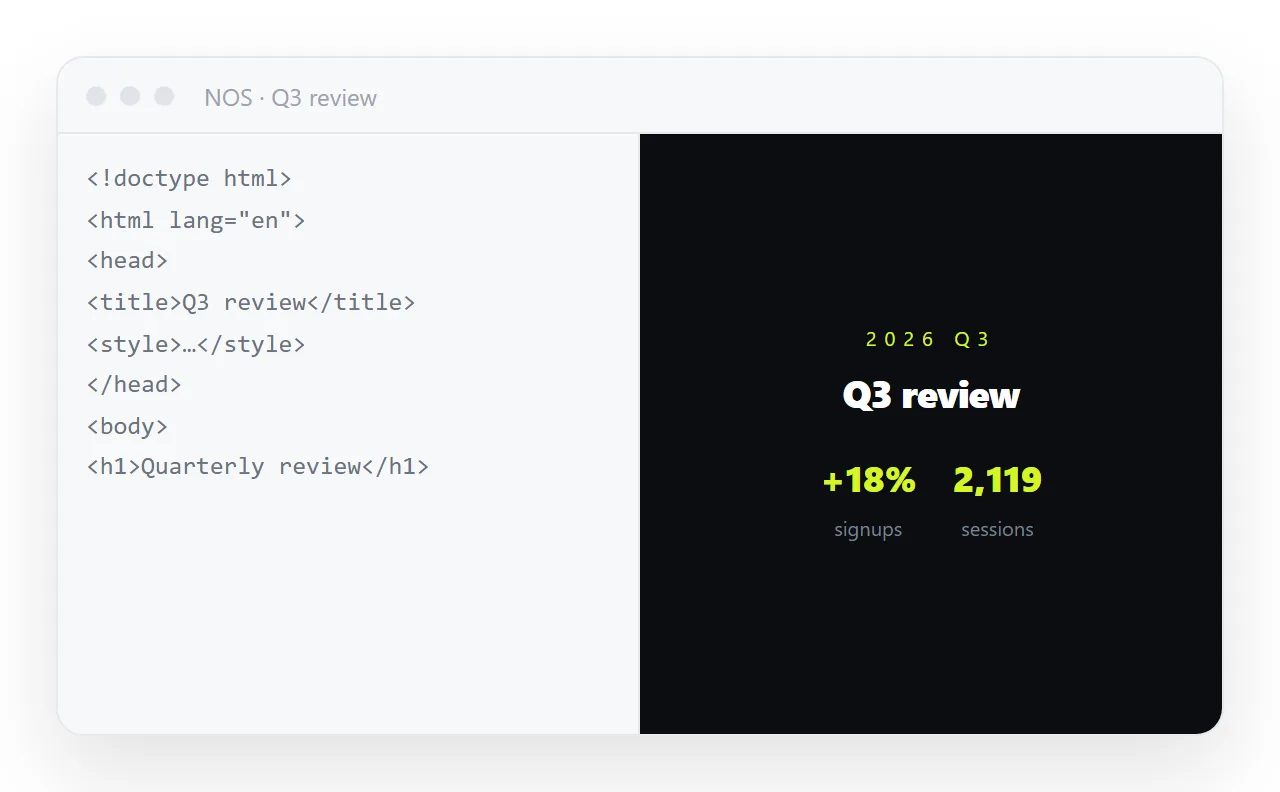
The route that does not stall is to give the page an address and send the link.
- Check the page survives outside your folder, using the step five test above.
- Paste the markup into a NOS document. It renders exactly as written, dark theme, charts and scripts included.
- Open Share, then Share link, then Create link. The link is unlisted by default, so it works for whoever has it and is not listed anywhere. Tick Public on the web only if you want search engines to find the page.
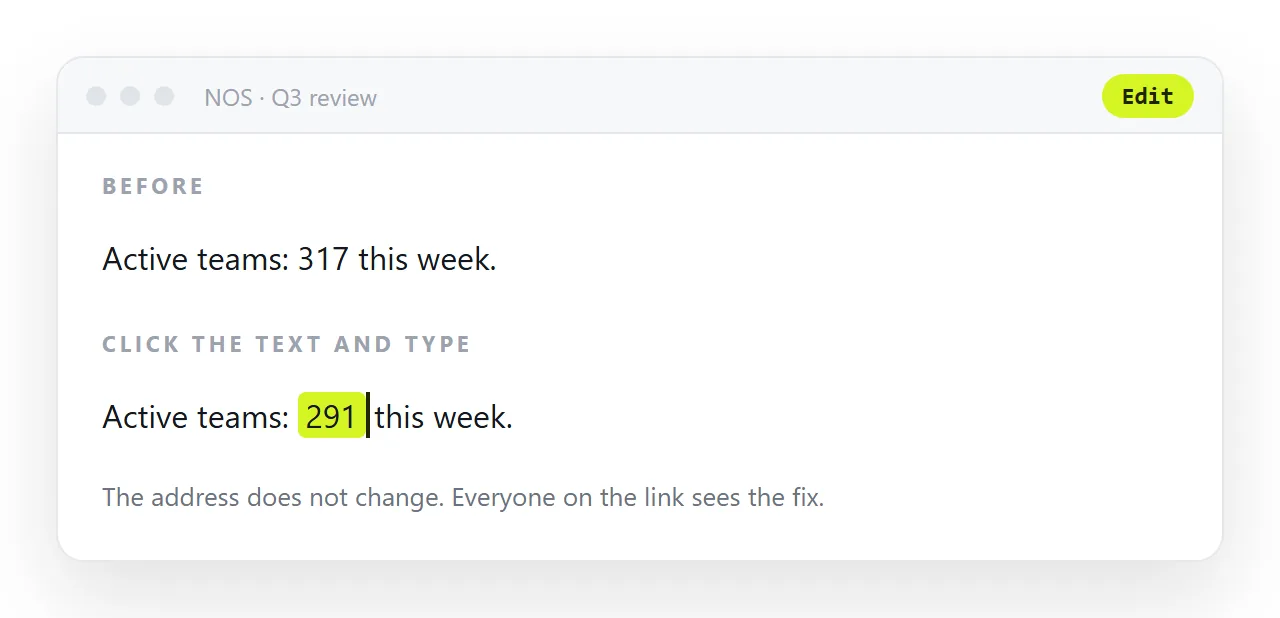
- Send the link. When a number changes, click the text in the document and correct it. The address does not move, so the link you already sent points at the corrected page.
Turning HTML into a link is that middle step on its own. The free plan covers three documents, which is enough to see whether the route fits how you work.
Chat file or editor file: which to ask for
| If you want to | Ask in | Because |
|---|---|---|
| Read the markup before it touches disk | A chat window | Nothing is written until you copy it |
| Keep the page in a project you already have | A code editor | The file lands beside your other files |
| Send a page to someone today | Either, then paste it into a document | The reader needs an address, not a file |
| Keep correcting the page for weeks | Either, then paste it into a document | The text stays editable without a new file |
Editing the result without going back to the chat
Small corrections do not need another prompt. A wrong figure, a stale date or a name spelled two ways is faster to fix in the page than to describe in a request.
In a NOS document the rendered text is clickable, so you can correct words without touching the markup. Editing AI generated HTML without code covers where that works and where you still need the source.
For structural changes, keep the markup. Paste it back into the chat, say what should change, and take the new block. That is quicker than describing the whole page again, and you keep a copy of what already worked.
What to ask for next time
Wording the request well removes most of the fixing. Three lines cover it.
Ask for one complete, self-contained HTML document. Ask for the CSS in a <style> block and no external files. Ask for a <title> and the viewport line.
Then the file you save is the file the reader sees, and the only work left is deciding whether it travels as a file or as a link. On current evidence from the three failure modes above, it travels better as a link.