There is no ChatGPT to HTML converter to install. Ask for a complete, self-contained HTML document, take the code block out of the answer, and render it.
A chatgpt to html converter is a step that does not exist, because the markup is already what you were given.
What people are really looking for when they search that phrase is the step after the code block: somewhere the markup becomes a page, at an address they can send to someone else.
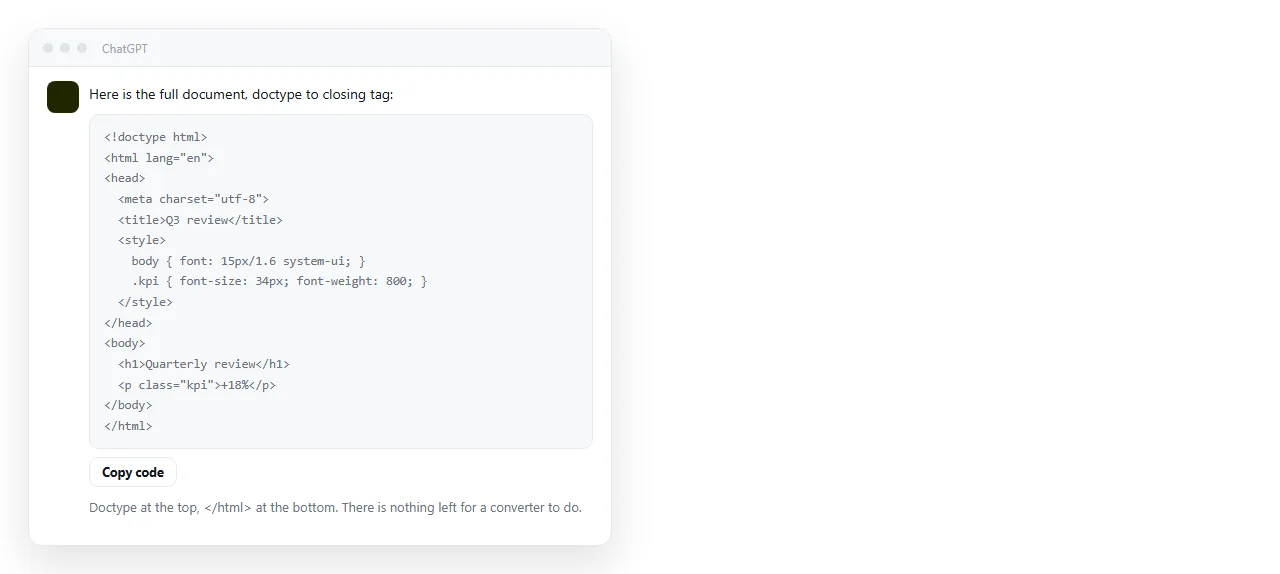
Why a ChatGPT to HTML converter is not the missing piece
Nothing has to translate the answer, because the answer can be markup already. The difference between an answer you can use and one you have to rework is in the request. Five lines cover it.
- "One complete, self-contained HTML document." Not a snippet, not a fragment. That phrase gets you the
<!DOCTYPE html>line and a closing</html>. - "Inline CSS in a
<style>block, no external stylesheet." Otherwise the page reaches for a file your folder does not have. - "Include a
<title>." It is what the browser tab and every link preview card show. - "Include the viewport line."
<meta name="viewport" content="width=device-width,initial-scale=1">, or the page is unreadable on a phone. - "No placeholder text." Say to use the real content you supplied rather than filler.
Ask that way and the answer is already the file. Self-contained HTML explains what the term covers and where it stops being practical.
Four routes from a chat answer to a page
The code block is the same in all four. What differs is what the reader ends up with.
| Route | Reader sees | Cost |
|---|---|---|
| Paste the markup into a document that renders it | The page, at an address | One paste |
Save a .html file and send it |
Sometimes the page, often a download | Mail filters, phones, frozen copies |
| Upload the file to a static host | The page, at an address | A re-upload for every correction |
| Share the chat conversation | The conversation, not the page | The reader scrolls past the prompts |
The last row is the one people reach for first, because the share button is right there. It shows the working, not the result. If the person you are sending to asked for a report, they want the report.
Taking the code block out cleanly
Three things go wrong at this step, and all three are avoidable.
- Copy the whole block. Start at
<!DOCTYPE html>, end at</html>. A block that begins at<div>will render, but with no head it has no title, no viewport line and often no styles. - Do not paste through a word processor. It substitutes typographic quotes and adds formatting characters, and the markup stops parsing. Use a plain text editor or paste straight into the document.
- Watch for a truncated answer. Long pages get cut off. If the block does not end with
</html>, ask for the rest and join the two parts before you render anything.
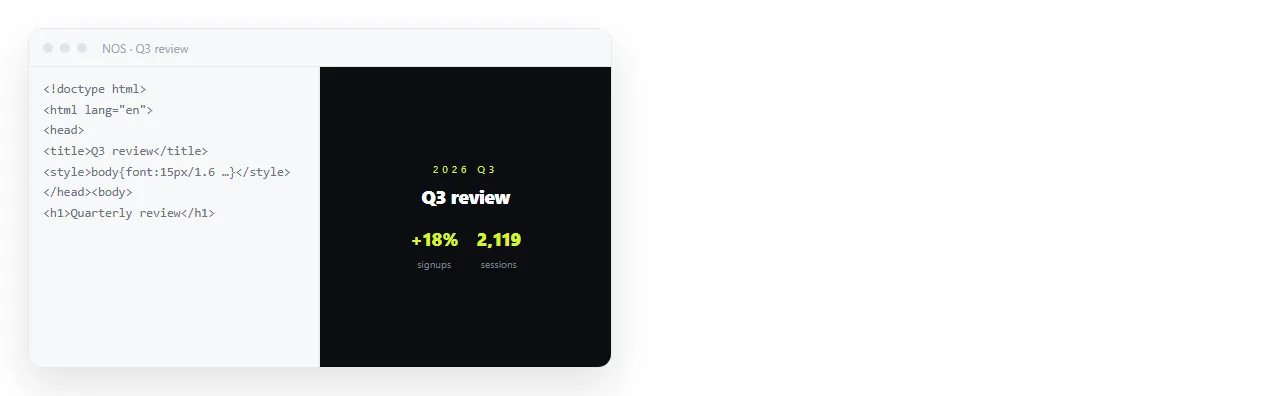
Rendering it without saving a file
You can check the result before anything touches your disk. Two options, depending on what you want next.
Paste it into the HTML viewer and you see the page immediately. Nothing is stored and nothing is shared, which suits a quick look at whether the layout came out right.
Paste it into a NOS document and it renders the same way, as written, including dark theme, charts and scripts, and it stays there.
The rendered text is clickable and correctable without opening the code, which matters once the page has a number in it that changes.
What still needs your hands
Markup from a chat assumes a context you do not have. Three checks, about a minute.
Does it survive outside your folder? Open it somewhere that has never seen your project. Styles that vanish there were coming from a file next to the markup, not from the markup. Missing styles in AI HTML lists the usual causes.
Are the images real? A tag pointing at chart.png renders as a broken placeholder unless that file exists beside the page. Use full web addresses or embed the pictures as data URIs.
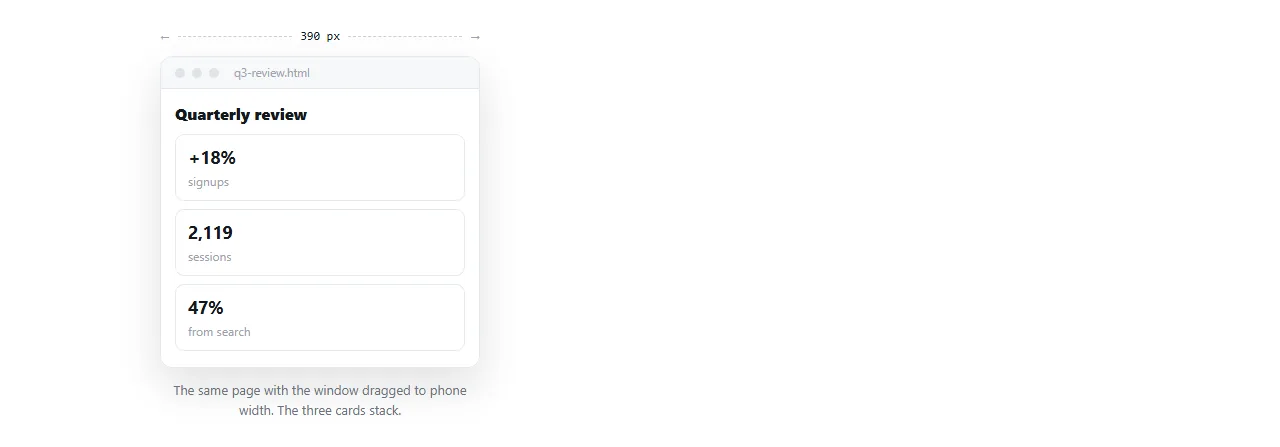
Does it hold up narrow? Drag the window to phone width. If the columns do not stack, ask for a media query rather than fixing widths by hand.
Getting the page to a reader
A rendered page on your screen is not yet something another person can open. That is the part the converter search is circling around.
Send an address, not the file. HTML attachments are stripped by many mail gateways, because a file with a form and a script is the standard shape of a fake sign-in page. On a phone the file downloads into storage and stops there.
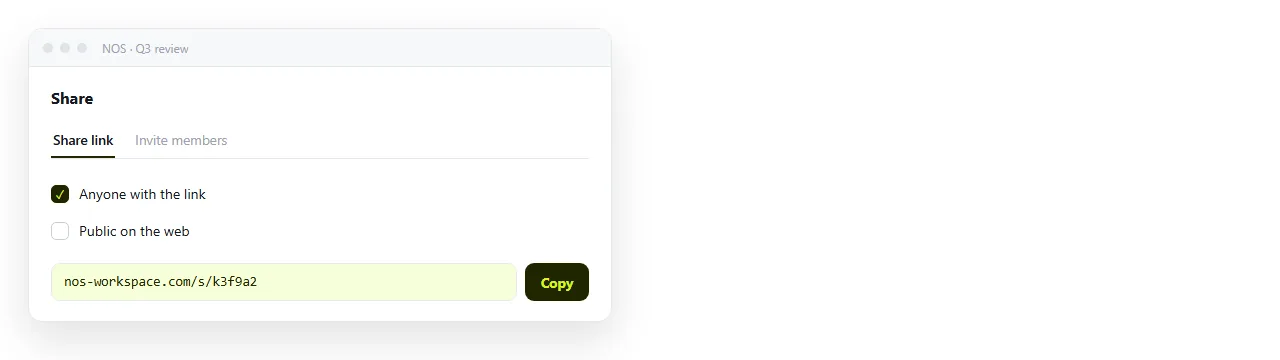
- Paste the markup into a NOS document.
- Open Share, then Share link, then Create link.
- Leave the link unlisted, which means it works for whoever has it and is not listed anywhere. Tick Public on the web only if the page should turn up in search results.
- Send the link. Correct the page by clicking the text when something changes. The address stays the same, so the link you already sent points at the current version.
Turning HTML into a link is that sequence on its own. The free plan covers three documents.
When the content will keep changing
This is where the choice of route actually matters, rather than being a matter of taste.
A saved file is a snapshot. Correct it and you have a second file, and now two versions are in circulation with no way for a reader to tell which is current.
A static host fixes the address, but every correction is another upload, so the unit of work is still the file.
A document that renders HTML keeps one address and lets you edit the words in place. For a weekly report or a page with figures in it, that is the difference between one link and a thread of corrections.
For the details of moving assistant output into a shareable page, sharing ChatGPT HTML output walks the same route with the awkward cases included.