HTML vs markdown for Claude Code has a short answer. Use markdown for anything that lives in the repository, and HTML when you are asking for a change to a page that already exists.
That is the whole rule. The rest of this page is the reasoning, the cases where it flips, and the size cost of getting it wrong.
HTML vs markdown for Claude Code, in one table
| Input | Better format | Why |
|---|---|---|
| Project instructions and notes | Markdown | Hand edited, reviewed in diffs, no layout to preserve |
| A specification with tables | Markdown | Pipe tables survive fine and stay readable |
| A page you want modified | HTML | Classes, structure and styling must be preserved |
| A rendered report to summarise | Either | Tags help a little, cost a little |
| A component to restyle | HTML | The markup is the subject of the request |
| A prompt template | Markdown | Shorter, and nothing about it is visual |
The middle rows are the ones people get wrong. Asking for a layout change while describing the layout in prose produces a rewrite rather than an edit.
Why markdown wins inside the repository
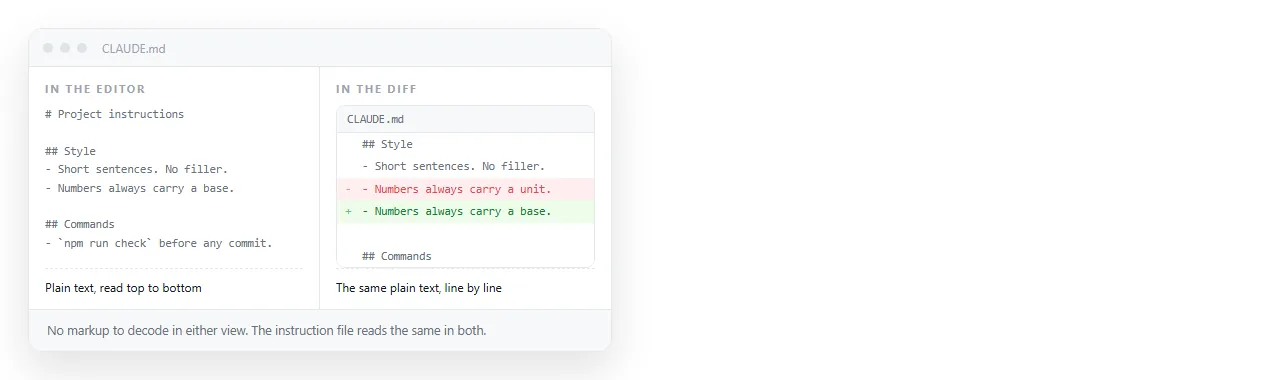
Repository files are read by three audiences: the model, you, and the diff view during review.
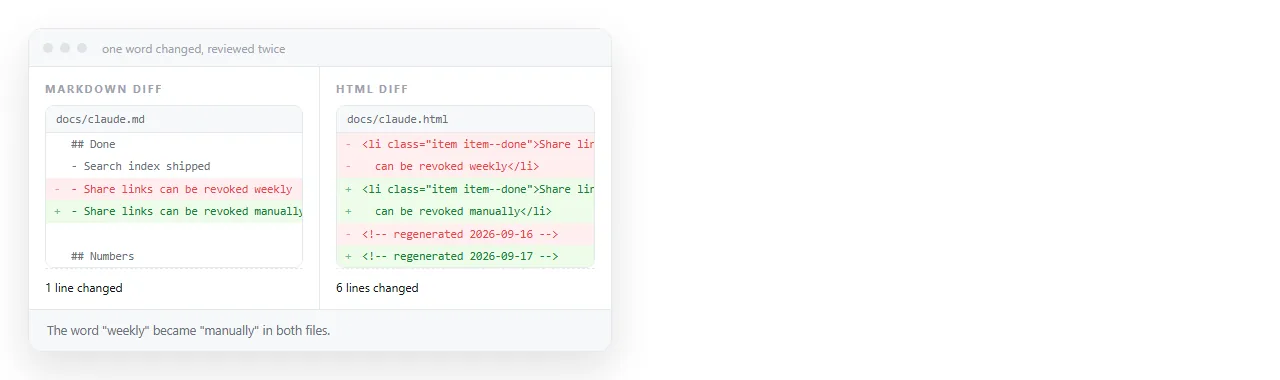
Markdown is legible to all three. A heading is a hash, a list is a dash, and a changed line in a diff shows exactly what changed.
HTML in the same position adds opening and closing tags around every line. A one word change can appear as a modified block, and the reviewer has to look harder for the actual edit.
There is also the practical point that instruction files, changelogs and specifications are edited by hand more often than they are generated. Markdown is easier to hand edit.
Why HTML wins when the page is the subject
If the request is "make the second card full width on mobile", the model needs the actual markup. Class names, nesting order and the existing media queries are the material it works with.
Describing that page in markdown removes all of it. What comes back is a new page that happens to have similar content, which is a redesign you did not ask for.
The same applies to pages produced earlier in a chat. Paste the HTML back rather than the description, and the next version is an edit rather than a fresh attempt.
- Restyling: give HTML.
- Fixing a broken layout: give HTML, and say which browser and which width.
- Adding a section to an existing report: give HTML so the new section matches.
- Writing the content of a new report: markdown is fine, since there is nothing to preserve yet.
For repository pages, a file path beats a paste. The model reads the file and edits it in place, and you get a diff rather than a block of output to copy back.
The size cost, stated plainly
HTML is longer than markdown for the same visible content. Tags, attributes and closing tags are all characters.
The gap is widest for tables. A pipe table row is a handful of characters of syntax. The same row in HTML is a row tag plus a cell tag and closing tag per column.
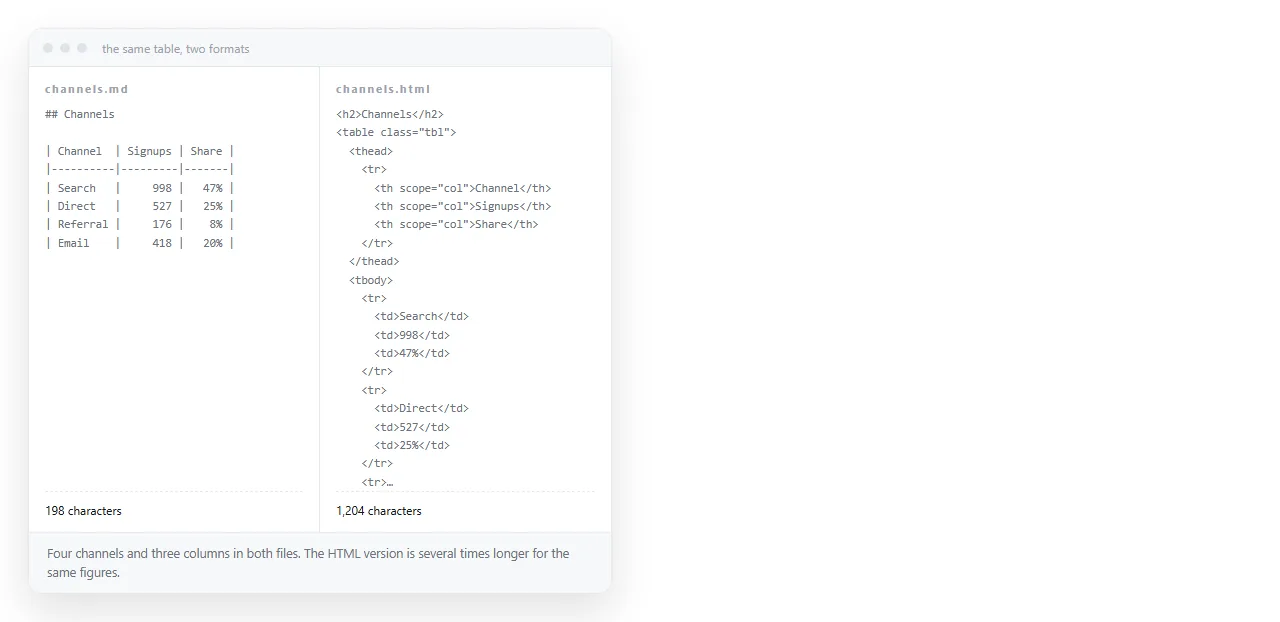
That is a real cost when you are pasting a long document, and it is not a cost at all when you are pasting a page you want edited, because the tags are the thing being edited.
A middle route exists for long pages. Paste the section that matters rather than the whole file, keeping the enclosing structure so the model can see where it sits.
Output format is a separate decision
The input format does not determine the output format, and treating it as if it does is a common mistake.
- Result goes in a repository file. Ask for markdown, regardless of what you pasted in.
- Result is a page someone will open. Ask for a complete single file HTML document. Getting HTML instead of markdown covers the prompt shape.
- Result is an edit to an existing file. Ask for the edit, not the rewritten file, so review stays possible.
- Result is a summary for another prompt. Markdown, since nothing visual is at stake.
Mixing these produces the familiar annoyance of an HTML file that is mostly explanation, or a markdown document with stray tags in it.
Checking the page before the next round
When the output is a page, judging it from source costs a round trip. Render it and look at it.
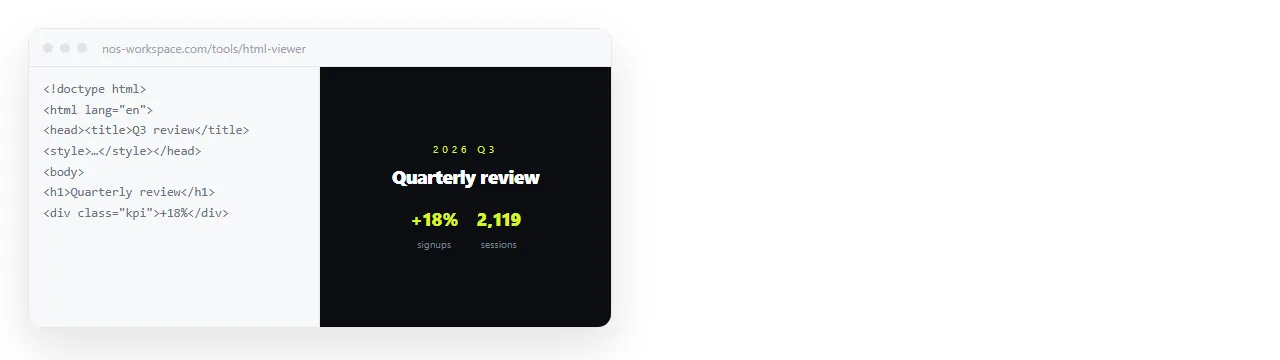
Paste the file into the HTML viewer or into a NOS document. In a document the HTML renders exactly as written, including dark theme, charts and scripts, and the text stays clickable so small corrections do not need a new generation.
That closes most of the loop locally. A wrong heading, a wrong column order or a stale figure is a click and a keystroke rather than another prompt.
Editing AI generated HTML without code covers what can be fixed that way and what still needs a regeneration.
When the page needs to leave your machine
A file in the repository is not something a reviewer outside the project will open. Attachments get filtered, and a phone will not render an HTML file.
Giving the page an address solves that. Share, then Share link, then Create link, and the link is unlisted by default.
The address does not change when the page is edited, so the link you post in a pull request stays current.
Turning HTML into a link is the same step in one paste. For dashboards and reports that get regenerated weekly, keeping one document and replacing its content beats sending a new file each time.
Short version. Repository content, instructions, specifications and prompts: markdown. Pages you want changed rather than rewritten: HTML. Output format decided by the destination, never by the input.
If you are choosing formats for a longer running agent rather than a single session, HTML versus markdown for AI agents covers the extra considerations that appear when the model is reading many documents in a row.