To deploy an HTML, CSS and JS website for free, put the files in one folder and drag that folder onto a static host that accepts direct uploads. Netlify Drop and the Cloudflare Pages direct upload both do this without a repository.
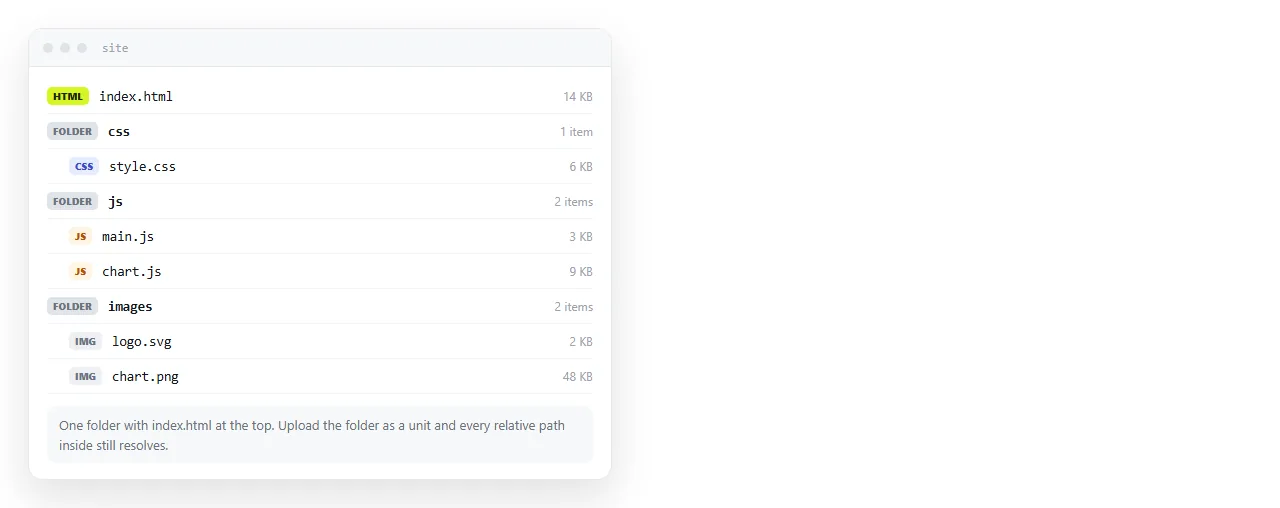
Free is not the differentiator here. Every option below costs nothing for a small static site. What separates them is what they ask for before the first deploy, and what a correction costs afterwards.
Ways to deploy an HTML, CSS and JS website for free
| Route | Asks for first | Build step | Correction costs |
|---|---|---|---|
| Netlify Drop | Nothing, drag a folder | None | Re-upload the folder |
| Cloudflare Pages direct upload | An account | None | Re-upload the folder |
| Vercel CLI | Node and an account | Optional | One command |
| GitHub Pages | A repository | Optional | Commit and push |
| A document that renders HTML | One paste | None | Click the text and type |
Pick the row that matches what is already on your machine. There is no quality difference in how the page is served.
What "static" means for your JavaScript
Client side JavaScript runs fine on every option above. It runs in the reader browser, so the server only has to hand over the file.
What a static host does not do is run code on the server. No database, no private API key, no server rendered page. If your site fetches from a public API and draws a chart, that is still static and it will work.
If it needs a secret, the secret would sit in the downloaded file where anyone can read it. That is a different architecture, not a hosting plan.
Route by route
Netlify Drop. Drag the folder, get an address. No account needed to publish, but a drop made while logged out has no owner and no settings screen. Deploying to Netlify without GitHub covers the claim step and the CLI equivalent.
Cloudflare Pages direct upload. Create a project, choose the direct upload option, and hand it the folder. Later versions are uploaded the same way.
Vercel CLI. Install the CLI, run it inside the folder, confirm the prompts. Useful when a build script produces the folder and you want one command in a task runner.
GitHub Pages. Free and durable, and the only one on the list that requires a repository. Push the files, enable Pages in the repository settings, and the site is served from the branch you pick.
Worth it when the code already lives in git, and worth avoiding when it does not, because you would be learning a version control system to publish one page.
All four give you a subdomain on their own domain at no cost. A custom domain is separate: the hosts accept one on their free tiers, but you still buy the domain from a registrar.
Test the folder before you upload it
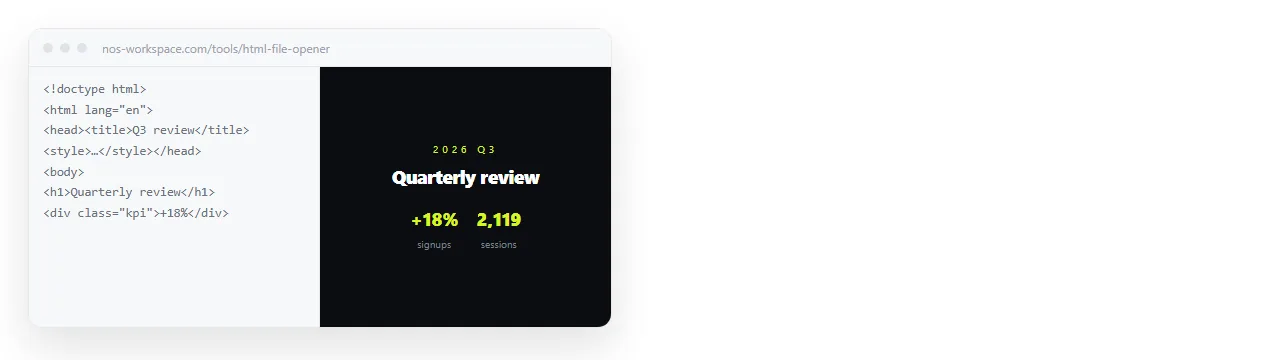
Most "it looked fine on my machine" reports come from two causes.
Files outside the folder. A stylesheet one directory above never gets uploaded, so the page arrives as unstyled text. Open index.html in the HTML file opener first. That window has no access to your project, so anything that survives there survives on the server.
Filename case. Servers are case sensitive. Header.CSS referenced as header.css works on Windows and breaks after deploying. Relative versus absolute paths has the rest of this list.
Three checks after the first deploy
- Open the address on a phone. If there is no viewport line in the head, the page renders at desktop width and the reader gets a zoomed out wall. Add
<meta name="viewport" content="width=device-width,initial-scale=1">if it is missing. - Look at the browser tab. A missing
<title>shows the file name, and every preview card falls back to the address. - Load it with your network throttled. Fonts and scripts pulled from other domains are the usual cause of a page that renders bare for a second.
- Check the address is served over https. All four hosts issue a certificate automatically. A page loading a script over plain http from inside an https page is blocked by the browser.
- Click every internal link. A link written as
/about.htmlbehaves differently fromabout.htmlonce the page is served from a real path.
The third and fifth checks catch problems that never appear while the file sits on your own disk, because opening a local file skips both the network and the server path resolution.
The one-file case
A large share of people searching for free hosting have exactly one file, often a report or a dashboard an assistant produced.
A host will serve it, and it will also hand you a redeploy loop for a page you are going to correct a few times this week.
Pasting the HTML into a NOS document renders it as a page of its own, scripts and charts included. The address comes from Share, then Share link, then Create link.
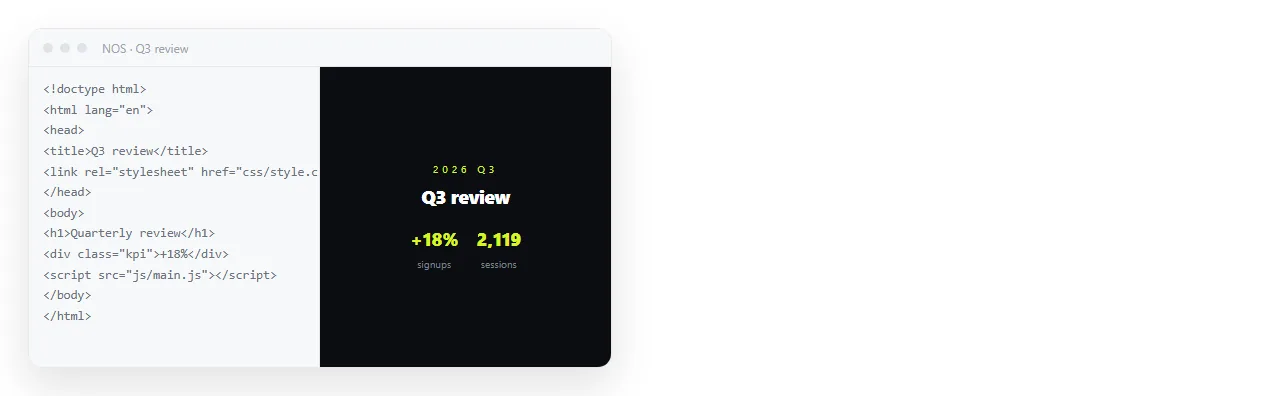
The link is unlisted by default, so only people holding it can open the page. Tick Public on the web if search engines should find it instead.
Corrections after that are made by clicking the words and typing, and the address does not move, so a link sent last week already points at this week version. The free plan covers three documents.
Turning HTML into a link is this route end to end.

Which one to pick
| If you have | Deploy with |
|---|---|
| A folder and no accounts | Netlify Drop |
| A folder and a Cloudflare account | Pages direct upload |
| A build script | Vercel CLI or Netlify CLI |
| Code already in git | GitHub Pages |
| One self-contained page | A document that renders HTML |
The difference that matters six weeks in is not the price. It is whether fixing a typo means editing text or repackaging and re-uploading a folder. Static host versus document compares those two working patterns directly.