SharePoint does not host an HTML file as a page. A document library stores the file, and modern sites block custom script by default, so the usual result is a download prompt or a viewer rather than the rendered page.
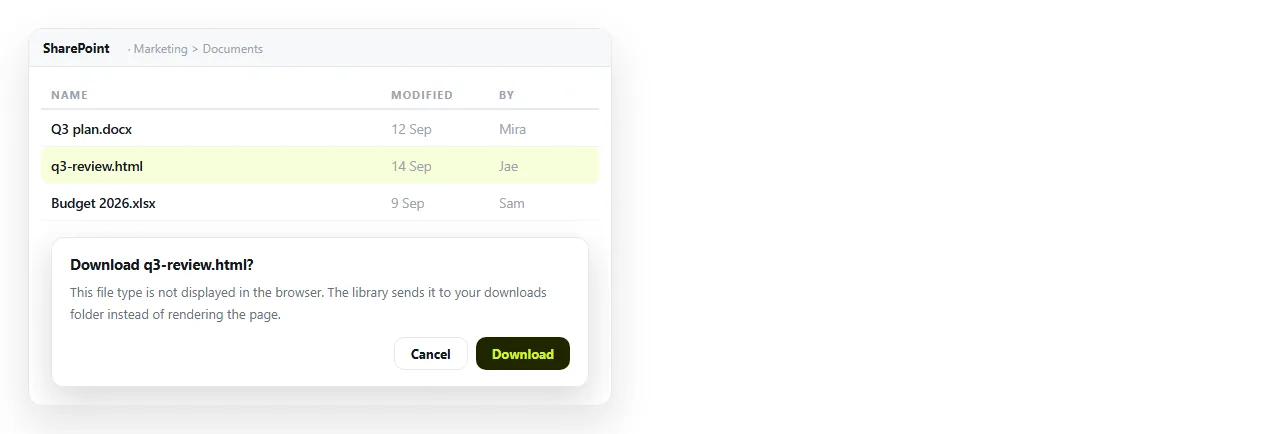
That behaviour is a security boundary. Everyone visiting a SharePoint site is signed in, and a page served from that site with script in it would run in that signed-in context.
What happens when you host HTML on SharePoint
| Action | Result |
|---|---|
Upload .html to a document library |
Stored as a file, listed like any other |
| Open it from the library | Download prompt, or a plain viewer |
| Share the file link | The recipient gets the same download prompt |
| File viewer web part | Built for Office formats and PDFs, not HTML |
| Embed web part | An iframe to an address, from an allowed domain |
Whether a library will ever render HTML depends on the custom script setting for the site collection, which a SharePoint administrator controls at tenant level. Most organisations leave it off, and turning it on for one report is a large change for a small reason.
The Embed web part
The Embed web part is the officially supported way to get external content onto a modern page. It takes an address or an iframe snippet and shows the result inside the page.
Two things to know before planning around it.
It takes an address, not a file. You still need the page to exist somewhere that serves it, so the web part solves presentation and not hosting.
The source domain has to be on the tenant allow list. If it is not, the part shows a message instead of the content, and adding a domain is an administrator action.

The route that works without a tenant change
Give the page its own address, then put the link on the SharePoint site. Nothing in this path needs an administrator.
- Check the page survives on its own. Open it in the HTML file opener. If styling and images hold there, they hold for readers. If not, fold them in first with self-contained HTML.
- Paste the HTML into a NOS document. It renders exactly as written, as a page of its own, with scripts and charts intact.
- Create the link. Share, then Share link, then Create link. Unlisted by default, so it opens for whoever has the link and is not listed anywhere. Tick Public on the web only if it should appear in search results.
- Put the address on the SharePoint page. A Link or Quick links web part, or plain text in the page body.
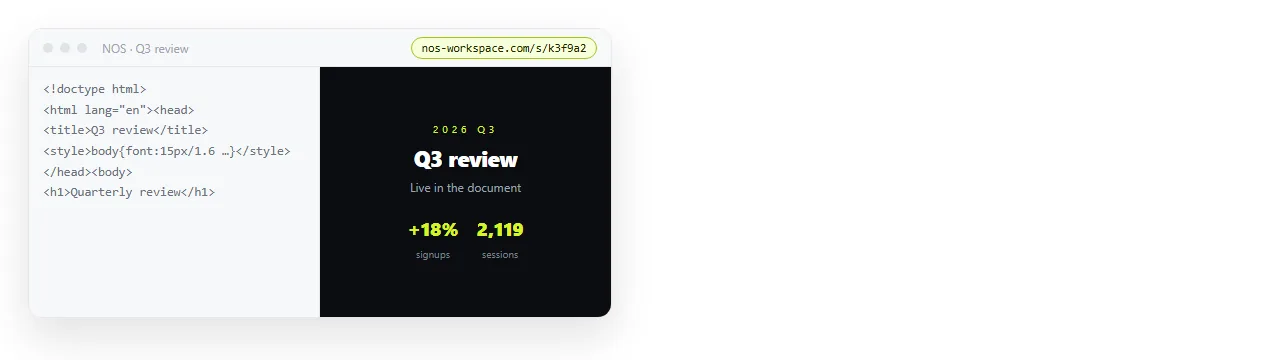
Turning HTML into a link is that route.
Two details worth setting while you are there. Leave the link unlisted unless the page should turn up in search results, and give the page a <title>, because that is what every preview card displays.
If the content is genuinely confidential, an unlisted link is not a password. Assume it will be forwarded, and invite named people instead when that matters.
Why a link is better than an embed here anyway
An embedded page sits inside a frame, in a column, inside a site chrome. Wide tables and charts are the first casualties, and phone layout is worse again.
A link opens the page at full width in a browser tab. On a phone it opens correctly, which an HTML file in a document library cannot do at all.
There is also the correction problem. A file in a library is a version, and correcting it produces a second version.
Both are now in circulation, and the copy people opened first is the stale one, with nothing on screen to say so.
A page at a fixed address is corrected in place. The link you already sent points at the correction, and there is only ever one current version to find.
What SharePoint is genuinely good for here
Keep the source file in the library. Version history, permissions inherited from the site, and a location your colleagues already know how to search.
Put the readable page at an address and link to it from the site page. The library holds the artefact, the link carries the reading experience.
That split also answers the retention question that usually follows. The record of what was published, and when, stays inside the tenant where the retention policy applies.
What leaves is a rendered copy for reading, which is the same decision an organisation already makes every time it publishes a page to its public site.
If it has to reach a Teams channel
A file card in a channel is rarely clicked, and an HTML file card is clicked less than most. Paste the address into the conversation instead.
The link unfurls into a preview card if the page carries Open Graph tags, which is a title, a description and an image declared in the <head>.
A card with a title and an image is opened far more often than a file attachment with a generic icon, which is the whole reason to spend two minutes on the tags.
Sharing an HTML file in Teams covers what Teams does with each form, and hosting HTML in Confluence covers the same problem in the Atlassian stack.
Short version
- SharePoint stores HTML. It does not serve it as a page.
- Rendering depends on a tenant level setting most organisations keep off.
- The Embed web part needs an address and an allow list entry.
- Give the page an address, then link to it from the site.
- Keep the source file in the library for history and permissions.