To embed a PDF in HTML, point an iframe at the file address:
<iframe src="/files/report.pdf" title="Q3 report" width="100%" height="800"></iframe>
That is the whole requirement. Two other tags do the same job with different behaviour, and the difference matters when the browser refuses.
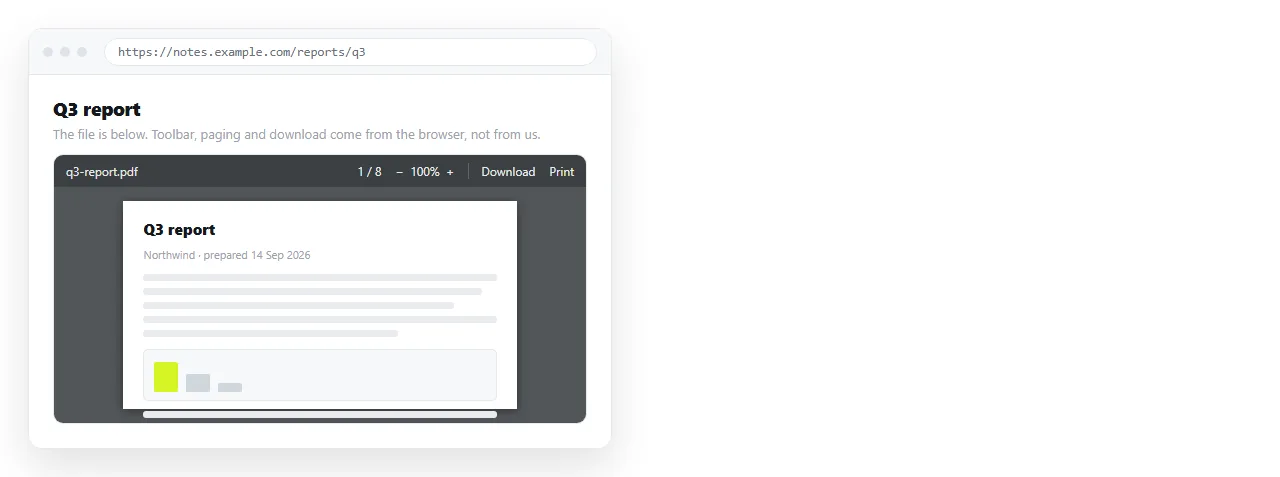
The three tags that embed a PDF in HTML
<iframe src="/files/report.pdf" title="Q3 report"></iframe>

<object data="/files/report.pdf" type="application/pdf" width="100%" height="800">
  <p>Your browser cannot display this file. <a href="/files/report.pdf">Download the PDF</a>.</p>
</object>

<embed src="/files/report.pdf" type="application/pdf" width="100%" height="800">
| Tag | Fallback content | CSS sizing | Notes |
|---|---|---|---|
iframe |
No | Straightforward | Best supported, the default choice |
object |
Yes, anything inside the tag | Works, occasionally fussy | The only one with a real fallback |
embed |
No, it is a void element | Works | Oldest of the three, no advantage today |
Pick iframe unless you specifically want the automatic fallback. Then pick object and put a download link inside it.
embed has no case left where it is the better tool. It still works, so existing code does not need rewriting.
The PDF has to be at an address
An embed loads the file over the network, the same as an image does. A path like C:\Users\me\Desktop\report.pdf works on your machine only.
Put the PDF somewhere it is served from a URL, then reference that URL. Relative versus absolute paths covers what travels and what does not.
If the page and the PDF are on different domains, two server-side settings can block the frame. A Content-Disposition: attachment header forces a download, and X-Frame-Options can refuse framing outright.
Neither is visible in your HTML. Open the PDF address on its own first; if it downloads there, it will download in the frame.
Sizing
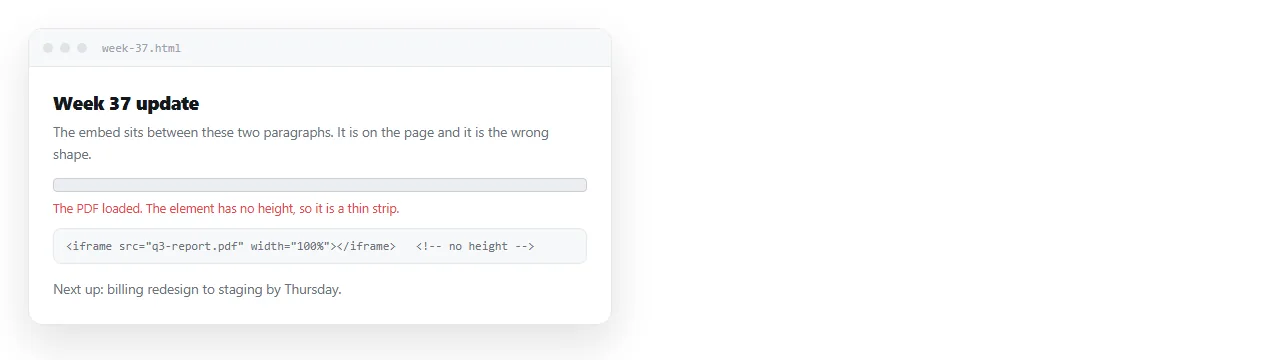
The same rule as any frame: set a height, not just a width.
.pdf {
  width: 100%;
  height: 80vh;
  border: 1px solid #333;
  display: block;
}
80vh is a good default for a document embed. It fills most of the window while leaving the page heading in view, so the reader knows where they are.
For a page-shaped frame, an aspect ratio matches A4 more closely:
.pdf { width: 100%; aspect-ratio: 1 / 1.414; border: 0; }
If you want the file to fill the browser window entirely instead, embedding a PDF at full size covers that layout and its trade-offs.
Fragment parameters
Appending a fragment to the address asks the built-in viewer to open in a particular state:
<iframe src="/files/report.pdf#page=4&zoom=125&toolbar=0"></iframe>
#page=4opens on page four.#zoom=125sets the zoom percentage.#toolbar=0asks the viewer to hide its controls.#view=FitHfits the page width.
Desktop viewers generally honour these. Mobile viewers and plugin-based ones often ignore them. Treat the result as a courtesy, not a layout you depend on.
Phones are the real limitation
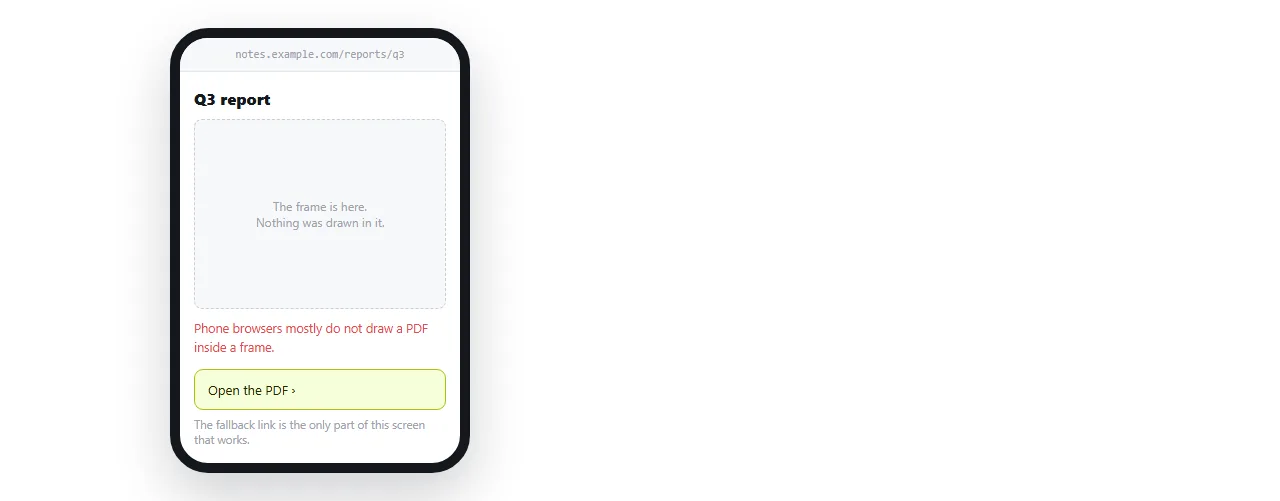
Mobile browsers commonly decline to render a PDF inside a frame. The reader gets an empty rectangle, sometimes with a download prompt, sometimes with nothing at all.
No attribute changes this. It is a platform decision, not a markup problem.
The practical response is a visible link beside every embed:
<p><a href="/files/report.pdf" download>Download the PDF (2 pages)</a></p>
Write what the file is next to the link. A bare "download" with no page count or size reads as a risk to most people.
When the content should not be a PDF at all
A PDF inside a web page is two viewers stacked on top of each other. The reader zooms, scrolls inside a box, and loses the search of the outer page.
If the content originated as a document and is being read on screen, an HTML page is usually the better container. It reflows on a phone, it is searchable, and the text can be corrected in place.
PDF versus an HTML page sets out where each one wins. The short version: paper and signatures favour the PDF, screens and revisions favour the page.
Sending the page that holds the embed
The host page still has to reach the reader. Sent as a file it hits mail filters, and on a phone it usually will not open at all.
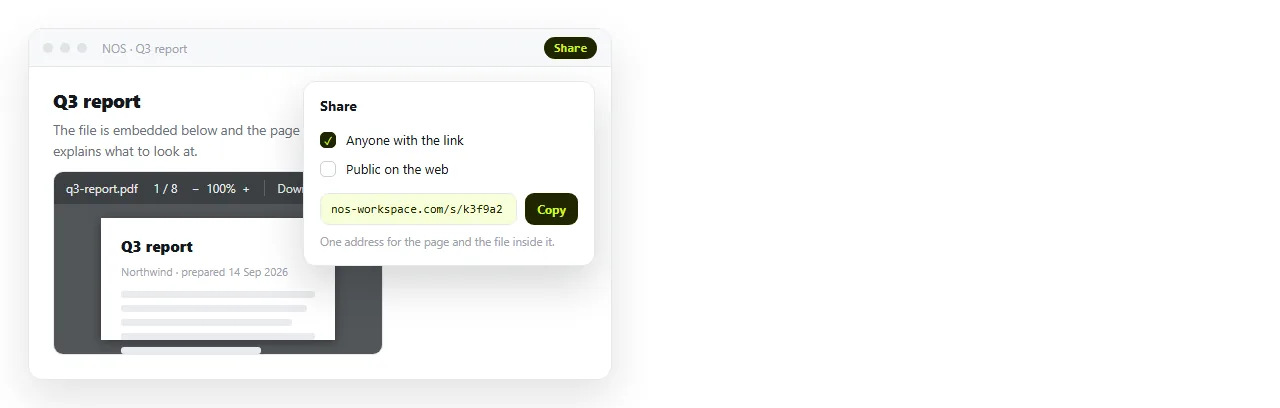
Paste the HTML into a NOS document and it renders as written. The document has its own address, and the embed inside it points at the PDF as usual.
The address does not move when you edit. Swap in a corrected PDF, change the heading, adjust the frame height, and the link you already sent shows the current version.
For assembling and adjusting the markup before you send it, the HTML editor online shows the result as you change the height, which is faster than saving and reloading a local file.
A checklist for any PDF embed
- Open the PDF address on its own. If it downloads there, it will download in the frame. That is a server header, not your markup.
- Set a height. A frame with a width and no height renders as a strip.
- Add a title attribute. It is the only accessible name the frame gets.
- Put a download link beside it, with the page count written out.
- Test on a phone, where the frame will very likely be empty.
- Check the file size. A 40 page scan is a slow thing to load inside a page nobody asked to load it in.
The first and fifth items are the ones that catch real failures. The rest are tidiness, and they take a minute between them.