GitHub will not preview an HTML file as a page. It shows the source, so how to preview an HTML file in GitHub comes down to three routes: publish it with GitHub Pages, pass it through a raw content proxy, or render it somewhere else.
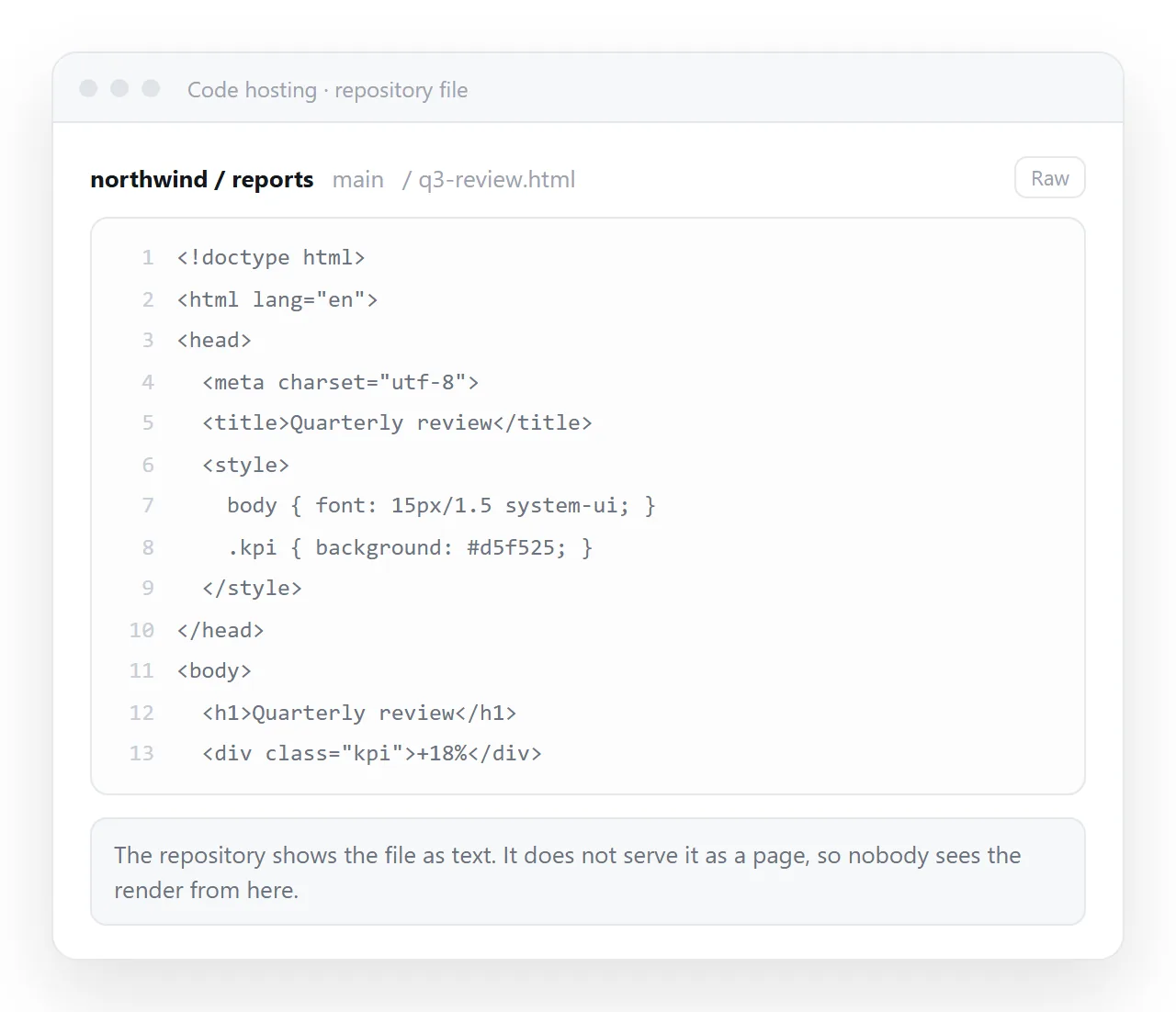
This surprises people the first time, because GitHub renders Markdown, notebooks, CSV files and images inline. HTML is the deliberate exception.
Why it is deliberate
Repository files are served as plain text. If GitHub rendered HTML from any repository on its own domain, a page in any repository could run script in the context of that domain.
Serving the file as source removes the problem entirely. It is a security boundary, not a missing feature, so no repository setting turns it off.
The same reasoning explains a related limit. Markdown files render, and the script and most styling inside them is stripped, for exactly the reason HTML files are not rendered at all.
It also explains why a pull request shows the markup rather than the result. A diff is a view of text, and a reviewer who needs to see the page needs an address to open.
How to preview an HTML file in GitHub: three routes
| Route | Setup | Address | Good for |
|---|---|---|---|
| GitHub Pages | Settings, Pages, pick a branch | Permanent, public | Anything others will open |
| Raw content proxy | Paste the file URL | Tied to the file path | A quick look at one file |
| Clone and open locally | git clone |
None | Editing the page |
| Render it elsewhere | Paste the HTML | Permanent | Reports and one-pagers |
Route one: GitHub Pages
The proper answer if the page has any audience beyond you.
- Open Settings in the repository, then Pages in the sidebar.
- Choose the source branch, and either the root or the
docsfolder. - Save. A build runs, and the published address appears at the top of the panel.
- Open the address. The HTML now renders as a page.
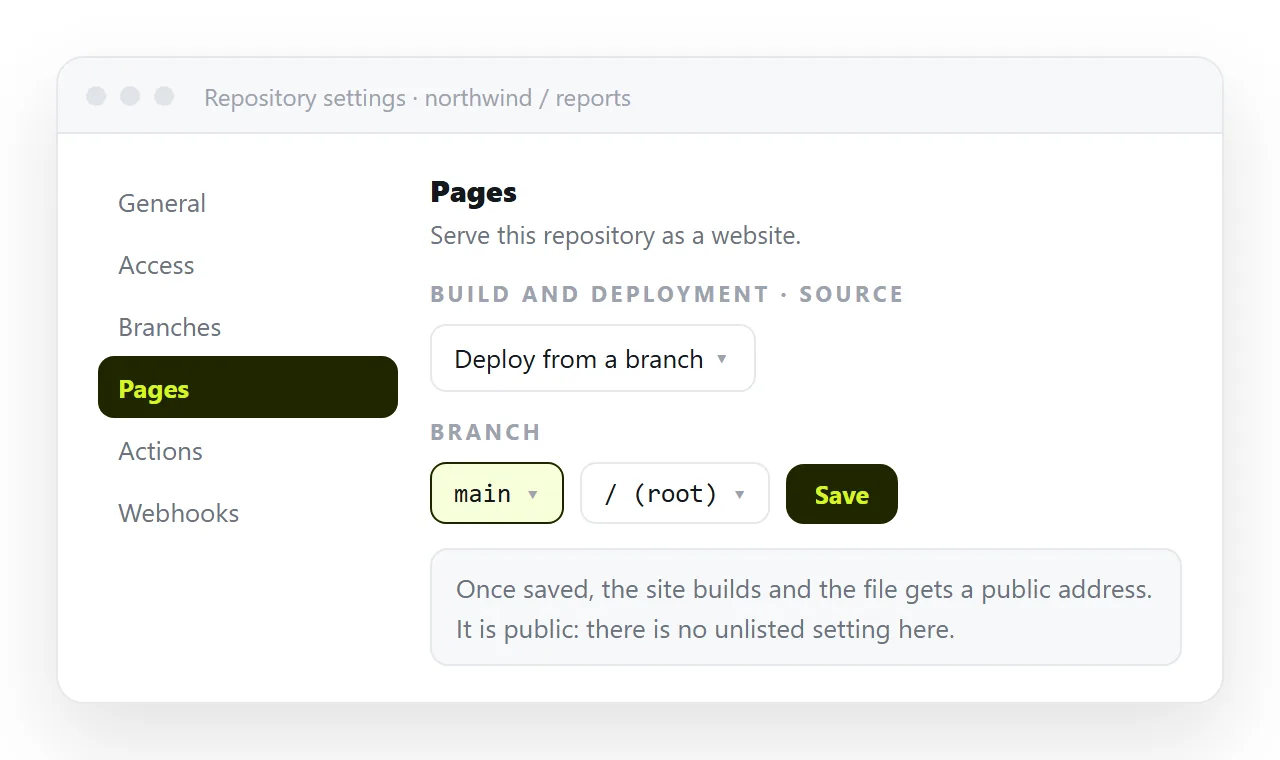
The address follows a fixed pattern based on the account and repository name, and it updates on every push to that branch. That last part is the real benefit: the preview is never stale.
Two things to know before relying on it. Publishing from a private repository requires a paid plan, and the published site is public by default, so do not use it as a preview for anything confidential.
The build also takes time, which is fine for a site and tiresome for a single page you are iterating on. Static host versus document compares that working rhythm with the alternative.
One practical detail. If the repository contains a folder or file whose name starts with an underscore, the default build treats the site as a Jekyll project and may skip it.
Adding an empty file named .nojekyll at the root turns that processing off and publishes the files as they are. It is the usual fix when a folder of assets fails to appear on the published site.
Route two: a raw content proxy
Several third party services take a GitHub file address and serve the same bytes with an HTML content type, so the browser renders it instead of displaying it.
It is the fastest route to a rendered look at one file. The trade-offs are real:
- The link depends on the file staying at that exact path in that branch.
- A page that loads a stylesheet or images from the repository may or may not resolve them.
- You are routing your content through a service you do not control.
- The address is long and not something to put in a document that people keep.
Useful for a glance during review. Not something to send to a client.
Route three: clone it
git clone the repository, then open the file from disk with a browser. This is what you want while you are editing, because the edit and reload loop is local and instant.
git clone https://github.com/user/repo.git
cd repo
python -m http.server 8000
The static server matters when the page fetches a data file. A page opened directly from disk gets the file:// origin and those requests are refused. Previewing HTML code in a browser covers the local loop in more detail.
When the repository is the wrong home
A repository is built around commits, branches and history. For a component library or a documented site, that is exactly right.
For a single report, a one-pager or a page produced by an assistant, it is a lot of apparatus around one file. You end up committing, pushing and waiting for a build in order to change a number.
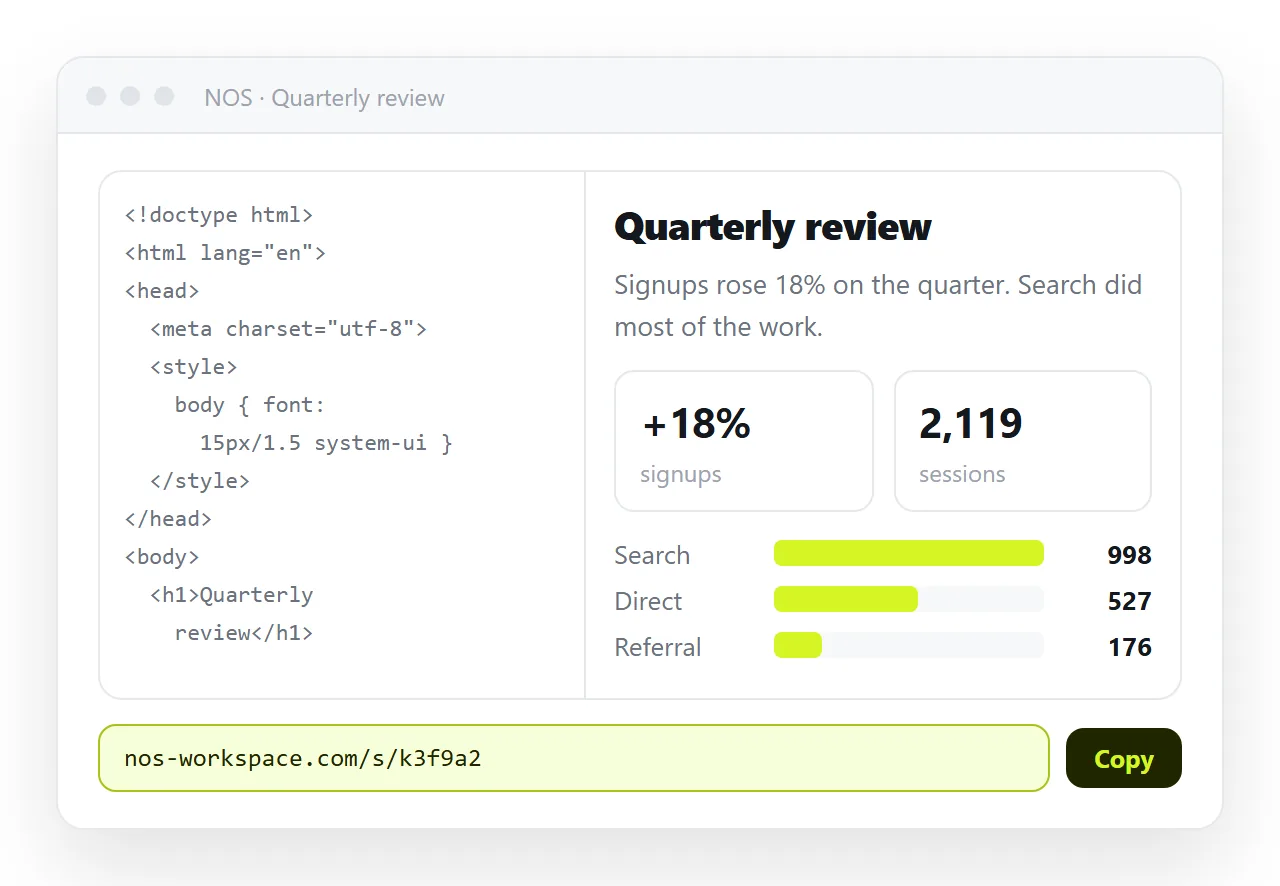
The alternative is to paste the HTML into a NOS document. It renders as a page of its own, scripts and charts included, and Share, Share link, Create link gives it an address.
Corrections are made by clicking the text in the document, with no commit and no build, and the address does not move.
The link is unlisted by default, so it opens for whoever you send it to without appearing in search results. Public on the web is a checkbox if you want the opposite.
Turning HTML into a link is that route, and what a static page is covers the distinction underneath both options.
Choosing
- A site with several pages, versioned alongside code. GitHub Pages.
- A quick look at one file during review. A raw content proxy, then discard the link.
- Editing the page. Clone it and serve the folder locally.
- One page other people need to read and comment on. An address that renders the HTML directly. Hosting HTML on Vercel covers the static host version of the same need.