HTML research notes are only worth the time if you can find them again, and the failure is always the same: three months later you need the finding, you remember doing the work, and you cannot locate it, so you redo it, usually worse.
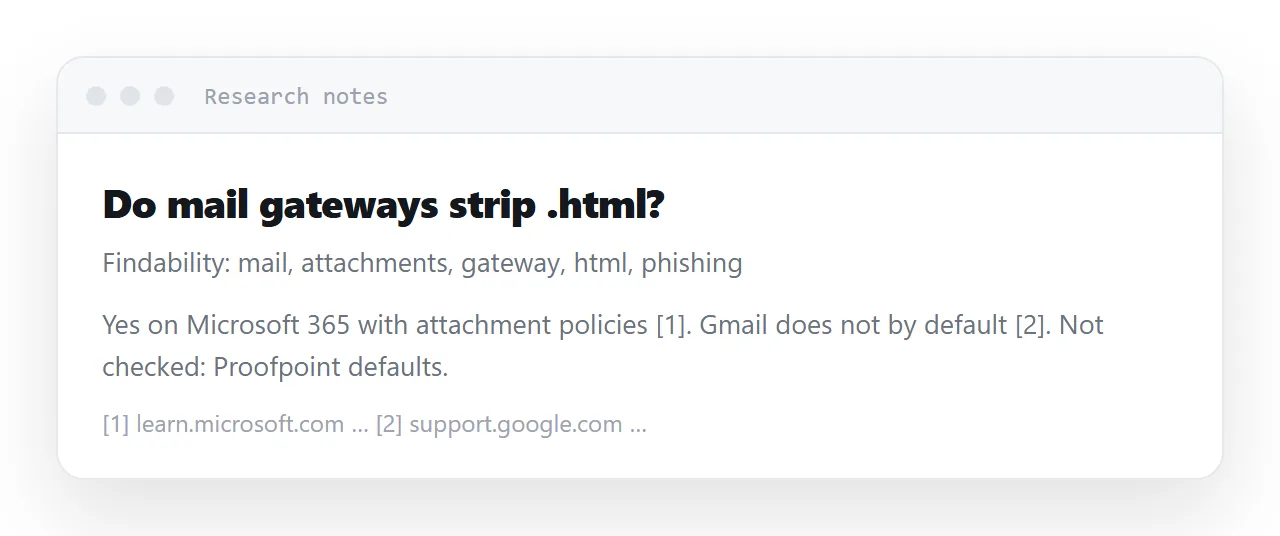
What makes a note findable is mostly what is written at the top of it, and where it is stored decides whether a phrase from the finding brings it back.
This guide covers the top of the note, sourcing every claim in place, keeping the raw material, marking what was not checked, and the four steps to make a note survive.
The failure is always the same: three months later you need the finding, you remember doing the work, and you cannot locate it. So you redo it — usually worse, because you no longer remember the caveats.
HTML research notes: findability is what you write at the top
A title that describes the finding
<title>Which registries accept pre-launch products — 34 free, 6 paid, checked Sep 2026</title>
Not Research notes or Directory research. The title is what you will search for, and you will search using the words of the conclusion, not the words of the task.
The date, and what it is the date of
<p class="meta">Checked 12 September 2026. Prices and acceptance criteria change — verify before relying on any specific figure.</p>
A note without a date is unusable, because you cannot tell whether to trust it. A note whose date says explicitly what ages fastest is better still.
The conclusion, before the working
Your future self wants the answer. Put it in the first two lines and the method below.
<h2>What I concluded</h2>
<p>34 registries accept a product before launch at no cost. Of the six paid
   options, only one has a listing that appears in search results for our terms.</p>
Source every claim, in place
<li>
  Three of the eight sources recommending this approach are the registries
  themselves, and two more sell submission services.
  <a href="https://example.com/page">source</a>
</li>
Next to the claim, not in a list at the end. A claim whose source has to be hunted for gets treated as unsourced when somebody challenges it — including by you.
And note what that example is doing: recording who was saying it. A recommendation from a party with an interest in the recommendation is a different kind of evidence from an independent one, and three months later that distinction is invisible unless you wrote it down.
Keep the raw material
<details>
  <summary>Raw list — 44 registries, as collected</summary>
  <table>…</table>
</details>
A details element keeps it out of the way and in the document. Never discard the collected data — conclusions get revisited, and without the working you are starting from nothing.
If the raw data is large, keep it as a separate page and link it. Do not keep it only in a folder on one machine.
Mark what you did not check
The most valuable line in any research note:
<h2>Not verified</h2>
<ul>
  <li>Whether the paid tier actually produces the traffic claimed — no independent figures found.</li>
  <li>Acceptance rates. Nobody publishes them.</li>
</ul>
Without this section, the gaps in your research become invisible, and a month later you will treat your own notes as more complete than they were. Writing down what you failed to establish is what stops a plausible summary hardening into a believed fact.
Why a searchable document beats a folder
| Where | Findable by content | Has a date | Survives a laptop change |
|---|---|---|---|
| A chat thread | Poorly | Yes | Uncertain |
| A file on a laptop | Sometimes | If you named it | No |
| A folder structure | No — you must remember the folder | No | Maybe |
| A searchable document | Yes | Yes | Yes |
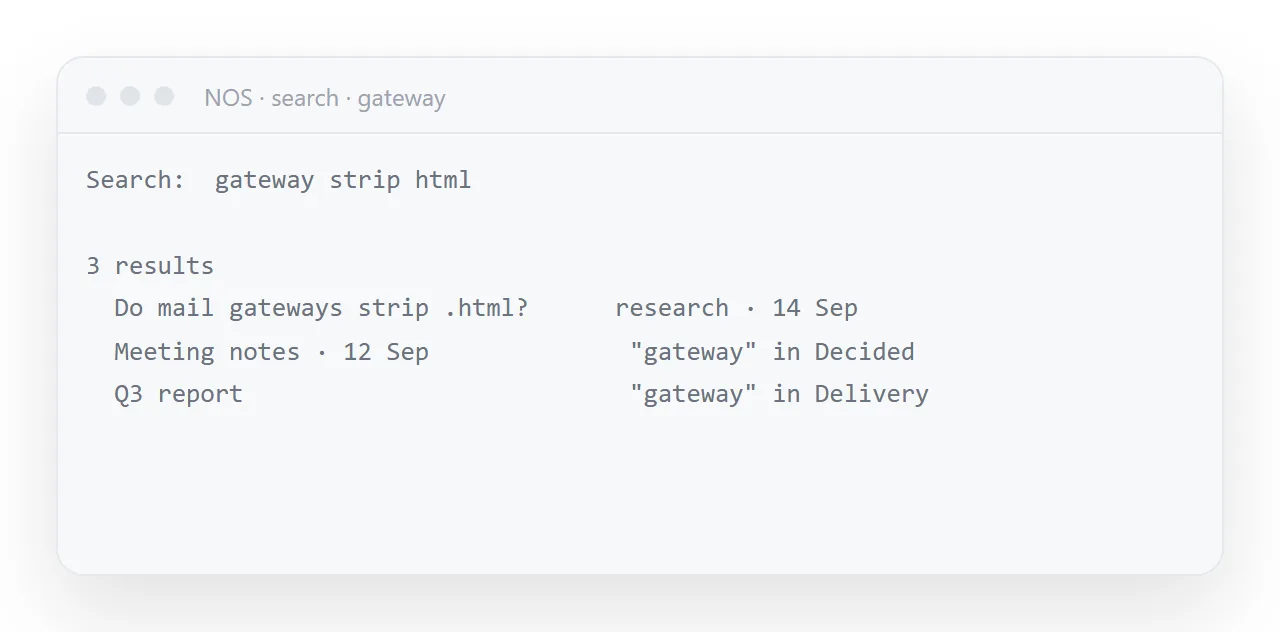
The first column decides it. You will not remember the folder; you will remember a phrase.
In NOS a research note is a document searchable by the words inside it, sitting next to your other work, with an address you can paste into a ticket or a message. Which also means the finding can be handed to someone else without exporting anything.
Linking the note to what used it
A finding gets used: a spec cites it, a report quotes it, a decision rests on it. Link from those documents back to the note, and from the note forward to them in a line at the bottom.
Then the person who questions the number in the spec can follow the link to the note with its caveats, and the person who updates the note can see what depended on it.
The two-minute habit
Write the title and the date first, before the research. It takes two minutes, and it is the difference between a note you find and a note you rewrite.
What makes a note survive
| Element | Cost | Value later |
|---|---|---|
| A title naming the conclusion | 30 seconds | This is how you find it |
| The date, and what it is the date of | 10 seconds | Tells you how much to trust it |
| Conclusion before method | None | Your future self reads two lines |
| A source next to each claim | As you go | Unsourced claims get discarded |
| Who was saying it | As you go | Separates interested parties from independent ones |
| The raw data, kept | None | Conclusions get revisited |
| A "not verified" section | A minute | Stops gaps becoming invisible |
The last row is the highest-value minute in the list, and the one nobody writes.
Where the note goes
Searchable by its contents, with an address you can paste into a ticket. A folder is findable only if you remember the folder — see saving a page built in a chat for the same problem in a different setting, and publishing the page when the finding needs handing to somebody.
Making a research note survive: 4 steps
- Write the finding as the title. Not the topic. "Invited viewers who must sign up: 41% never do" is findable by any word in it; "Signup research" is not.
- Put the date of the data and the conclusion first. Say which date it is, then the conclusion before the method, with the source beside each claim.
- Mark what you did not check. Two words, not measured, next to every gap. It is the part you will need most in three months.
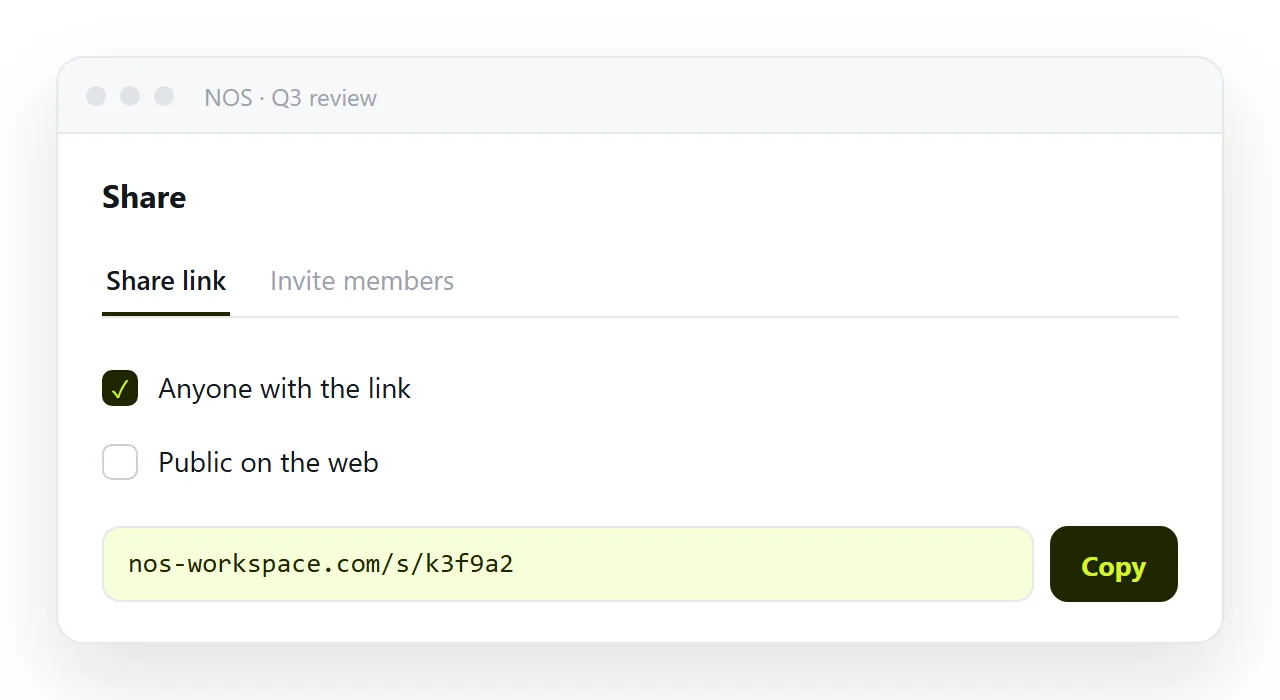
- Paste it into a NOS document next to the work it informs. Share, then Share link, then Create link. It is found by searching any phrase inside it, and the spec that cites it links back. Turning HTML into a link is this step.