Using an assistant as an HTML table generator gets you a table that looks right and behaves wrong, because the default sort compares numbers as text and 100 lands before 9.
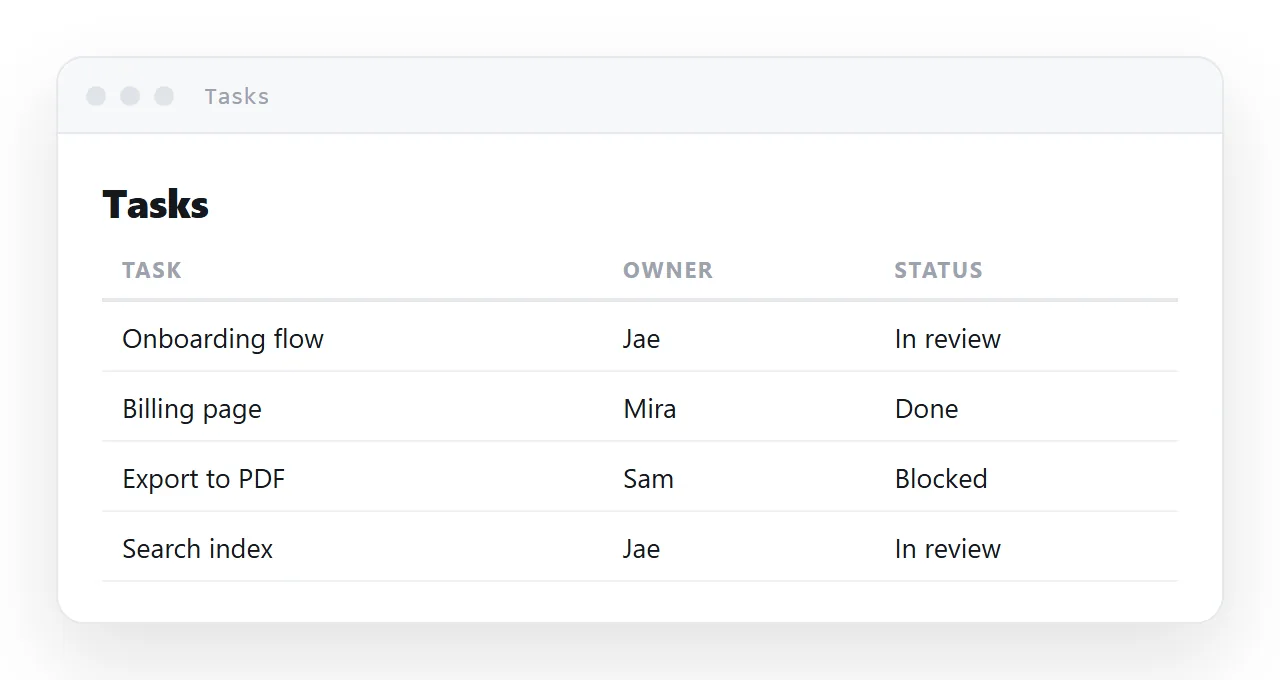
This prompt produces one self-contained file whose columns sort numerically, whose cells edit in place, and which reads on a phone.
This guide gives the prompt, the reasoning for each part, the six checks to run after it renders, and the four steps to share the table so more than one person is looking at the same rows.
Tables are the case where generated output looks right and behaves wrong, because the flaw — text sorting applied to numbers — only shows up when you click a column.
The HTML table generator prompt
Build one complete, self-contained HTML file containing a data table.

STRUCTURE
- doctype, head with charset, viewport, descriptive title
- all CSS in one <style> tag; all JS in one <script> before </body>
- no libraries
- proper table markup: thead, tbody, th scope="col"

SORTING
- clicking a column header sorts by that column, toggling direction
- numeric columns must sort numerically: strip non-digits, parseFloat,
  fall back to localeCompare for text
- set aria-sort on the active header

EDITING
- every td is contenteditable="true"
- a visible focus style on td:focus
- save rows to localStorage on input, wrapped in try/catch
- an "Add row" button and a "Download CSV" button

LAYOUT
- wrap the table in a div with overflow-x: auto; table min-width 560px
- numeric columns: text-align right, font-variant-numeric: tabular-nums
- header row tinted, hairline bottom borders only, no vertical rules
- long cells vertical-align: top
Why each part is there
"Numeric columns must sort numerically"
The default comparison is textual, which produces this:
1
10
100
9
And with formatting it gets worse — $1,284 sorts before $998 because 1 precedes 9 as a character. The fix:
<script>
  var nx = parseFloat(x.replace(/[^0-9.-]/g, ''));
  var ny = parseFloat(y.replace(/[^0-9.-]/g, ''));
  var numeric = x && y && !isNaN(nx) && !isNaN(ny);
  return numeric ? nx - ny : x.localeCompare(y);
</script>
Stripping non-digits before parsing is what makes $1,284 and 41 min sort as numbers. localeCompare rather than < is what puts accented names in the right place.
"aria-sort on the active header"
One attribute, and the sorted state is announced rather than merely shown by an arrow. Costs nothing.
"A visible focus style on td:focus"
td:focus { outline: 2px solid #d5f525; outline-offset: -2px; background: #fcffe8; }
Without this, clicking a cell produces no visible change and nobody discovers the table can be edited. The feature exists and is invisible.
"try/catch around localStorage"
Storage throws rather than failing quietly in two ordinary situations: private browsing, and pages rendered inside a restricted frame. Unguarded, that exception halts the rest of the script — so the table becomes unsortable as well as unsaveable. See local storage.
"overflow-x: auto wrapper"
Six columns cannot be squashed into a phone screen and stay readable. Let the table scroll inside its own box:
.scroller { overflow-x: auto; -webkit-overflow-scrolling: touch; }
table { min-width: 560px; }
The rest of the page stays still. Two lines.
"Proper table markup"
thead, tbody and scope="col" are what let a screen reader announce "Owner, Jae" rather than reading a stream of unlabelled words. The same rows built from styled divs look no different on screen and are useless to anyone not looking at it. See semantic HTML.
"Download CSV"
One small function, and the table stops being a dead end for anyone who needs the data in a spreadsheet:
<script>
  var v = cell.textContent.replace(/"/g, '""');
  out.push(/[",\n]/.test(v) ? '"' + v + '"' : v);
</script>
Quoting any value containing a comma, quote or newline is what stops the export breaking on the first free-text cell.
Changing the prompt for your own table
Name the columns and say which are numeric, dates or text; the comparator handles the first two the same way but the assistant will format dates better if it knows. Say roughly how many rows to expect.
Past a hundred, ask for a filter box and a sticky header; past a thousand, a table is the wrong tool and you want a page per group.
Leave the SORTING and EDITING blocks exactly as written, because those are the lines that fail silently without instruction.
The limit worth knowing
Local storage belongs to one browser on one machine. Send the file to four people and you get four divergent tables that cannot see each other, with no way to merge them and no way to tell which is current.
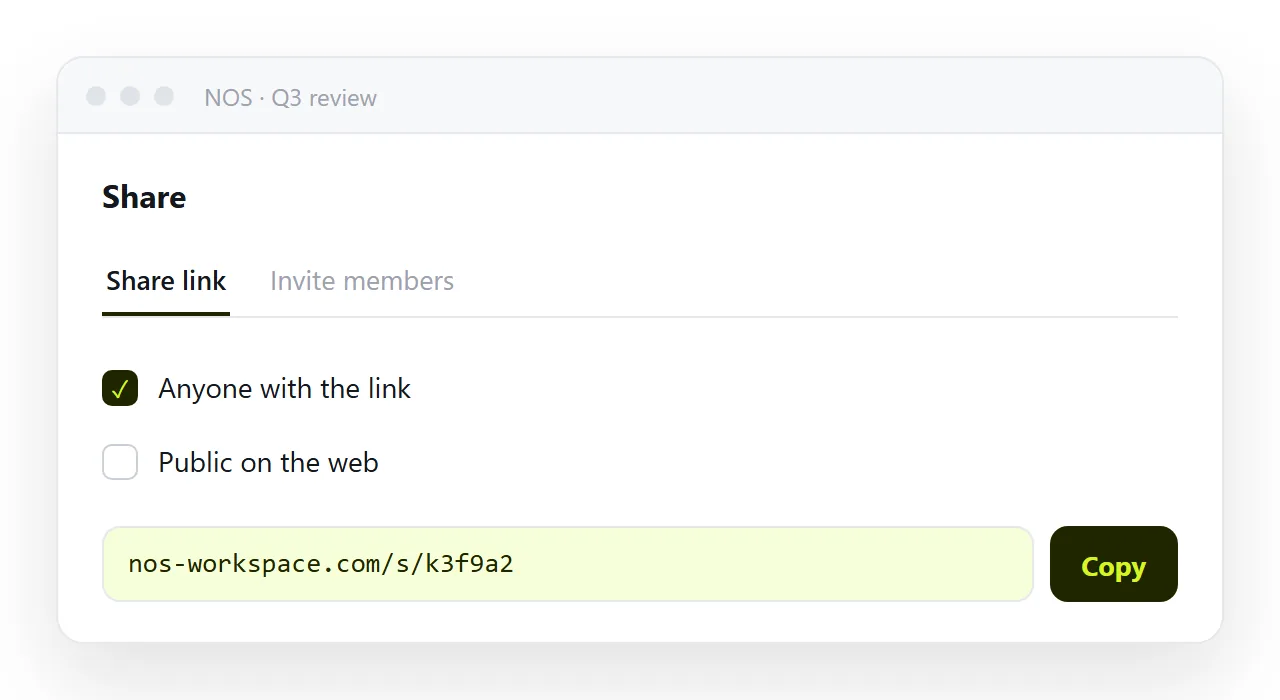
If more than one person needs the same rows, the table has to live at one address. Publish the page — in NOS the pasted table renders exactly as written, its cells hold clickable text, and everyone on the link is looking at the same rows.
Or start from the table builder, which produces this file already assembled.
What to check after it renders
| Check | What a failure looks like |
|---|---|
| Click a numeric column header | 100 sorts before 9 — text comparison |
| Click a cell | No visible change — no focus style |
| Type, then reload | Edits gone — no storage, or storage threw |
| Narrow the window to 360px | Columns squashed instead of scrolling |
| Tab through the headers | Cannot reach them — not focusable |
| Use a screen reader on a row | Unlabelled stream — missing scope="col" |
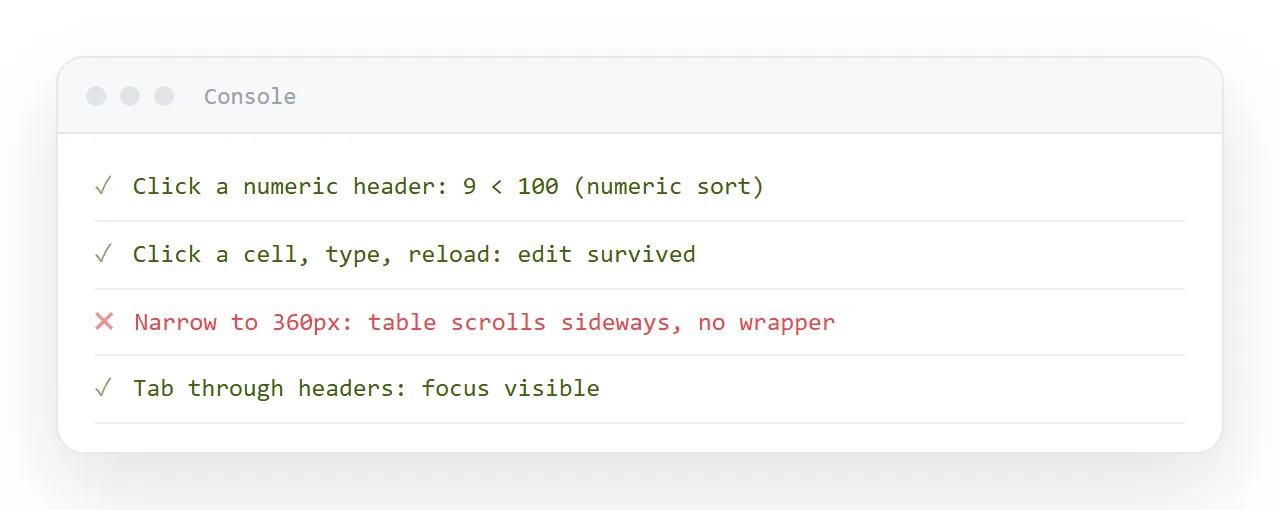
Six checks, a minute in total. The first and third are the ones generated tables fail most often.
The storage answer, stated plainly
A generated table can save to the local browser, and that is per machine — so four recipients produce four divergent tables. See localStorage for why, including the exception it throws inside a preview frame.
If more than one person needs the same rows, the table has to live at one address. Or start from the table builder, which produces the file with all six checks above already handled.
From the prompt to a shared table: 4 steps
- Paste the prompt and name your columns. Keep the SORTING, EDITING and LAYOUT blocks as written. Say which columns are numeric or dates.
- Run the six checks. Sort a numeric column, click a cell, type and reload, narrow to 360px, tab through the headers, read a row with a screen reader. The first and third are the ones generated tables fail most.
- Give the table an address and copy it. Share, then Share link, then Create link. One set of rows for everyone, and one place to fix a number. Turning HTML into a link is this step.
- Correct rows on the page, not in copies. Click the cell, type over it. The link everyone has shows the corrected row, and there is no spreadsheet v3 in anyone's inbox.