To publish HTML report Azure DevOps runs produce, a pipeline task stores the file as an artifact on the run. The artifact is preserved and downloadable, but it is not rendered as a page.
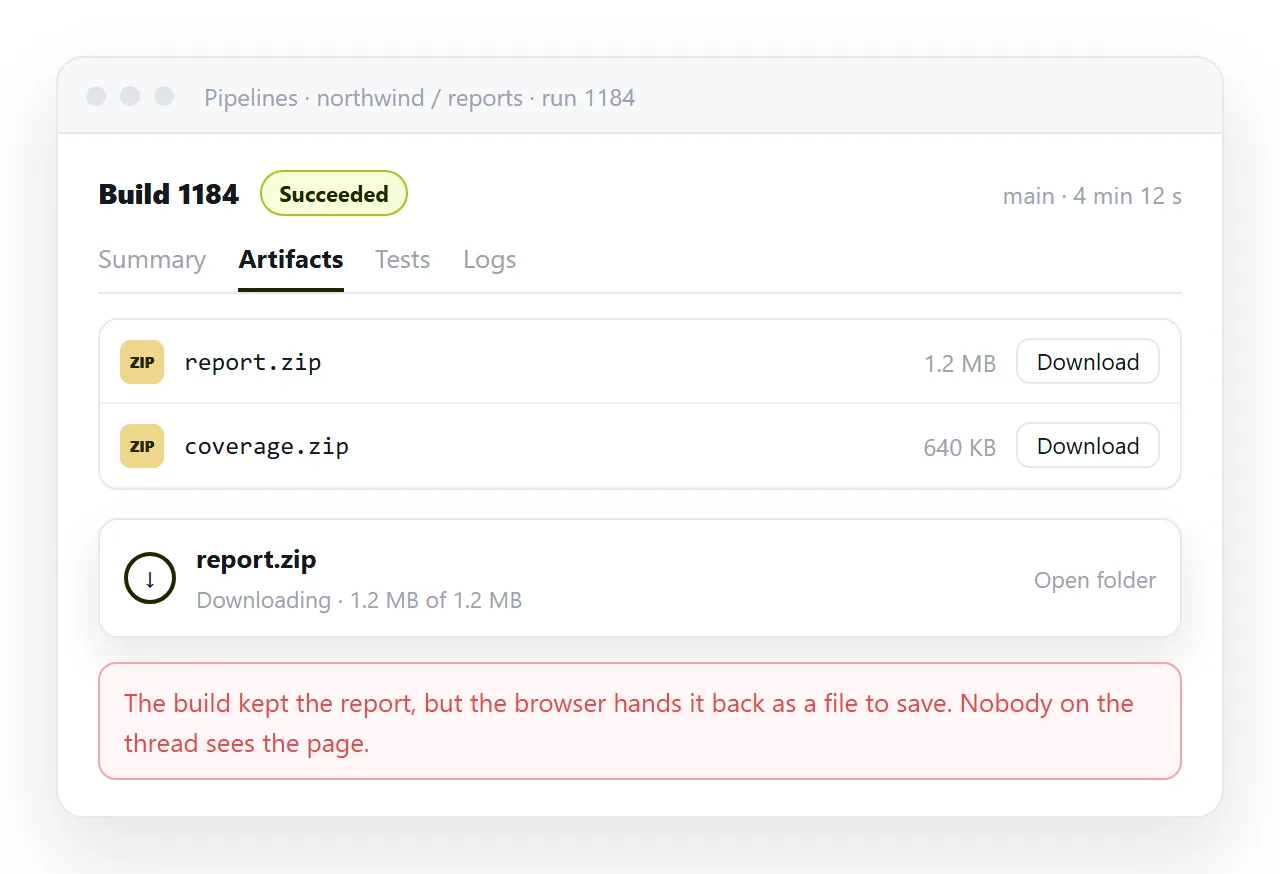
That distinction is the source of most of the frustration here. Publishing in the pipeline sense means storing, not serving, and a stored HTML file opens as a download.
What each option actually does
| Option | Report is preserved | Rendered in the browser | Readable without project access |
|---|---|---|---|
| Pipeline artifact | Yes | No, it downloads | No |
| Coverage results task | Yes | Yes, in its own tab | No |
| Marketplace tab extension | Yes | Yes, inside the run | No |
| A web address | Yes | Yes | Yes, if you share the link |
Three of the four rows share a limitation. Whatever the report looks like inside Azure DevOps, only people with access to the project can see it.
That is the right default for build output. It becomes a problem the moment the report is meant for someone whose job does not involve pipelines.
Why an artifact downloads
An artifact store holds bytes. It is not deciding to be unhelpful; it is refusing to serve build output as a live page under its own domain.
That is the same boundary a cloud drive draws. Storing a file and serving a page are different jobs, and only one of them puts a page in front of a reader.
That refusal is defensible. Build output is arbitrary, and a page with a script in it, served from your organisation's domain and opened by a signed-in colleague, is a meaningful risk.
The consequence is the same one storage services produce everywhere, described in why an HTML file downloads instead of opening. The file is fine, the delivery is not.
Ways to publish HTML report Azure DevOps runs create
As an artifact. Always do this. It is the baseline, it costs nothing, and it means the report exists even if no one can view it in place.
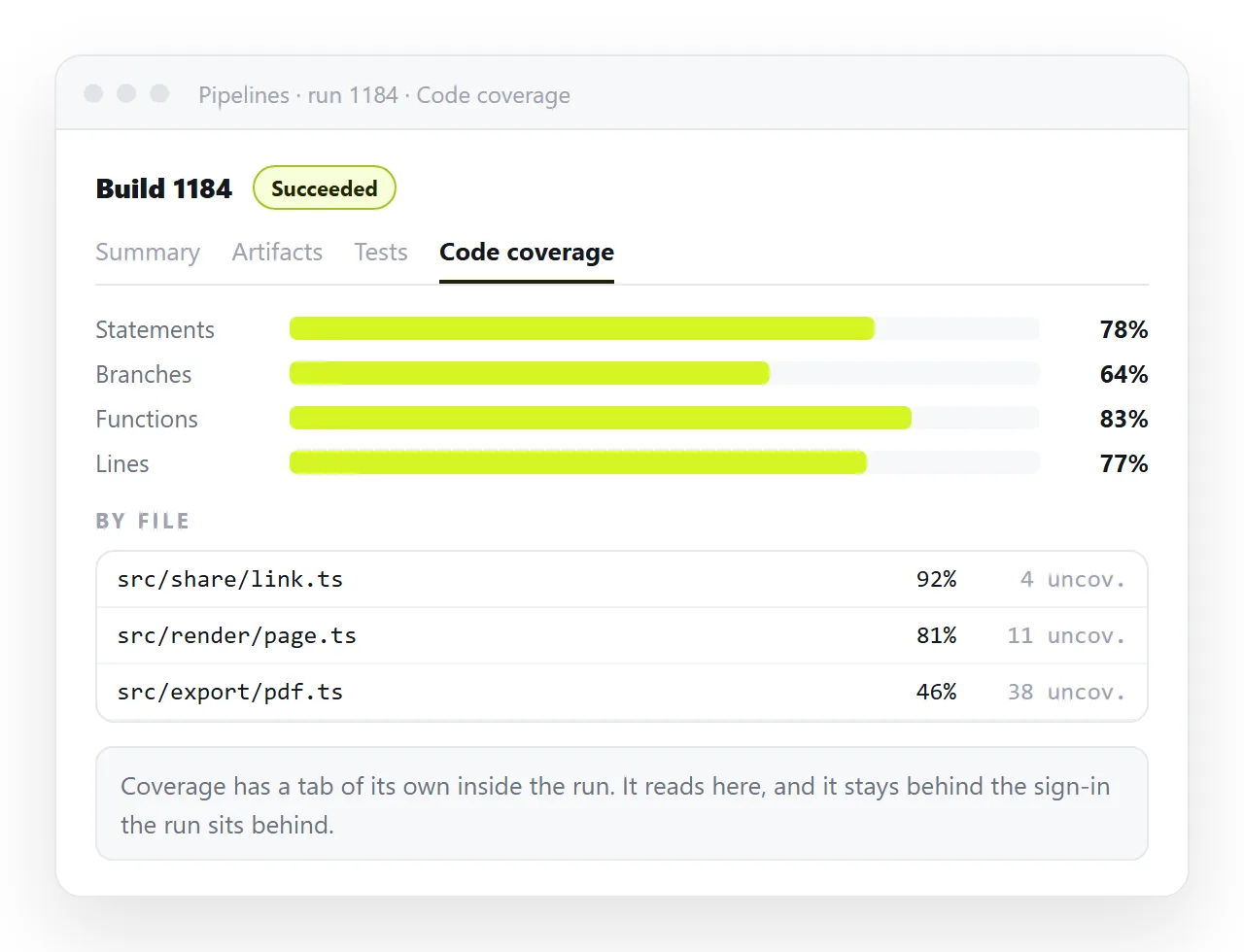
Through the coverage path. If the report is code coverage in a standard format, the dedicated task gives you a tab that renders it. This is the only built-in rendering path worth relying on, and it does not extend to arbitrary HTML.
Through a marketplace extension. Extensions exist that add a tab and display published HTML inside the run. They are third-party code inside your organisation, so route that through whoever owns the project rather than installing it quietly.
When the reader is not on the team
Every option above assumes the reader signs into Azure DevOps. For a report going to a client, a vendor or a colleague in another department, that assumption fails.
Adding someone to a project so they can read one page is disproportionate, and it usually gets refused.
The report then arrives as an email attachment instead, which is where it stops being read. Mail gateways filter HTML attachments, and phones have nowhere to open them.
Artifacts also expire with retention settings, so a link someone saved can be dead months later while everyone assumes the report is still available.
Getting it to a reader who has no access
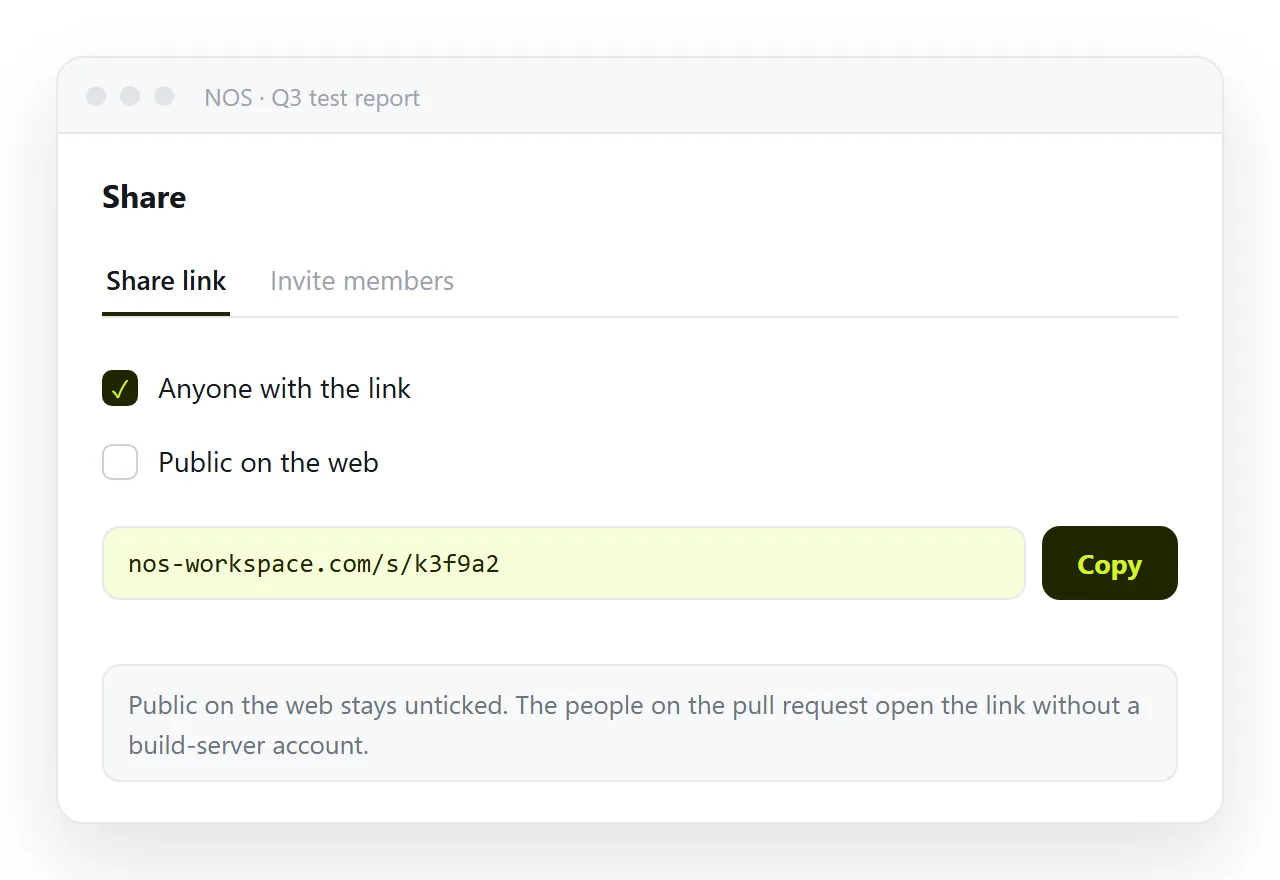
If the report is self-contained, open it, copy the HTML, and paste it into a NOS document. It renders exactly as written, dark theme, charts and scripts included, as a page of its own.
Then Share, Share link, Create link. The link is unlisted by default, so it opens for whoever holds it and is listed nowhere, which suits build output that should not appear in search results.
Check first that the report really is one file. Open it in the HTML file opener, and if the styling collapses there, the report depends on sibling files. Self-contained HTML covers folding them in.
The address stays fixed afterwards, so a figure corrected after review updates under the link that was already sent. Turning a report into a link covers that pattern generally.
Choosing where the report lives
- Artifact only when the readers are the engineers who ran the pipeline.
- Artifact plus coverage tab when the report is coverage and the team reads it per run.
- Artifact plus a web address when a named person outside the project is waiting on it.
- A web address when the report will be discussed, annotated or corrected before it is final.
These are not exclusive. Publishing the artifact costs nothing, so keep it as the record and treat the shared link as the copy people actually read.
The artifact is then the audit trail, tied to a specific run and a specific commit. The link is the readable version, which is what a reviewer wants.
The failure to design against
The pattern to avoid is a stakeholder holding a link into a pipeline run that they cannot open, or that has expired, while the team believes the report has been delivered.
Nobody reports this. They assume the report was not important, or they ask for it again weeks later.
Either way the work was done and not read, which is the most expensive outcome available. A pipeline that produces a careful report nobody opens has produced nothing.
The check is short. Ask the person the report is for to open the link once, on their own machine, before you treat the delivery as finished.
If they cannot open it, the report has not been published for them, whatever the pipeline log says.