To host HTML on Netlify, drag the folder that contains your index.html onto Netlify Drop, and the page is served at a generated netlify.app address you can send to anyone.
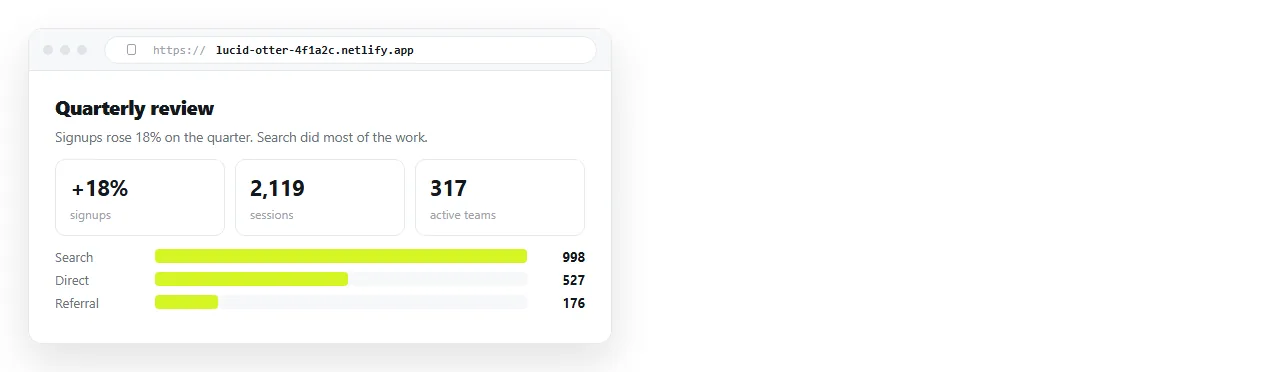
That is the whole of the first upload. Everything difficult about this route arrives afterwards: the second version, whether the address survives, and what happens when the person reading the page asks for one number to be changed.
Two ways to host HTML on Netlify
Netlify accepts a finished folder or a repository. They suit different kinds of work.
| Route | What you hand over | Good for |
|---|---|---|
| Netlify Drop | A folder, dragged into the browser | One page, one reader, no build |
| Git connection | A repository branch | A site several people commit to |
| CLI deploy | A folder, from a terminal | Scripted or repeated deploys |
If what you have is a single exported report, Drop is the shorter path. The Git route pays off only when more than one person edits the source and you want a history of who changed what.
Getting the folder right before you drag it
Most failed deploys are structural, not technical. Three things decide whether the address shows your page or a not-found screen.
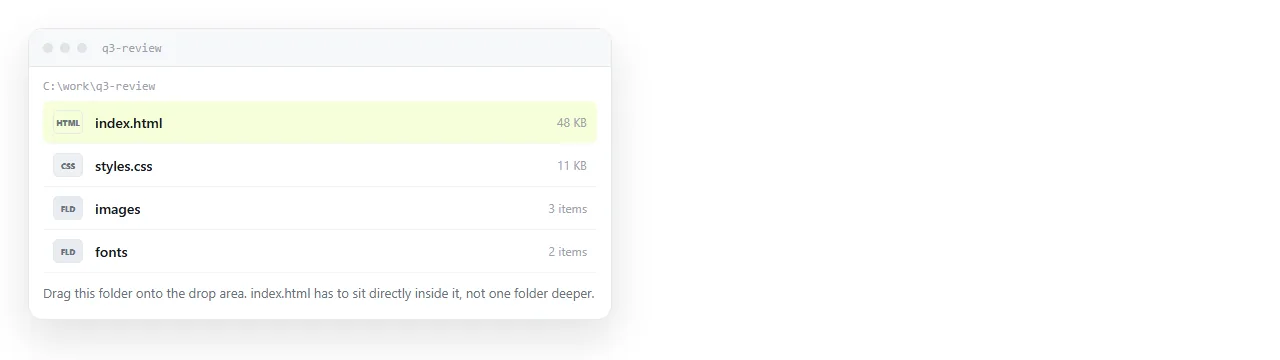
The entry file. Netlify serves index.html at the root of whatever you dropped. A file called report.html is reachable, but only if the reader appends the filename.
The folder level. Dragging the parent of your project folder makes the site root one level too high. Drop the folder that directly contains the page.
Case. The server matches filenames exactly. Chart.js linked as chart.js works on Windows and returns a 404 once deployed.
Checking the page survives outside your machine
A page that reaches for files sitting next to it on your desktop breaks the moment it moves. Run this check before you deploy, not after someone reports a blank screen.
- Open the file in the HTML file opener. It has never seen your project folder.
- If fonts, charts and images all appear, the page is self-contained and will travel.
- If they do not, the page depends on neighbour files. Self-contained HTML covers folding them in.
- If images specifically are missing, the cause is usually a folder path that does not survive the move.
Fixing this first is cheaper than diagnosing it through a deployed URL, because the deployed version gives you a 404 in a console rather than a clear file list.
What the generated address actually gives you
A deployed page is served over HTTPS as text/html, which is the part that matters. The reader clicks once and the page appears. There is no download step, no viewer showing the source, and no difference between desktop and phone.
That is the same guarantee described in why links beat attachments, and it is the reason hosting is worth the trouble at all.
The generated subdomain is readable but not memorable. You can rename the site or attach a custom domain, and the previously sent link stops matching if you do. Decide the address before you circulate it.
Where the drag-and-drop loop starts to hurt
Netlify holds files. That is its job and it does it well. The consequence is that the unit of work stays the file, so every correction is a full round trip.

Consider what a single typo costs on each route.
| Task | Static host | Document that renders HTML |
|---|---|---|
| Fix one number | Edit locally, redeploy folder | Click the number, type |
| Keep the same address | Yes, if the site is claimed | Yes |
| Add a second page | Another file, another deploy | Another document |
| Let a colleague fix a typo | They need repo or account access | Share the document |
| Build step required | Only if your project has one | None |
Neither column is wrong. The question is how often the content changes after it is first sent.
A launch page written once and read for a year belongs on a host. A weekly report or a client summary spends most of its life being corrected.
That is where the redeploy loop turns into real hours. Static host versus document sets out the trade in full.
The paste route, for comparison
If the content is one page and it will change, you can skip folders entirely.
Paste the HTML into a NOS document. It renders exactly as written, dark theme, charts and scripts included, as a page of its own. Then Share, Share link, Create link.
The link is unlisted by default, meaning it opens for whoever holds it without being listed anywhere. Tick Public on the web only if you want search engines to index it.
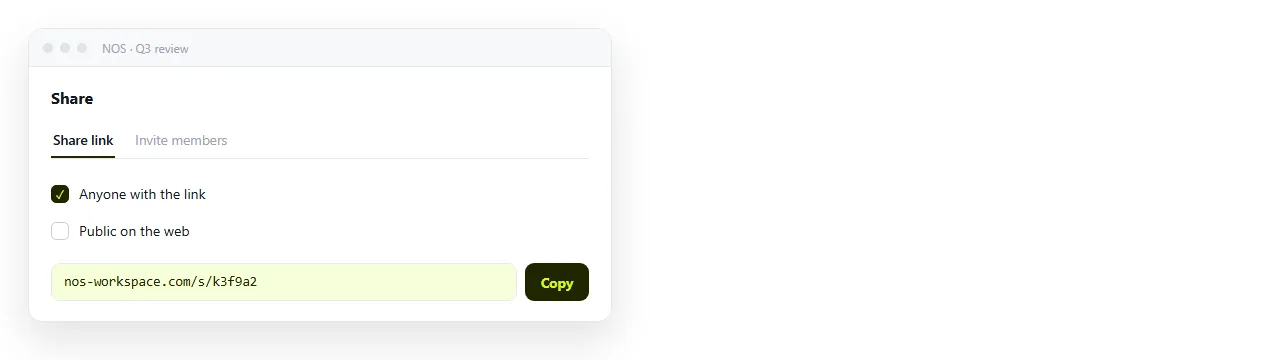
The address does not move when the content does. Edit the page in March and the link you sent in January still points at the current version. Turning HTML into a link is that path on its own page.
Choosing between them
- Deploy to Netlify when the output is a real site, when a build step produces it, or when more than one person commits to the source.
- Deploy to Netlify when you need a custom domain on a marketing page.
- Paste into a document when it is one page, the reader is a person rather than the public, and the content has a correction cycle.
- Paste into a document when the page came out of an AI chat and you want the words to stay editable without regenerating the file.
The free NOS plan covers three documents, which is enough to test whether the editable route fits how your pages actually change.
Hosting HTML is not one decision. It is a decision about the first version and a separate, larger decision about every version after that.