When an HTML video file is not found, open the network tab and read the exact URL the browser requested. That one string tells you which of four problems you have.

Press F12, open Network, then reload with it open. Requests that fail before you look are not recorded.
The failing row shows the resolved address, not what you typed. That difference is usually the answer.
Reading the failing URL
| What the requested URL shows | Cause | Fix |
|---|---|---|
| A folder you did not expect | Relative path resolved against the page location | Correct the path, or use a leading / |
Clip.MP4 against a clip.mp4 file |
Case mismatch | Rename to lowercase, match exactly |
%20 in the middle |
Space in the filename | Rename without spaces |
| The right URL, status 200, still dead | Wrong content type, or an error page | Check the response headers |
| The right URL, plays on download | Codec not supported | Re-encode to H.264 in MP4 |
The first two account for the large majority.
Case sensitivity, the one that only appears after upload
Windows and macOS filesystems normally ignore letter case. Web servers on Linux do not.
So <source src="Video/Clip.MP4"> finds video/clip.mp4 on your desktop and returns 404 the moment the site is served.
Make a habit of lowercase filenames with hyphens instead of spaces. It removes the class of problem rather than fixing one instance.
Relative paths and where they resolve
src="clip.mp4" means "next to the document that referenced me". Not next to the project root, and not next to the stylesheet.
Move the HTML one folder deeper and the same attribute now points somewhere else. Relative versus absolute paths sets out the three forms and when each is safe.
<!-- next to this page -->
<source src="clip.mp4" type="video/mp4">

<!-- from the site root, independent of page depth -->
<source src="/media/clip.mp4" type="video/mp4">

<!-- full address, works from anywhere including a pasted page -->
<source src="https://example.com/media/clip.mp4" type="video/mp4">
If the page will be pasted, emailed or moved, the third form is the only one that survives.
A 200 that is still a failure
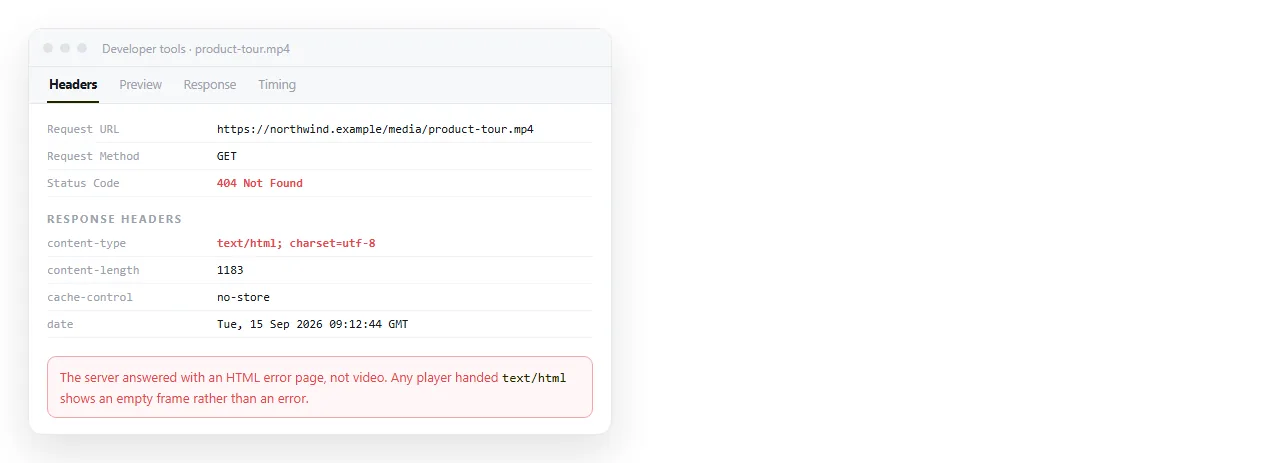
Not every failure is a 404. Some servers answer a missing file with a friendly error page and a 200 status.
The browser then receives HTML where it expected video, and the element reports no supported source. The network tab looks green.
Click the request and read the response headers. The Content-Type should be video/mp4, not text/html. MIME types explains what the header controls and why a wrong one breaks otherwise valid files.
Missing file or unsupported codec
These produce similar symptoms and have opposite fixes. Separate them with one test.
Paste the video URL straight into the address bar. If the browser downloads or plays it, the file exists and is reachable, so your problem is the markup or the codec.
If the address bar gives you an error, the file is genuinely not there and no change to the <video> element will help.
For codecs, H.264 video with AAC audio inside an MP4 container is the safe combination. Offering a second source costs nothing:
<video controls poster="cover.jpg">
  <source src="/media/clip.webm" type="video/webm">
  <source src="/media/clip.mp4" type="video/mp4">
  <p>Your browser cannot play this video. <a href="/media/clip.mp4">Download it</a>.</p>
</video>
The paragraph inside the element is shown only when no source works, which is more useful than an empty rectangle.
The local file case
Opening the page by double clicking it puts it on the file protocol, where video has extra limits.
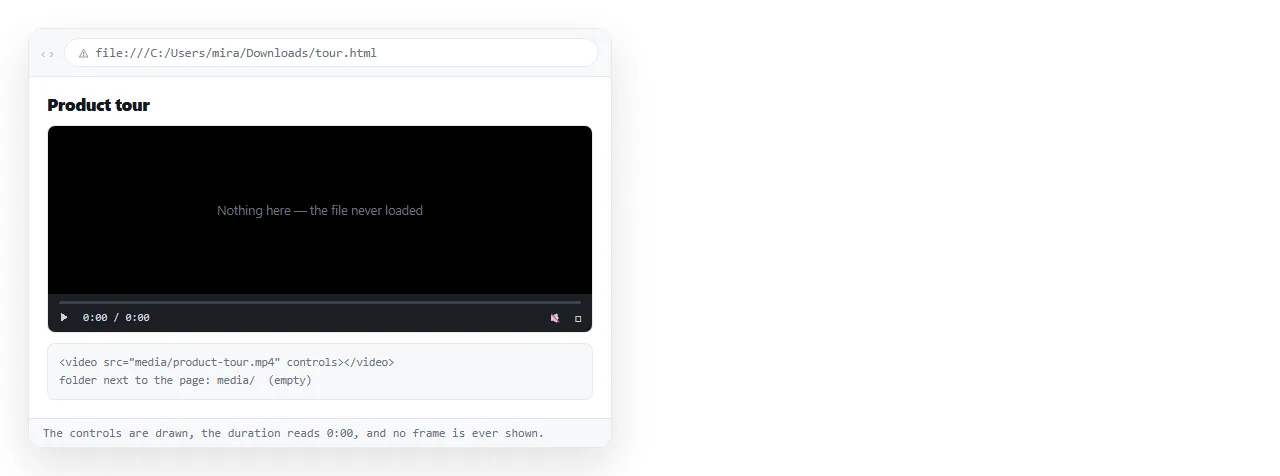
Browsers use byte range requests to seek within video, and those are not available for local files in several browsers. A video that is present and correct can still refuse to play.
So a local test cannot confirm your paths are right. Drop the file into the HTML file opener and check it there, where the page is served.
Why not embed the video
You can encode a video as base64 and put it in the src. It removes the missing file problem entirely.
It also inflates the bytes by roughly a third, loads the whole file before anything plays, and produces an HTML file too large for most editors to handle comfortably.
Self-contained HTML is worth doing for CSS, fonts and small images. Video is the case where it stops being worthwhile.
Checklist
- Network tab open, page reloaded, failing request located.
- Requested URL compared to the real path, character for character.
- Filename lowercase, no spaces.
- Response content type is a video type.
- URL opens directly in the address bar.
- A fallback
<source>and a fallback link inside the element.
Sending the page onward
A page with a video is at minimum two files. Email it and only one arrives, which is the same 404 in a new location.
Paste the page into a NOS document and it is served from an address, so absolute references load normally and the reader clicks one link.
Turning HTML into a link is that step. If autoplay is the next thing that fails, HTML video not autoplaying covers the policy.