HTML video not autoplaying is nearly always the autoplay policy: browsers refuse to start a video with sound before the reader has interacted with the page.
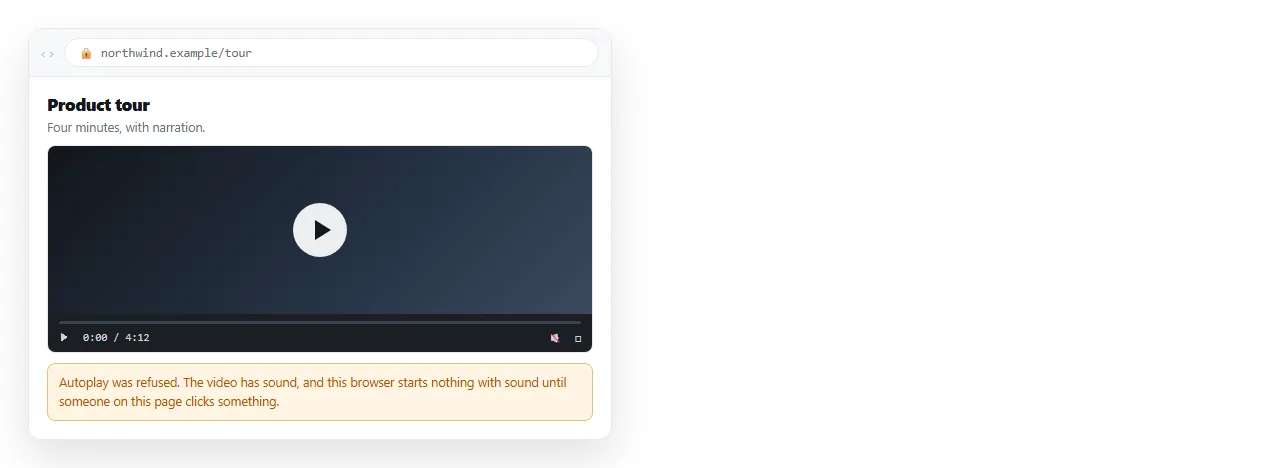
Add muted and the refusal goes away. That is the whole rule, and it applies to Chrome, Safari, Firefox and Edge alike.
The attribute set that works
<video autoplay muted playsinline loop poster="cover.jpg">
  <source src="clip.mp4" type="video/mp4">
</video>
Each attribute is doing separate work:
| Attribute | What it does | What happens without it |
|---|---|---|
autoplay |
Asks to start without a click | Video waits for the reader |
muted |
Satisfies the autoplay policy | Request is refused, silently |
playsinline |
Keeps playback in the page on mobile | iOS goes fullscreen, then blocks |
loop |
Restarts at the end | Stops on the last frame |
poster |
Shows an image before playback | Blank or black rectangle |
playsinline is the one most often missing from copied snippets, because it only matters on phones and the author tested on a laptop.
Why muted is the condition
The policy exists because unexpected sound is disruptive, especially on a phone in a meeting. Browsers decided that silent motion is acceptable and audible playback is not.
Setting muted in the markup is not the same as muting in script after load. Set it as an attribute so the state is true at the moment autoplay is evaluated.
Chrome also maintains a Media Engagement Index that can grant sound autoplay to sites a reader uses often. You cannot detect it, cannot test it reliably, and should not design around it.
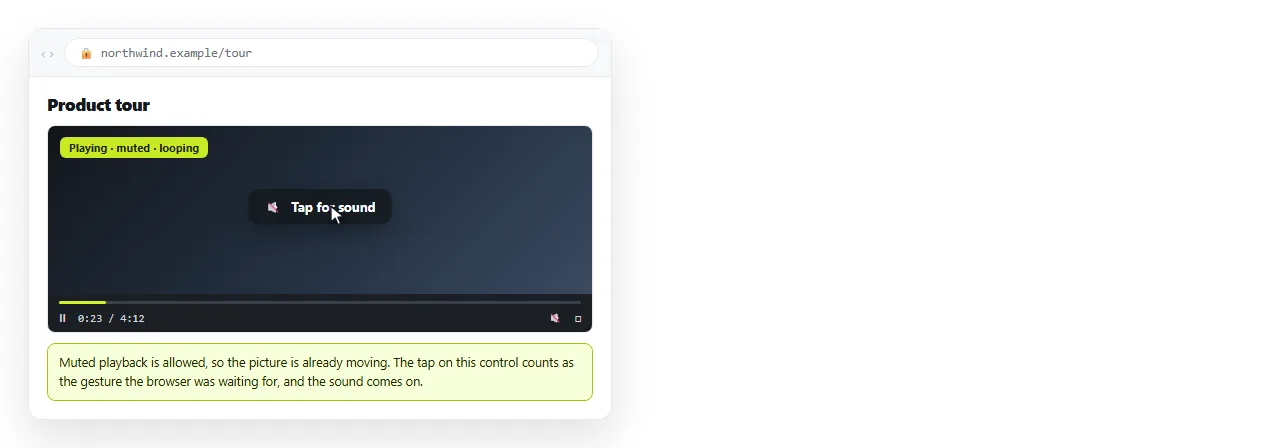
Design for the refusal instead of fighting it
The workable pattern is muted autoplay plus a visible unmute control. The reader's click is a gesture, and a gesture lifts every restriction.
<video id="v" autoplay muted playsinline loop src="clip.mp4"></video>
<button id="sound">Sound on</button>
<script>
  document.getElementById('sound').addEventListener('click', function () {
    var v = document.getElementById('v');
    v.muted = false;
    v.play();
  });
</script>
Note the v.play() after unmuting. Changing muted alone does not restart a video the browser already paused.
Handling the play promise
play() returns a promise. When autoplay is refused, that promise rejects, and an unhandled rejection shows as a console error while the page shows a dead frame.
var p = document.getElementById('v').play();
if (p !== undefined) {
  p.catch(function () {
    document.getElementById('v').controls = true;
  });
}
You also see The play() request was interrupted when the source changes or pause() is called before the promise settles. Wait for it to resolve before doing anything else to the element.
When the problem is not autoplay at all
If the poster never appears and the controls are greyed out, the file is not loading and autoplay is irrelevant.
Check the network tab for a 404 on the video. HTML video file not found covers path and MIME type causes in detail.
Check the codec too. An .mp4 container can hold codecs a given browser will not decode. H.264 video with AAC audio in MP4 is the combination that plays everywhere.
Offer more than one source and let the browser pick:
<video autoplay muted playsinline>
  <source src="clip.webm" type="video/webm">
  <source src="clip.mp4" type="video/mp4">
</video>
Local files change the answer
Opening the page from your desktop puts it on the file protocol, where video behaves differently.
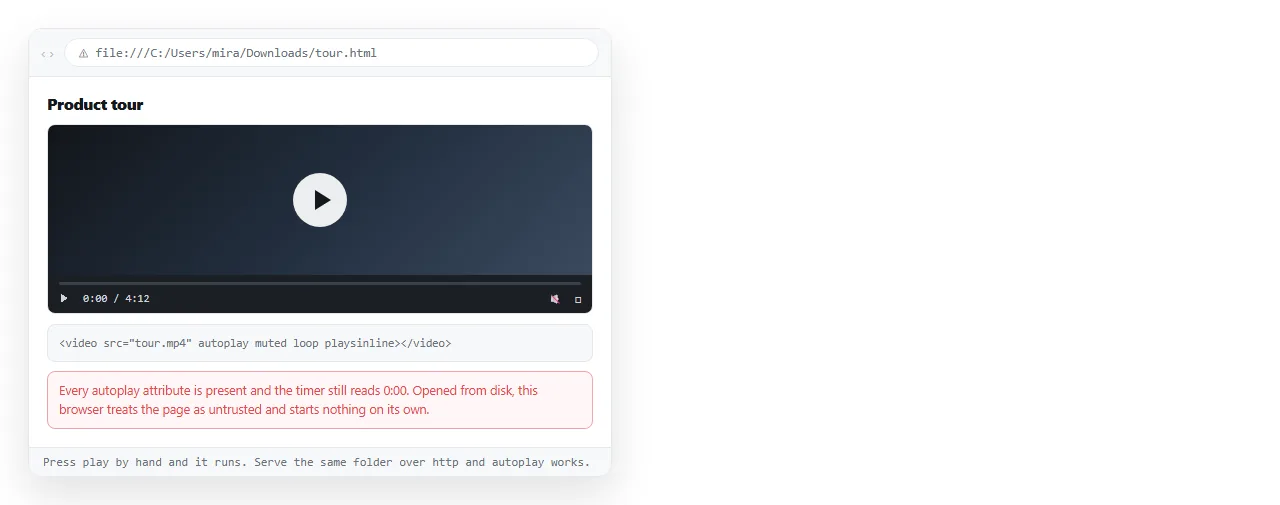
Byte range requests, which browsers use to seek within a video, are not available for local files in some browsers. Playback can fail before the autoplay policy is consulted at all.
That means a local test tells you nothing about whether your attributes are right. Serve the page and test there. The HTML file opener is enough for a quick check.
Data saver and reduced motion
Two reader settings override everything above, and both are legitimate.
- Data saver mode on mobile blocks autoplay to save bandwidth.
- Reduce motion in the operating system is a signal that animation should be restrained.
You can respect the second in CSS:
@media (prefers-reduced-motion: reduce) {
  video { animation: none; }
}
In both cases the page must still make sense with a still frame. That is what poster is for.
Checklist
- Is
mutedin the markup, not only set in script? - Is
playsinlinepresent? - Is there a
posterso a blocked video is not a black box? - Does the network tab show the file loading?
- Is the codec H.264 in MP4, or is there a fallback source?
- Are you testing at a real address rather than from disk?
Sending a page with video in it
A video is a separate file next to the HTML, so an emailed page arrives with a missing source. Self-contained HTML explains what can and cannot be folded in, and video is usually too large to embed.
Paste the page into a NOS document and it renders at an address of its own, with the video served rather than read off a disk.
Turning HTML into a link is that step, and the link keeps working after you swap the clip.