HTML quiz code with score needs four things beyond a plain quiz: a per question record of what was right, a total, a percentage band, and a way to start again.
Below is the complete file. It runs with no server, no build step and no library.
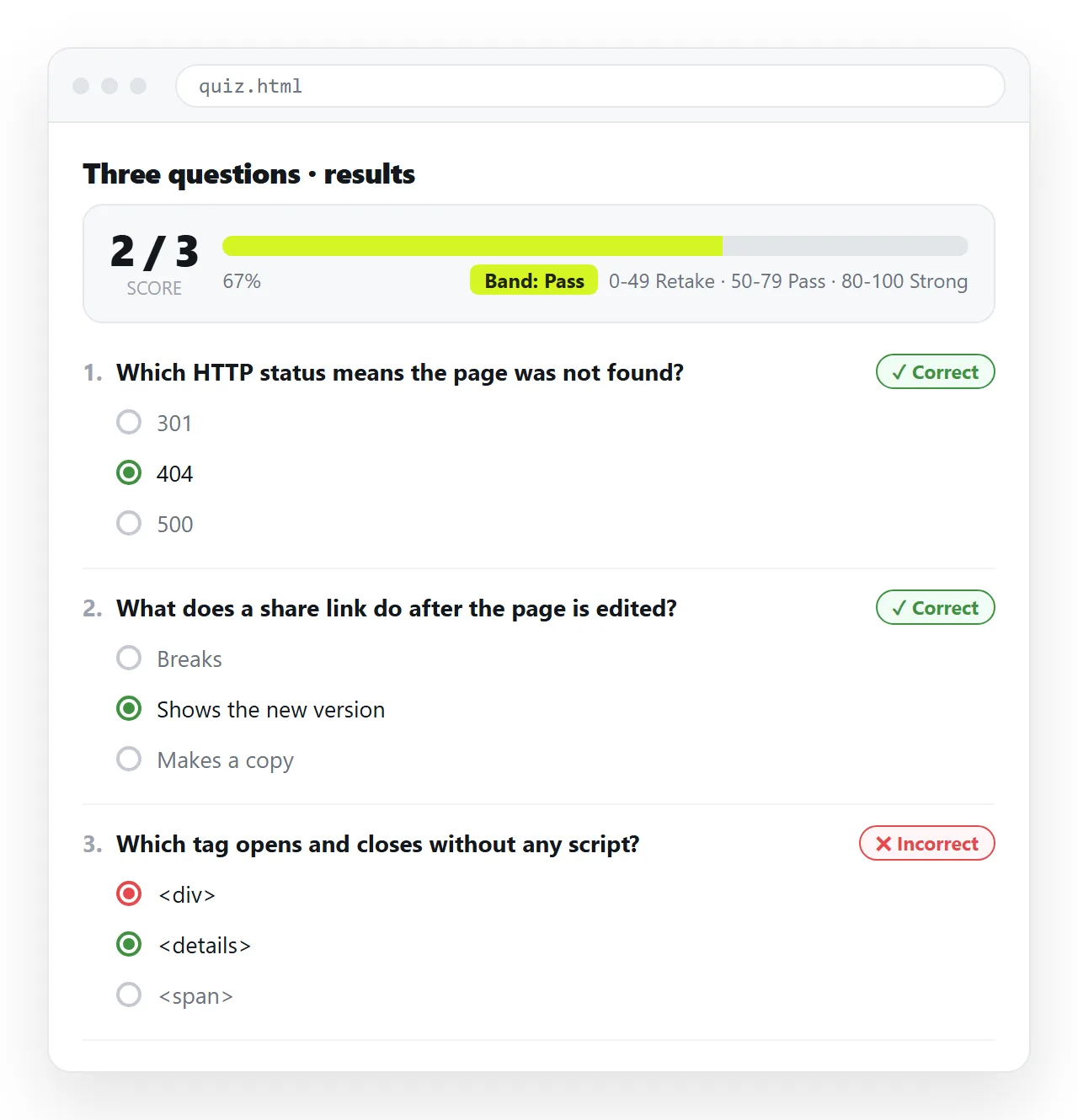
The complete HTML quiz code with score
<!doctype html>
<html lang="en">
<head>
<meta charset="utf-8">
<meta name="viewport" content="width=device-width,initial-scale=1">
<title>Quiz</title>
<style>
  body{font-family:system-ui,sans-serif;max-width:640px;margin:32px auto;
       padding:0 16px;color:#111;}
  fieldset{border:1px solid #ddd;border-radius:6px;margin:0 0 16px;padding:12px 16px;}
  legend{font-weight:600;padding:0 6px;}
  label{display:block;padding:6px 0;cursor:pointer;}
  .mark{font-size:13px;margin-top:6px;}
  .ok{color:#1a7f37;} .no{color:#b3261e;}
  #panel{display:none;border-top:2px solid #111;padding-top:16px;}
  button{font-size:15px;padding:10px 18px;}
</style>
</head>
<body>
<h1>Quick check</h1>
<form id="quiz"></form>
<button id="check" type="button">Check answers</button>
<div id="panel">
  <p id="score"></p>
  <p id="band"></p>
  <button id="again" type="button">Try again</button>
</div>
<script>
var questions = [
  { q: 'Which attribute gives an image its text alternative?',
    options: ['title', 'alt', 'caption'], answer: 1 },
  { q: 'Which element groups related form controls?',
    options: ['section', 'fieldset', 'div'], answer: 1 },
  { q: 'Which unit is safest in an email template?',
    options: ['rem', 'vw', 'px'], answer: 2 },
  { q: 'What does a share link give a page?',
    options: ['A download', 'An address', 'A screenshot'], answer: 1 }
];

var form = document.getElementById('quiz');
questions.forEach(function (item, i) {
  var fs = document.createElement('fieldset');
  var html = '<legend>' + item.q + '</legend>';
  item.options.forEach(function (opt, j) {
    var id = 'q' + i + 'o' + j;
    html += '<label for="' + id + '"><input type="radio" id="' + id +
            '" name="q' + i + '" value="' + j + '"> ' + opt + '</label>';
  });
  html += '<div class="mark" id="m' + i + '"></div>';
  fs.innerHTML = html;
  form.appendChild(fs);
});

function bandFor(pct) {
  if (pct === 100) return 'All correct. Nothing to revisit.';
  if (pct >= 75) return 'Solid. Read back the ones marked incorrect.';
  if (pct >= 50) return 'Half there. Worth a second pass over the material.';
  return 'Start again from the beginning of the guide.';
}

document.getElementById('check').onclick = function () {
  var right = 0;
  questions.forEach(function (item, i) {
    var picked = document.querySelector('input[name="q' + i + '"]:checked');
    var mark = document.getElementById('m' + i);
    if (!picked) {
      mark.className = 'mark no';
      mark.textContent = 'Not answered. Correct answer: ' + item.options[item.answer];
      return;
    }
    if (Number(picked.value) === item.answer) {
      right++;
      mark.className = 'mark ok';
      mark.textContent = 'Correct';
    } else {
      mark.className = 'mark no';
      mark.textContent = 'Incorrect. Correct answer: ' + item.options[item.answer];
    }
  });
  var pct = Math.round((right / questions.length) * 100);
  document.getElementById('score').textContent =
    'Score: ' + right + ' of ' + questions.length + ' (' + pct + '%)';
  document.getElementById('band').textContent = bandFor(pct);
  document.getElementById('panel').style.display = 'block';
  document.getElementById('panel').scrollIntoView();
};

document.getElementById('again').onclick = function () {
  form.reset();
  questions.forEach(function (_, i) {
    var mark = document.getElementById('m' + i);
    mark.textContent = '';
    mark.className = 'mark';
  });
  document.getElementById('panel').style.display = 'none';
  window.scrollTo(0, 0);
};
</script>
</body>
</html>
What the code decides for you
Four choices are made in that file, and each is worth knowing about because you may want the opposite.
| Decision | This file does | The alternative |
|---|---|---|
| Unanswered questions | Counted as incorrect | Block submission until all are answered |
| When marking appears | All at once after submit | Immediately per question |
| Correct answers | Revealed after checking | Hidden, only the score shown |
| Retry | Clears everything | Keeps the best score |
Change bandFor first. The bands are the part readers actually respond to, and generic praise is worse than no message.
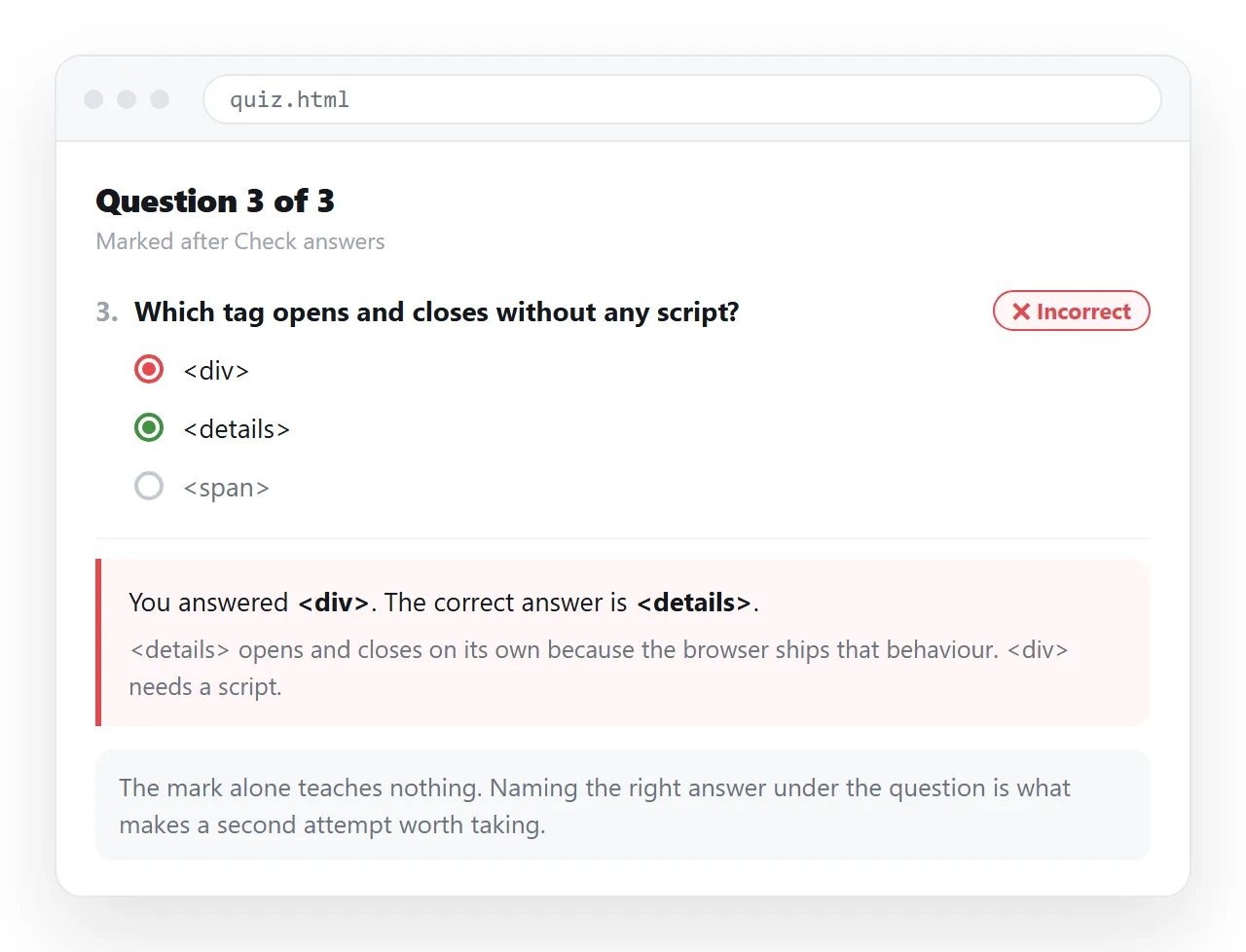
Reading the script in four parts
The file is short enough to hold in your head, and it splits cleanly.
The data. One array, one object per question, each with the prompt, the options and the index of the correct option. Adding a question is one line, and no markup changes.
The render loop. It builds a fieldset per question and appends it. Each option gets its own id, and the label points at that id, so the whole option text is clickable.
The check handler. It walks the questions once, finds the checked input for each group, increments the counter and writes the per question mark at the same time.
The reset handler. It clears the form, empties the marks and hides the result panel. Without it, a second attempt shows stale marking next to fresh answers.
Keeping the counting and the marking in one pass is deliberate. Two separate loops drift apart the moment someone adds partial credit or a skipped question rule.
Percentages and rounding
Divide the count by the number of questions, then round once at the point of display.
Rounding earlier causes the band comparison to use a number the reader never sees, which produces the odd case of a page showing 75 percent while giving the message for the band below it.
If the quiz has a pass mark, state it on the page before the taker starts. A score that arrives with an unannounced threshold reads as arbitrary.
Marking with words, not only colour
Green and red are the obvious signal, and they are not enough on their own.
The file writes the word Correct or Incorrect into each mark element. That survives colour blindness, printing, and a reader who has the page in a high contrast mode.
Naming the correct answer in the same line is also what turns a score into something useful. A bare number tells the taker nothing about what to read again.
Remembering the last attempt
If you want the page to recall a previous score on the same device, local storage holds it.
localStorage.setItem('quizBest', String(Math.max(pct, Number(localStorage.getItem('quizBest') || 0))));
Be honest about what that is. It is per device and per browser, the user can clear it, and it is not a record you can rely on. Use it for a friendly best score line, not for tracking completion.
Recording who scored what
Marking in the browser means nothing leaves the page. If completion has to be recorded, the score has to be submitted.
The smallest version is a form below the result panel with a name field and a hidden input holding the score, posting to a form service you already run. Form to link covers the sharing and collection side of that.
Remember that the answer key sits in the source of the page. A submitted score can be edited by anyone who looks. For a knowledge check that is acceptable; for anything graded it is not.
Putting it where people can take it
Sending the file as an attachment runs into the usual problems. It gets filtered, it will not open on a phone, and each copy is frozen with whatever mistakes it had.
Paste the file into a NOS document instead. It renders as written, script included, and the quiz runs for whoever opens the link.
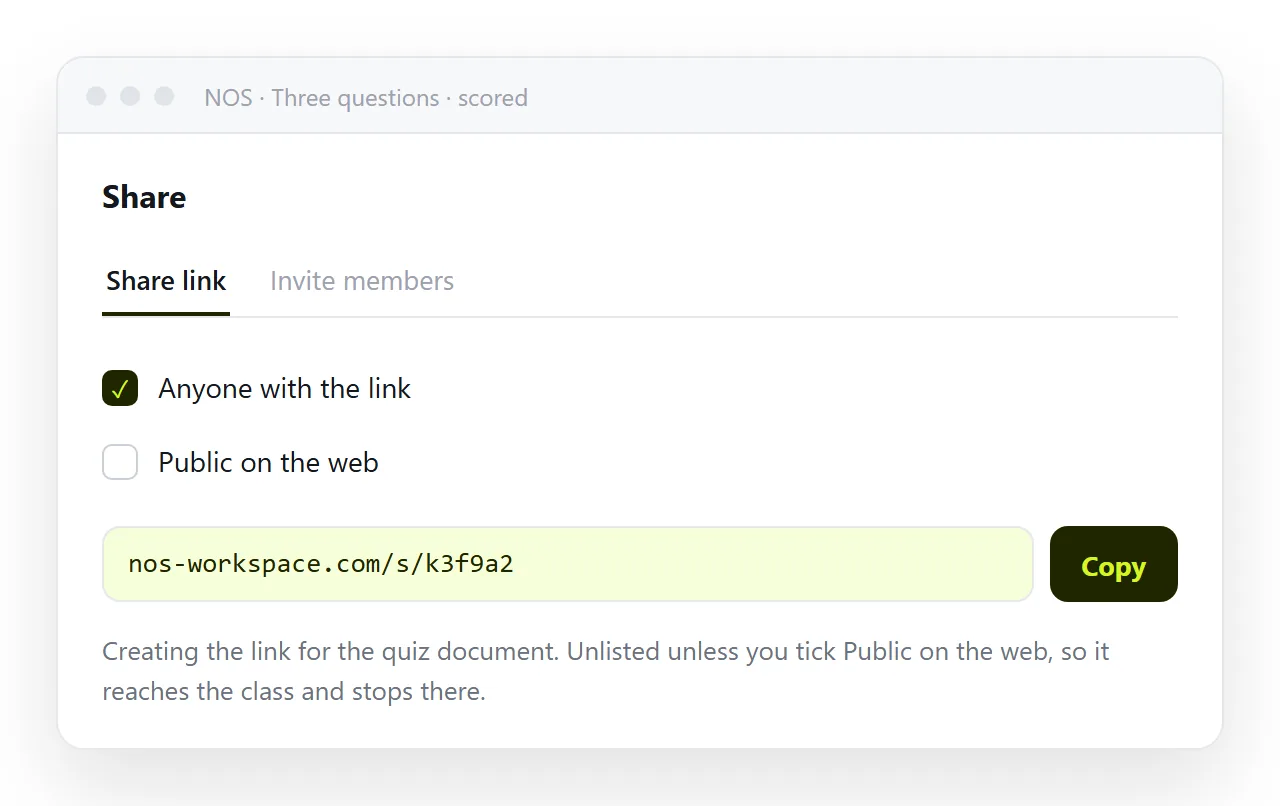
The address holds when you edit, so correcting a wrong key or rewording a question does not invalidate the link you already circulated.
Changes people usually want next
Four common extensions, none of them large.
Randomised order. Shuffle the questions array before rendering. Keep the answer index inside the object so shuffling cannot desynchronise the key.
Weighted questions. Add a points value per question and sum that instead of counting. The percentage then divides by the total points available.
One question at a time. Render a single fieldset and advance on answer. This suits longer quizzes, and it needs a progress line so the taker knows how far in they are.
Immediate feedback. Move the marking into a change handler on each group rather than into the submit button. Decide first whether you want the taker to change an answer after seeing it marked.
Accessibility of the result
The score panel appears after a click, and appearing content is easy to miss.
The file above calls scrollIntoView so the panel is brought into view. For screen reader users, an aria-live attribute on the panel announces the score without moving focus, which is usually the better behaviour.
Do not rely on the colours alone. The words Correct and Incorrect, plus the named correct answer, carry the whole meaning if every style is stripped away.
For the structure behind this file and the accessibility rules, see HTML quiz. If the quiz leads into a form, HTML signup page covers what happens next.