An HTML quiz is a single file holding the questions as data, a set of radio inputs for the answers, and a small script that compares what was selected against the key.
No server is involved, which is what makes it a fifteen minute job. It is also what limits where a quiz like this can be used.
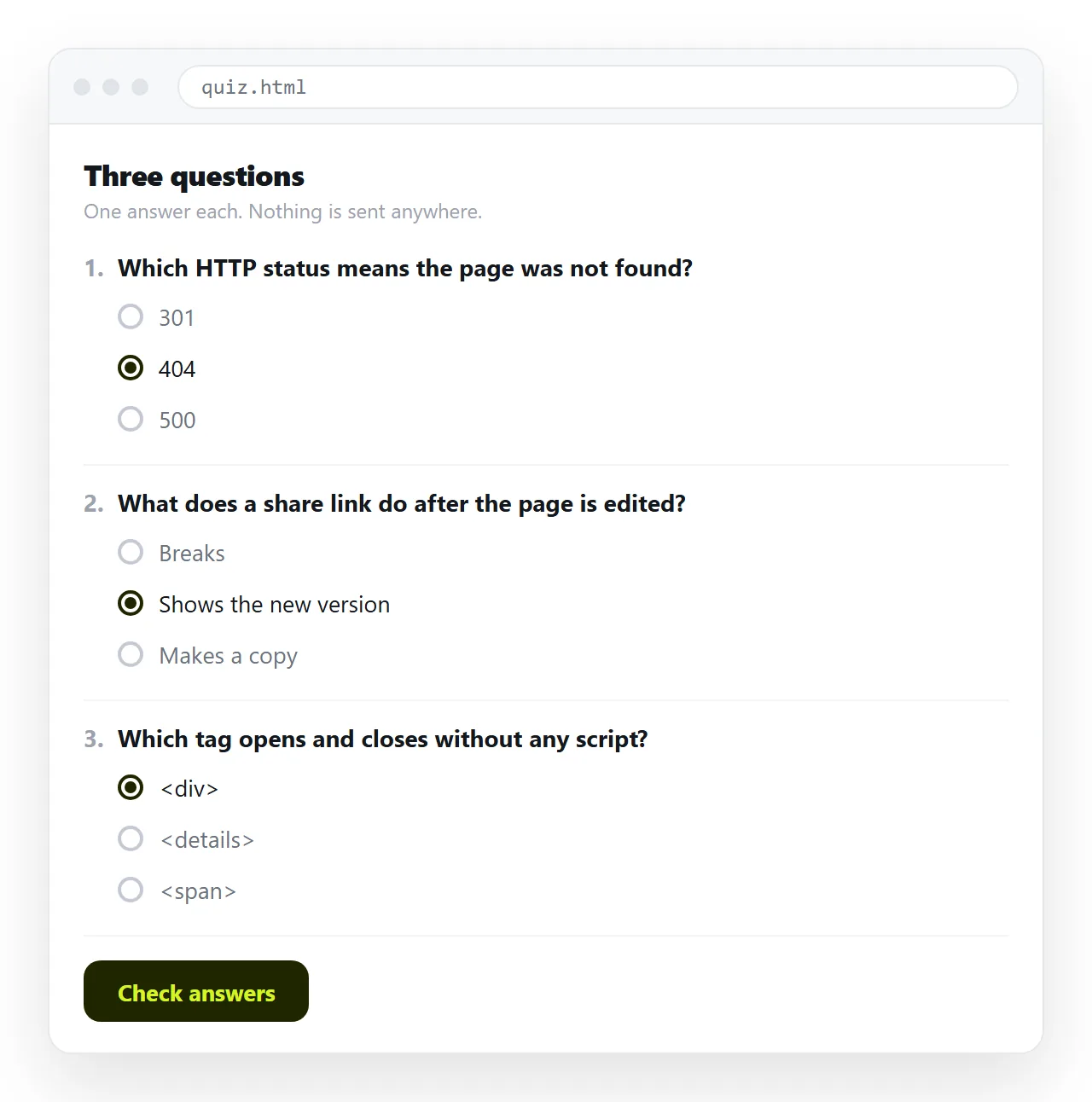
An HTML quiz starts with the questions as data
Writing the markup by hand for each question means every change touches the layout. Hold the content in an array instead and generate the markup from it.
var questions = [
  { q: 'Which attribute gives an image its text alternative?',
    options: ['title', 'alt', 'caption'], answer: 1 },
  { q: 'Which element groups a set of related form controls?',
    options: ['section', 'fieldset', 'div'], answer: 1 },
  { q: 'Which unit is safest in an email template?',
    options: ['rem', 'vw', 'px'], answer: 2 }
];
Adding a question is now one line. Reordering is moving a line. Nothing about the layout changes.
Rendering the questions
Each question is a fieldset with a legend, and the options are radio inputs that share a name. The shared name is what makes them mutually exclusive.
var form = document.getElementById('quiz');
questions.forEach(function (item, i) {
  var html = '<fieldset><legend>' + item.q + '</legend>';
  item.options.forEach(function (opt, j) {
    var id = 'q' + i + 'o' + j;
    html += '<label for="' + id + '">' +
            '<input type="radio" id="' + id + '" name="q' + i +
            '" value="' + j + '"> ' + opt + '</label><br>';
  });
  form.innerHTML += html + '</fieldset>';
});
The label wrapping matters. A label tied to its input makes the whole option text clickable, which is the difference between a usable quiz on a phone and a frustrating one. Semantic HTML covers why these elements are worth using over styled divs.
Checking the answers
One button, one pass over the questions.
document.getElementById('check').onclick = function () {
  var right = 0;
  questions.forEach(function (item, i) {
    var picked = document.querySelector('input[name="q' + i + '"]:checked');
    if (picked && Number(picked.value) === item.answer) right++;
  });
  document.getElementById('result').textContent =
    right + ' of ' + questions.length + ' correct';
};
Handle the unanswered case deliberately. picked is null when nothing was selected, and deciding whether that counts as wrong or blocks submission is a product decision, not an edge case to ignore.
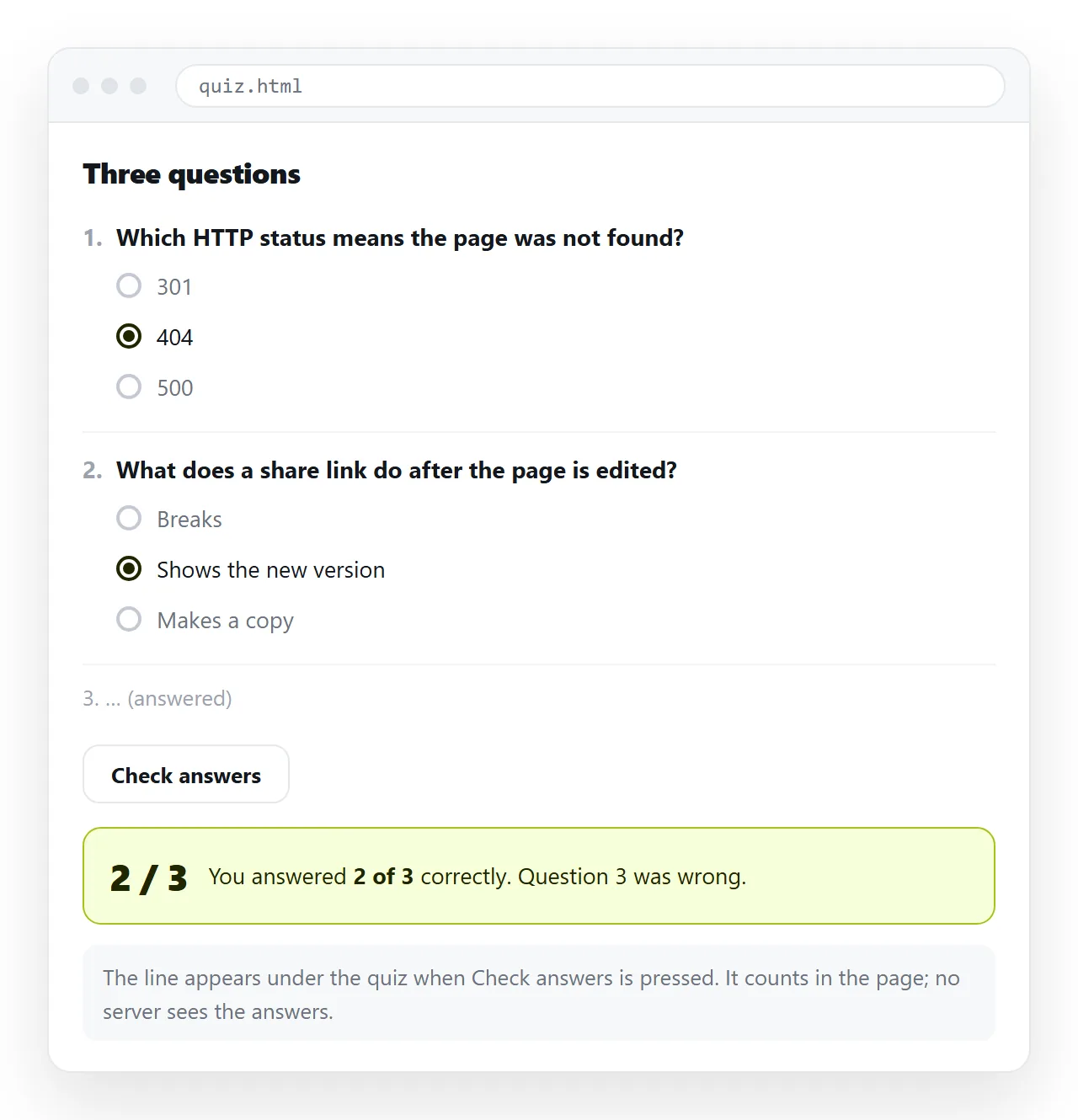
What a client side quiz cannot do
The answer key is in the file. Anyone can open the page source and read it, and no amount of obfuscation changes that, because the browser has to be able to mark the quiz.
| Use | Suitable | Why |
|---|---|---|
| Practice and revision | Yes | Nobody is cheating themselves |
| Onboarding knowledge check | Yes | The point is reading, not policing |
| Self assessment before a course | Yes | The result is for the taker |
| Lead capture quiz | Partly | Scoring is fine, collection needs a form |
| Graded exam | No | The key is readable, results are not recorded |
| Certification | No | Needs a server and an identity |
If the result has to be trusted, the marking has to happen somewhere the taker cannot see, and the answers have to be submitted rather than counted locally.
Collecting results
A quiz that marks itself keeps nothing. If you want to know who scored what, the result has to leave the page.
Three routes, in increasing effort:
- Ask the taker to send the score. Works for small internal use, and honest by design.
- Post to a form service. Put the score and identity into a form that submits to a service you already use. Form to link covers the sharing side.
- Write your own endpoint. Full control, and now you have a service to maintain.
Be clear which one you are building before you start, because it changes the whole design.
Question types beyond single choice
Radio groups cover most quizzes. Two other types are worth knowing, and both change the marking.
Multiple answer. Use checkboxes sharing a name. Marking now needs a decision: all or nothing, or partial credit for each correct box with a deduction for each wrong one.
Short text. A text input compared against an expected string. Normalise before comparing, lowercasing and trimming at minimum, or you will fail people for a trailing space.
Text answers are harder than they look. Accept a list of valid strings rather than one, and expect to add to that list after the first real use.
Writing questions that are worth asking
The markup is the easy half. A quiz that nobody learns from is usually a writing problem.
- Ask about the thing, not about the wording of the material.
- Keep options the same length. The longest option being correct is a tell people learn fast.
- Avoid "all of the above", which rewards guessing.
- One idea per question. Two clauses means the taker cannot tell which part they got wrong.
- Write the distractors as plausible mistakes, not as nonsense.
Four to eight questions is a workable length for a knowledge check. Past that, completion drops and people start clicking through.
Accessibility, briefly
A quiz is a form, and forms have well established requirements.
- Every input has a
label, tied byforandid. - Each question is a
fieldsetwith alegend. - The result container is reachable by keyboard and not only signalled by colour.
- Correct and incorrect are marked with words as well as colour.
None of this costs layout. It is mostly choosing the right element.
Sharing the quiz
The file on your machine is not a quiz anyone can take. Sending it as an attachment fails for the usual reasons: gateways strip HTML files, phones cannot open them, and every copy is frozen.
Paste the HTML into a NOS document instead. It renders as written, script included, so the quiz runs for whoever opens the address.
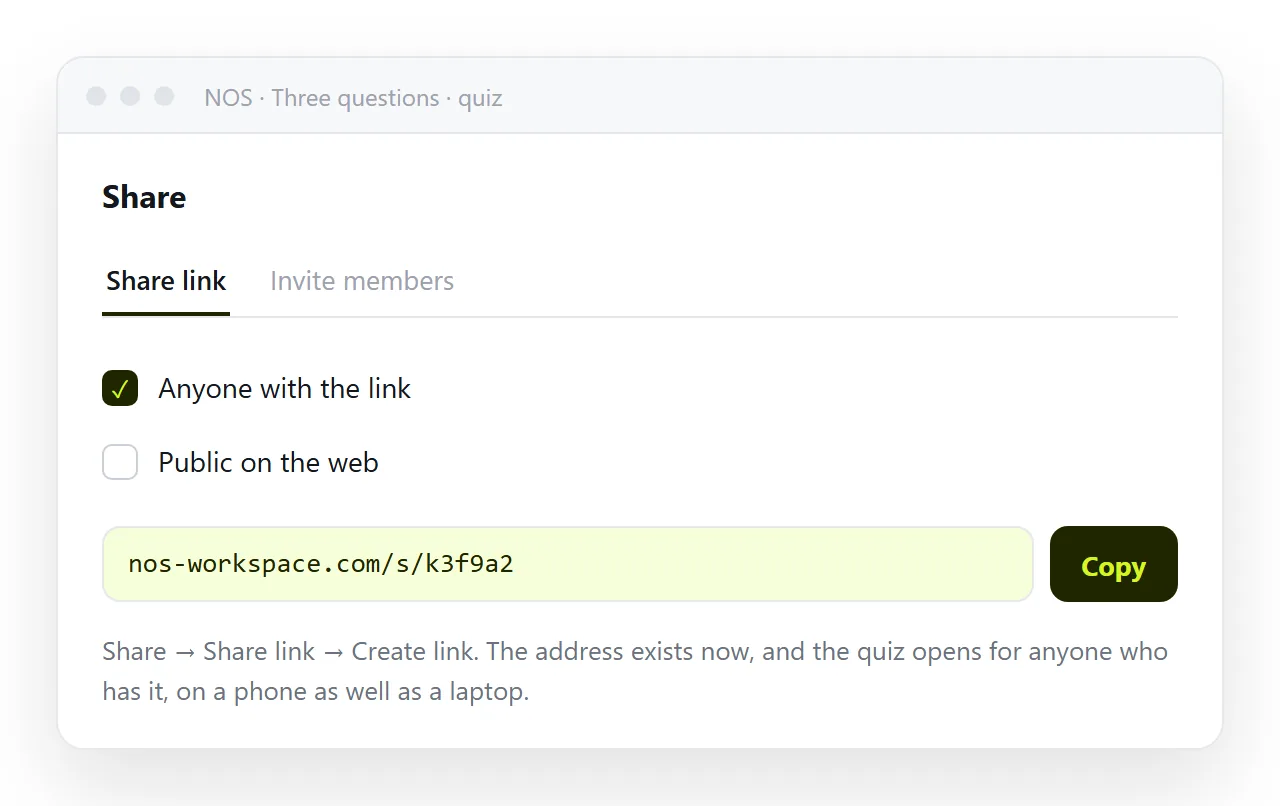
Leave the link unlisted for an internal check. Tick Public on the web if it is a public quiz you want found in search.
The address does not move when you edit. Fixing a wrong answer or a typo means clicking the text in the document, and the link you sent last week serves the corrected version.
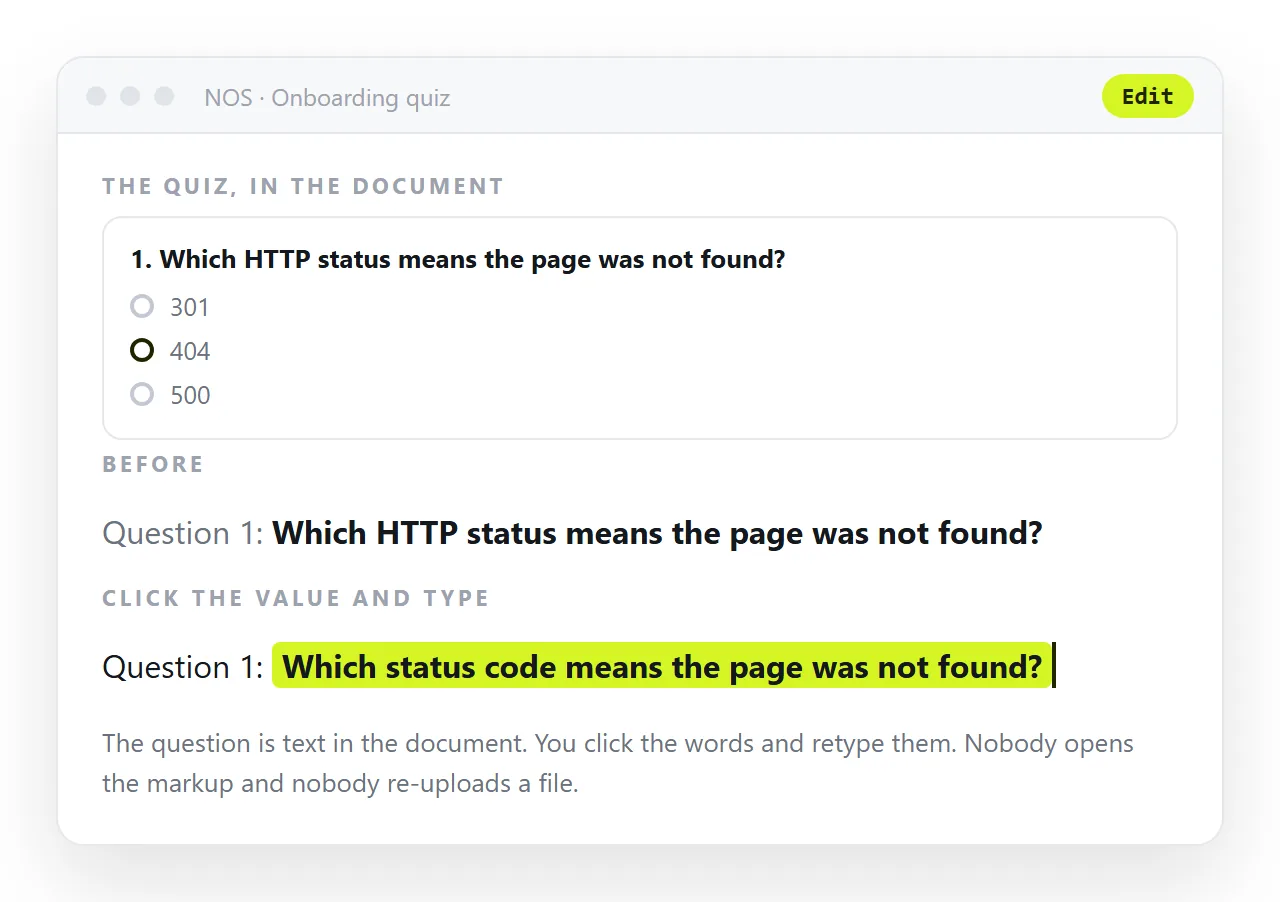
For a quiz that reports a score with bands and feedback rather than a bare count, see HTML quiz code with score. If the quiz is part of a sign up flow, HTML signup page covers the collection side.