What is the DOCTYPE in HTML? It is the first line of the file, <!DOCTYPE html>, and its only job is to tell the browser to use the current rendering rules.
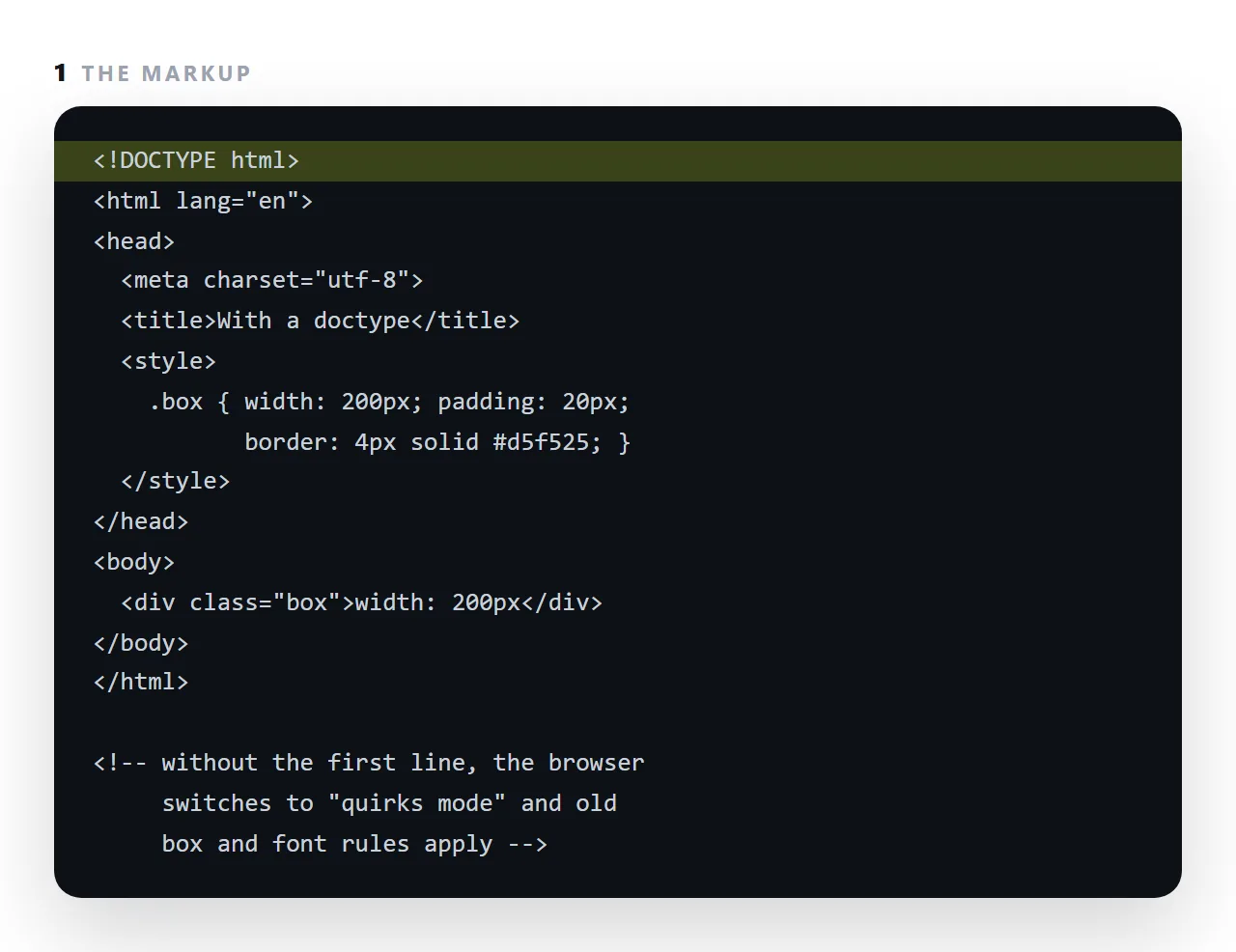
Without it the browser falls back to quirks mode, a compatibility mode that reproduces how pages were drawn in the 1990s: widths measured differently, fonts not inherited into tables, percentage heights ignored. Nothing errors; the page just looks slightly wrong.
This guide covers what the line actually switches, how to check which mode you are in, what pushes a page into quirks mode by accident, and why generated HTML sometimes arrives without it.
<!DOCTYPE html>
That is the whole thing. No attributes, no closing tag, and it must be the first thing in the file.
What the DOCTYPE actually switches
Browsers have two modes, kept for backwards compatibility with pages written before the standards settled.
| Standards mode (with doctype) | Quirks mode (without) | |
|---|---|---|
width measures |
The content box | Content plus padding plus border |
| Unknown CSS | Applied per spec | Some silently ignored |
| Table cell heights | Per spec | Older rules |
| Inline element sizing | Per spec | Older rules |
| Percentage heights | Per spec | Different |
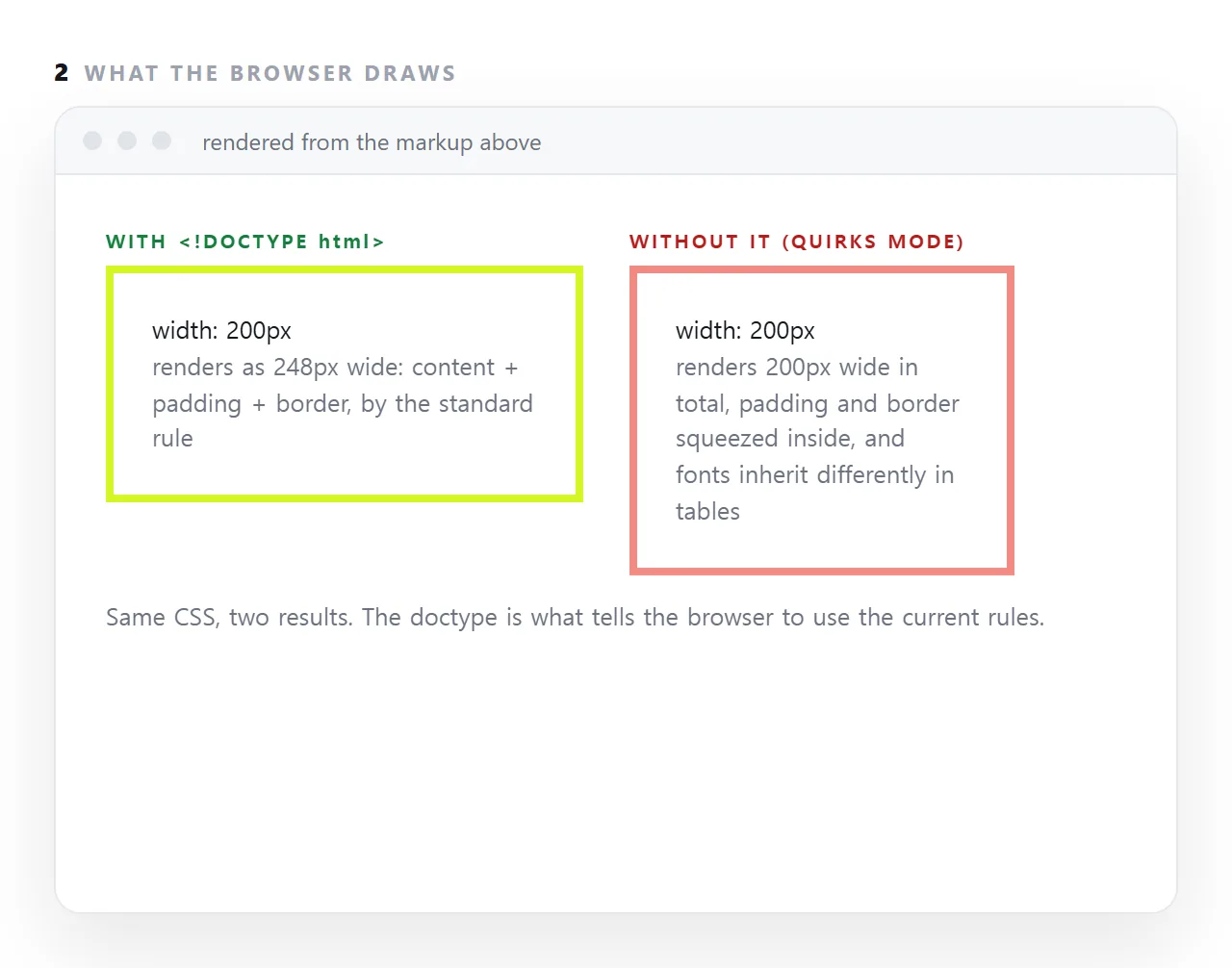
The first row is the one that causes visible damage. In quirks mode width: 300px; padding: 20px produces an element 300px wide overall; in standards mode it is 340px. So a layout that adds up correctly in one mode overflows in the other, and nothing reports an error — the page just looks slightly wrong in a way that resists debugging.
Checking which mode you are in
document.compatMode
"CSS1Compat" means standards mode. "BackCompat" means quirks, and the doctype is missing or something precedes it.
Worth running whenever a layout is off by an amount that looks like padding.
Things that push you into quirks mode
A missing doctype, obviously.
Anything before it — a comment, a blank line with content, a stray character.
A byte-order mark. Some editors write an invisible marker at the start of UTF-8 files. It is not visible in the editor and it precedes the doctype, so the browser sees content first. If compatMode says BackCompat and the doctype is clearly on line one, this is the cause: save the file as "UTF-8 without BOM".
Why the line is so short
Earlier versions pointed at a formal grammar:
<!DOCTYPE html PUBLIC "-//W3C//DTD XHTML 1.0 Strict//EN"
  "http://www.w3.org/TR/xhtml1/DTD/xhtml1-strict.dtd">
Nothing ever used it for validation in practice. HTML5 dropped the reference and kept the line purely as the standards-mode trigger, which is why <!DOCTYPE html> is sufficient and nothing longer is better.
It also marks a complete document
Practically, the doctype is how you tell whether you have a whole page or a fragment. A generated answer that starts with <div> is a piece of a page and will render as unstyled text on its own — see when generated HTML does not render.
So the check after copying any HTML is: does it start with <!DOCTYPE html> and end with </html>. If not, ask for the complete file.
The minimum valid page
<!DOCTYPE html>
<html lang="en">
<head>
  <meta charset="utf-8">
  <meta name="viewport" content="width=device-width,initial-scale=1">
  <title>Something descriptive</title>
</head>
<body>
</body>
</html>
Five lines in the head, and every one earns its place. The doctype sets the mode. lang tells screen readers and translation tools which language to use. charset prevents accented characters turning into rubbish. The viewport line makes the page readable on a phone. And the title is what tabs, bookmarks and preview cards display.
What quirks mode actually changes
The box model is the one people notice: in quirks mode, width includes padding and border, so a 200px column with 20px padding is 200px in total rather than 240px, and a two-column layout that was designed for standards mode overflows or leaves a gap.
Font size is not inherited into tables, so table text comes out at the default size whatever the body says.
Percentage heights resolve differently, images sit on a baseline with a gap under them, and a handful of colour and centring rules revert to older behaviour. Each is small; together they make a page look like nobody finished it.
Why generated and copied pages lose the doctype
Assistants asked for "the table" or "the chart section" return a fragment, and a fragment starts at a div. Copying a block out of a chat sometimes misses the first line.
Pasting a page into a tool that wraps it in its own document drops the doctype silently. In every case the fix is the same: make sure the file starts with <!DOCTYPE html> before checking anything else about it.
The older doctypes you will still see
Files from the 2000s start with a long doctype naming an HTML 4 or XHTML document type definition. Those still switch the browser into standards mode and can be left alone in an old file.
For anything new, the short form is the only one worth writing: <!DOCTYPE html>, case-insensitive, no version, no address. The long forms exist for compatibility, not because they do more.
Getting the DOCTYPE right: 4 steps
- Put
<!DOCTYPE html>on line one. Nothing before it. - Check the mode in the console.
document.compatModereturnsCSS1Compatin standards mode andBackCompatin quirks mode. - Look for what pushed you out. A fragment copied without its first line, a stray character before the doctype, or a page assembled from pieces.
- Ask for the complete file from an assistant. Fragments arrive without the doctype. Fixing AI-generated HTML starts here.